Day Planner: a hybrid demo mixing standard VNW controls with an HTML interface... - Forum
Day Planner: a hybrid demo mixing standard VNW controls with an HTML interface...

Quote from Anthony LaTorre on October 24, 2026, 2:55 amI have been experimenting with creating HTML Interface Elements with standard and modern VisualNeo Win Controls... Using the AI Kit and Claude AI.
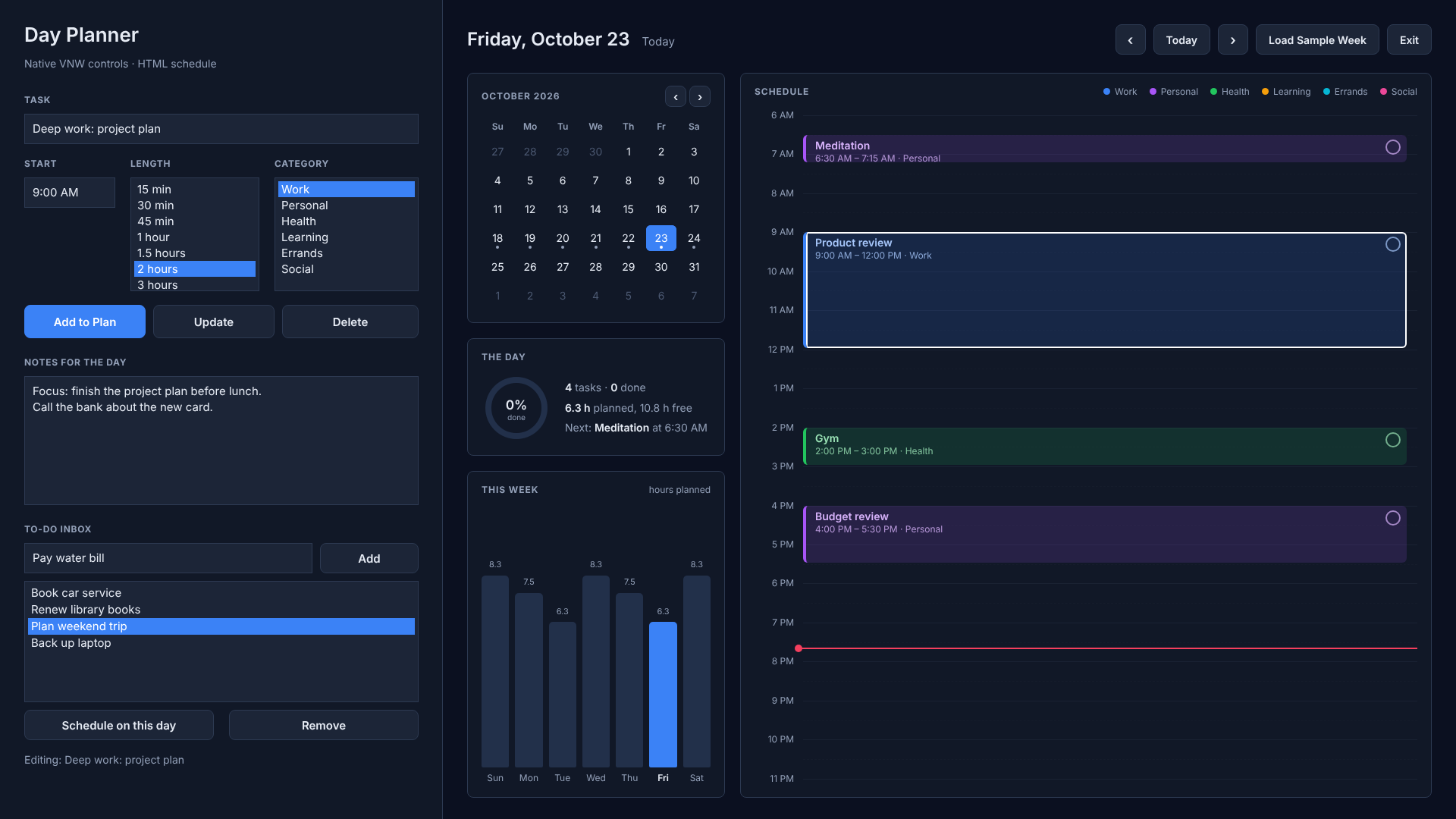
This demo shows one way to combine standard VisualNEO Win controls and an HTML page in the same window, with the two working together. It uses no plugins, only core VNW actions and the built-in Modern Web Browser.
The layout
- A single page has a full-window ModernWebBrowser showing
planner.html: a month calendar, a day summary, a week chart and a drag-and-drop day timeline.- 22 standard VNW controls sit on top of it in the left sidebar: TextEntry, ListBox, PushButton and SimpleText. They give you a task form, a multi-line notes box and a to-do inbox list.
BrowserV2PostMessage sends a text message to the page, and JavaScript acts on it. For example, the native Add to Plan button sends the form fields one per message, then a command:BrowserV2PostMessage "PlannerBrowser" "new.title:[TaskTitle]"
BrowserV2PostMessage "PlannerBrowser" "new.start:[TaskStart]"
BrowserV2PostMessage "PlannerBrowser" "add"Feel free to upload this Publication folder and the AI Kit to Claude AI, or your preferred AI to build HTML with VNW Custom Interfaces.
You can create some incredible looking interfaces and designs ... Give it a look...Cheers
I have been experimenting with creating HTML Interface Elements with standard and modern VisualNeo Win Controls... Using the AI Kit and Claude AI.
This demo shows one way to combine standard VisualNEO Win controls and an HTML page in the same window, with the two working together. It uses no plugins, only core VNW actions and the built-in Modern Web Browser.
The layout
- A single page has a full-window ModernWebBrowser showing
planner.html: a month calendar, a day summary, a week chart and a drag-and-drop day timeline. - 22 standard VNW controls sit on top of it in the left sidebar: TextEntry, ListBox, PushButton and SimpleText. They give you a task form, a multi-line notes box and a to-do inbox list.
BrowserV2PostMessage sends a text message to the page, and JavaScript acts on it. For example, the native Add to Plan button sends the form fields one per message, then a command:BrowserV2PostMessage "PlannerBrowser" "new.title:[TaskTitle]"
BrowserV2PostMessage "PlannerBrowser" "new.start:[TaskStart]"
BrowserV2PostMessage "PlannerBrowser" "add"Feel free to upload this Publication folder and the AI Kit to Claude AI, or your preferred AI to build HTML with VNW Custom Interfaces.
You can create some incredible looking interfaces and designs ... Give it a look...Cheers