NeoWin Installer - a free installer builder for VisualNEO Win programs - Forum
NeoWin Installer - a free installer builder for VisualNEO Win programs

Quote from Anthony LaTorre on November 17, 2026, 9:42 pmHi everyone,
I would like to share a tool I have been working on: NeoWin Installer. It
takes the folder of a compiled VisualNEO Win program and turns it into a zip
your users can download and install. It was built with VisualNEO Win and an
HTML5 interface.It comes compiled and ready to run. You do not need any plug-ins.
WHAT IT DOES
- Installs your program for the current Windows user, with no administrator
rights needed.
- Adds a Start menu shortcut and an optional Desktop shortcut.
- Lists the program in Windows Settings > Apps, with a working uninstaller.
- Checks every file after copying, so a damaged download is reported and
never half installed.
- Updates an existing install when the user runs a newer version.
- Uninstall removes only the files that were installed. The user's saved
data is kept unless they choose to delete it.WHAT YOU CAN CUSTOMISE
- Languages: the installer runs in English and Spanish, and the builder
itself has an English / Spanish switch.
- Texts: each message has several ready-made wordings, or you can write
your own.
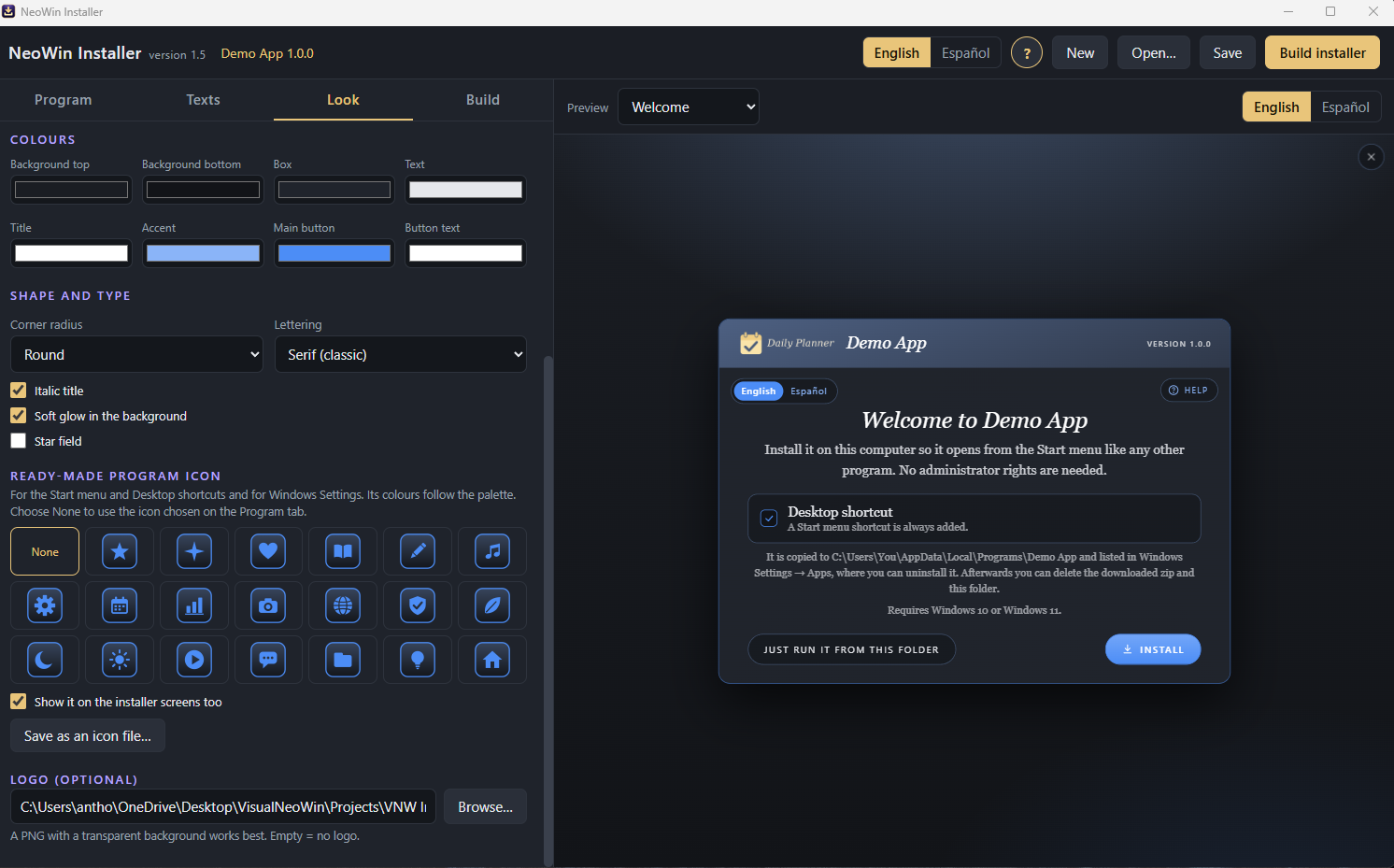
- Look: four interfaces (Card, Side panel, Top banner, Minimal) and eight
colour palettes, plus your own colours and logo.
- Icons: 20 ready-made program icons that follow your palette, which can
also be saved as .ico files.
- A live preview shows every installer screen while you work.*I created this installer because of the frustration I had with Anti-Virus programs flagging and putting my App Installers into quarantine.
What I found out is anti-virus software like McAfee often flag ease-of-use coded apps like VisualNeo Win and Autoplay Media Studio using traditional installers like Inno Setup and Actual Installer. When I download my apps from my website, they were immediately put into quarantine... I didn't want to pay for code signing my app, so I created this installer... So far, it has not flagged any apps I tested with it... Download from Google Drive below:Download Link: https://drive.google.com/file/d/1hhhnhsrfzEjq-MUg4HydE4ELsrbNIhHc/view?usp=sharing
I have included, the Installer, a Demo app you can practice creating an installer with... And a completed Installer File in Installer Output folder so you can test it on your system...
Obviously, I can't guarantee that anti-virus software on your customer's machine will not flag the program you create... But this is an alternative that so far has worked well for me. So if you have been frustrated with your apps always being flagged for potential viruses... give this installer a try.
If you have any issues... please reply to this topic...
Cheers
Hi everyone,
I would like to share a tool I have been working on: NeoWin Installer. It
takes the folder of a compiled VisualNEO Win program and turns it into a zip
your users can download and install. It was built with VisualNEO Win and an
HTML5 interface.
It comes compiled and ready to run. You do not need any plug-ins.
WHAT IT DOES
- Installs your program for the current Windows user, with no administrator
rights needed.
- Adds a Start menu shortcut and an optional Desktop shortcut.
- Lists the program in Windows Settings > Apps, with a working uninstaller.
- Checks every file after copying, so a damaged download is reported and
never half installed.
- Updates an existing install when the user runs a newer version.
- Uninstall removes only the files that were installed. The user's saved
data is kept unless they choose to delete it.
WHAT YOU CAN CUSTOMISE
- Languages: the installer runs in English and Spanish, and the builder
itself has an English / Spanish switch.
- Texts: each message has several ready-made wordings, or you can write
your own.
- Look: four interfaces (Card, Side panel, Top banner, Minimal) and eight
colour palettes, plus your own colours and logo.
- Icons: 20 ready-made program icons that follow your palette, which can
also be saved as .ico files.
- A live preview shows every installer screen while you work.
*I created this installer because of the frustration I had with Anti-Virus programs flagging and putting my App Installers into quarantine.
What I found out is anti-virus software like McAfee often flag ease-of-use coded apps like VisualNeo Win and Autoplay Media Studio using traditional installers like Inno Setup and Actual Installer. When I download my apps from my website, they were immediately put into quarantine... I didn't want to pay for code signing my app, so I created this installer... So far, it has not flagged any apps I tested with it... Download from Google Drive below:
Download Link: https://drive.google.com/file/d/1hhhnhsrfzEjq-MUg4HydE4ELsrbNIhHc/view?usp=sharing
I have included, the Installer, a Demo app you can practice creating an installer with... And a completed Installer File in Installer Output folder so you can test it on your system...
Obviously, I can't guarantee that anti-virus software on your customer's machine will not flag the program you create... But this is an alternative that so far has worked well for me. So if you have been frustrated with your apps always being flagged for potential viruses... give this installer a try.
If you have any issues... please reply to this topic...
Cheers
Uploaded files: