
About objects order

Quote from sakismor on November 28, 2020, 9:09 pmHello
I would to know if it possible the objects order list. So to know which object is in front from an other. Is that possible?
The best solution for me is to have a list from all objects from the one in front and the last in back when the application runs. In the same time I will make changes in the objects in the running mode. So if i call to get the list with the new order.
Is that possible? Can make someone a plugin?
Hello
I would to know if it possible the objects order list. So to know which object is in front from an other. Is that possible?
The best solution for me is to have a list from all objects from the one in front and the last in back when the application runs. In the same time I will make changes in the objects in the running mode. So if i call to get the list with the new order.
Is that possible? Can make someone a plugin?
Quote from Gaev on November 29, 2020, 10:38 pm@sakismor
The best solution for me is to have a list from all objects from the one in front and the last in back when the application runs. In the same time I will make changes in the objects in the running mode. So if i call to get the list with the new order.
Is that possible? Can make someone a plugin?
At run time, you can force the object order by repeatedly issuing ObjectToFront (from farthest desired object to nearest one) or ObjectToBack (from nearest desired object to fartest one).
As for the object list, I faintly recall a plugin that lists objects in a specified page, but can not provide exact details (perhaps one the many plugins from @hpw ?)
The best solution for me is to have a list from all objects from the one in front and the last in back when the application runs. In the same time I will make changes in the objects in the running mode. So if i call to get the list with the new order.
Is that possible? Can make someone a plugin?
At run time, you can force the object order by repeatedly issuing ObjectToFront (from farthest desired object to nearest one) or ObjectToBack (from nearest desired object to fartest one).
As for the object list, I faintly recall a plugin that lists objects in a specified page, but can not provide exact details (perhaps one the many plugins from @hpw ?)
Quote from sakismor on November 29, 2020, 10:50 pmHello and thank you,
The problem is that I try a project that I move photos in a rectangle and I change the short order of the photos. So I need to know anytime in the running mode the list order from the front to the back of the photos. These is the general problem. I have to tell you that all is in one page.
So an example is:
photo3.png (front)
photo1.png
photo2.png (back)
And if I change the photo1.png image to front the list change like that:
photo1.png (front)
photo3.png
photo2.png (back)
If you need more informations please ask me. I need to find a quick solution.
Hello and thank you,
The problem is that I try a project that I move photos in a rectangle and I change the short order of the photos. So I need to know anytime in the running mode the list order from the front to the back of the photos. These is the general problem. I have to tell you that all is in one page.
So an example is:
photo3.png (front)
photo1.png
photo2.png (back)
And if I change the photo1.png image to front the list change like that:
photo1.png (front)
photo3.png
photo2.png (back)
If you need more informations please ask me. I need to find a quick solution.
Quote from Gaev on November 30, 2020, 8:30 pm@sakismor
The problem is that I try a project that I move photos in a rectangle and I change the short order of the photos.
So I need to know anytime in the running mode the list order from the front to the back of the photos.If all 3 objects are in the same x,y position, and you want to show one of them at a time, you might be better off doing HideObject/ShowObject commands.
If, for some reason, you need to keep a list of the relative order of the images, you can simultaneously maintain an ordered list ... perhaps using a (hidden) ListBox and ListBoxAddItem/ListBoxDeleteItem
Please provide more details of your requirements (with screenshots if possible).
The problem is that I try a project that I move photos in a rectangle and I change the short order of the photos.
So I need to know anytime in the running mode the list order from the front to the back of the photos.
If all 3 objects are in the same x,y position, and you want to show one of them at a time, you might be better off doing HideObject/ShowObject commands.
If, for some reason, you need to keep a list of the relative order of the images, you can simultaneously maintain an ordered list ... perhaps using a (hidden) ListBox and ListBoxAddItem/ListBoxDeleteItem
Please provide more details of your requirements (with screenshots if possible).

Quote from fkapnist on December 1, 2020, 3:11 am"Object Toolz" is discussed here
Object Toolz -Archived NeoSoft Support Forum (visualneo.com)
neobook Object Toolz - Google Search
but I don't know if the download link still works
maybe try The Wayback Machine
"Object Toolz" is discussed here
Object Toolz -Archived NeoSoft Support Forum (visualneo.com)
neobook Object Toolz - Google Search
but I don't know if the download link still works
maybe try The Wayback Machine
Quote from fkapnist on December 1, 2020, 3:35 amYou can originally place the photos to the left of the client area, where they cannot be seen during runtime. Then move them, one by one, onto the rectangle and into view. A list can be kept of the "current" photo by appending its name to an external file, and turning that file into a variable....
So you could use the MoveObject action instead of ObjectToFront
You can originally place the photos to the left of the client area, where they cannot be seen during runtime. Then move them, one by one, onto the rectangle and into view. A list can be kept of the "current" photo by appending its name to an external file, and turning that file into a variable....
So you could use the MoveObject action instead of ObjectToFront

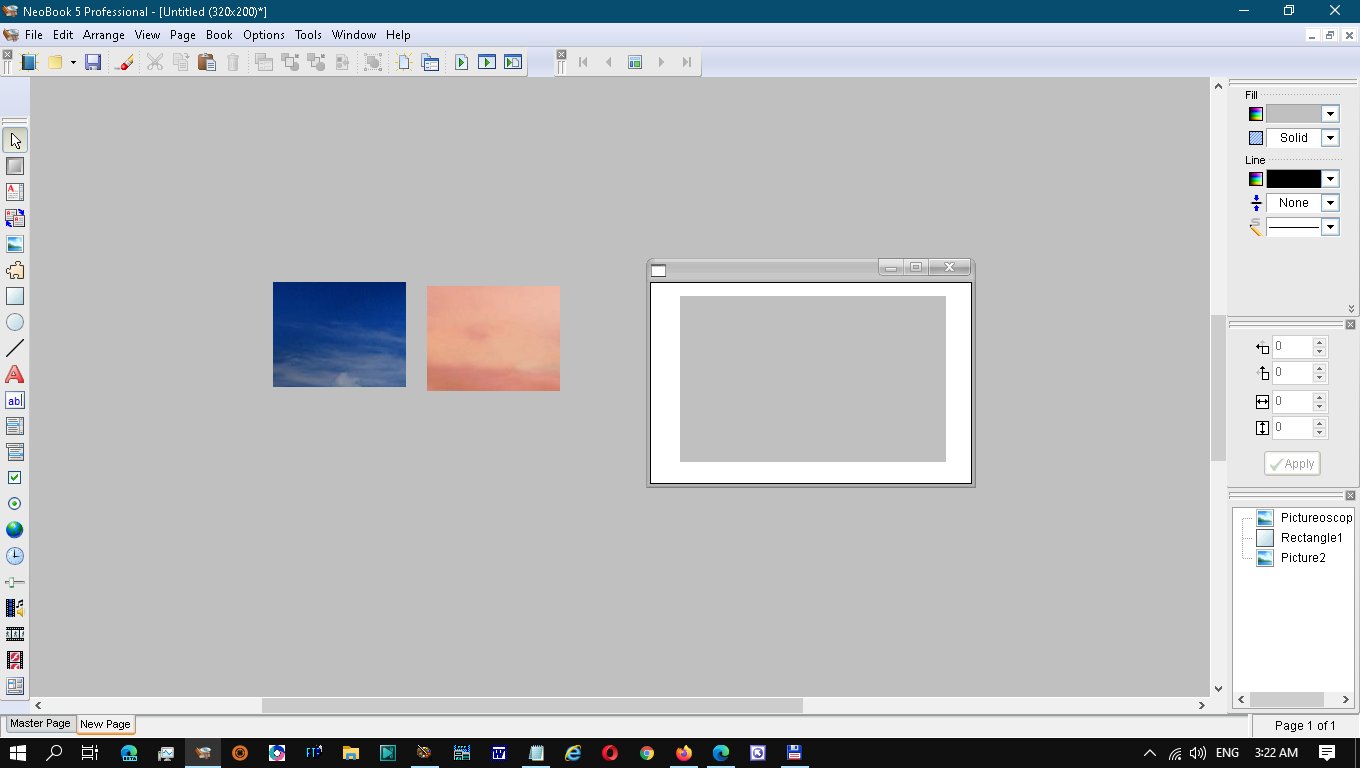
Quote from fkapnist on December 1, 2020, 4:18 amIt seems your question is about how to keep track of your photos, and which is currently displayed, rather than how to display them...
You can use the ObjectToFront action or the Show / Hide Object actions or the MoveObject action... or any combination of them to display your photos. (The Show and Hide are probably best because they allow various transition effects.)
An easy way to keep track of your photos is to write and read their names in an external data file and then retrieve it back as a variable. Each time a photo is displayed, the data file is updated. Each time the data file is updated, it can be sent to a listbox or scrolling article / text file, etc.
It seems your question is about how to keep track of your photos, and which is currently displayed, rather than how to display them...
You can use the ObjectToFront action or the Show / Hide Object actions or the MoveObject action... or any combination of them to display your photos. (The Show and Hide are probably best because they allow various transition effects.)
An easy way to keep track of your photos is to write and read their names in an external data file and then retrieve it back as a variable. Each time a photo is displayed, the data file is updated. Each time the data file is updated, it can be sent to a listbox or scrolling article / text file, etc.
