
Adding More Fields to "Telephone Listing Database" PHP/SqLite Demo.. - Forum
Adding More Fields to "Telephone Listing Database" PHP/SqLite Demo..

Quote from Linda Rainey on January 8, 2023, 6:37 pmHello Everyone...
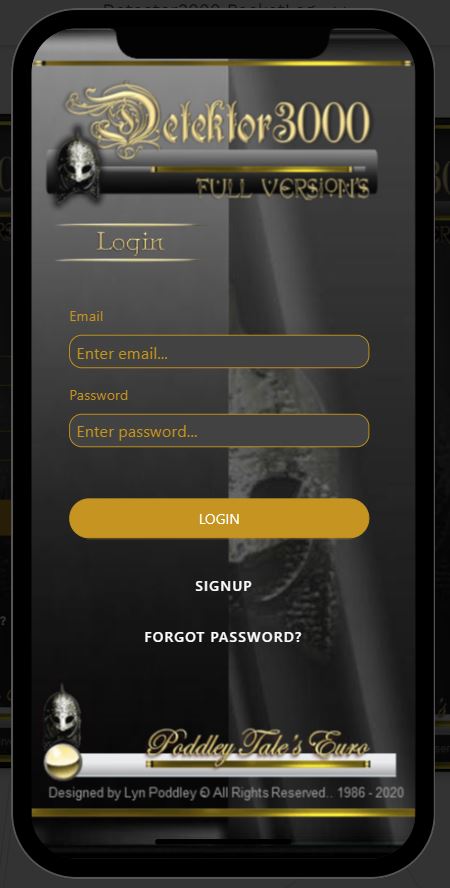
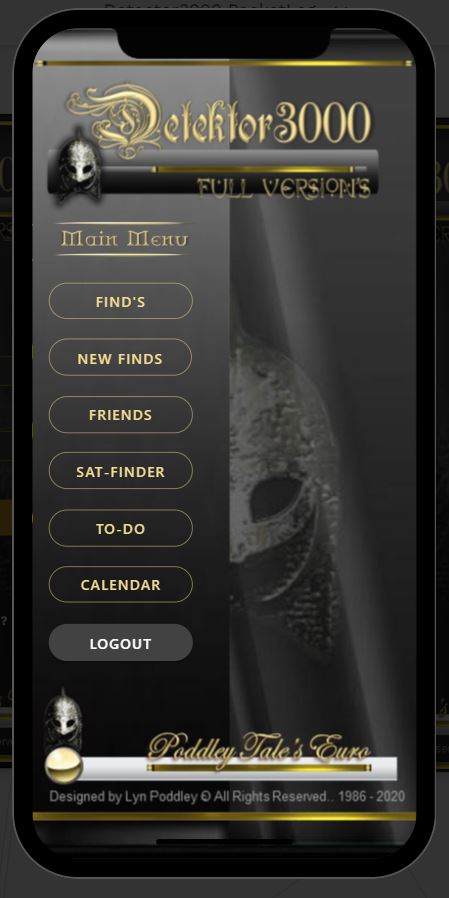
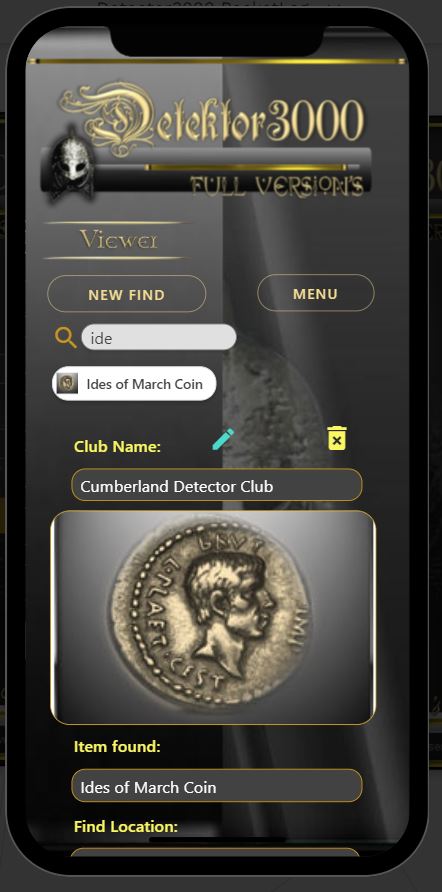
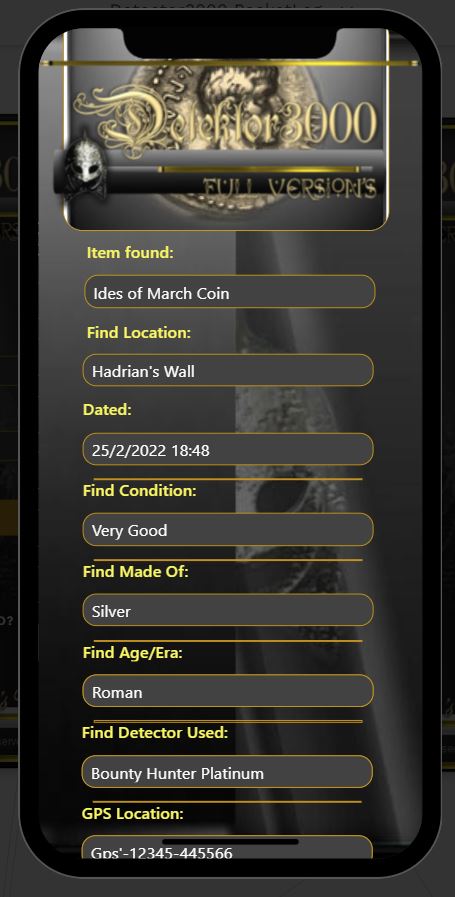
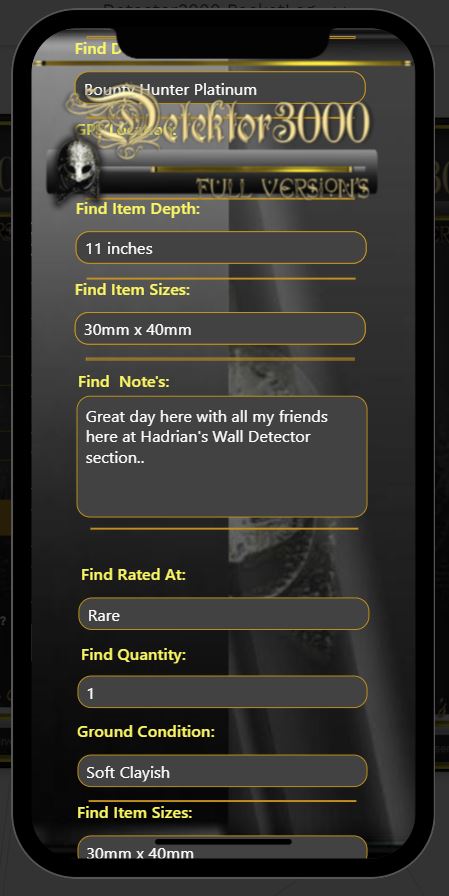
Brand New Here!... Thought I would have a go at this Platform "VisualNEO WEB.. as I make PWA apps using Delphi/Rad and Adalo .. so as a quick learn to get to some speed on designing I chose the "Telephone Listing" Demo... I am trying to re-create one of my many "Hobby3000" Berlin range mobile apps for the Hobbyist "This one is "Detektor3000" Metal Detecting Finds Log... and I am surprised that it can "Clone" a lookalike quite easy...
But!... All my apps have around 50 - 100 fields in... spread out in 5 menus ... and my problem here is... is the "Demo" only limited to the 4 fields in it... or can I have more.. and if I can have more .. what is stopping it from working when you add any extra fields in the "mydatabase.db" and fill in all "Subroutines" etc with the additional fields and also the "Config.php" I don't think I have missed anything out... Wherever the 4 original fields are for the "Demo" I have added 20 extra "text" and 6 extra "Blobs"... which forms the "New Finds" record...
Be nice to know it is only as simple fix... Thank's if you have come across this in the past...
Lyn Poddley
Poddley Tale's Euro..
Hello Everyone...
Brand New Here!... Thought I would have a go at this Platform "VisualNEO WEB.. as I make PWA apps using Delphi/Rad and Adalo .. so as a quick learn to get to some speed on designing I chose the "Telephone Listing" Demo... I am trying to re-create one of my many "Hobby3000" Berlin range mobile apps for the Hobbyist "This one is "Detektor3000" Metal Detecting Finds Log... and I am surprised that it can "Clone" a lookalike quite easy...
But!... All my apps have around 50 - 100 fields in... spread out in 5 menus ... and my problem here is... is the "Demo" only limited to the 4 fields in it... or can I have more.. and if I can have more .. what is stopping it from working when you add any extra fields in the "mydatabase.db" and fill in all "Subroutines" etc with the additional fields and also the "Config.php" I don't think I have missed anything out... Wherever the 4 original fields are for the "Demo" I have added 20 extra "text" and 6 extra "Blobs"... which forms the "New Finds" record...
Be nice to know it is only as simple fix... Thank's if you have come across this in the past...
Lyn Poddley
Poddley Tale's Euro..
Uploaded files:

Quote from luishp on January 9, 2023, 11:59 amHi @linda-rainey and welcome to the forums :)
Of course you can add as many fields as necessary to your database and app.
It's not easy to help you as we don't have enough information to understand why your app is not working.
Have you checked the Console (F12) while your app is running within a web browser? Most of the times you should find some error messages there if something is not working as expected.
By the way, your app looks very nice. Congratulations!
Hi @linda-rainey and welcome to the forums :)
Of course you can add as many fields as necessary to your database and app.
It's not easy to help you as we don't have enough information to understand why your app is not working.
Have you checked the Console (F12) while your app is running within a web browser? Most of the times you should find some error messages there if something is not working as expected.
By the way, your app looks very nice. Congratulations!
Quote from Linda Rainey on January 9, 2023, 12:23 pmHello...
Thank you for your reply..
I have checked (f12) and nothing is showing bad... the problem is... it is not adding any new records... Does all others Deletes etc.. but won't add new record... The (+) works and clears fields (all empty) I can enter all fields with text etc... and when the Pop-up appears to say "Add New Record" .. nothing happens..
Checked the database and nothing has gone into it...
I have shown you the Script that I have for the "Tick" icon "Add New Record".. maybe you can see something I have missed... failing all else .. I will remove all my new addon fields.. and see if it works back to the default 4 fields.. and then just add 1 new field and test it.. (perhaps a bit to "Cocky" to try a full burst of new fields 25 or so...
Thank's for any help...
P.S.. Forgot I have used a Container to place all new fields into it so it will scroll (the fields are in the container and container is 5 times the height of the phones template used) unless you know of another way that the fields will all go in like the form! but have not tried that yet)..
Lyn..
Hello...
Thank you for your reply..
I have checked (f12) and nothing is showing bad... the problem is... it is not adding any new records... Does all others Deletes etc.. but won't add new record... The (+) works and clears fields (all empty) I can enter all fields with text etc... and when the Pop-up appears to say "Add New Record" .. nothing happens..
Checked the database and nothing has gone into it...
I have shown you the Script that I have for the "Tick" icon "Add New Record".. maybe you can see something I have missed... failing all else .. I will remove all my new addon fields.. and see if it works back to the default 4 fields.. and then just add 1 new field and test it.. (perhaps a bit to "Cocky" to try a full burst of new fields 25 or so...
Thank's for any help...
P.S.. Forgot I have used a Container to place all new fields into it so it will scroll (the fields are in the container and container is 5 times the height of the phones template used) unless you know of another way that the fields will all go in like the form! but have not tried that yet)..
Lyn..
Uploaded files:


Quote from smartmedia on January 9, 2023, 2:23 pm@linda-rainey
for every field you use in your query at config.php file you need the co responsive ? at the VALUES
for example
"INSERT INTO Users (name, surename, mobile, password, email, city, address, postcode, accounttype, registerdate) VALUES (?,?,?,?,?,?,?,?,?,?)";
for every field you use in your query at config.php file you need the co responsive ? at the VALUES
for example
"INSERT INTO Users (name, surename, mobile, password, email, city, address, postcode, accounttype, registerdate) VALUES (?,?,?,?,?,?,?,?,?,?)";
Quote from Linda Rainey on January 9, 2023, 3:08 pmHello.. Smarty
Well Now.. I would never have figured that out from now till Doomsday... I can see exactly why it is not working .. I don't remember it mentioned in the Vids.. (which are excellent) ..
Thanks I shall try it now...
Regards
Lyn..
Hello.. Smarty
Well Now.. I would never have figured that out from now till Doomsday... I can see exactly why it is not working .. I don't remember it mentioned in the Vids.. (which are excellent) ..
Thanks I shall try it now...
Regards
Lyn..
Quote from Linda Rainey on January 9, 2023, 4:51 pmHello Smarty...
Did That and it is doing something.. and also in the "Tick" icon when pressed has the same line.. But! I am sorry to say it still does not work.. (not adding records... So I tried again with the "Telephone Listing" Demo sample... Php Samples.. and works fine with the 4 fields by default.. so tried to just add one more field.. named it "testdata" and stuck some letters in it... so was not empty... added the extra "?" to the already 3 that was in "Config.php" and when click the new record "Tick" icon the same is ther so added another "?" to make 4 in total the same as config.php...
added the new field in appropriate places like "Subroutines etc".. everywhere the 4 default fields are...
"It does not work"...
Nothing is in the extra field... whatever you type into the new field ends up in one of the others...
So I will now go and lie down in a darkened Room until my Head Stops Spinning...
Maybe someone can sort it because I can not make anything if I can't get this to work... Shame I like the Program very much!
Lyn...
Hello Smarty...
Did That and it is doing something.. and also in the "Tick" icon when pressed has the same line.. But! I am sorry to say it still does not work.. (not adding records... So I tried again with the "Telephone Listing" Demo sample... Php Samples.. and works fine with the 4 fields by default.. so tried to just add one more field.. named it "testdata" and stuck some letters in it... so was not empty... added the extra "?" to the already 3 that was in "Config.php" and when click the new record "Tick" icon the same is ther so added another "?" to make 4 in total the same as config.php...
added the new field in appropriate places like "Subroutines etc".. everywhere the 4 default fields are...
"It does not work"...
Nothing is in the extra field... whatever you type into the new field ends up in one of the others...
So I will now go and lie down in a darkened Room until my Head Stops Spinning...
Maybe someone can sort it because I can not make anything if I can't get this to work... Shame I like the Program very much!
Lyn...
Quote from smartmedia on January 9, 2023, 7:20 pmBefore add any data into fields those fields must exist. So. the above INSERT INTO command adds data into all ready existing fields in the table of database.
If you want to add extra fields into an existing table you must first create them.
Now, you can add new fileds into a table 1) by using an application, or executing a query. In Visual Neo Web installation folder there is a folder called SQLiteBrowser, open it and run the app. from there open your database and add the field you want. If you want more upadated sqlite app go to DB Browser for SQLite (sqlitebrowser.org)
Before add any data into fields those fields must exist. So. the above INSERT INTO command adds data into all ready existing fields in the table of database.
If you want to add extra fields into an existing table you must first create them.
Now, you can add new fileds into a table 1) by using an application, or executing a query. In Visual Neo Web installation folder there is a folder called SQLiteBrowser, open it and run the app. from there open your database and add the field you want. If you want more upadated sqlite app go to DB Browser for SQLite (sqlitebrowser.org)
Quote from luishp on January 9, 2023, 7:46 pm@linda-rainey please zip all your modified "Telephone Listing" Demo sample project files and attach them here in the forum so we can check them.
Thank you!
@linda-rainey please zip all your modified "Telephone Listing" Demo sample project files and attach them here in the forum so we can check them.
Thank you!
Quote from Linda Rainey on January 9, 2023, 8:10 pmHello... Thankyou I have sent zip file of the "Telephone Listing" Demo sample and added just one field to the database...
I will have missed out a "dot" or "comma" etc.. But can't find where!.. Hopefully you will be able to sort it and show me where I am going wrong..
Lyn..
Hello... Thankyou I have sent zip file of the "Telephone Listing" Demo sample and added just one field to the database...
I will have missed out a "dot" or "comma" etc.. But can't find where!.. Hopefully you will be able to sort it and show me where I am going wrong..
Lyn..
Uploaded files:Quote from Linda Rainey on January 10, 2023, 10:56 amHello... Advisors...
Yes.. Yes.. Yes.. Done It!!!.
Found the trouble... after a packet of "Paracetamol" ...
All working now and shall keep adding more fields slowly...
While I am here!... How do you get users to put a picture in (of a find) .. there is no "Data Image" only an "image" to show a pre-set picture added when building... the app ... Database has "Blob" Fields.. ????
Lyn..
Hello... Advisors...
Yes.. Yes.. Yes.. Done It!!!.
Found the trouble... after a packet of "Paracetamol" ...
All working now and shall keep adding more fields slowly...
While I am here!... How do you get users to put a picture in (of a find) .. there is no "Data Image" only an "image" to show a pre-set picture added when building... the app ... Database has "Blob" Fields.. ????
Lyn..
Uploaded files:
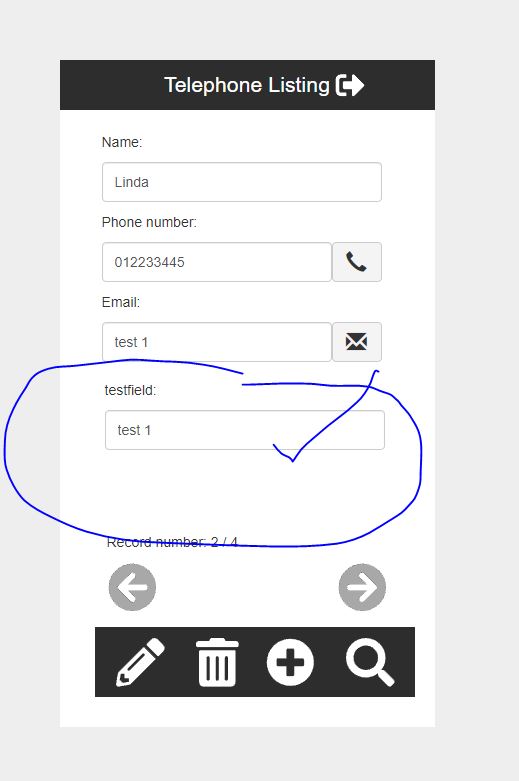
Quote from luishp on January 10, 2023, 11:04 am@linda-rainey your app works just fine. The new records are added correctly to the database. The problem comes from the parseData subroutine and the code in prev and next buttons.
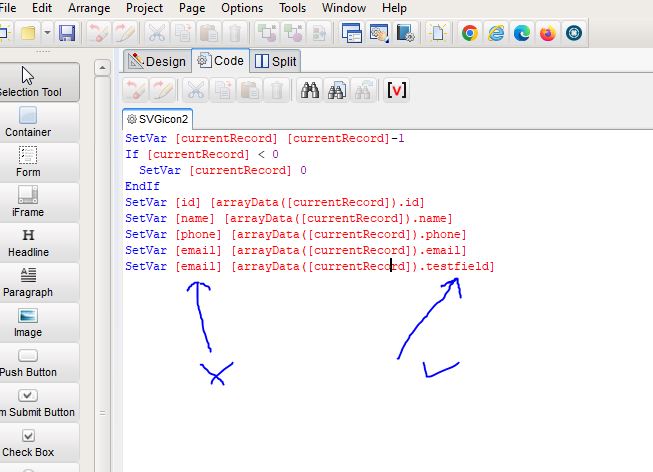
This is your current parseData subroutine code:CreateEmptyArray [arrayData] SetVar [arrayData] [data] ArrayLen [arrayData] [total] SetVar [currentRecord] 0 SetVar [id] [arrayData([currentRecord]).id] SetVar [name] [arrayData([currentRecord]).name] SetVar [phone] [arrayData([currentRecord]).phone] SetVar [email] [arrayData([currentRecord]).email] SetVar [email] [arrayData([currentRecord]).testfield]Can you see the problem in the last line? It should be:
SetVar [testfield] [arrayData([currentRecord]).testfield]The prev and next buttons have the exact same problem.
Once you fix them, the application runs perfectly :)
@linda-rainey your app works just fine. The new records are added correctly to the database. The problem comes from the parseData subroutine and the code in prev and next buttons.
This is your current parseData subroutine code:
CreateEmptyArray [arrayData]
SetVar [arrayData] [data]
ArrayLen [arrayData] [total]
SetVar [currentRecord] 0
SetVar [id] [arrayData([currentRecord]).id]
SetVar [name] [arrayData([currentRecord]).name]
SetVar [phone] [arrayData([currentRecord]).phone]
SetVar [email] [arrayData([currentRecord]).email]
SetVar [email] [arrayData([currentRecord]).testfield]
Can you see the problem in the last line? It should be:
SetVar [testfield] [arrayData([currentRecord]).testfield]
The prev and next buttons have the exact same problem.
Once you fix them, the application runs perfectly :)
Quote from luishp on January 10, 2023, 11:10 am@linda-rainey LOL it seems we have published our posts at the same time.
Regarding Blob fields, if you are thinking about storing images in the database you can do it as plain text in Base64 format. VisualNEO Web allows to get a picture from the local system and convert it to Base64 format quite easily. You can later include them as the "src" (source) parameter value in any Image object or <img> HTML tag.
Note that it's usually better to store the images as independent files and store in the database just their paths.Regards.
@linda-rainey LOL it seems we have published our posts at the same time.
Regarding Blob fields, if you are thinking about storing images in the database you can do it as plain text in Base64 format. VisualNEO Web allows to get a picture from the local system and convert it to Base64 format quite easily. You can later include them as the "src" (source) parameter value in any Image object or <img> HTML tag.
Note that it's usually better to store the images as independent files and store in the database just their paths.
Regards.
Quote from Linda Rainey on January 10, 2023, 1:01 pmHello Luis...
Thank you very much for taking the time to sort the trouble out... and I came to the same conclusion at about 3am this morning... so again thank's for all your help... I treat myself as quite an expert on making Programs/apps etc.. as I have been making them since 1986.. But! just goes to show... There is a Never-ending amount to the knowledge needed to keep up with the modern times of today... which thankfully is supplied by you... and other helpers on this Forum!...
Pictures...
I need them in the database .. there is only 5 per record... but the "Hobby3000" apps can't work without them... I can see I will have to look into how it is done.. usually the user can use a phone pic shot or paste a copied pic in any of my apps.. but this is all new to me... did you do a vid on this...
Lyn...
Hello Luis...
Thank you very much for taking the time to sort the trouble out... and I came to the same conclusion at about 3am this morning... so again thank's for all your help... I treat myself as quite an expert on making Programs/apps etc.. as I have been making them since 1986.. But! just goes to show... There is a Never-ending amount to the knowledge needed to keep up with the modern times of today... which thankfully is supplied by you... and other helpers on this Forum!...
Pictures...
I need them in the database .. there is only 5 per record... but the "Hobby3000" apps can't work without them... I can see I will have to look into how it is done.. usually the user can use a phone pic shot or paste a copied pic in any of my apps.. but this is all new to me... did you do a vid on this...
Lyn...
Quote from luishp on January 10, 2023, 3:05 pm@linda-rainey please check the attached sample app. I think you will understand the process to transform an image into a text (Base64) and back to an image.
Let me know if you have any doubts.
@linda-rainey please check the attached sample app. I think you will understand the process to transform an image into a text (Base64) and back to an image.
Let me know if you have any doubts.
Quote from Linda Rainey on January 10, 2023, 4:19 pmOK.. Will Do!..
I can see how it is done.. Just got to work out it is for 5 pics using "Load image" button near each Pic or Tick Box.. x 5 on app fields page container... and at same time have 5 database fields called "Pic1Data - Pic5Data" as "Text" not blob... mixed in with the 26 fields layout on the finds page... and then activate a copy & paste Command to send the Base64 text into each of the appropriate database "PicData" fields at the same time.. (I think)..
OK.. Will Do!..
I can see how it is done.. Just got to work out it is for 5 pics using "Load image" button near each Pic or Tick Box.. x 5 on app fields page container... and at same time have 5 database fields called "Pic1Data - Pic5Data" as "Text" not blob... mixed in with the 26 fields layout on the finds page... and then activate a copy & paste Command to send the Base64 text into each of the appropriate database "PicData" fields at the same time.. (I think)..
Uploaded files:

Quote from Linda Rainey on January 11, 2023, 2:45 amHello..
I am at a complete loss .. I have made a Demo or at the least the stage I am at with this... If you can look at it and see if you can see if you can also try to make sense of it...
It is still your "Telephone" Demo... with a few changes... to put a picture into it... I am stuck at the point of.. when the picture is showing.. it is only because I have manually put in the text 64 of the picture showing into it's field .. "Pic1" which is a "Text Field.. (not Blob) .. I don't think it will go into it by default as the picture is made.. as the picture is made the Text64 is in the data base field "Pic1" (text field).. but can't come up with a way of either "Saving Database".. or "Refreshing.. or "Updating" it so as to lock the text64 ..
Text64 for Pic...
Amongst other thing I do.. I am a script writer of children's stories... and have done for many years .. and I can tell you that "Text64" has more letters in it than most of my stories... surely a Html address to the picture would be much less...
To me this is the Only let down to a great system.. No Data Image in your system.. as All other systems have one and is only seconds to add one..
Best of Luck!..
Lyn...
Hello..
I am at a complete loss .. I have made a Demo or at the least the stage I am at with this... If you can look at it and see if you can see if you can also try to make sense of it...
It is still your "Telephone" Demo... with a few changes... to put a picture into it... I am stuck at the point of.. when the picture is showing.. it is only because I have manually put in the text 64 of the picture showing into it's field .. "Pic1" which is a "Text Field.. (not Blob) .. I don't think it will go into it by default as the picture is made.. as the picture is made the Text64 is in the data base field "Pic1" (text field).. but can't come up with a way of either "Saving Database".. or "Refreshing.. or "Updating" it so as to lock the text64 ..
Text64 for Pic...
Amongst other thing I do.. I am a script writer of children's stories... and have done for many years .. and I can tell you that "Text64" has more letters in it than most of my stories... surely a Html address to the picture would be much less...
To me this is the Only let down to a great system.. No Data Image in your system.. as All other systems have one and is only seconds to add one..
Best of Luck!..
Lyn...
Uploaded files: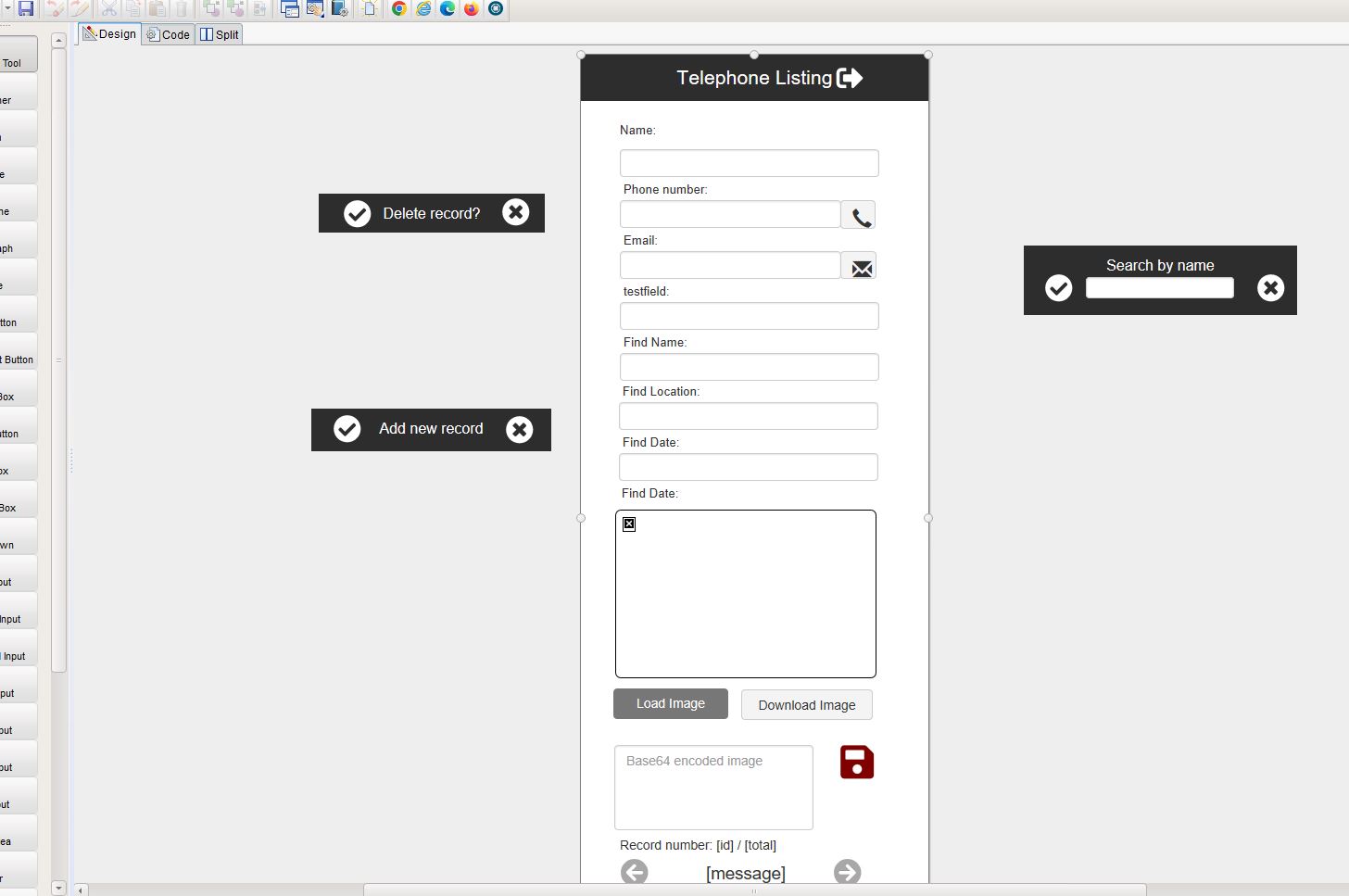
Quote from luishp on January 11, 2023, 10:12 am@linda-rainey please add this line at the end of your subroutine and next and prev button and it will work perfectly:
SetObjectAttribute "Image1" "src" [Pic1]To me this is the Only let down to a great system.. No Data Image in your system.. as All other systems have one and is only seconds to add one..
I think you are just scratching the surface. Have you explored neoCMS?
Regards
@linda-rainey please add this line at the end of your subroutine and next and prev button and it will work perfectly:
SetObjectAttribute "Image1" "src" [Pic1]
To me this is the Only let down to a great system.. No Data Image in your system.. as All other systems have one and is only seconds to add one..
I think you are just scratching the surface. Have you explored neoCMS?
Regards
Quote from Linda Rainey on January 11, 2023, 10:51 amHello Luis...
Thank "God" for those who know what they are doing!... All works fine ... So now can get on with Making and designing the app...
My next problems will be a While...
PWA setup.. I have read all but not sure so likely will give you a call for "Help when I get nearer"..
If you mean... I think you are just "Scratching" the surface. Have you explored neoCMS? ... Then you are right-on the spot!.. I have only been "Tinkering" on here for the last 4 days since I bought it.... But!.. well happy with the job so far... for £54.. one off..
Considering the other choices of doing all this... Delphi/Rad... £2500 and then yearly licences... Dozens of others from £50-250 per month... etc..
and I have tried most of them... and None have the Backup of an Obvious Dedicated Help Assistant like you...
Best regards for all your Time and Dedication for me and my achievement here on the Forum...
Lyn Poddley
Poddley Tale's Euro...
I think you are just ecartching the surface. Have you exprored neoCMS?
Hello Luis...
Thank "God" for those who know what they are doing!... All works fine ... So now can get on with Making and designing the app...
My next problems will be a While...
PWA setup.. I have read all but not sure so likely will give you a call for "Help when I get nearer"..
If you mean... I think you are just "Scratching" the surface. Have you explored neoCMS? ... Then you are right-on the spot!.. I have only been "Tinkering" on here for the last 4 days since I bought it.... But!.. well happy with the job so far... for £54.. one off..
Considering the other choices of doing all this... Delphi/Rad... £2500 and then yearly licences... Dozens of others from £50-250 per month... etc..
and I have tried most of them... and None have the Backup of an Obvious Dedicated Help Assistant like you...
Best regards for all your Time and Dedication for me and my achievement here on the Forum...
Lyn Poddley
Poddley Tale's Euro...
Uploaded files:I think you are just ecartching the surface. Have you exprored neoCMS?


Quote from fkapnist on January 13, 2023, 4:30 pmQuote from Linda Rainey on January 10, 2023, 4:19 pmOK.. Will Do!..
I can see how it is done.. Just got to work out it is for 5 pics using "Load image" button near each Pic or Tick Box.. x 5 on app fields page container... and at same time have 5 database fields called "Pic1Data - Pic5Data" as "Text" not blob... mixed in with the 26 fields layout on the finds page... and then activate a copy & paste Command to send the Base64 text into each of the appropriate database "PicData" fields at the same time.. (I think)..
Here is a very easy way to create Base64 images.... Just paste any image into it, switch to "Code View" and copy the <img data to use in links, etc.
https://web2win4neo.com/PasteBlob/summernote.html
Good luck!
Quote from Linda Rainey on January 10, 2023, 4:19 pmOK.. Will Do!..
I can see how it is done.. Just got to work out it is for 5 pics using "Load image" button near each Pic or Tick Box.. x 5 on app fields page container... and at same time have 5 database fields called "Pic1Data - Pic5Data" as "Text" not blob... mixed in with the 26 fields layout on the finds page... and then activate a copy & paste Command to send the Base64 text into each of the appropriate database "PicData" fields at the same time.. (I think)..
Here is a very easy way to create Base64 images.... Just paste any image into it, switch to "Code View" and copy the <img data to use in links, etc.
https://web2win4neo.com/PasteBlob/summernote.html
Good luck!
Quote from fkapnist on January 13, 2023, 5:51 pmQuote from luishp on January 10, 2023, 3:05 pm@linda-rainey please check the attached sample app. I think you will understand the process to transform an image into a text (Base64) and back to an image.
Let me know if you have any doubts.@luishp
I tried running the load-image app from within an iframe. The Load Image button works but the Download Image button does not work. Is there a way to fix it?
Thanks
Quote from luishp on January 10, 2023, 3:05 pm@linda-rainey please check the attached sample app. I think you will understand the process to transform an image into a text (Base64) and back to an image.
Let me know if you have any doubts.
I tried running the load-image app from within an iframe. The Load Image button works but the Download Image button does not work. Is there a way to fix it?
Thanks