
Archive/Backup Error

Quote from EduardoVolpi on December 22, 2021, 5:26 amWhen trying to use "Archive/Backup" I get the following error: "The syntax of the file name, directory name or volume label is incorrect" as it appears in the attached file. Any idea what I might be doing wrong here?
When trying to use "Archive/Backup" I get the following error: "The syntax of the file name, directory name or volume label is incorrect" as it appears in the attached file. Any idea what I might be doing wrong here?
Uploaded files: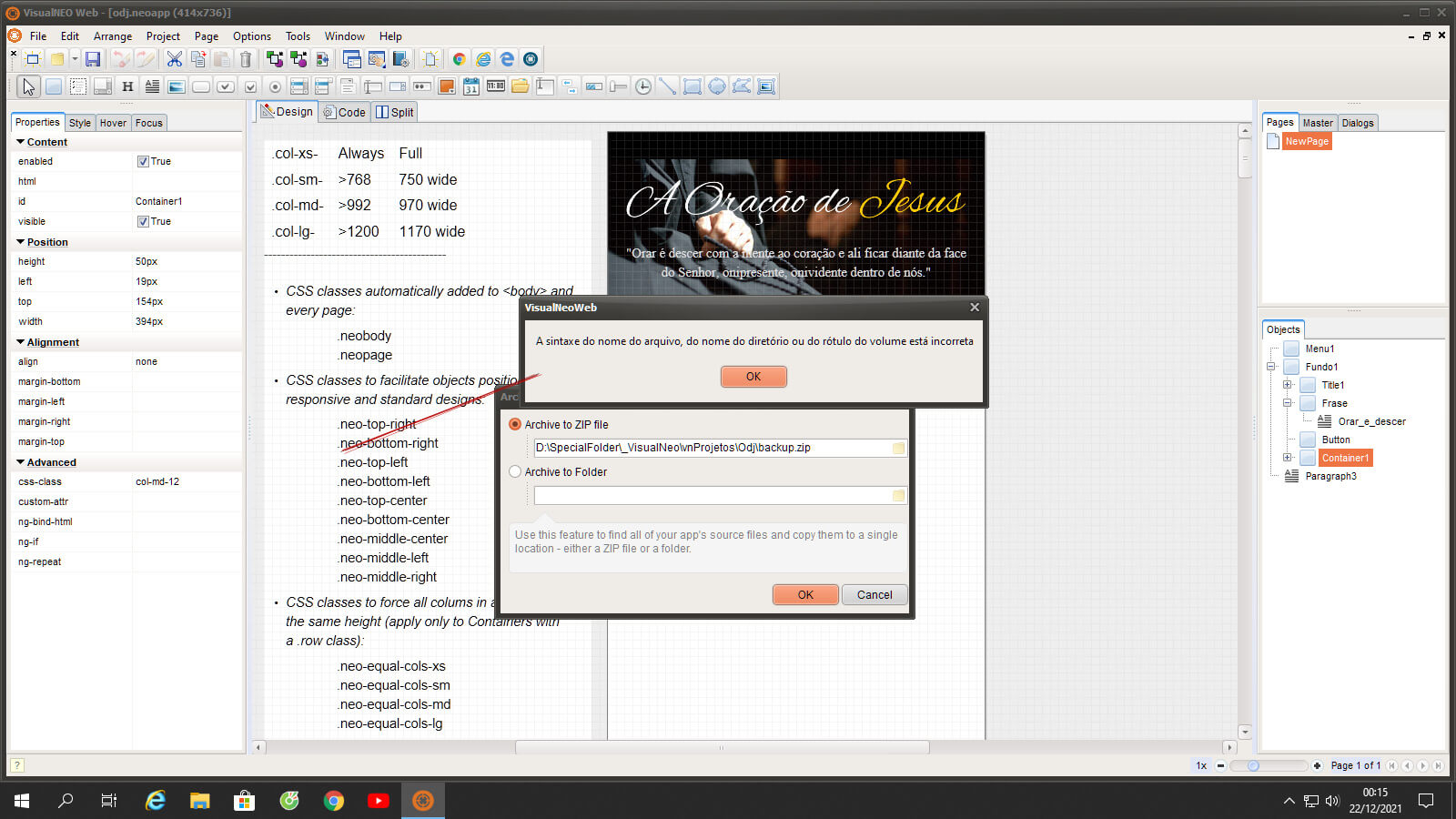

Quote from luishp on December 22, 2021, 9:57 am@eduardovolpi I think the problem is probably the "_" character in the path.
@eduardovolpi I think the problem is probably the "_" character in the path.
Quote from EduardoVolpi on December 22, 2021, 2:53 pmThat wasn't the problem. After investigating, I found the problem was in these lines of code below, used to initialize neoTopMenu:
neoTopMenuInitialize "Menu1" "" "The Jesus Prayer" "Inverse" "Default"
neoTopMenuAddItem "Menu1" "Top" "Right" "NewPage"
When I removed/commented them, the backup worked correctly.
Other problems occurring are:
1 - In AppProperties->Language , the selected language is not saved (it appears blank on program restart).
2 - NeoThemeManager is not working correctly as in the previous version (v21.11.27)
That wasn't the problem. After investigating, I found the problem was in these lines of code below, used to initialize neoTopMenu:
neoTopMenuInitialize "Menu1" "" "The Jesus Prayer" "Inverse" "Default"
neoTopMenuAddItem "Menu1" "Top" "Right" "NewPage"
When I removed/commented them, the backup worked correctly.
Other problems occurring are:
1 - In AppProperties->Language , the selected language is not saved (it appears blank on program restart).
2 - NeoThemeManager is not working correctly as in the previous version (v21.11.27)
Quote from luishp on December 22, 2021, 3:32 pm1 - In AppProperties->Language , the selected language is not saved (it appears blank on program restart).
It's saved but not shown... I need to fix that. Sorry.
That wasn't the problem. After investigating, I found the problem was in these lines of code below, used to initialize neoTopMenu:
You are right. There is something within the plugin that can't be compressed for any reason.
2 - NeoThemeManager is not working correctly as in the previous version (v21.11.27)
It works for me. Can you be more specific?
Thanks!
1 - In AppProperties->Language , the selected language is not saved (it appears blank on program restart).
It's saved but not shown... I need to fix that. Sorry.
That wasn't the problem. After investigating, I found the problem was in these lines of code below, used to initialize neoTopMenu:
You are right. There is something within the plugin that can't be compressed for any reason.
2 - NeoThemeManager is not working correctly as in the previous version (v21.11.27)
It works for me. Can you be more specific?
Thanks!
Quote from EduardoVolpi on December 22, 2021, 4:28 pmI recorded a video doing the same steps as in the previous version to change the theme. As you can see, the theme doesn't change.
I recorded a video doing the same steps as in the previous version to change the theme. As you can see, the theme doesn't change.
Uploaded files:Quote from luishp on December 22, 2021, 4:35 pm@eduardovolpi in your video the theme changes... although you have very few objects to notice.
The buttons are shown in a different way according to the selected theme once you save the project.
Or I don't understand you..
@eduardovolpi in your video the theme changes... although you have very few objects to notice.
The buttons are shown in a different way according to the selected theme once you save the project.
Or I don't understand you..
Quote from EduardoVolpi on December 22, 2021, 5:00 pmNotice how the buttons "really" change acording to the theme in this video made with v21.11.27
Notice how the buttons "really" change acording to the theme in this video made with v21.11.27
Uploaded files:Quote from luishp on December 22, 2021, 5:19 pm@eduardovolpi yes, I have changed the default theme to be flat and forced the default background button color. Please try different kind of buttons.
See attached image.Regards.
@eduardovolpi yes, I have changed the default theme to be flat and forced the default background button color. Please try different kind of buttons.
See attached image.
Regards.
Uploaded files: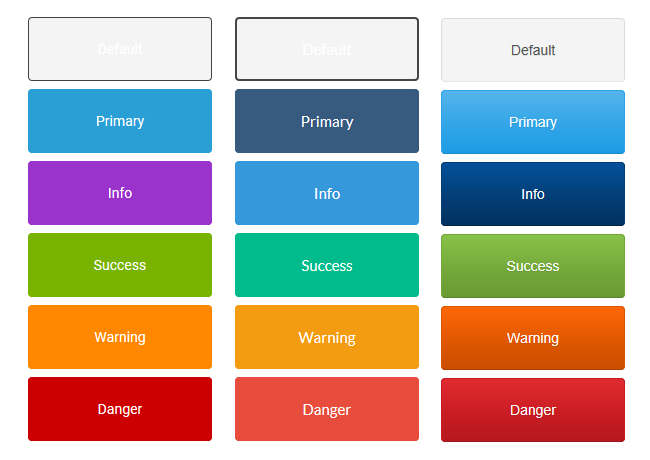
Quote from EduardoVolpi on December 22, 2021, 5:27 pmOh! Now I see how that works.. amazing
Thank you @luishp
Oh! Now I see how that works.. amazing
Thank you @luishp
Quote from luishp on December 22, 2021, 5:56 pm@eduardovolpi please download version 21.12.22.
I have fixed the language code problem :)Thank you!
@eduardovolpi please download version 21.12.22.
I have fixed the language code problem :)
Thank you!