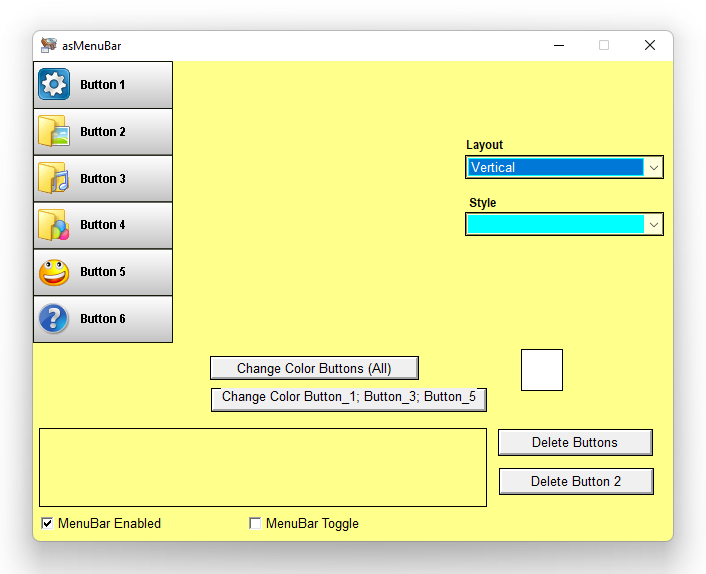
asMenuBar

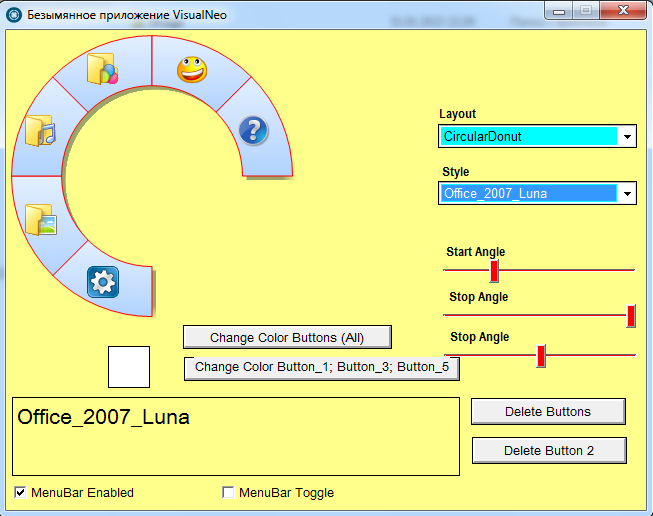
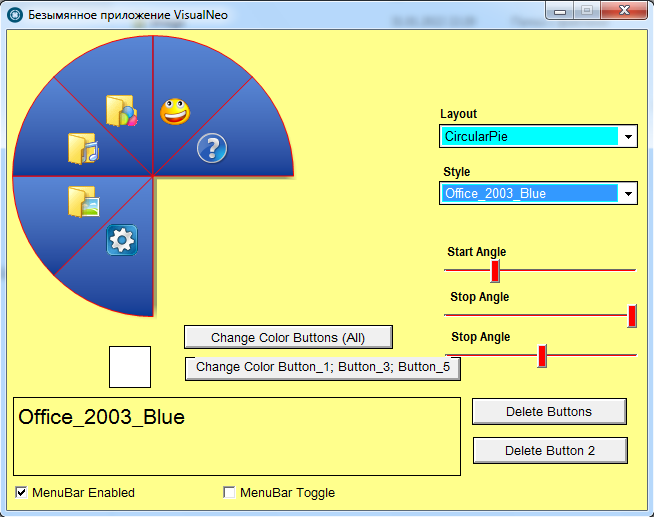
Quote from as3856 on February 3, 2022, 8:08 pmThe plugin is designed to create a bar menu. It is possible to change the styles and colors of the buttons. To translate help lines from Russian into English, place the file asMenuBar.loc in the root folder of the VisualNeo program. To translate into other languages, translate the lines of the file starting from line 001*.
Regards
as3856 (Andrei)
The plugin is designed to create a bar menu. It is possible to change the styles and colors of the buttons. To translate help lines from Russian into English, place the file asMenuBar.loc in the root folder of the VisualNeo program. To translate into other languages, translate the lines of the file starting from line 001*.
Regards
as3856 (Andrei)
Uploaded files: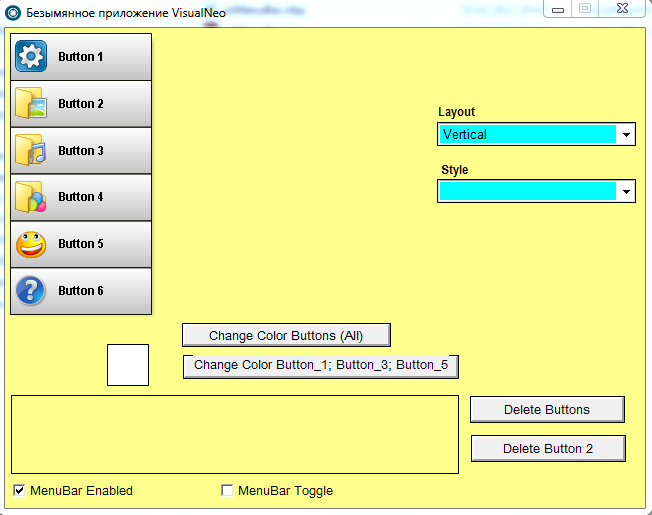


Quote from proforma.guyot on February 3, 2022, 8:32 pmExellent ! vraiment très bon. Merci
Exellent ! vraiment très bon. Merci

Quote from impactband4u on February 3, 2022, 9:08 pm@as3856
This is awesome! Love you man!!!
This is awesome! Love you man!!!

Quote from proforma.guyot on February 3, 2022, 10:27 pmasMenuBar
as3856 (Andréi) : "Le plugin est conçu pour créer un menu de bar. Il est possible de changer les styles et les couleurs des boutons. Pour traduire les lignes d'aide à partir de russe en français, placez le fichier asMenuBar.loc à la racine dossier du programme VisualNeo . Traduire en autre langues , traduisez les lignes du fichier en commençant à partir de la ligne 001*."
asMenuBar.loc en Français
asMenuBar
as3856 (Andréi) : "Le plugin est conçu pour créer un menu de bar. Il est possible de changer les styles et les couleurs des boutons. Pour traduire les lignes d'aide à partir de russe en français, placez le fichier asMenuBar.loc à la racine dossier du programme VisualNeo . Traduire en autre langues , traduisez les lignes du fichier en commençant à partir de la ligne 001*."
asMenuBar.loc en Français
Uploaded files:

 Thanks!!!!
Quote from Sinesi Giuseppe on February 4, 2022, 6:54 pmas3856 (Andrei) the best of plugin.
Thanks!!!!!
as3856 (Andrei) the best of plugin.
Thanks!!!!!

Quote from ebear on February 11, 2022, 2:37 pmHello Andrei,
Thanks a lot for another great plugin from you.
Two questions:
- It seems that the horizonal menu bar has alway a small margin 2px around it. Is there a possibility to change this?
- Also I see always around the buttons red borders. I tried to change colors etc, but the borders are always red.
But again great Plugin otherwise.
Best regards,
Eric
Hello Andrei,
Thanks a lot for another great plugin from you.
Two questions:
- It seems that the horizonal menu bar has alway a small margin 2px around it. Is there a possibility to change this?
- Also I see always around the buttons red borders. I tried to change colors etc, but the borders are always red.
But again great Plugin otherwise.
Best regards,
Eric
Uploaded files:
Quote from ebear on February 21, 2022, 3:38 pmHello Vadim,
First very sorry for my late response, was not able to react early.
I did some test and at ones the red border is gone. I cannot find what I did to have the red border at all.
Now the only issue what is open is the 2-3 pixel margin around the buttons.
I'm trying to replace the menu in my standard interface with the great plugin from Andrei, which gives a lot of advances.
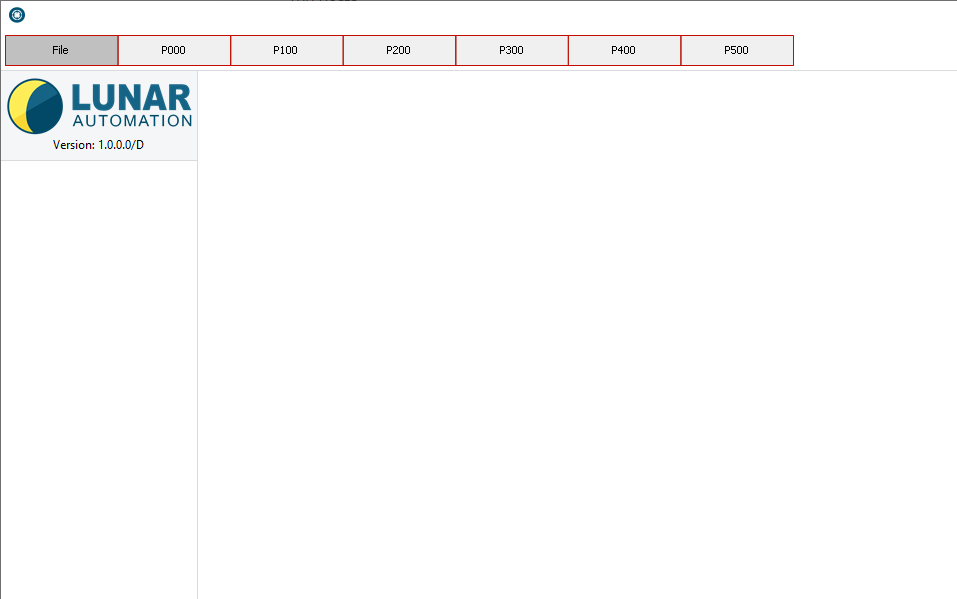
The menu is a Tab menu, as seen in the image in my last post. The margin around the buttons gives a bit of a unusual look for a Tab menu.Thanks a lot for your support.
Best regards,
Eric Beerhorst
Hello Vadim,
First very sorry for my late response, was not able to react early.
I did some test and at ones the red border is gone. I cannot find what I did to have the red border at all.
Now the only issue what is open is the 2-3 pixel margin around the buttons.
I'm trying to replace the menu in my standard interface with the great plugin from Andrei, which gives a lot of advances.
The menu is a Tab menu, as seen in the image in my last post. The margin around the buttons gives a bit of a unusual look for a Tab menu.
Thanks a lot for your support.
Best regards,
Eric Beerhorst
Quote from Vadim on February 21, 2022, 7:05 pm@ebear
Good time, Eric! Is there such a halo effect (2-3 pixels around the buttons) in the demo file that comes with the plugin?
I'm trying to reproduce this halo effect and I don't see it. Can you make a demo file so I can reproduce it in my own place?
Good time, Eric! Is there such a halo effect (2-3 pixels around the buttons) in the demo file that comes with the plugin?
I'm trying to reproduce this halo effect and I don't see it. Can you make a demo file so I can reproduce it in my own place?
Quote from ebear on February 22, 2022, 9:40 amHello Vadim,
Thanks a lot for your reaction. The issue is as I already told before a minor issue, but it would be nice to find a solution.
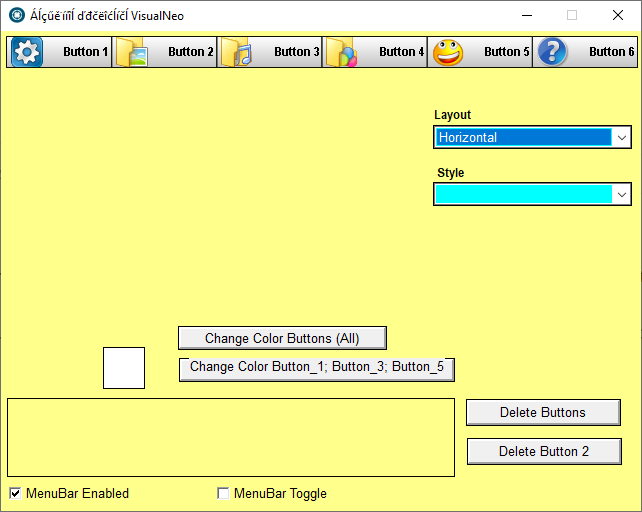
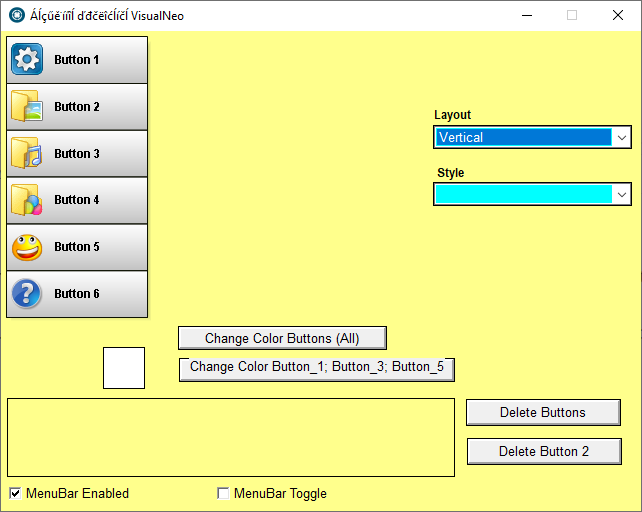
Also in the Demo included with the plugin the same margin is visable, see attached images.
Best regards,
Eric
Hello Vadim,
Thanks a lot for your reaction. The issue is as I already told before a minor issue, but it would be nice to find a solution.
Also in the Demo included with the plugin the same margin is visable, see attached images.
Best regards,
Eric
Uploaded files:
Quote from Vadim on February 22, 2022, 3:28 pm@ebear
Yes, there is a shadow effect when the menu buttons are placed vertically at the bottom and right. Apparently this is a feature of the component. If this shadow is undesirable, it can always be masked in some suitable way (for example, with rectangles of desired size and color (as I did for the screenshot below). In addition, I shifted the menu rectangle by -4 pixels up and to the left in order to align the menu button borders with the window borders.
Yes, there is a shadow effect when the menu buttons are placed vertically at the bottom and right. Apparently this is a feature of the component. If this shadow is undesirable, it can always be masked in some suitable way (for example, with rectangles of desired size and color (as I did for the screenshot below). In addition, I shifted the menu rectangle by -4 pixels up and to the left in order to align the menu button borders with the window borders.
Uploaded files: