Coming soon: Compile as PWA (Progressive Web App)

Quote from luishp on February 16, 2020, 11:13 amStarting next version, VisualNEO Web will be able to compile PWA compliant WebApps by default.
I think this is a BIG achievement :)
In order to get this, you will need to add just one command in Project > Events > Start-up:AppToPWAPWA benefits:
- Instalable in all devices, desktop or mobile (look and feel as a native app).
- No need to publish it in App Stores for distribution (just upload to your https capable web hosting).
- More easy to publish in App Stores (for improved visibility).
- And much more.
I'm now working on getting the compiled apps to be able to work offline (partially achieved).
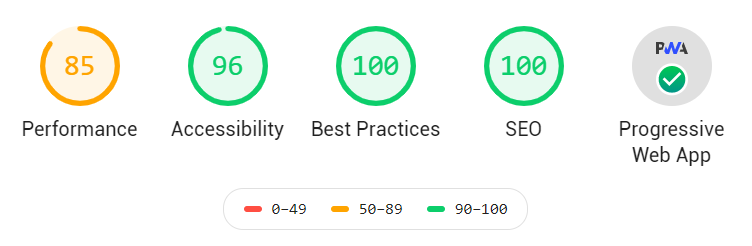
Using LightHouse Chrome Exension to check PWA quality I get the attached results for a "Hello World" App compiled with VisualNEO Web and published in a https capable web hosting.To get an idea about why PWAs are so important just take a look at Google trends.
Big Internet companies as Google and Microsoft are doing great efforts to make PWA an standard for App Development.
Starting next version, VisualNEO Web will be able to compile PWA compliant WebApps by default.
I think this is a BIG achievement :)
In order to get this, you will need to add just one command in Project > Events > Start-up:
AppToPWA
PWA benefits:
- Instalable in all devices, desktop or mobile (look and feel as a native app).
- No need to publish it in App Stores for distribution (just upload to your https capable web hosting).
- More easy to publish in App Stores (for improved visibility).
- And much more.
I'm now working on getting the compiled apps to be able to work offline (partially achieved).
Using LightHouse Chrome Exension to check PWA quality I get the attached results for a "Hello World" App compiled with VisualNEO Web and published in a https capable web hosting.
To get an idea about why PWAs are so important just take a look at Google trends.
Big Internet companies as Google and Microsoft are doing great efforts to make PWA an standard for App Development.

Quote from Vadim on February 16, 2020, 11:21 amThis is very, very cool! Thanks a lot, Luis!
I read about PWA. These are truly amazing opportunities!One command of code for this! It's perfect!
This is very, very cool! Thanks a lot, Luis!
I read about PWA. These are truly amazing opportunities!
One command of code for this! It's perfect!


Quote from luishp on February 16, 2020, 4:59 pmI have just published the very first PWA made with VisualNEO Web so you can test it.
Once installed it will work offline.
You can install it from Chrome or Edge (Chromium) on Windows Desktop and from Chrome or FireFox on mobile devices.
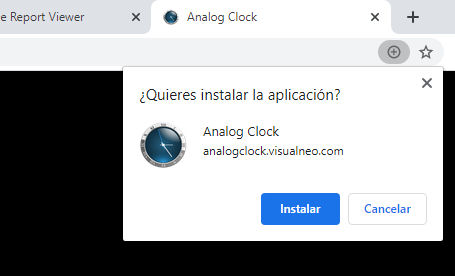
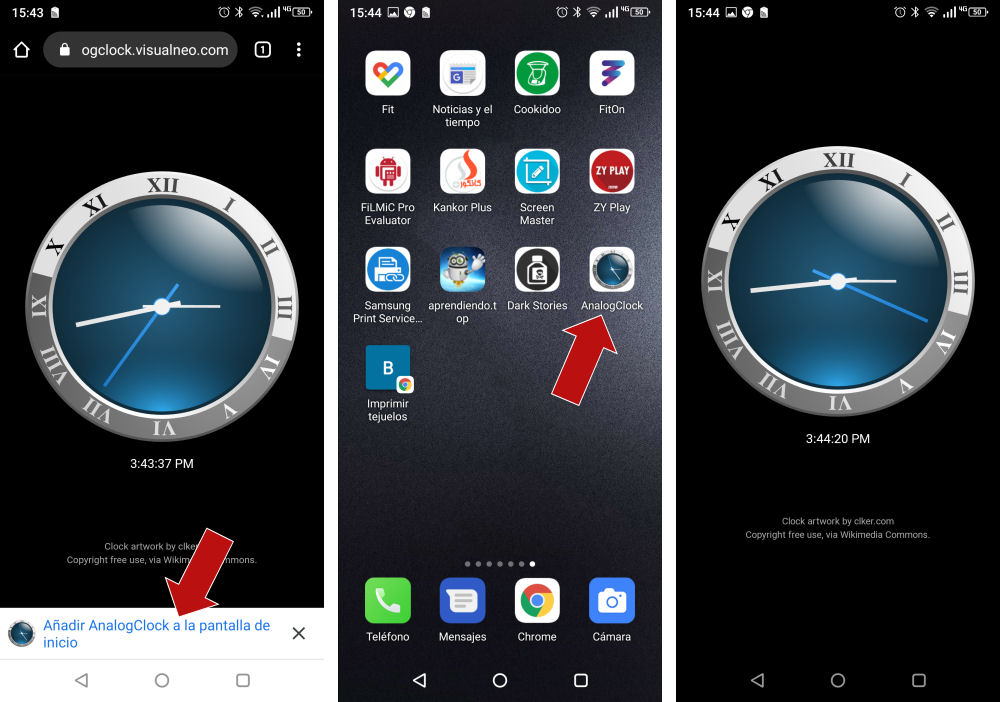
Attached some captures to show how to install (desktop and mobile) and how it looks on mobile:Analog Clock VisualNEO Web PWA:
https://analogclock.visualneo.comSome usefull links to play with this app:
Convert PWA to Android APK:
https://pwa2apk.com/pwa-to-apk/PWA Builder to download packages for the Windows Store and others:
https://www.pwabuilder.com/Please let me know if you find any issues.
Thank you all!
I have just published the very first PWA made with VisualNEO Web so you can test it.
Once installed it will work offline.
You can install it from Chrome or Edge (Chromium) on Windows Desktop and from Chrome or FireFox on mobile devices.
Attached some captures to show how to install (desktop and mobile) and how it looks on mobile:
Analog Clock VisualNEO Web PWA:
https://analogclock.visualneo.com
Some usefull links to play with this app:
Convert PWA to Android APK:
https://pwa2apk.com/pwa-to-apk/
PWA Builder to download packages for the Windows Store and others:
https://www.pwabuilder.com/
Please let me know if you find any issues.
Thank you all!

Quote from Vadim on February 16, 2020, 8:07 pmI checked the analog clock. Works great!
When you click on the link, it offers to be installed on the main screen. I agreed. The clock icon appeared on the main screen. Now opens without a browser.
Super!!
Checked on Nokia 5, Android 9.
I checked the analog clock. Works great!
When you click on the link, it offers to be installed on the main screen. I agreed. The clock icon appeared on the main screen. Now opens without a browser.
Super!!
Checked on Nokia 5, Android 9.
Quote from luishp on February 17, 2020, 6:37 pmThank you @vadim for testing!
Note that the app should work even if your device is offline.
As it's vertical only, it should keep vertical even if you rotate your phone.
When installed in Windows it should appear listed as any other application.
Thanks again!
Regards.
Thank you @vadim for testing!
Note that the app should work even if your device is offline.
As it's vertical only, it should keep vertical even if you rotate your phone.
When installed in Windows it should appear listed as any other application.
Thanks again!
Regards.

Quote from paeon on February 20, 2020, 11:19 amExcellent, works great in the Brave browser, installed ok on windows 10 laptop.
Keep up the fantastic work Luis!
Excellent, works great in the Brave browser, installed ok on windows 10 laptop.
Keep up the fantastic work Luis!
Quote from luishp on February 20, 2020, 6:34 pmThank you all, I'm really excited about this VisualNEO Web new feature.
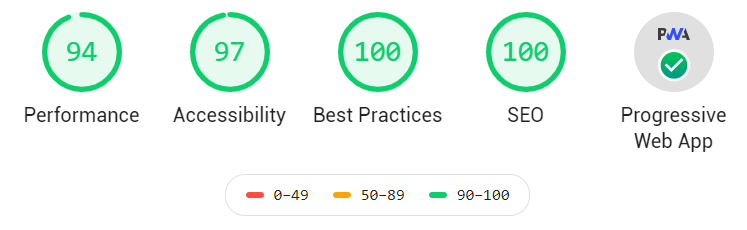
Still doing some adjustments. This is the Lighthouse report result for the last Analog Clock App compilation.
I think it's good enough :)
Thank you all, I'm really excited about this VisualNEO Web new feature.
Still doing some adjustments. This is the Lighthouse report result for the last Analog Clock App compilation.
I think it's good enough :)

Quote from Mark Waples on February 21, 2020, 6:07 pmHi Luishp,
I am making the assumption this will not work on the iphone or Ipad - am I correct?
Mark
Hi Luishp,
I am making the assumption this will not work on the iphone or Ipad - am I correct?
Mark
Quote from luishp on February 21, 2020, 8:03 pmHi @mark-waples,
According to this article, this is the current PWA installability:
Progressive Web Apps have full support (service workers included) when used in a browser in 93% of current users browsing the web.
PWA can be installed as standalone experiences in 86% of users (82% installation from the browser, 4% is only from stores and not from their current used browsers).
We can install PWAs in Android, iOS, iPadOS, Windows 10 (and future 10X), Windows 7, Windows 8.x, Xbox One, macOS, Linux 64 bits, Chrome OS and kaiOS.
We can also say that PWAs can’t be installed in any way in Smartwatches, Smart TVs, Apple TV, Chromecast, Android TV, PlayStation, Tesla cars (yes, the car has a browser), another game consoles, digital assistants such as Facebook Portal, Nest Home or Amazon Echo, or VR/AR headsets such as Oculus headsets.
Hi @mark-waples,
According to this article, this is the current PWA installability:
Progressive Web Apps have full support (service workers included) when used in a browser in 93% of current users browsing the web.
PWA can be installed as standalone experiences in 86% of users (82% installation from the browser, 4% is only from stores and not from their current used browsers).
We can install PWAs in Android, iOS, iPadOS, Windows 10 (and future 10X), Windows 7, Windows 8.x, Xbox One, macOS, Linux 64 bits, Chrome OS and kaiOS.
We can also say that PWAs can’t be installed in any way in Smartwatches, Smart TVs, Apple TV, Chromecast, Android TV, PlayStation, Tesla cars (yes, the car has a browser), another game consoles, digital assistants such as Facebook Portal, Nest Home or Amazon Echo, or VR/AR headsets such as Oculus headsets.
Quote from luishp on February 24, 2020, 9:03 pmVisualNEO Analog Clock is now published in Google Play Store:
https://play.google.com/store/apps/details?id=com.vnclock.twa
The whole process has been really simple thanks to pwabuilder.com automatic .apk generation from the URL where the App is published. I'm now trying to publish the App in the Microsoft Store.
VisualNEO Analog Clock is now published in Google Play Store:
https://play.google.com/store/apps/details?id=com.vnclock.twa
The whole process has been really simple thanks to pwabuilder.com automatic .apk generation from the URL where the App is published. I'm now trying to publish the App in the Microsoft Store.

Quote from Samuel Vanneste on February 24, 2020, 10:22 pmQuote from luishp on February 24, 2020, 9:03 pmVisualNEO Analog Clock is now published in Google Play Store
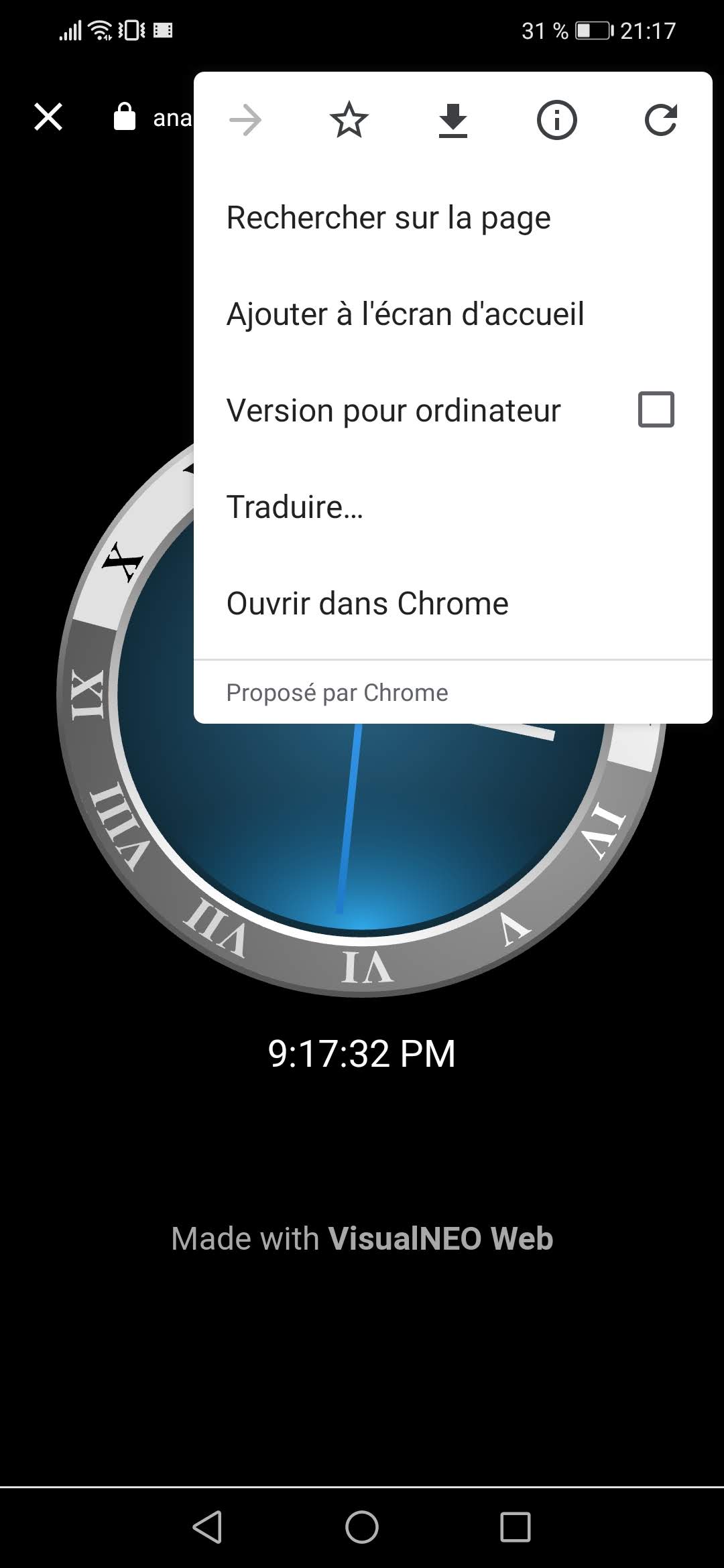
Congrats and promising but fyi, the result is not very good and it doesn't display like another app (there is a Chrome menu visible and a bottom scrollbar. Screenshots attached).
Quote from luishp on February 24, 2020, 9:03 pmVisualNEO Analog Clock is now published in Google Play Store
Congrats and promising but fyi, the result is not very good and it doesn't display like another app (there is a Chrome menu visible and a bottom scrollbar. Screenshots attached).
Uploaded files: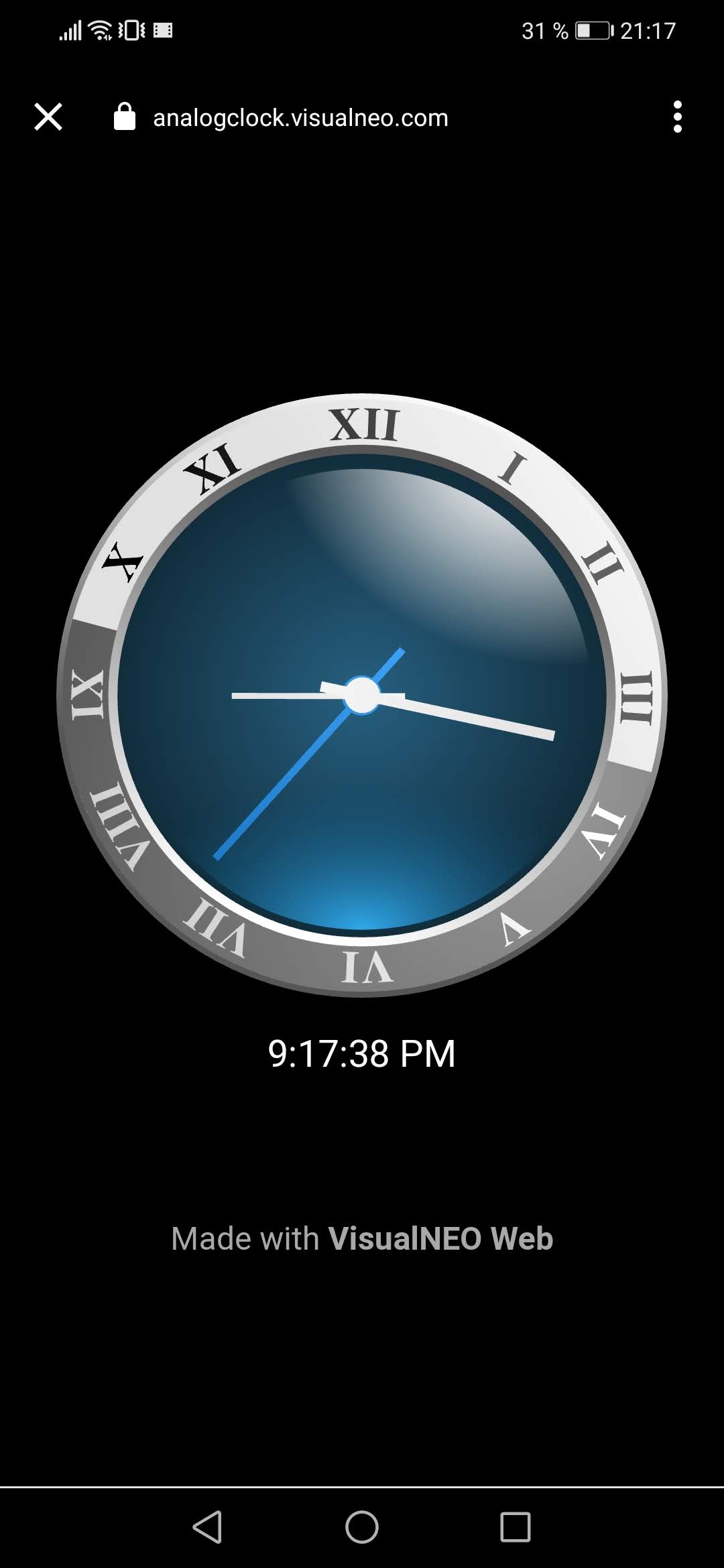
Quote from luishp on February 24, 2020, 10:46 pmHi @samuel-vanneste, thank you.
You are right, but that's only because I have not done the TWA (Trusted Web Activities) process while submitting the App.
Therefore, the app is published but adds some limitations on how it's shown once installed.
This way it took me about 20 minutes to submit the app. If I have had another 20 minutes you would have seen it perfectly in your device.
The TWA links your identity to the source URL. Not sure how complex the process is.
Anyway, as a first try, I'm quite happy :)
Hi @samuel-vanneste, thank you.
You are right, but that's only because I have not done the TWA (Trusted Web Activities) process while submitting the App.
Therefore, the app is published but adds some limitations on how it's shown once installed.
This way it took me about 20 minutes to submit the app. If I have had another 20 minutes you would have seen it perfectly in your device.
The TWA links your identity to the source URL. Not sure how complex the process is.
Anyway, as a first try, I'm quite happy :)
Quote from Samuel Vanneste on February 24, 2020, 10:53 pmQuote from luishp on February 24, 2020, 10:46 pmYou are right, but that's only because I have not done the TWA (Trusted Web Activities) process while submitting the App.
Thanks for the information. I am happy two :)
I was surprised and reported because installed from the website, it was perfect. I now understand. Thanks for the clarification.
Quote from luishp on February 24, 2020, 10:46 pmYou are right, but that's only because I have not done the TWA (Trusted Web Activities) process while submitting the App.
Thanks for the information. I am happy two :)
I was surprised and reported because installed from the website, it was perfect. I now understand. Thanks for the clarification.
Quote from luishp on February 25, 2020, 10:26 am@samuel-vanneste, I have finished the TWA process following these instructions.
The whole process has took me about 5 minutes (once I've understood what to do). Now the Play Store "VisualNEO Analog Clock" app is a Trusted Web Activities app. Even if you do not reinstall it you should see the difference.
Once the next VisualNEO Web version is launched I will write a forum post to explain how to publish in the Play Store from a PWA. I'm having some troubles with the icons to publish the app in the Microsoft Store but will solve it soon.
Thank you for testing!
@samuel-vanneste, I have finished the TWA process following these instructions.
The whole process has took me about 5 minutes (once I've understood what to do). Now the Play Store "VisualNEO Analog Clock" app is a Trusted Web Activities app. Even if you do not reinstall it you should see the difference.
Once the next VisualNEO Web version is launched I will write a forum post to explain how to publish in the Play Store from a PWA. I'm having some troubles with the icons to publish the app in the Microsoft Store but will solve it soon.
Thank you for testing!
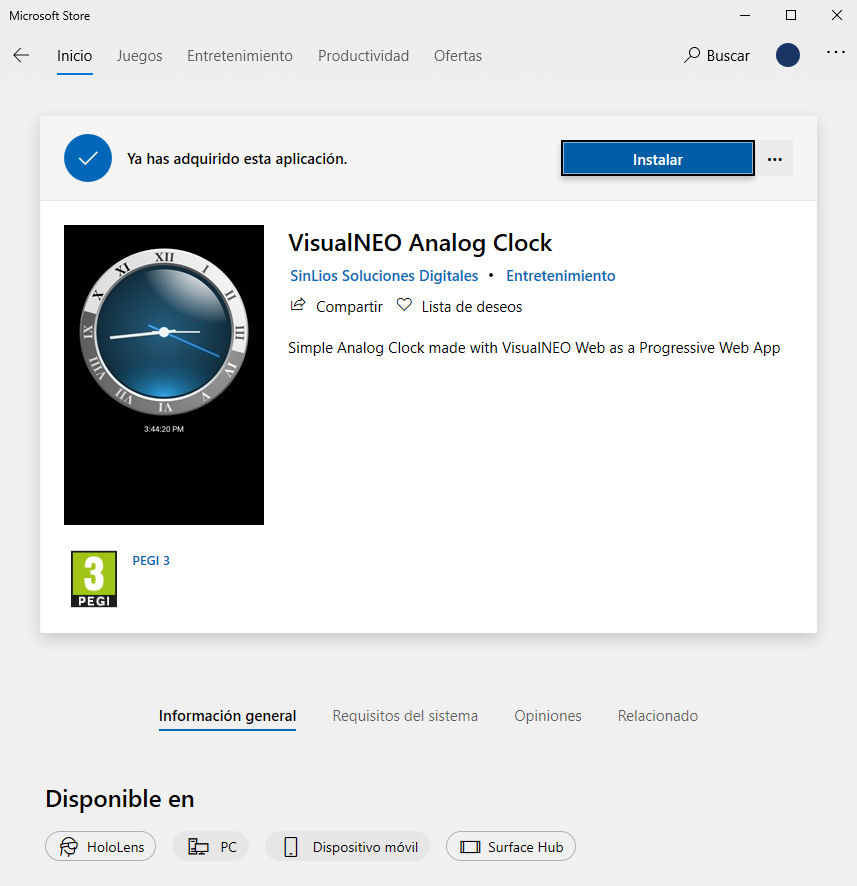
Quote from luishp on February 26, 2020, 8:08 amVisualNEO Analog Clock has been published in the Microsoft Store. It's available even for HoloLens!
I have had to unpack and repack the .appx generated by pwabuilder.com to change the default app icons, but the process has been more easy than expected.
VisualNEO Analog Clock has been published in the Microsoft Store. It's available even for HoloLens!
I have had to unpack and repack the .appx generated by pwabuilder.com to change the default app icons, but the process has been more easy than expected.