Quote from
susan on June 30, 2023, 2:14 am
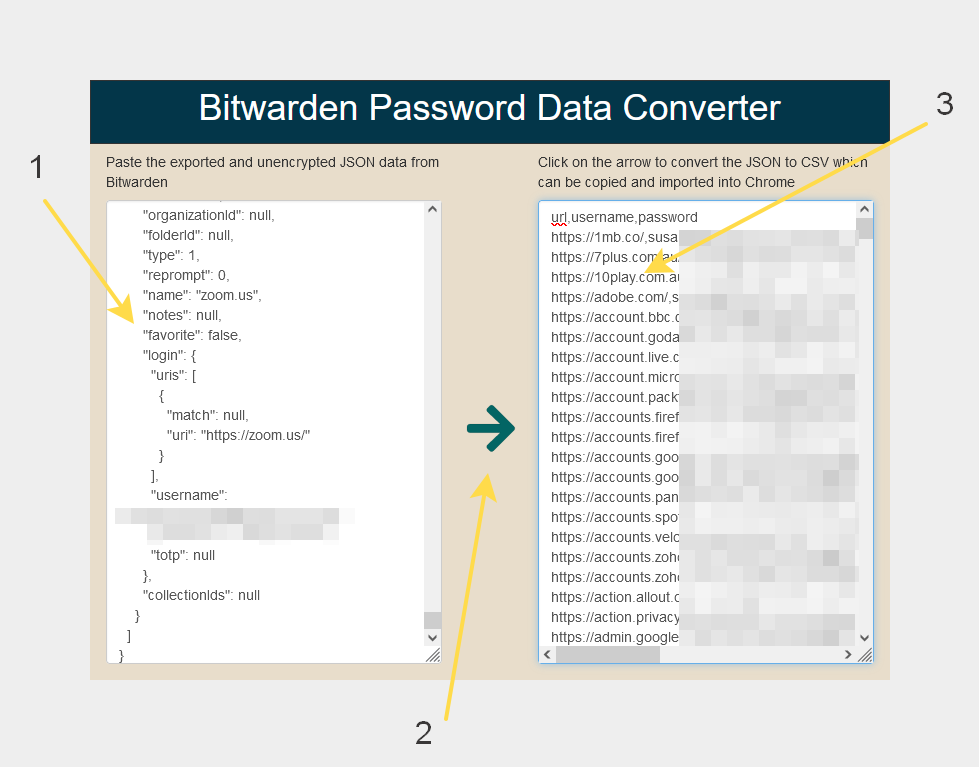
I store all my passwords in Bitwarden and wanted to create a csv file that can easily be imported by Chrome and other browsers. The expected csv file for the browser has only 3 columns with this first line.
url,username,password
But the csv export from Bitwarden has many other columns and would need manual editing to get it down to columns required by a browser. So, I made a simple utility with VisualNEO Web to do the conversion for me.
Of course, nobody is ever going to paste their password and other private data they store in Bitwarden into a website, so there is no point in making this an online web app!
But here is the neoapp file for anyone to use locally, if they have a similar need to me. And the NeoScript of the SVG icon may be interesting to see how the json is read and converted.
I store all my passwords in Bitwarden and wanted to create a csv file that can easily be imported by Chrome and other browsers. The expected csv file for the browser has only 3 columns with this first line.
url,username,password
But the csv export from Bitwarden has many other columns and would need manual editing to get it down to columns required by a browser. So, I made a simple utility with VisualNEO Web to do the conversion for me.
Of course, nobody is ever going to paste their password and other private data they store in Bitwarden into a website, so there is no point in making this an online web app!
But here is the neoapp file for anyone to use locally, if they have a similar need to me. And the NeoScript of the SVG icon may be interesting to see how the json is read and converted.
Uploaded files:luishp has reacted to this post.