
Converting PNG files to SVG format

Quote from Gaev on April 21, 2020, 3:36 amFollowing up on this topic ... https://visualneo.com/forum/topic/change-the-shape-image-in-an-svgicon-via-script ... I found a free online service ... https://onlineconvertfree.com/convert-format/png-to-svg/ ... where you can convert your png files to svg format.
I tried a couple of my files ... the file size (on disk) is about the same, but somewhat smaller for the .png as listed by Windows File Explorer.
I have uploaded both file formats ... see if you can tell the difference (in quality) ... click on the images below to view them (in a new tab) at their proper size .
Next, I will try and convert a larger (photo) image.
I also hope to share an App that will make it easy to extract the html (path element) for a file ... so it can be scripted in your App via a SetVar command.
Following up on this topic ... https://visualneo.com/forum/topic/change-the-shape-image-in-an-svgicon-via-script ... I found a free online service ... https://onlineconvertfree.com/convert-format/png-to-svg/ ... where you can convert your png files to svg format.
I tried a couple of my files ... the file size (on disk) is about the same, but somewhat smaller for the .png as listed by Windows File Explorer.
I have uploaded both file formats ... see if you can tell the difference (in quality) ... click on the images below to view them (in a new tab) at their proper size .
Next, I will try and convert a larger (photo) image.
I also hope to share an App that will make it easy to extract the html (path element) for a file ... so it can be scripted in your App via a SetVar command.
Uploaded files:


Quote from rrey on April 21, 2020, 8:08 amThank you very much @Gaev,
I have tried it with a large image and the results are very good. I have inserted it first as an image and also in a container, in this case the image is no longer external. In the latter case, I wonder if the website increases much in weight.
Thank you very much @Gaev,
I have tried it with a large image and the results are very good. I have inserted it first as an image and also in a container, in this case the image is no longer external. In the latter case, I wonder if the website increases much in weight.
Uploaded files: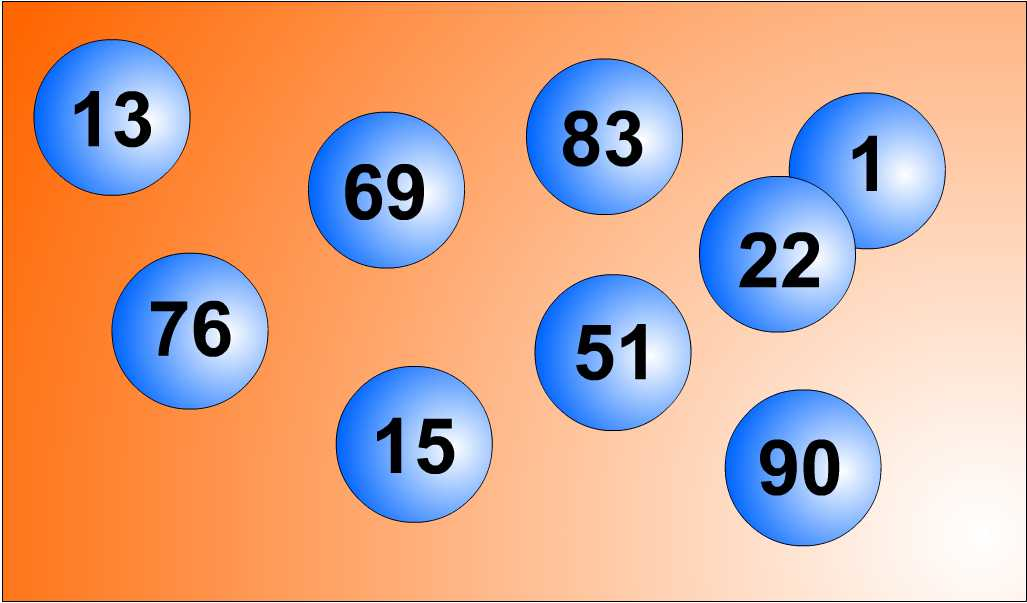

Quote from luishp on April 21, 2020, 12:02 pmNote that what you are doing is to encode images to base64 format and embed them within a <svg> tag. Instead you can use the base64 encoded string directly inside the "src" Image attribute in a Image object. SVG is really usefull for vector images and not so much for raster ones.
Regards.
Note that what you are doing is to encode images to base64 format and embed them within a <svg> tag. Instead you can use the base64 encoded string directly inside the "src" Image attribute in a Image object. SVG is really usefull for vector images and not so much for raster ones.
Regards.
Quote from Gaev on April 21, 2020, 2:12 pm@rrey
I wonder if the website increases much in weight.
Your svg file is 465 KB ... what was the size of the original png file ?
If this increases the size to the extent that it slows down the initial load of your App, you could consider downloading/rendering images "on demand" ... waiting 2 or 3 seconds each time an image "is needed" might be preferable to waiting 10 or 15 seconds "at the start of the App".
BTW, our hospital ER departments use similar tricks to make it look like patients are not waiting too long ... in the beginning, after a short wait, the initial nurse calls out your name and takes your vitals and makes notes of your ailments ... then sends you to another waiting room (for a longer wait) ... then another nurse gives you a gown and leads you to a bed ... after another even longer wait, a doctor attends to your ailment ... so, a 2 to 4 hour delay does not seem that long !!!
Of course, the strategy you deploy, would depend on the nature of the Application ... for static images (same image and size of container), specifying the png file at Design time is the most efficient way to develop your App.
If the size is to be changed during the course of running the App, svg formats come in to play ...
a) if the rendered image does not change, specifying the svg file at Design time is the most efficient way
b) if the rendered image does change, then you can decide whether to use a hidden image container or populate variables with the "path" data
... the use case for one of my (intended) Apps was that a few visible image containers would be rendered with one of several possible different images (depending on user action) ... in this case, it was better to populate variables (especially since the same path data might be used in other similar Apps).
The most time consuming part is to prepare the SetVar commands that populate [variables] with the "path data" ... I will try and develop an App that makes this process a little more efficient ...i.e. just copy "path data" (and hopefully the entire SerVar command too) to the clipboard, and then paste it in the code section of your App being designed/developed.
@luishp
Note that what you are doing is to encode images to base64 format and embed them within a <svg> tag. Instead you can use the base64 encoded string directly inside the "src" Image attribute in a Image object.
Yes, the file size for svg was very eerily close to size of the base64 encoded data ... now I know why.
SVG is really usefull for vector images and not so much for raster ones.
Each has its place ... if the size is to remain static, png is perhaps the best way ... although current trend is for a flat design where (svg) icons are deployed as "buttons" (to be clicked/touched).
I wonder if the website increases much in weight.
Your svg file is 465 KB ... what was the size of the original png file ?
If this increases the size to the extent that it slows down the initial load of your App, you could consider downloading/rendering images "on demand" ... waiting 2 or 3 seconds each time an image "is needed" might be preferable to waiting 10 or 15 seconds "at the start of the App".
BTW, our hospital ER departments use similar tricks to make it look like patients are not waiting too long ... in the beginning, after a short wait, the initial nurse calls out your name and takes your vitals and makes notes of your ailments ... then sends you to another waiting room (for a longer wait) ... then another nurse gives you a gown and leads you to a bed ... after another even longer wait, a doctor attends to your ailment ... so, a 2 to 4 hour delay does not seem that long !!!
Of course, the strategy you deploy, would depend on the nature of the Application ... for static images (same image and size of container), specifying the png file at Design time is the most efficient way to develop your App.
If the size is to be changed during the course of running the App, svg formats come in to play ...
a) if the rendered image does not change, specifying the svg file at Design time is the most efficient way
b) if the rendered image does change, then you can decide whether to use a hidden image container or populate variables with the "path" data
... the use case for one of my (intended) Apps was that a few visible image containers would be rendered with one of several possible different images (depending on user action) ... in this case, it was better to populate variables (especially since the same path data might be used in other similar Apps).
The most time consuming part is to prepare the SetVar commands that populate [variables] with the "path data" ... I will try and develop an App that makes this process a little more efficient ...i.e. just copy "path data" (and hopefully the entire SerVar command too) to the clipboard, and then paste it in the code section of your App being designed/developed.
Note that what you are doing is to encode images to base64 format and embed them within a <svg> tag. Instead you can use the base64 encoded string directly inside the "src" Image attribute in a Image object.
Yes, the file size for svg was very eerily close to size of the base64 encoded data ... now I know why.
SVG is really usefull for vector images and not so much for raster ones.
Each has its place ... if the size is to remain static, png is perhaps the best way ... although current trend is for a flat design where (svg) icons are deployed as "buttons" (to be clicked/touched).

Quote from rcohen on May 6, 2020, 2:25 pmHere's a question. SVG, being vector... during such a conversion, is the image actually being turned vector (traced?) or is it just bitmap embedded data ?
Thanks
Here's a question. SVG, being vector... during such a conversion, is the image actually being turned vector (traced?) or is it just bitmap embedded data ?
Thanks