Copiar valor de celda seleccionada

Quote from neobook on September 24, 2019, 12:31 amNecesito copiar el valor de la celda seleccionada de una tabla access y enviarlo a una variable. Uso DBPRO
dejo muestra gráfica de lo que requiero.
Necesito copiar el valor de la celda seleccionada de una tabla access y enviarlo a una variable. Uso DBPRO
dejo muestra gráfica de lo que requiero.
Uploaded files: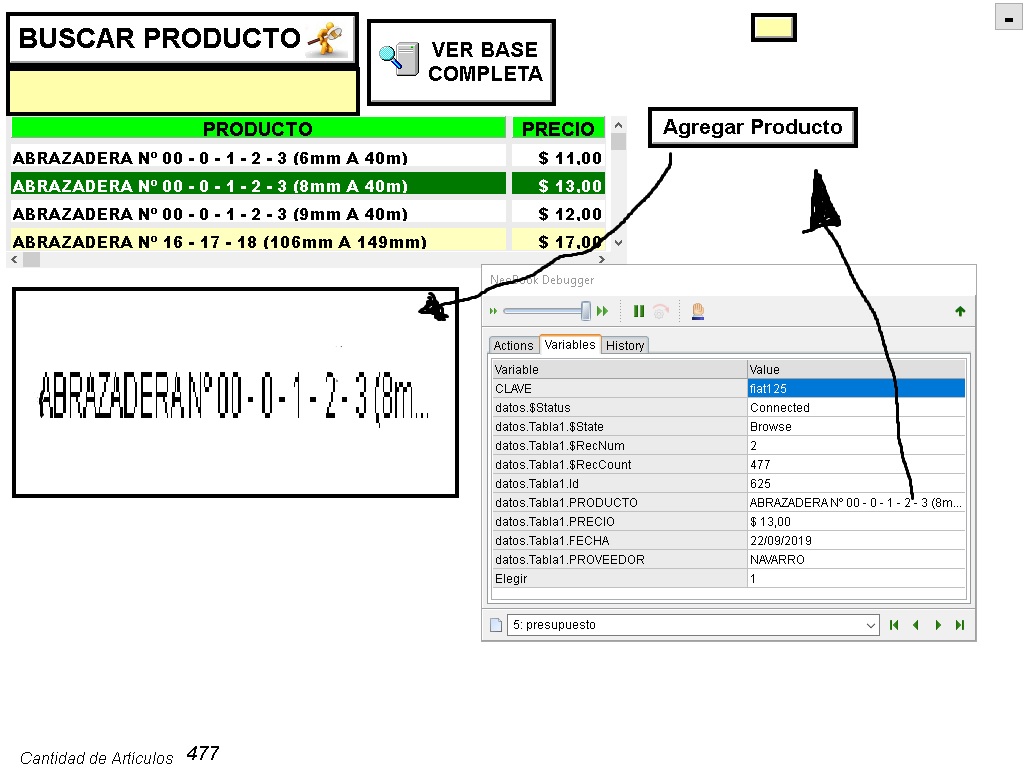
Quote from Gaev on September 24, 2019, 3:36 am@neobook
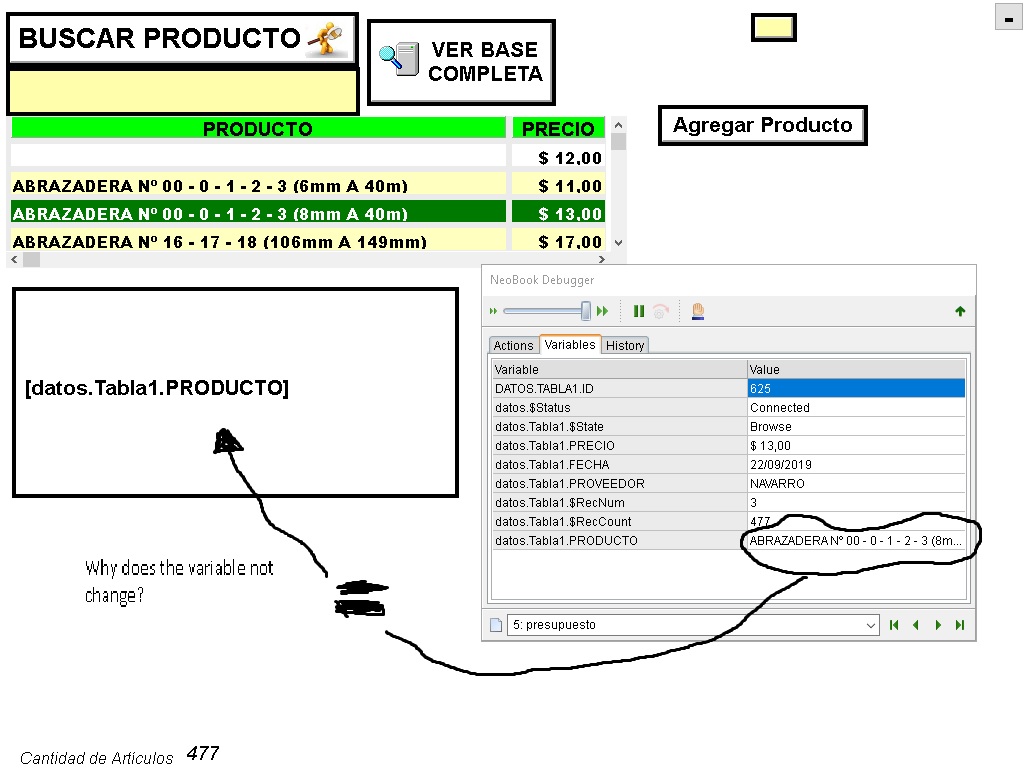
Why does the variable not change?
Unlike regular variables, if you assign database fields to captions of TextBoxes, PushButtons etc., their values will NOT be automatically updated.
One way to work around this is to use the "subroutine" ... from the Help file ...
dbpOpenTable "database id" "table" "subroutine"
subroutine
The name of a subroutine from your publication's Subroutine Action. The subroutine specified here will be automatically executed whenever the table is updated or the current record number changes. This can be useful if you want to activity to take place whenever the reader displays a different record. Subroutines are entered from the Actions page of NeoBook's Book Properties screen. NeoBook's help file contains more information on using subroutines.In the named subroutine, you can do something like ...
SetVar "[currentPRODUCTO]" "[datos.Tabla1.PRODUCTO]"... and specify [currentPRODUCTO] for the object's caption.
@neobook
Why does the variable not change?
Unlike regular variables, if you assign database fields to captions of TextBoxes, PushButtons etc., their values will NOT be automatically updated.
One way to work around this is to use the "subroutine" ... from the Help file ...
dbpOpenTable "database id" "table" "subroutine"
subroutine
The name of a subroutine from your publication's Subroutine Action. The subroutine specified here will be automatically executed whenever the table is updated or the current record number changes. This can be useful if you want to activity to take place whenever the reader displays a different record. Subroutines are entered from the Actions page of NeoBook's Book Properties screen. NeoBook's help file contains more information on using subroutines.
In the named subroutine, you can do something like ...
SetVar "[currentPRODUCTO]" "[datos.Tabla1.PRODUCTO]"
... and specify [currentPRODUCTO] for the object's caption.
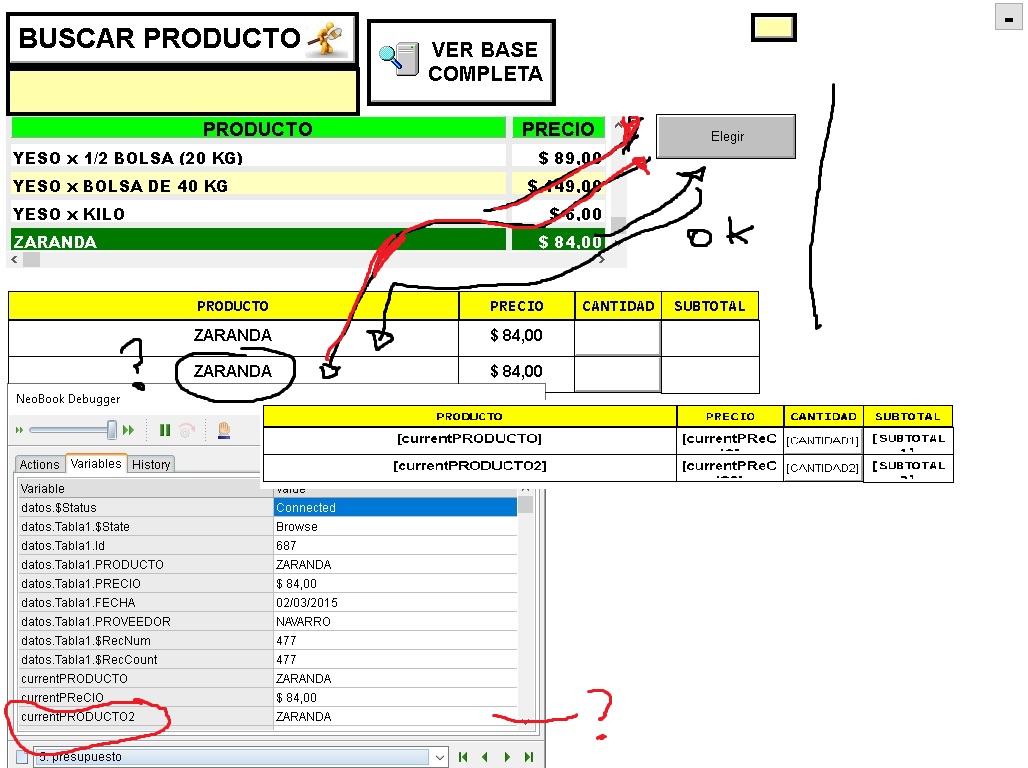
Quote from neobook on September 25, 2019, 12:46 amWhen I choose the 1 product all right, the issue is when I choose the 2. I put different variable and I still take it the same.
How do I correct it?
the noun is that one product is chosen, and then another. but when I choose
the 2 I copy the 1 too, I must differentiate them
this is my subroutine:presueleccion
SetVar "[currentPRODUCTO]" "[datos.Tabla1.PRODUCTO]"
SetVar "[currentPReCIO]" "[datos.Tabla1.PRECIO]"
SetVar "[currentPRODUCTO2]" "[datos.Tabla1.PRODUCTO]"
SetVar "[currentPReCIO2]" "[datos.Tabla1.PRECIO]"
Return
When I choose the 1 product all right, the issue is when I choose the 2. I put different variable and I still take it the same.
How do I correct it?
the noun is that one product is chosen, and then another. but when I choose
the 2 I copy the 1 too, I must differentiate them
this is my subroutine
:presueleccion
SetVar "[currentPRODUCTO]" "[datos.Tabla1.PRODUCTO]"
SetVar "[currentPReCIO]" "[datos.Tabla1.PRECIO]"
SetVar "[currentPRODUCTO2]" "[datos.Tabla1.PRODUCTO]"
SetVar "[currentPReCIO2]" "[datos.Tabla1.PRECIO]"
Return