
documentation

Quote from jeannoel on July 3, 2021, 6:39 pmHello,
no plugin is documented in the online help.
There are samples that show the usage of some, but that doesn't replace a full documentation.the 'responsive' option in the project settings is not documented.
there is a sample on your youtube channel that uses many css classes from bootstrap.
also no documentation.your product is very good, a complete documentation would be welcome
greeting
Hello,
no plugin is documented in the online help.
There are samples that show the usage of some, but that doesn't replace a full documentation.
the 'responsive' option in the project settings is not documented.
there is a sample on your youtube channel that uses many css classes from bootstrap.
also no documentation.
your product is very good, a complete documentation would be welcome
greeting

Quote from luishp on July 4, 2021, 11:09 amHi @jeannoel,
I know documentation is very important. As we have limited resources, we are focusing on new functionailities and trying to add as many samples, videos and links as possible. We are currently reviewing the docuementation and I hope it will be improved a lot in the near future. In any case note that most general Web knowledge can be applied in VisualNEO Web and this forum is very active too.
Thank you!
Hi @jeannoel,
I know documentation is very important. As we have limited resources, we are focusing on new functionailities and trying to add as many samples, videos and links as possible. We are currently reviewing the docuementation and I hope it will be improved a lot in the near future. In any case note that most general Web knowledge can be applied in VisualNEO Web and this forum is very active too.
Thank you!
Quote from jeannoel on July 5, 2021, 11:22 amhello,
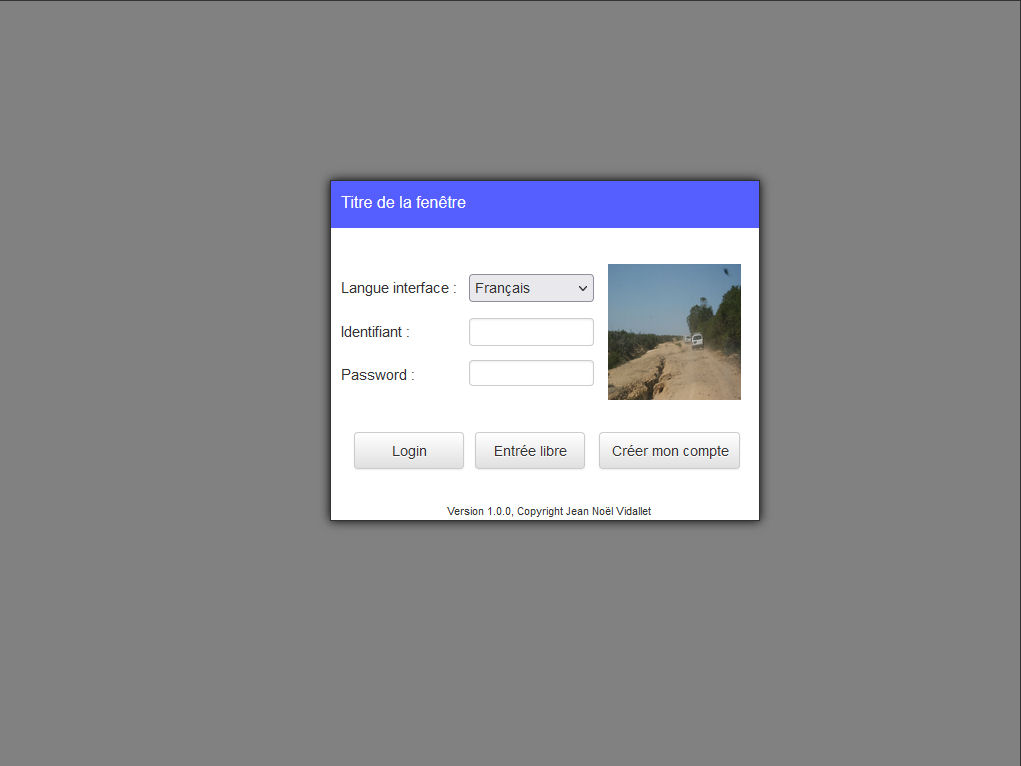
I want to make this login screen webresponsive. (see screenshot)
when i check the 'responsive' option in the app properties everything disappears.
i need to use one or more bootstrap css classes to make it visible again.
since this feature is not documented, i ask the question here.
how to make this screen 'webresponsive' which bootstrap css class to use, for which object?whoever answers me will be blessed by the gods until the 12th generation
hello,
I want to make this login screen webresponsive. (see screenshot)
when i check the 'responsive' option in the app properties everything disappears.
i need to use one or more bootstrap css classes to make it visible again.
since this feature is not documented, i ask the question here.
how to make this screen 'webresponsive' which bootstrap css class to use, for which object?
whoever answers me will be blessed by the gods until the 12th generation
Uploaded files:
Quote from luishp on July 5, 2021, 1:41 pm@jeannoel although VisualNEO Web allows to create responsive designs this is an advanced feature. You already need to know how to do it using BootStrap or CSS Flex styles. I hope to add some templates in the future. Right now please take a look at the attached sample. It's the simplest approach I can think of.
Regards.
@jeannoel although VisualNEO Web allows to create responsive designs this is an advanced feature. You already need to know how to do it using BootStrap or CSS Flex styles. I hope to add some templates in the future. Right now please take a look at the attached sample. It's the simplest approach I can think of.
Regards.
Uploaded files:Quote from luishp on July 5, 2021, 1:44 pm@jeannoel please take a look here to better undertand how to work with responsive designs:
https://www.w3schools.com/bootstrap/bootstrap_grid_system.asp
@jeannoel please take a look here to better undertand how to work with responsive designs:
https://www.w3schools.com/bootstrap/bootstrap_grid_system.asp