
FocusObject does not put active cursor in input field

Quote from Talker on March 28, 2022, 9:12 pmI have an object named Rectangle4 in my project. It's an input field (for keystrokes). It has a blinking cursor when you click on it.
I want to activate it via a button in my app with:
FocusObject "Rectangle4"
However, this is not really activating it. There is no blinking cursor...
What I actually need is a mouseclick on that object (that will activate it). However, since my application will be used with several scaling settings/screenresolutions using the mouse x+y coordinates to place the pointer there will probably not be reliable?Is there a reliable way of placing the mouse pointer on any of the form's controls?
Also, before I forget. How do you pragmatically minimize your Neo app? I want to do that with an extra button in the app as well (because I only enabled "-" and disabled "x" in the system menu because I've made it a tray application).
I have an object named Rectangle4 in my project. It's an input field (for keystrokes). It has a blinking cursor when you click on it.
I want to activate it via a button in my app with:
FocusObject "Rectangle4"
However, this is not really activating it. There is no blinking cursor...
What I actually need is a mouseclick on that object (that will activate it). However, since my application will be used with several scaling settings/screenresolutions using the mouse x+y coordinates to place the pointer there will probably not be reliable?
Is there a reliable way of placing the mouse pointer on any of the form's controls?
Also, before I forget. How do you pragmatically minimize your Neo app? I want to do that with an extra button in the app as well (because I only enabled "-" and disabled "x" in the system menu because I've made it a tray application).

Quote from Gaev on March 28, 2022, 10:40 pm@talker
How do you pragmatically minimize your Neo app?
Just set the value of the Global Variable called [WindowState] ... for additional info ...
https://winhelp.visualneo.com/PredefinedGlobalVariables.html
... in the section labelled ...
Read-Write Variables
...
[WindowState] The display state of the publication window (Normal, Minimized or Maximized).
How do you pragmatically minimize your Neo app?
Just set the value of the Global Variable called [WindowState] ... for additional info ...
https://winhelp.visualneo.com/PredefinedGlobalVariables.html
... in the section labelled ...
Read-Write Variables
...
[WindowState] The display state of the publication window (Normal, Minimized or Maximized).
Quote from Talker on March 28, 2022, 10:57 pmThank you! That's one problem solved :-).
Let's hope someone can help me with the second one as well...
Thank you! That's one problem solved :-).
Let's hope someone can help me with the second one as well...
Quote from Gaev on March 28, 2022, 10:57 pm@talker
I have an object named Rectangle4 in my project. It's an input field (for keystrokes). It has a blinking cursor when you click on it.
I want to activate it via a button in my app with:
FocusObject "Rectangle4"
However, this is not really activating it. There is no blinking cursorOn my (old) NeoBook platform, it blinks as expected ... however, I notice that the blinking stops (turns to a solid vertical bar) after a few seconds ... even when I focus it with a mouse click.
Could it be that you have some other commands afterwards, that negate/change the focus ?
Also, is there some reason a TextEntry objectis named Rectangle4 (normally reserved for Rectangle objects, which are not focusable) ?
In another button, place this command to see what it reports ...
AlertBox "Focused Object is ..." "[FocusedObject]"
I have an object named Rectangle4 in my project. It's an input field (for keystrokes). It has a blinking cursor when you click on it.
I want to activate it via a button in my app with:
FocusObject "Rectangle4"
However, this is not really activating it. There is no blinking cursor
On my (old) NeoBook platform, it blinks as expected ... however, I notice that the blinking stops (turns to a solid vertical bar) after a few seconds ... even when I focus it with a mouse click.
Could it be that you have some other commands afterwards, that negate/change the focus ?
Also, is there some reason a TextEntry objectis named Rectangle4 (normally reserved for Rectangle objects, which are not focusable) ?
In another button, place this command to see what it reports ...
AlertBox "Focused Object is ..." "[FocusedObject]"
Quote from Talker on March 29, 2022, 4:13 amThanks, I tried your suggestion and I do get an alert box but it looks kinda narrow and I cannot really see what it says ( I attached a screenshot below).
Anyway, it doesn't focus Rectangle4. If I replace that with a Text Entry I don't get a blinking cursor either :-(. The controls only really activate if they receive an actual mouseclick...
So there is no way in Neo to move the mouse pointer to a control (and click on it) pragmatically?
Thanks, I tried your suggestion and I do get an alert box but it looks kinda narrow and I cannot really see what it says ( I attached a screenshot below).
Anyway, it doesn't focus Rectangle4. If I replace that with a Text Entry I don't get a blinking cursor either :-(. The controls only really activate if they receive an actual mouseclick...
So there is no way in Neo to move the mouse pointer to a control (and click on it) pragmatically?
Uploaded files: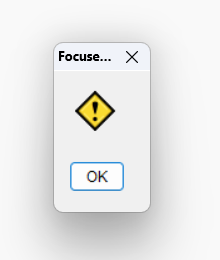
Quote from Talker on March 29, 2022, 7:38 pmAh, yes I see now that FocusObject only works with TextEntries (single-line or multiline).
Good to know.
Ah, yes I see now that FocusObject only works with TextEntries (single-line or multiline).
Good to know.
Quote from Gaev on March 29, 2022, 10:09 pm@talker
I do get an alert box but it looks kinda narrow and I cannot really see what it says ( I attached a screenshot below).
That suggests that "no object is Focused" ... which explains your "aha moment".
I see now that FocusObject only works with TextEntries (single-line or multiline).
Any object that can have focus e.g. push button, listbox, checkbox slider etc. ... but not Rectangles.
I do get an alert box but it looks kinda narrow and I cannot really see what it says ( I attached a screenshot below).
That suggests that "no object is Focused" ... which explains your "aha moment".
I see now that FocusObject only works with TextEntries (single-line or multiline).
Any object that can have focus e.g. push button, listbox, checkbox slider etc. ... but not Rectangles.
Quote from Talker on April 1, 2022, 2:47 amQuote from Gaev on March 29, 2022, 10:09 pm@talker
I see now that FocusObject only works with TextEntries (single-line or multiline).
Any object that can have focus e.g. push button, listbox, checkbox slider etc. ... but not Rectangles.
Zaeem just made it possible with the latest zmwSmartObjects Version :-).
Quote from Gaev on March 29, 2022, 10:09 pmI see now that FocusObject only works with TextEntries (single-line or multiline).
Any object that can have focus e.g. push button, listbox, checkbox slider etc. ... but not Rectangles.
Zaeem just made it possible with the latest zmwSmartObjects Version :-).