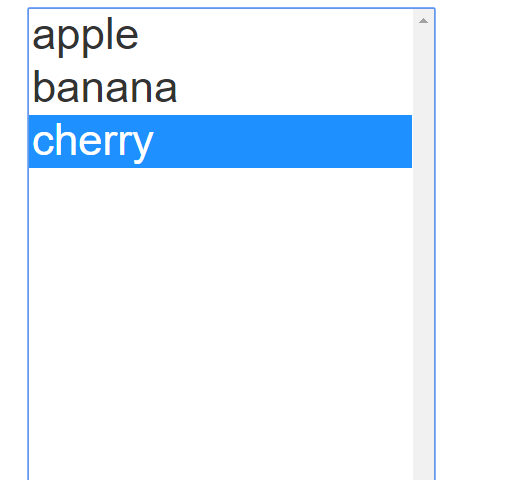
"font size" list box items

Quote from Gaev on May 27, 2020, 4:08 pm@llazzari
With the ListBox object selected, click on the Style Tab (the one in the same panel as the Properties Tab) ... then check the font-size entry and select the desired size.
With the ListBox object selected, click on the Style Tab (the one in the same panel as the Properties Tab) ... then check the font-size entry and select the desired size.
Quote from llazzari on May 27, 2020, 4:26 pmThanks for the reply, but only the title of the list box is changed, the list items do not change in size
Thanks for the reply, but only the title of the list box is changed, the list items do not change in size

Quote from luishp on May 27, 2020, 5:04 pm@llazzari are you sure ListBox object is the one you are talking about?
There is no title on that object and items size change according to font-size value.Regards.
@llazzari are you sure ListBox object is the one you are talking about?
There is no title on that object and items size change according to font-size value.
Regards.
Quote from Gaev on May 27, 2020, 5:17 pm@llazzari
only the title of the list box is changed, the list items do not change in size
See attached image of what I get (with font-size set to 24pt) ... what does your screen look like ?
only the title of the list box is changed, the list items do not change in size
See attached image of what I get (with font-size set to 24pt) ... what does your screen look like ?
Uploaded files: