
Free app - Create 3D Stereo Videos Without a Camera!

Quote from fkapnist on May 12, 2026, 9:20 amHere is a free HTML app I made with Grok that you can use in your VisualNEO pubs. It is a free image generator and a video prompt generator rolled into one. Based on the so-called 'Vatican Chronovisor,' it contains fields for date and GPS with location map so you can see images and render videos from past events.
Create Stereo 3D Videos Without a Camera!
Updated and improved version...
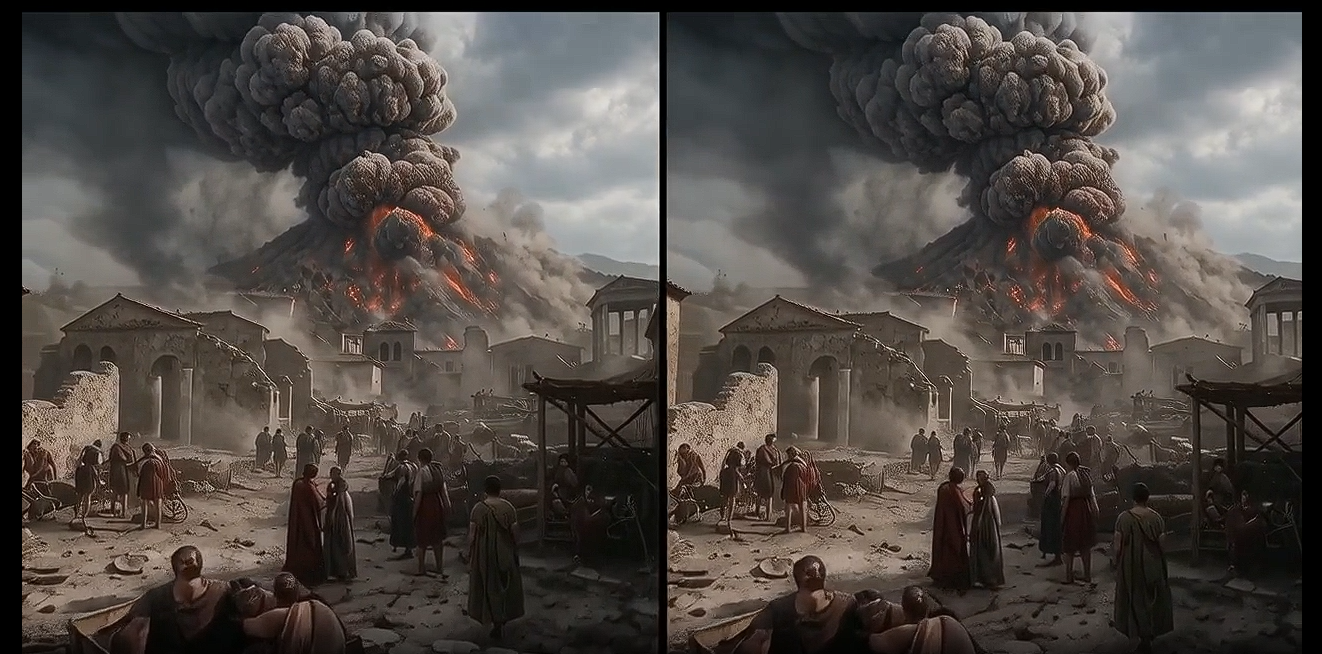
ChronoVision brings you to the Metaverse. Make 3D video framepacks featuring yourself as the main character. Enter your specific prompt request. Add optional real world domain data. Check the "Generate as Stereo 3D Side-by-Side (Wan Optimized)" checkbox. Forge a temporal prompt for Wan or other AI platforms to generate stereoscopic Side-by-Side 3D videos without a camera!
Copy the code into your Project or launch it with neoEdge.exe
Renamed with more features:
Added Stereo Prompt Variants
Corrected Preview aspect ratio
Removed Base64 for fast loading (Copy chrono.mp3 and chrono3D.mp4 to same folder for explore-modal)
https://awareware.com/ChronoVision3D.html
.
Here is a free HTML app I made with Grok that you can use in your VisualNEO pubs. It is a free image generator and a video prompt generator rolled into one. Based on the so-called 'Vatican Chronovisor,' it contains fields for date and GPS with location map so you can see images and render videos from past events.
Create Stereo 3D Videos Without a Camera!
Updated and improved version...
ChronoVision brings you to the Metaverse. Make 3D video framepacks featuring yourself as the main character. Enter your specific prompt request. Add optional real world domain data. Check the "Generate as Stereo 3D Side-by-Side (Wan Optimized)" checkbox. Forge a temporal prompt for Wan or other AI platforms to generate stereoscopic Side-by-Side 3D videos without a camera!
Copy the code into your Project or launch it with neoEdge.exe
Renamed with more features:
Added Stereo Prompt Variants
Corrected Preview aspect ratio
Removed Base64 for fast loading (Copy chrono.mp3 and chrono3D.mp4 to same folder for explore-modal)
https://awareware.com/ChronoVision3D.html
.
Uploaded files: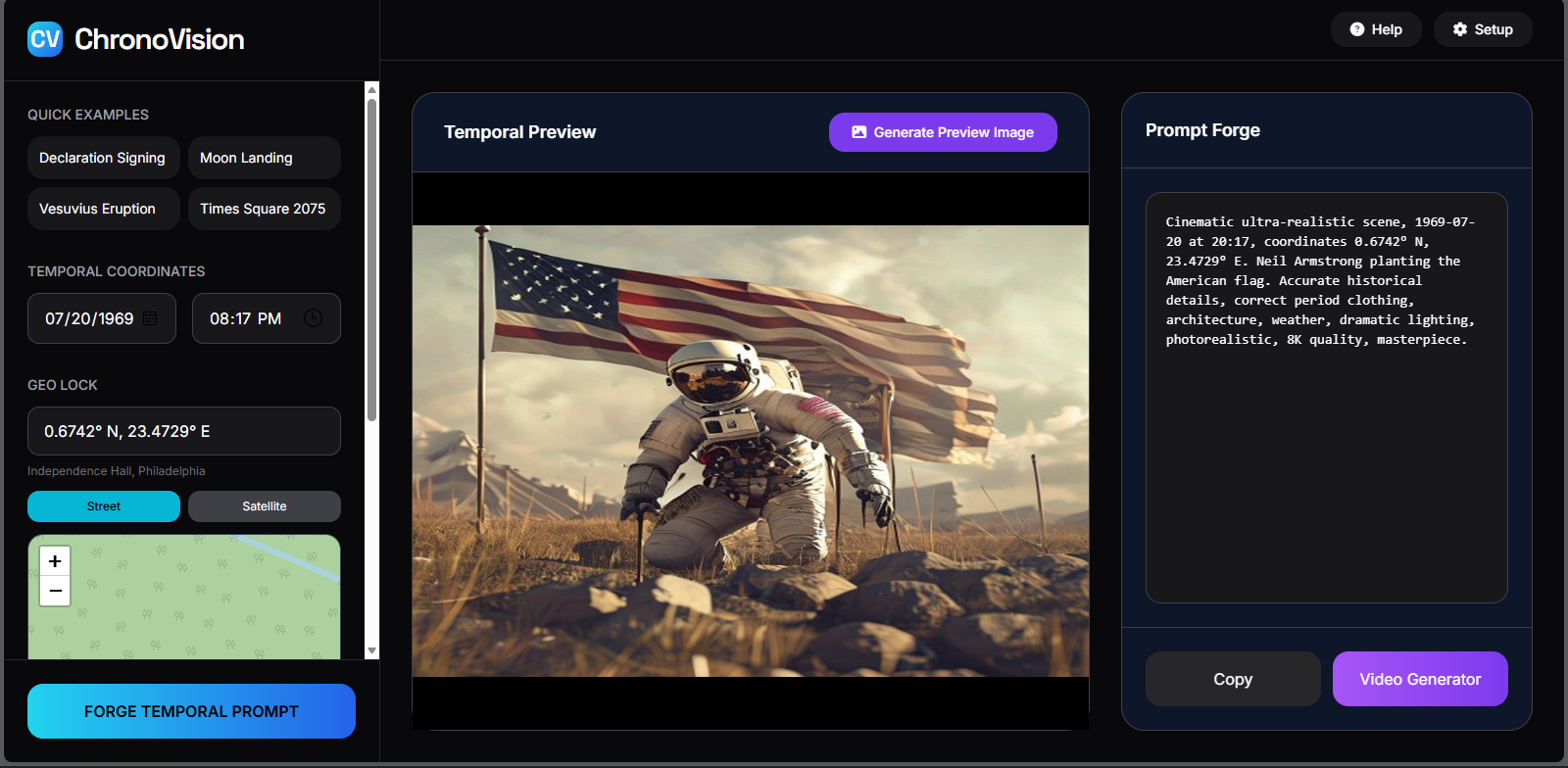

Quote from fkapnist on May 21, 2026, 10:40 amThank you. I updated the HTML app with a "Crop" widget from VisualNEO Web...
https://awareware.com/ChronoVision3D.html
.
Thank you. I updated the HTML app with a "Crop" widget from VisualNEO Web...
https://awareware.com/ChronoVision3D.html
.
Quote from fkapnist on May 23, 2026, 10:22 am@luishp @joerg @danito @anthony-latorre
IMPORTANT UPDATE!
https://awareware.com/ChronoVision3D.html
I added 2 powerful modules created with Claude:
Typography - Put text titles and overlays on images or videos with audio.
Storyboard - Arrange images and video clips on timeline and generate a storyboard.https://awareware.com/Typography.html
https://awareware.com/StoryBoard.htmlThey are both plain text HTML files with no external dependencies. Copy the source code to your VisualNEO Web pubs or save as index.html and launch with neoEdge.exe
.
Fixed a bug in the TRANSITION effects
Fixed an encoding bug to open videos in legacy media players
https://awareware.com/StoryBoard.html
.
@luishp @joerg @danito @anthony-latorre
IMPORTANT UPDATE!
https://awareware.com/ChronoVision3D.html
I added 2 powerful modules created with Claude:
Typography - Put text titles and overlays on images or videos with audio.
Storyboard - Arrange images and video clips on timeline and generate a storyboard.
https://awareware.com/Typography.html
https://awareware.com/StoryBoard.html
They are both plain text HTML files with no external dependencies. Copy the source code to your VisualNEO Web pubs or save as index.html and launch with neoEdge.exe
.
Fixed a bug in the TRANSITION effects
Fixed an encoding bug to open videos in legacy media players
https://awareware.com/StoryBoard.html
.
Quote from fkapnist on May 24, 2026, 9:35 pmQuote from fkapnist on May 12, 2026, 9:20 amHere is a free HTML app I made with Grok that you can use in your VisualNEO pubs. It is a free image generator and a video prompt generator rolled into one. Based on the so-called 'Vatican Chronovisor,' it contains fields for date and GPS with location map so you can see images and render videos from past events.
Create Stereo 3D Videos Without a Camera!
Updated and improved version...
ChronoVision brings you to the Metaverse. Make 3D video framepacks featuring yourself as the main character. Enter your specific prompt request. Add optional real world domain data. Check the "Generate as Stereo 3D Side-by-Side (Wan Optimized)" checkbox. Forge a temporal prompt for Wan or other AI platforms to generate stereoscopic Side-by-Side 3D videos without a camera!
Copy the code into your Project or launch it with neoEdge.exe
Renamed with more features:
Added Stereo Prompt Variants
Corrected Preview aspect ratio
Removed Base64 for fast loading (Copy chrono.mp3 and chrono3D.mp4 to same folder for explore-modal)
https://awareware.com/ChronoVision3D.html
.
Fixed a bug in the REAL WORLD DOMAIN module, added more options
https://awareware.com/ChronoVision3D.html
.
Quote from fkapnist on May 12, 2026, 9:20 amHere is a free HTML app I made with Grok that you can use in your VisualNEO pubs. It is a free image generator and a video prompt generator rolled into one. Based on the so-called 'Vatican Chronovisor,' it contains fields for date and GPS with location map so you can see images and render videos from past events.
Create Stereo 3D Videos Without a Camera!
Updated and improved version...
ChronoVision brings you to the Metaverse. Make 3D video framepacks featuring yourself as the main character. Enter your specific prompt request. Add optional real world domain data. Check the "Generate as Stereo 3D Side-by-Side (Wan Optimized)" checkbox. Forge a temporal prompt for Wan or other AI platforms to generate stereoscopic Side-by-Side 3D videos without a camera!
Copy the code into your Project or launch it with neoEdge.exe
Renamed with more features:
Added Stereo Prompt Variants
Corrected Preview aspect ratio
Removed Base64 for fast loading (Copy chrono.mp3 and chrono3D.mp4 to same folder for explore-modal)
https://awareware.com/ChronoVision3D.html
.
Fixed a bug in the REAL WORLD DOMAIN module, added more options
https://awareware.com/ChronoVision3D.html
.
Quote from fkapnist on May 26, 2026, 3:40 amAdded more options...
Renamed app to ChronoVision 3D+ (not to confuse with Chronovision watch winder)
https://awareware.com/ChronoVision3D.html
.
Added more options...
Renamed app to ChronoVision 3D+ (not to confuse with Chronovision watch winder)
https://awareware.com/ChronoVision3D.html
.
Uploaded files: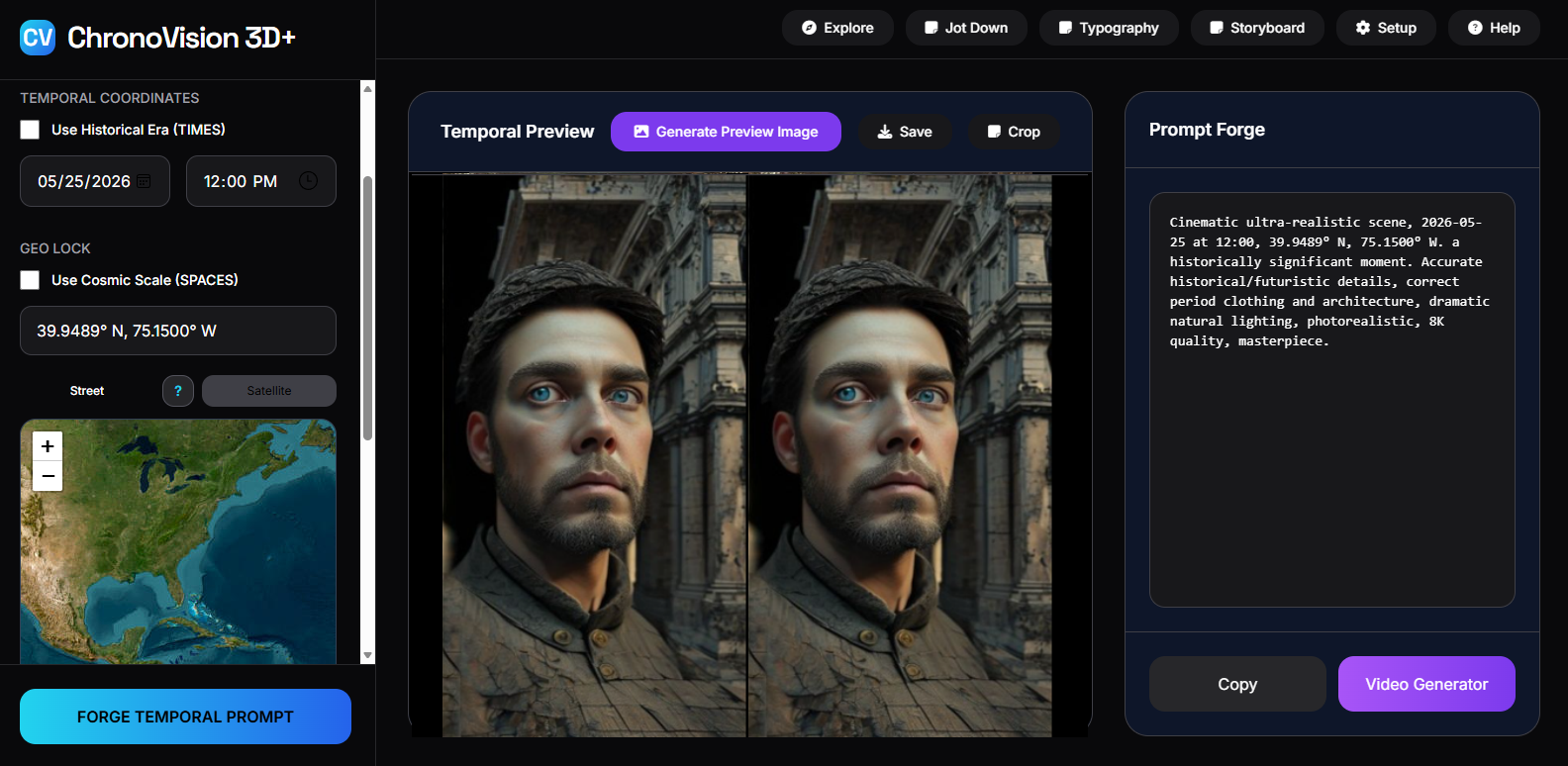
Quote from fkapnist on May 27, 2026, 10:00 pmAdded download button for the ChronoVision 3D+ Stereo 3D Toolkit
--------------------------------------------------------------
What is the ChronoVision 3D+ Stereo 3D Toolkit?
A small desktop app that wraps a set of common ffmpeg commands for working with stereoscopic 3D video. It's organized into five tabs, each focused on a single task. All processing runs locally — ffmpeg.exe must sit in the same folder as this app.
The tabs
• Extract — Pull separate left and right view files out of a stereoscopic source. Supports side-by-side, top/bottom, and Apple Spatial (MV-HEVC, .mov from iPhone 15 Pro / Vision Pro). Optional red/cyan Dubois anaglyph in one click.
• Combine — Merge separate left.mp4 and right.mp4 files into a single side-by-side or top/bottom 3D file. Optional anaglyph from the result.
• Convert — Reformat between SBS and frame-sequential, column-interleaved, row-interleaved, or checkerboard layouts (in either direction).
• Anaglyph — Build any of 12 anaglyph variants from an SBS source: three color schemes (red/cyan, green/magenta, yellow/blue) × four algorithms (gray, half color, full color, Dubois).
• 360 / VR — Projection conversions using the v360 filter: equirectangular ↔ cubemap, EAC, fisheye, dual fisheye, flat view, 180 ↔ 360, and Apple Spatial → VR180 SBS.
How to use
1. Pick a tab for the task you want.
2. Click "Select" to choose your input file(s).
3. Click "Select" to choose the output folder.
4. Adjust the radio options (view order, frame size, format, etc.).
5. Click the primary button at the bottom to run.
6. Use "Open Output" (top right) to jump to the result.Notes on options
View order — Whether the left or right eye comes first in the source / output. For Apple Spatial input it's intrinsic (view 0 = left, view 1 = right) and the radios grey out.
Frame size — "Full" keeps each eye at the original per-eye resolution (doubled total dimension). "Half" produces the frame-compatible variant where each eye is squeezed to fit a normal-size frame, used by most 3D players and VR headsets for playback.
Anaglyph algorithms — "Gray" has the least ghosting but no color. "Dubois" is the best balance of color and clarity for red/cyan and yellow/blue glasses. "Full color" preserves saturation but tends to ghost on red objects.
Apple Spatial — Requires ffmpeg 7.1 or newer.
https://awareware.com/ChronoVision3D.html
.
Added download button for the ChronoVision 3D+ Stereo 3D Toolkit
--------------------------------------------------------------
What is the ChronoVision 3D+ Stereo 3D Toolkit?
A small desktop app that wraps a set of common ffmpeg commands for working with stereoscopic 3D video. It's organized into five tabs, each focused on a single task. All processing runs locally — ffmpeg.exe must sit in the same folder as this app.
The tabs
• Extract — Pull separate left and right view files out of a stereoscopic source. Supports side-by-side, top/bottom, and Apple Spatial (MV-HEVC, .mov from iPhone 15 Pro / Vision Pro). Optional red/cyan Dubois anaglyph in one click.
• Combine — Merge separate left.mp4 and right.mp4 files into a single side-by-side or top/bottom 3D file. Optional anaglyph from the result.
• Convert — Reformat between SBS and frame-sequential, column-interleaved, row-interleaved, or checkerboard layouts (in either direction).
• Anaglyph — Build any of 12 anaglyph variants from an SBS source: three color schemes (red/cyan, green/magenta, yellow/blue) × four algorithms (gray, half color, full color, Dubois).
• 360 / VR — Projection conversions using the v360 filter: equirectangular ↔ cubemap, EAC, fisheye, dual fisheye, flat view, 180 ↔ 360, and Apple Spatial → VR180 SBS.
How to use
1. Pick a tab for the task you want.
2. Click "Select" to choose your input file(s).
3. Click "Select" to choose the output folder.
4. Adjust the radio options (view order, frame size, format, etc.).
5. Click the primary button at the bottom to run.
6. Use "Open Output" (top right) to jump to the result.
Notes on options
View order — Whether the left or right eye comes first in the source / output. For Apple Spatial input it's intrinsic (view 0 = left, view 1 = right) and the radios grey out.
Frame size — "Full" keeps each eye at the original per-eye resolution (doubled total dimension). "Half" produces the frame-compatible variant where each eye is squeezed to fit a normal-size frame, used by most 3D players and VR headsets for playback.
Anaglyph algorithms — "Gray" has the least ghosting but no color. "Dubois" is the best balance of color and clarity for red/cyan and yellow/blue glasses. "Full color" preserves saturation but tends to ghost on red objects.
Apple Spatial — Requires ffmpeg 7.1 or newer.
https://awareware.com/ChronoVision3D.html
.
Quote from fkapnist on June 5, 2026, 7:10 pmadded more features and AI platforms
https://awareware.com/ChronoVision3D.html
added more features and AI platforms
https://awareware.com/ChronoVision3D.html