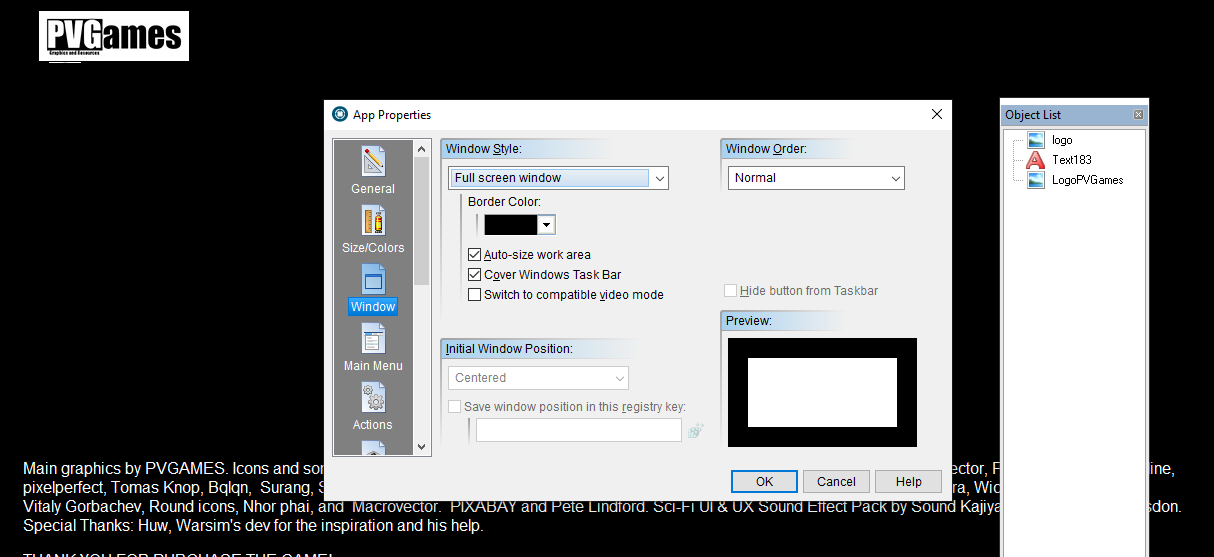
Full screen -> Windows Mode (and viceversa).

Quote from LeMachinga on August 22, 2021, 2:11 pmIs there way to change a full screen app to windows mode with some visualneo action? (and viceversa).
Is there way to center a full screen app on the screen?. I have made an app 1366x768 and on higher resoltuions the app is on the upper left corner, not center.
My intention is made app in 1366x768 and be able to view well on higher resolutions.
Thank you very much.
Is there way to change a full screen app to windows mode with some visualneo action? (and viceversa).
Is there way to center a full screen app on the screen?. I have made an app 1366x768 and on higher resoltuions the app is on the upper left corner, not center.
My intention is made app in 1366x768 and be able to view well on higher resolutions.
Thank you very much.

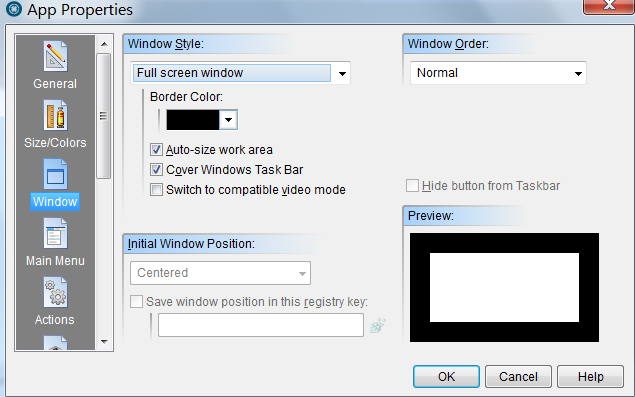

Quote from CSSystems on August 22, 2021, 4:45 pmDoes not using Auto-size work space require a lot of programming to align the objects on the page?
Does not using Auto-size work space require a lot of programming to align the objects on the page?
Quote from LeMachinga on August 22, 2021, 6:54 pmQuote from HPW on August 22, 2021, 4:20 pmHave you tried that setting?
Yes, that is the setting. I'm have made the game in 1366 x 768, but one of betatesters has 1920 x 1080 and he told me that the game appear on the top-left corner, not center. I have tested the game on different screen resolution and doesn't work bad, but would be interesting be able to use some action (button) to change full screen - windoned (and viceversa) in the middle of a run. Thank you for your help.
Quote from HPW on August 22, 2021, 4:20 pmHave you tried that setting?
Yes, that is the setting. I'm have made the game in 1366 x 768, but one of betatesters has 1920 x 1080 and he told me that the game appear on the top-left corner, not center. I have tested the game on different screen resolution and doesn't work bad, but would be interesting be able to use some action (button) to change full screen - windoned (and viceversa) in the middle of a run. Thank you for your help.
Uploaded files: