
How to change default fonts?

Quote from shahram on November 3, 2020, 9:07 amHello
I'm new in VisualNeo web, but I'm interested to share my experiences. Today I'm going to show you how to change default font, and how to make your own font-family to use in all pages and dialogs. Let's start.
1: Add your fonts in your project. Project (F6)>Properties> Libraries/Files (For android devices you need *.ttf file format)
2: Add below lines in Style tab. Project (F6) >Properties>Styles
@font-face {
font-family: 'myFont-1';
src: url ('../fonts/font1.ttf');
}@font-face {
font-family: 'myFont-2';
src: url ('../fonts/font2.ttf');
}body {
font-family: myFont-1, myFont-2;
text-align: right;
direction: rtl;
}NOTE:
- You can add more fonts as much as you need.
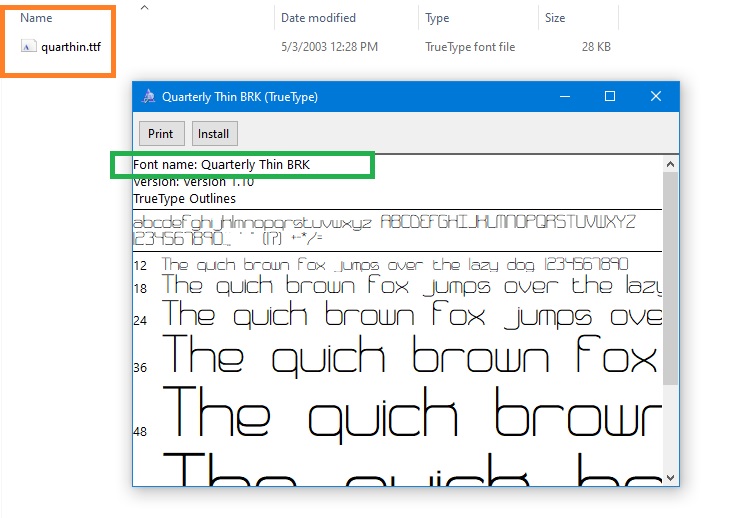
- The file name may differ from the font name. (Look at the last picture)
To understand the font name, you must run it. The font name is indicated at the top left by the phrase "Font Name:". In the Style tab, enter the (Font Name) for font-family and the (File Name) for src. For example:@font-face {
font-family: 'Font Name';
src: url ('../fonts/FileName.ttf');
}
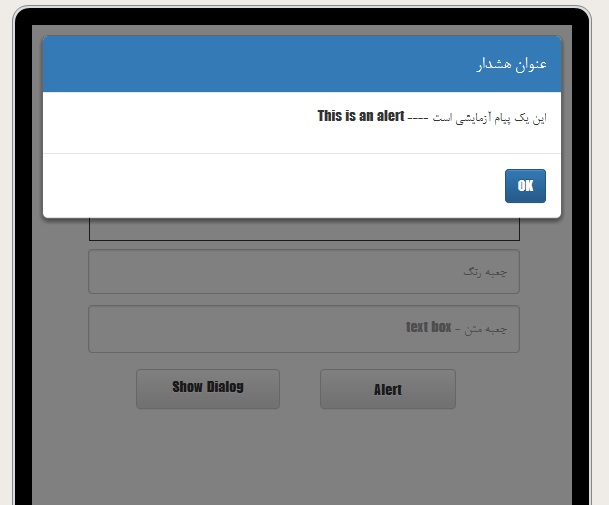
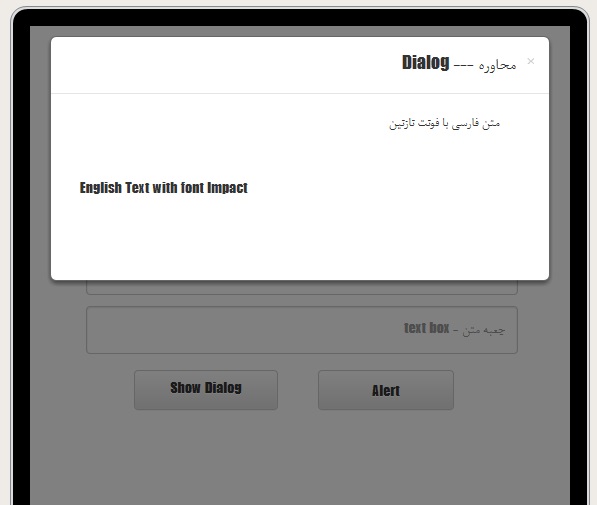
- Whatever you add in the body section ( between { & } ), will be applied to all pages, dialogs and alerts. (except for jsAlert, jsConfirm, etc.)
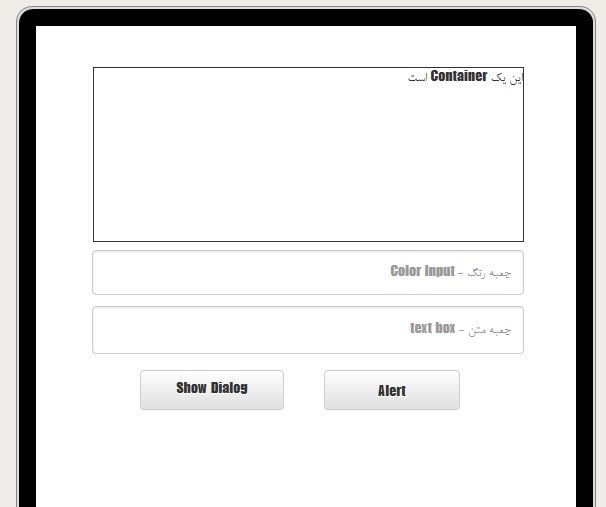
Result:
Hello
I'm new in VisualNeo web, but I'm interested to share my experiences. Today I'm going to show you how to change default font, and how to make your own font-family to use in all pages and dialogs. Let's start.
1: Add your fonts in your project. Project (F6)>Properties> Libraries/Files (For android devices you need *.ttf file format)
2: Add below lines in Style tab. Project (F6) >Properties>Styles
@font-face {
font-family: 'myFont-1';
src: url ('../fonts/font1.ttf');
}
@font-face {
font-family: 'myFont-2';
src: url ('../fonts/font2.ttf');
}
body {
font-family: myFont-1, myFont-2;
text-align: right;
direction: rtl;
}
NOTE:
- You can add more fonts as much as you need.
- The file name may differ from the font name. (Look at the last picture)
To understand the font name, you must run it. The font name is indicated at the top left by the phrase "Font Name:". In the Style tab, enter the (Font Name) for font-family and the (File Name) for src. For example:
@font-face {
font-family: 'Font Name';
src: url ('../fonts/FileName.ttf');
}
- Whatever you add in the body section ( between { & } ), will be applied to all pages, dialogs and alerts. (except for jsAlert, jsConfirm, etc.)
Result:
Uploaded files:


Quote from redaforhand on November 23, 2020, 8:09 amسلام.منم ایرانیم.یه سوال داشتم ازتون در مورد تغییر فونت یکی از قسمتای نئوویژن.ایمیلتونو میدین تا اونجا پیام بدم؟
سلام.منم ایرانیم.یه سوال داشتم ازتون در مورد تغییر فونت یکی از قسمتای نئوویژن.ایمیلتونو میدین تا اونجا پیام بدم؟