
Importing CSV File to Table

Quote from paultomo on August 19, 2022, 7:33 pmI am struggling to debug a simple app being used to Import a CSV File to a Table.
I'm Using the File Input Object to open the CSV file and CsvToJSON to Parse the CSV data into JSON format. This all works perfectly fine if the app is run from the Project Menu - Run Option, the Table is Populated with all the data from the sample CSV file, but this is not true when run in Chrome, the data seems to import okay but will not load into the table!
After setting up the new Table on Page-Enter, the CSV File is being imported via a File Input Object as follows:
CreateEmptyArray [mydata]
LocalFileToVar "FileInput1" [importdata]
CsvToJSON [importdata] "," [mydata]
neoTableLoadData "ViewsContainer" [mydata]
I have uploaded the app and a sample csv file in zip.
I have done a number of tests and things that do work in Chrome are included but commented out.
Any help appreciated, as I must be missing a simple step to make this work correctly with Chrome.
I am struggling to debug a simple app being used to Import a CSV File to a Table.
I'm Using the File Input Object to open the CSV file and CsvToJSON to Parse the CSV data into JSON format. This all works perfectly fine if the app is run from the Project Menu - Run Option, the Table is Populated with all the data from the sample CSV file, but this is not true when run in Chrome, the data seems to import okay but will not load into the table!
After setting up the new Table on Page-Enter, the CSV File is being imported via a File Input Object as follows:
CreateEmptyArray [mydata]
LocalFileToVar "FileInput1" [importdata]
CsvToJSON [importdata] "," [mydata]
neoTableLoadData "ViewsContainer" [mydata]
I have uploaded the app and a sample csv file in zip.
I have done a number of tests and things that do work in Chrome are included but commented out.
Any help appreciated, as I must be missing a simple step to make this work correctly with Chrome.
Uploaded files:
Quote from asmat on August 19, 2022, 8:04 pmUse watch on fileInput variable in the page-enter like this:
Watch [importdata] "tablize"Then move the rest of your code inside tablize subroutine as follows:
CreateEmptyArray [mydata]
CsvToJSON [importdata] "," [mydata]
neoTableLoadData "ViewsContainer" [mydata]
leave only this code for fileInput
LocalFileToVar "FileInput1" [importdata]
Use watch on fileInput variable in the page-enter like this:
Watch [importdata] "tablize"
Then move the rest of your code inside tablize subroutine as follows:
CreateEmptyArray [mydata]
CsvToJSON [importdata] "," [mydata]
neoTableLoadData "ViewsContainer" [mydata]
leave only this code for fileInput
LocalFileToVar "FileInput1" [importdata]
Uploaded files:
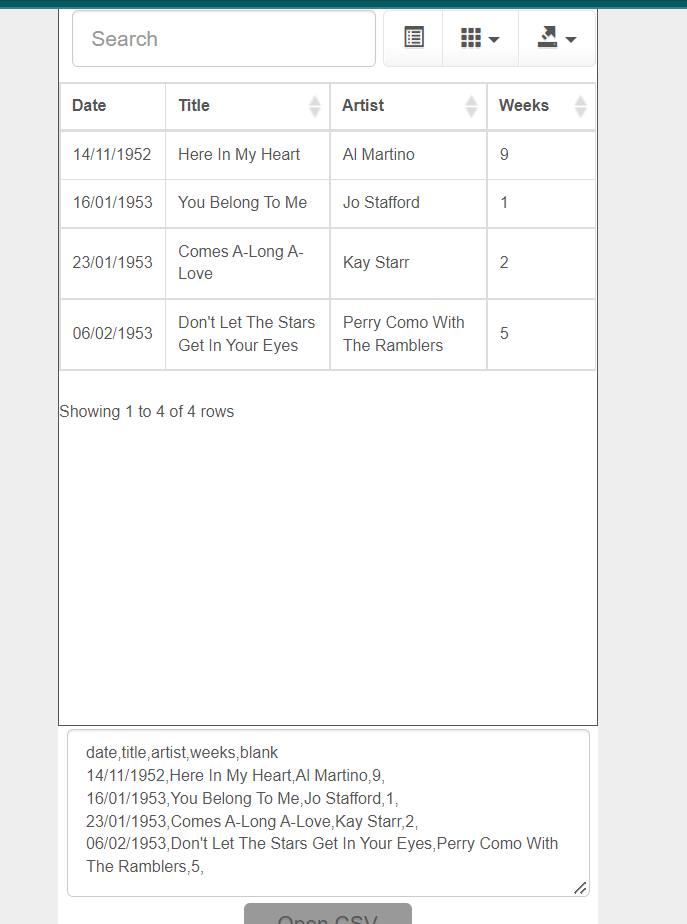
Quote from paultomo on August 19, 2022, 9:33 pm@asmat
Thanks for the quick response and fix.
Just wondering why this code works when using "Watch" via a subroutine but not within File Input via a browser?
Thanks for the quick response and fix.
Just wondering why this code works when using "Watch" via a subroutine but not within File Input via a browser?

Quote from luishp on August 20, 2022, 12:29 pmJust wondering why this code works when using "Watch" via a subroutine but not within File Input via a browser?
@paultomo that's because JavaScript is an asyncronous language. This means that, when you execute this line:
LocalFileToVar "FileInput1" [importdata]the next line is executed even if [importadata] is not yet filled with data (no time to read the file):CsvToJSON [importdata] "," [mydata]So [importadata] is empty or even null.You can use Watch or Wait to be sure the data is already available.Regards.
Just wondering why this code works when using "Watch" via a subroutine but not within File Input via a browser?
@paultomo that's because JavaScript is an asyncronous language. This means that, when you execute this line:
LocalFileToVar "FileInput1" [importdata]
CsvToJSON [importdata] "," [mydata]