
input fields move upper

Quote from Phil78 on September 23, 2022, 3:56 pmHello
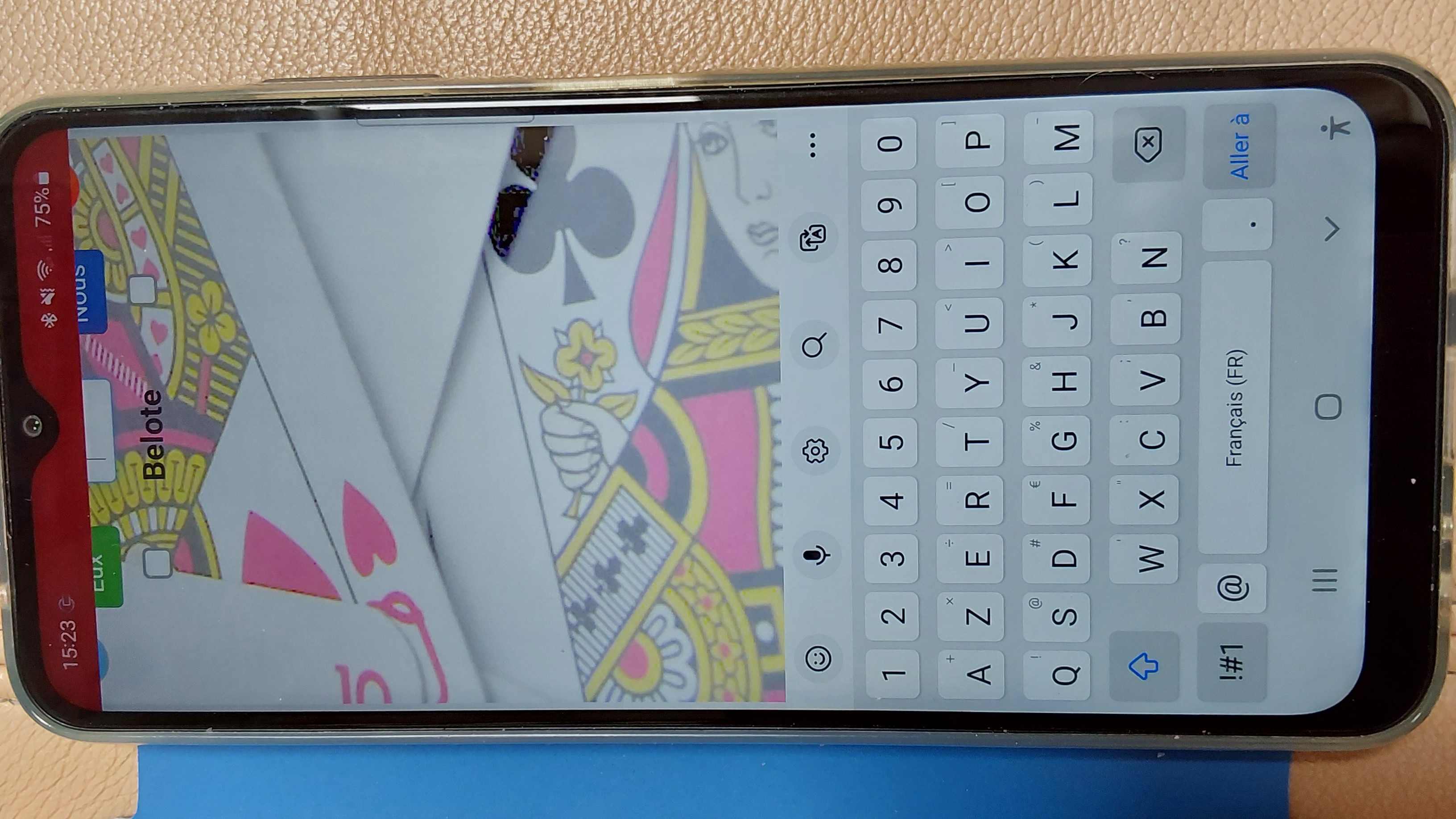
I have built an app which works well on computer and tablet. But on a mobile phone, inside a browser or as PWA, I have a problem with the input fields because they moved too high when the keyboard is invoked.
All my fields are inside a container. I tried to use CSS position without success.
Do you have an idea to fix the position ?
Hello
I have built an app which works well on computer and tablet. But on a mobile phone, inside a browser or as PWA, I have a problem with the input fields because they moved too high when the keyboard is invoked.
All my fields are inside a container. I tried to use CSS position without success.
Do you have an idea to fix the position ?
Uploaded files: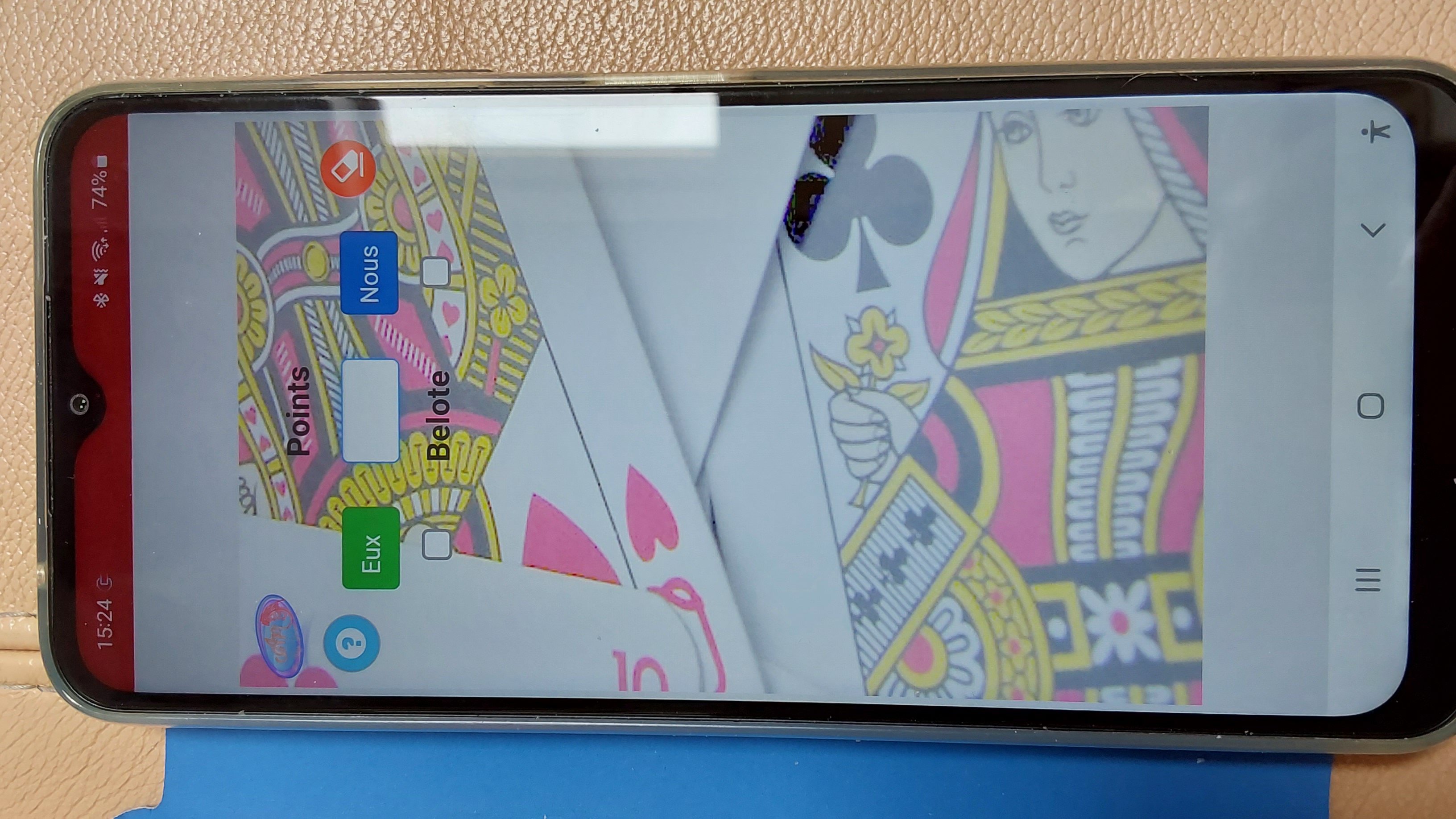

Quote from emo on September 23, 2022, 8:05 pm@phil78 , try this:
but for your case i think you should review the options of the container and the responsive properties of the app.
@phil78 , try this:

Quote from luishp on September 25, 2022, 12:57 pm@phil78 this problem has been discussed many times here. Please uncheck "Project > Properties > Size > Auto-size content" and use FitAppToScreen command instead. Regards.
@phil78 this problem has been discussed many times here. Please uncheck "Project > Properties > Size > Auto-size content" and use FitAppToScreen command instead. Regards.
Quote from Phil78 on September 25, 2022, 5:13 pmmy project properties has no size properties. the app size is 320 x 600.
My code on app event is the following :
neoDeviceGetInfo [Ecran] [OS] [Orientation] [Navigateur]
If [Ecran] == "Mobile"
FitAppToScreen false "top" "center"
.slScaleAppFitWidth 330 600
EndifIsInstalled [pwaInstall]
If [pwaInstall] == true
HideObject "Headline4" "none" 0
If [Ecran] != "Mobile"
ResizeDesktopWindow 350 600
Endif
Else
PreventInstallPrompt [readyToInstall]
Watch [readyToInstall] "customInstall"
EndifOn page enter i have tried SetKeyboard "TextInput1" "numeric" , hoping to reduce the size of the keyboard, but I don't get a numeric keyboard.
my project properties has no size properties. the app size is 320 x 600.
My code on app event is the following :
neoDeviceGetInfo [Ecran] [OS] [Orientation] [Navigateur]
If [Ecran] == "Mobile"
FitAppToScreen false "top" "center"
.slScaleAppFitWidth 330 600
Endif
IsInstalled [pwaInstall]
If [pwaInstall] == true
HideObject "Headline4" "none" 0
If [Ecran] != "Mobile"
ResizeDesktopWindow 350 600
Endif
Else
PreventInstallPrompt [readyToInstall]
Watch [readyToInstall] "customInstall"
Endif
On page enter i have tried SetKeyboard "TextInput1" "numeric" , hoping to reduce the size of the keyboard, but I don't get a numeric keyboard.
Quote from luishp on September 25, 2022, 6:57 pm@phil78 in order to be able to help you, I need to take a look at your app, or even better to a simplified sample showing just the problem.
Regards.
@phil78 in order to be able to help you, I need to take a look at your app, or even better to a simplified sample showing just the problem.
Regards.
Quote from Phil78 on September 26, 2022, 6:26 pm@luishp I have also added some code found on the forum without success like
SetVar [h] [NAB.ClientHeight]
SetVar [w] [NAB.ClientWidth]If [Ecran] == "Mobile"
SizeObject "[NAB.PageID]" [w] [h]
Endif
@luishp I have also added some code found on the forum without success like
SetVar [h] [NAB.ClientHeight]
SetVar [w] [NAB.ClientWidth]
If [Ecran] == "Mobile"
SizeObject "[NAB.PageID]" [w] [h]
Endif
Quote from luishp on September 26, 2022, 7:14 pm@phil78 please test the attached sample app. I have included this code into Project > Events > Start-up:
FitAppToScreen false "top" "center"
SetKeyboard "TextInput1" "numeric"
Regards.
@phil78 please test the attached sample app. I have included this code into Project > Events > Start-up:
FitAppToScreen false "top" "center"
SetKeyboard "TextInput1" "numeric"
Regards.
Uploaded files:Quote from Phil78 on September 27, 2022, 11:33 am@luishp thanks Luis. I have tested but there is no difference, the keyboard is not numeric only and the input field is not totally visible. When we put SetKeyboard at startup there is an error on GetDocumentByID, but not if we put on page Score (but without effect).
Have you successfully tested with a mobile phone on your side ?
@luishp thanks Luis. I have tested but there is no difference, the keyboard is not numeric only and the input field is not totally visible. When we put SetKeyboard at startup there is an error on GetDocumentByID, but not if we put on page Score (but without effect).
Have you successfully tested with a mobile phone on your side ?
Quote from Phil78 on September 27, 2022, 1:13 pm@luishp Sorry Luis, I just tested on another mobile and on mine with another browser and it works normally
There is probably a memory cache problem with the Samsung internet browser.
@luishp Sorry Luis, I just tested on another mobile and on mine with another browser and it works normally
There is probably a memory cache problem with the Samsung internet browser.
Quote from Phil78 on September 27, 2022, 2:59 pmThanks again to Luis and Emmanuel-Fernandez.
Here is the final version. For those of you who like to play belote, you can freely use this program and translate it into your language, but please don't remove the logo and the copyright
Thanks again to Luis and Emmanuel-Fernandez.
Here is the final version. For those of you who like to play belote, you can freely use this program and translate it into your language, but please don't remove the logo and the copyright
Uploaded files: