
Issue with embedding website in app

Quote from knightmare70 on June 23, 2020, 2:54 amI am trying to embed a chat site into an app using the Web Browser tool. For some reason the chat site URL will not load properly in the app for a new user if Internet Explorer has not run at least one time (and the user chooses an option at the first run prompt) prior to running the compiled VisualNeo Win app. This issue doesn't seem to effect other sites, like google, yahoo, etc.
I created a test 'browser' app to test the issue and uploaded it to this post
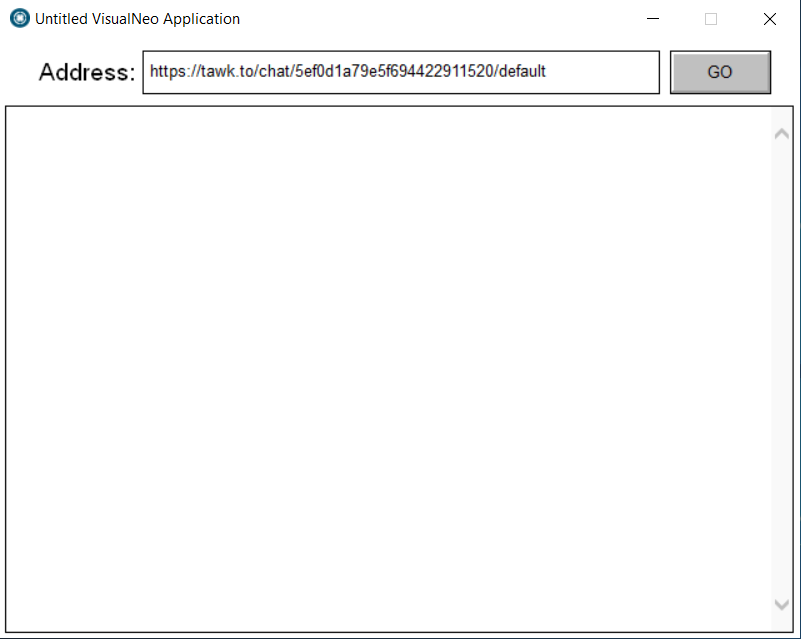
If I create a new user and run the compiled test browser app and click the Go button it just loads a blank page like this:
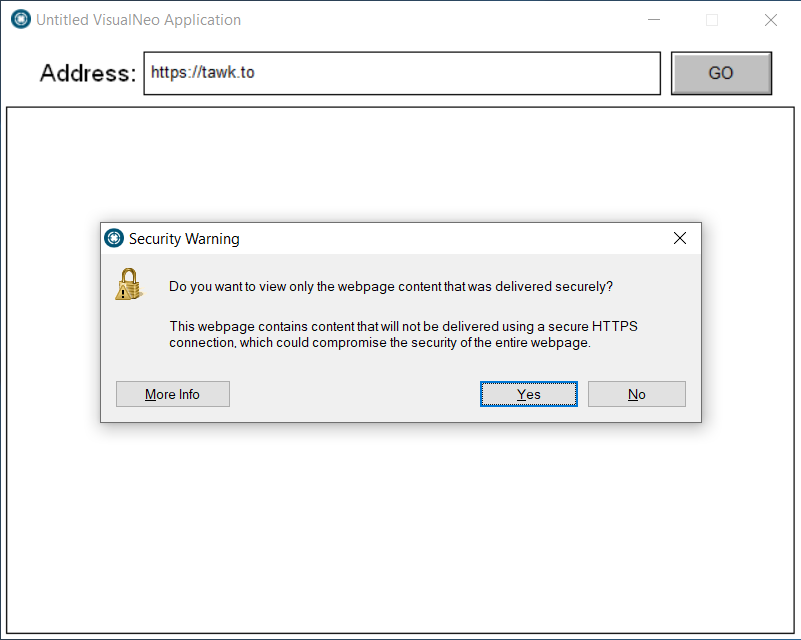
If I browse to the root url for the chat site (tawk.to) the app will display a security warning, like this:
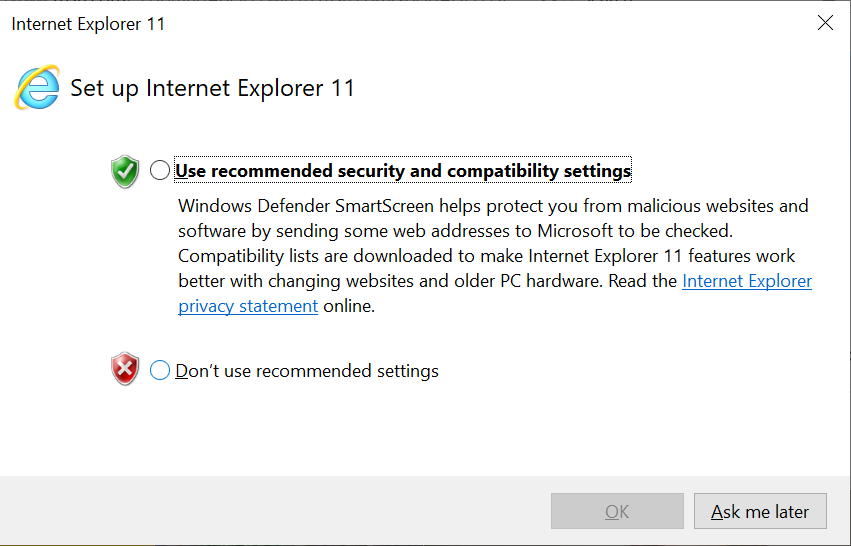
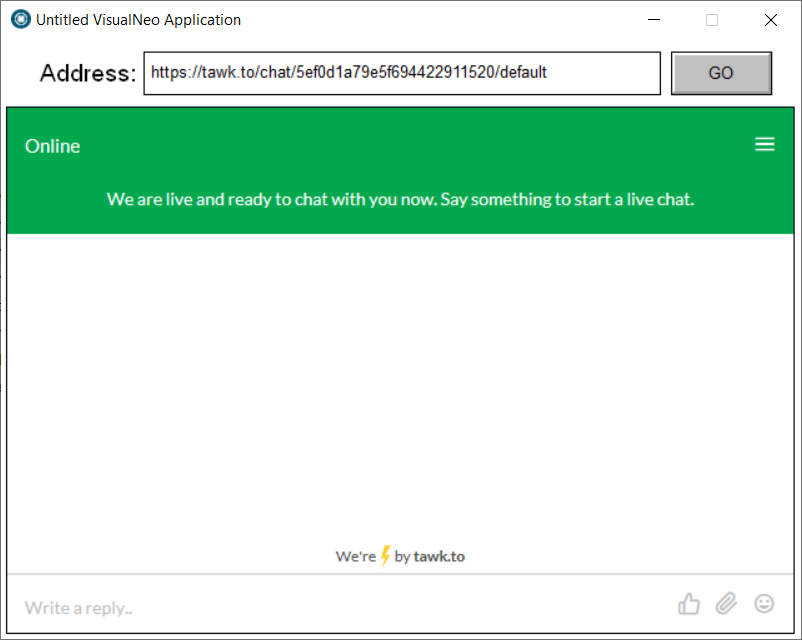
If I run Internet Explorer on the new user account before running the app and select either option at the First Run prompt and then run the test browser app and click the Go button then the chat page loads properly, like this:
If you run the test browser app prior to setting the First Run options and browse to any other site (Google, Yahoo, VisualNeo) it works fine.
I've tried setting the IE settings via GPO to remove the First Run prompt and even set the option to allow mixed content in the IE settings and the test app will still just load a blank page when loading the chat site URL. The chat site URL only seems to load properly without issues and without the error from the second pic if the user manually goes through the First Run prompt.
Does anyone have any ideas on how to get around this issue?
The actual app will be used on VDI desktops that are refreshed after the user logs out, so IE will always be in an 'First Run' state and I can't have the user go through that process each time before running the actual app.
I am trying to embed a chat site into an app using the Web Browser tool. For some reason the chat site URL will not load properly in the app for a new user if Internet Explorer has not run at least one time (and the user chooses an option at the first run prompt) prior to running the compiled VisualNeo Win app. This issue doesn't seem to effect other sites, like google, yahoo, etc.
I created a test 'browser' app to test the issue and uploaded it to this post
If I create a new user and run the compiled test browser app and click the Go button it just loads a blank page like this:
If I browse to the root url for the chat site (tawk.to) the app will display a security warning, like this:
If I run Internet Explorer on the new user account before running the app and select either option at the First Run prompt and then run the test browser app and click the Go button then the chat page loads properly, like this:
If you run the test browser app prior to setting the First Run options and browse to any other site (Google, Yahoo, VisualNeo) it works fine.
I've tried setting the IE settings via GPO to remove the First Run prompt and even set the option to allow mixed content in the IE settings and the test app will still just load a blank page when loading the chat site URL. The chat site URL only seems to load properly without issues and without the error from the second pic if the user manually goes through the First Run prompt.
Does anyone have any ideas on how to get around this issue?
The actual app will be used on VDI desktops that are refreshed after the user logs out, so IE will always be in an 'First Run' state and I can't have the user go through that process each time before running the actual app.
Uploaded files:

Quote from knightmare70 on July 12, 2020, 5:59 amNo I have not found a fix yet.
No I have not found a fix yet.

Quote from fkapnist on December 1, 2020, 10:06 amUnfortunately, Internet Explorer is no longer supported by more and more websites (like YouTube for example) .... If you run your chat app the first time while the WebBrowser Object is moved to a -1 location and is not viewable, and make the appropriate keypresses with the SendKeys actions required to initiate the chat app and then move the WebBrowser Object back into a +1 location view, it just might work the second time it loads. But you could be better off running the Chrome browser in a rectangle to access your chat app since most people today have Chrome installed on their PCs.
Unfortunately, Internet Explorer is no longer supported by more and more websites (like YouTube for example) .... If you run your chat app the first time while the WebBrowser Object is moved to a -1 location and is not viewable, and make the appropriate keypresses with the SendKeys actions required to initiate the chat app and then move the WebBrowser Object back into a +1 location view, it just might work the second time it loads. But you could be better off running the Chrome browser in a rectangle to access your chat app since most people today have Chrome installed on their PCs.