
line break \ перенос строк

Quote from lolo on May 5, 2022, 6:20 pmhow to enable line wrapping in components
"Checkbox" and "Radio button" ?как включить перенос строк в компонентах
"Флажок" и "Радио кнопка" ?
how to enable line wrapping in components
"Checkbox" and "Radio button" ?
как включить перенос строк в компонентах
"Флажок" и "Радио кнопка" ?

Quote from Vadim on May 5, 2022, 6:35 pm@lolo
As far as I know, there is no automatic line break. You can manually put a line break. If you then need to process the header of such an object in the code, you can do it by using special characters. For example:
If "[RadioGroup1]" "=" "There's some text here,[#13][#10]and there's the second line of that text."
AlertBox "Yay!" "That's the right answer!"
EndIF
As far as I know, there is no automatic line break. You can manually put a line break. If you then need to process the header of such an object in the code, you can do it by using special characters. For example:
If "[RadioGroup1]" "=" "There's some text here,[#13][#10]and there's the second line of that text."
AlertBox "Yay!" "That's the right answer!"
EndIF
Quote from lolo on May 6, 2022, 6:33 pm@vadim
This is an option...
The essence is this - the user enters the text in the component (inscription).
The component has a style - multiline and line break, this text is further displayed in the component (radio button).
If you use a line break (ENTER) in the component (label), then the line break occurs in the component (radio button), but if the component (label) wraps the line automatically, then the component (radio button) does not.
QUESTION:
what line command is used to break lines? I want to try replacing it with a line break.Это вариант...
Суть такая - пользователь вписывает текст в компонент (надпись).
Компонент имеет стиль - многострочный и перенос строк, этот текст далее отображается в компоненте (радио кнопка).
Если в компоненте (надпись) использовать разрыв строк (ENTER), то и в компоненте (радио кнопка) происходит разрыв строк, но если компонент (надпись) переносит строку автоматически, то компонент (радио кнопка) этого не делает.
ВОПРОС:
какая строчная команда применяется для переноса строк? Я хочу попробовать заменить ее на разрыв строки.
This is an option...
The essence is this - the user enters the text in the component (inscription).
The component has a style - multiline and line break, this text is further displayed in the component (radio button).
If you use a line break (ENTER) in the component (label), then the line break occurs in the component (radio button), but if the component (label) wraps the line automatically, then the component (radio button) does not.
QUESTION:
what line command is used to break lines? I want to try replacing it with a line break.
Это вариант...
Суть такая - пользователь вписывает текст в компонент (надпись).
Компонент имеет стиль - многострочный и перенос строк, этот текст далее отображается в компоненте (радио кнопка).
Если в компоненте (надпись) использовать разрыв строк (ENTER), то и в компоненте (радио кнопка) происходит разрыв строк, но если компонент (надпись) переносит строку автоматически, то компонент (радио кнопка) этого не делает.
ВОПРОС:
какая строчная команда применяется для переноса строк? Я хочу попробовать заменить ее на разрыв строки.
Quote from Vadim on May 7, 2022, 8:19 am@lolo
EN:
You can use any sequence of characters as a marker, and you can place line breaks where you want them automatically by using wildcards [#13][#10]. In the attached example, I put the code to replace the space character with a line break on the input box. If you run the sample and start typing words, a line break will be inserted instead of a space, which will work in the radio button object as well.
Another (and simpler) way to do line break in a radio button is to use the Inscription object for the radio button header, and reduce the width of the Radio Button object by the width so that only the round switch itself is visible (with the radio button header being blank). Accordingly, the command to enable or disable the desired radio button can be placed on a click on the Inscription object. You can generally use a design-appropriate picture instead of the radio button (one picture for the highlighted radio button, and another for the unselected button).
In general, the possibilities are many. There is room to turn around :)
RU:
Вы можете использовать любую последовательность символов в качестве маркера, по месту которого можете автоматически вставлять переносы строк там, где вам нужно с помощью спецсимволов [#13][#10]. В прикрепленном примере я поместил на поле ввода код замены символа пробел на перенос строк. Если вы запустите образец и начнёте вводить слова, то вместо пробела будет вставлен перенос строки, который будет работать и в объекте радио кнопка.
Другой (и более простой) способ сделать перенос строк в радио кнопке - это использовать для заголовка радио кнопки объект Надпись, а ширину объекта Радио кнопка уменьшить по ширине, чтобы был виден только сам круглый переключатель (при этом заголовок радио кнопки должен быть пустым). Соответственно на клик по объекту Надпись можно поместить команду включения или отключения нужной радиокнопки. Можно вообще вместо радио кнопки использовать подходящую по дизайну картинку (один рисунок для выделенной радио кнопки, а второй для кнопки без выделения).
В общем, возможностей много. Есть где развернуться :)
EN:
You can use any sequence of characters as a marker, and you can place line breaks where you want them automatically by using wildcards [#13][#10]. In the attached example, I put the code to replace the space character with a line break on the input box. If you run the sample and start typing words, a line break will be inserted instead of a space, which will work in the radio button object as well.
Another (and simpler) way to do line break in a radio button is to use the Inscription object for the radio button header, and reduce the width of the Radio Button object by the width so that only the round switch itself is visible (with the radio button header being blank). Accordingly, the command to enable or disable the desired radio button can be placed on a click on the Inscription object. You can generally use a design-appropriate picture instead of the radio button (one picture for the highlighted radio button, and another for the unselected button).
In general, the possibilities are many. There is room to turn around :)
RU:
Вы можете использовать любую последовательность символов в качестве маркера, по месту которого можете автоматически вставлять переносы строк там, где вам нужно с помощью спецсимволов [#13][#10]. В прикрепленном примере я поместил на поле ввода код замены символа пробел на перенос строк. Если вы запустите образец и начнёте вводить слова, то вместо пробела будет вставлен перенос строки, который будет работать и в объекте радио кнопка.
Другой (и более простой) способ сделать перенос строк в радио кнопке - это использовать для заголовка радио кнопки объект Надпись, а ширину объекта Радио кнопка уменьшить по ширине, чтобы был виден только сам круглый переключатель (при этом заголовок радио кнопки должен быть пустым). Соответственно на клик по объекту Надпись можно поместить команду включения или отключения нужной радиокнопки. Можно вообще вместо радио кнопки использовать подходящую по дизайну картинку (один рисунок для выделенной радио кнопки, а второй для кнопки без выделения).
В общем, возможностей много. Есть где развернуться :)
Uploaded files:Quote from lolo on May 17, 2022, 1:32 pm@vadim
No, it does not work, not this one, not options similar to it.
The whole problem is that the automatic transition to a new line is not tracked at all.
Checked by counting lines and getting each line output to a variable.
Valid only (forced line break)have another idea
- keep track of the possible number of characters in one line
- get last space in string and insert after line break
Нет, не работает, не этот, не подобные ему варианты.
Вся проблема в том, что автоматический переход на новую строку вообще не отслеживается.
Проверял путем подсчета строк и получал каждую строку выводом в переменную.
Действует только (принудительный разрыв строки)есть другая мысль
- отслеживать возможное количество символов в одной строке
- получить последний пробел в строке и вставить после разрыв строки
No, it does not work, not this one, not options similar to it.
The whole problem is that the automatic transition to a new line is not tracked at all.
Checked by counting lines and getting each line output to a variable.
Valid only (forced line break)
have another idea
- keep track of the possible number of characters in one line
- get last space in string and insert after line break
Нет, не работает, не этот, не подобные ему варианты.
Вся проблема в том, что автоматический переход на новую строку вообще не отслеживается.
Проверял путем подсчета строк и получал каждую строку выводом в переменную.
Действует только (принудительный разрыв строки)
есть другая мысль
- отслеживать возможное количество символов в одной строке
- получить последний пробел в строке и вставить после разрыв строки
Quote from Vadim on May 17, 2022, 2:08 pm@lolo
EN:
Of course, the variant with special characters assumes that you know (or promptly find out) where to put them.
Can you show a screenshot of what you're trying to do? The thing is, it's usually easier to use an object that supports word-forwarding on its own, than to make an object that wasn't designed to do that.
RU:
Конечно, вариант со спецсимволами предполагает, что вы заранее знаете (или оперативно узнаёте) где их указать.
Вы можете показать скриншот того, что пытаетесь сделать? Дело в том, что обычно проще использовать объект, который сам по себе поддерживает перенос слов на следующую строку, чем заставлять это делать объект для этого не предназначенный.
EN:
Of course, the variant with special characters assumes that you know (or promptly find out) where to put them.
Can you show a screenshot of what you're trying to do? The thing is, it's usually easier to use an object that supports word-forwarding on its own, than to make an object that wasn't designed to do that.
RU:
Конечно, вариант со спецсимволами предполагает, что вы заранее знаете (или оперативно узнаёте) где их указать.
Вы можете показать скриншот того, что пытаетесь сделать? Дело в том, что обычно проще использовать объект, который сам по себе поддерживает перенос слов на следующую строку, чем заставлять это делать объект для этого не предназначенный.
Quote from lolo on May 17, 2022, 5:05 pm@vadim
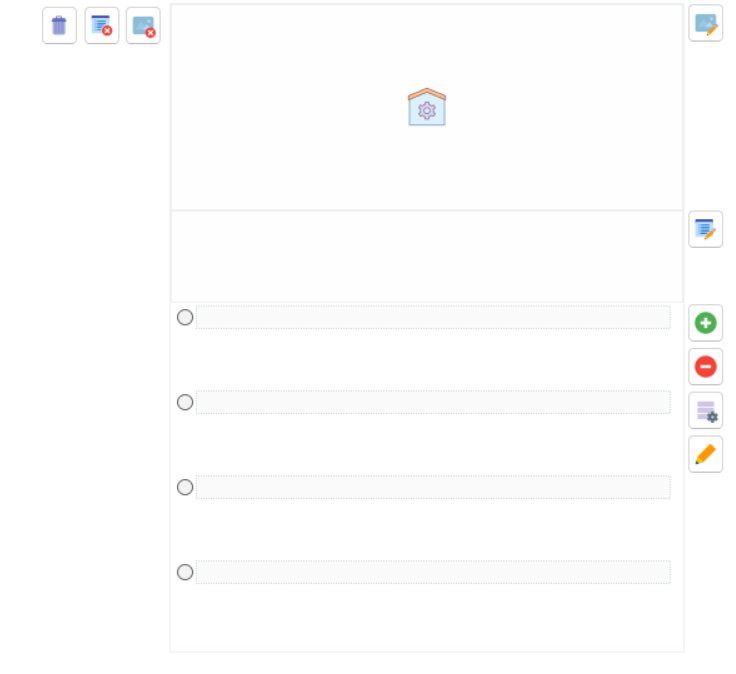
I am making a test constructor, I already have such software, I wrote it in ObjectPascal (MyVisualDataBase), I decided to rewrite it in (VNW), it will be easier and the code is smaller..
in the end I ran into an autosize issue..
the fact is that (checkbox and radio button) have auto size but no line wrapping
the component (caption) has a line break but no autosize.я делаю конструктор тестов, у меня такое ПО уже есть, писал на ObjectPascal (MyVisualDataBase), решил переписать на (VNW), так будет проще да и кода поменьше..
в итоге я столкнулся с проблемой авторазмера..
дело в том что у (флажок и радио кнопка), есть авто размер но не переноса строк
у компонента (надпись) есть перенос строк но нет авторазмера.
I am making a test constructor, I already have such software, I wrote it in ObjectPascal (MyVisualDataBase), I decided to rewrite it in (VNW), it will be easier and the code is smaller..
in the end I ran into an autosize issue..
the fact is that (checkbox and radio button) have auto size but no line wrapping
the component (caption) has a line break but no autosize.
я делаю конструктор тестов, у меня такое ПО уже есть, писал на ObjectPascal (MyVisualDataBase), решил переписать на (VNW), так будет проще да и кода поменьше..
в итоге я столкнулся с проблемой авторазмера..
дело в том что у (флажок и радио кнопка), есть авто размер но не переноса строк
у компонента (надпись) есть перенос строк но нет авторазмера.
Quote from Vadim on May 17, 2022, 5:22 pm@lolo
Usually radio buttons and checkboxes are used to select between short captions, so it is not surprising that they do not have automatic line breaks. The easiest way to solve a problem is to list long answer choices in the problem statement, and give radio buttons the ability to choose between them. If you don't want to limit yourself (or the user of your program) in the length of text in the radio button, you can use the object "Article" instead of the radio button title, this object has a scroll bar and has auto word transfer.
Обычно радиокнопки и чекбоксы используются для выбора между краткими надписями, поэтому не удивительно, что они не имеют автоматического переноса строки. Самый простой вариант решения задачи - перечислять длинные варианты ответов в условии задачи, а в радиокнопках предоставить возможность выбирать между ними. Если Вы не хотите ограничивать себя (или пользователя Вашей программы) в длине текста в радиокнопке, то можно вместо заголовка радиокнопки использовать объект "Article", у этого объекта есть полоса прокрутки и есть автоперенос слов.
Usually radio buttons and checkboxes are used to select between short captions, so it is not surprising that they do not have automatic line breaks. The easiest way to solve a problem is to list long answer choices in the problem statement, and give radio buttons the ability to choose between them. If you don't want to limit yourself (or the user of your program) in the length of text in the radio button, you can use the object "Article" instead of the radio button title, this object has a scroll bar and has auto word transfer.
Обычно радиокнопки и чекбоксы используются для выбора между краткими надписями, поэтому не удивительно, что они не имеют автоматического переноса строки. Самый простой вариант решения задачи - перечислять длинные варианты ответов в условии задачи, а в радиокнопках предоставить возможность выбирать между ними. Если Вы не хотите ограничивать себя (или пользователя Вашей программы) в длине текста в радиокнопке, то можно вместо заголовка радиокнопки использовать объект "Article", у этого объекта есть полоса прокрутки и есть автоперенос слов.