Plugin for Key Down and Key Up triggers

Quote from noyzen on December 13, 2021, 6:28 pmHi everyone,
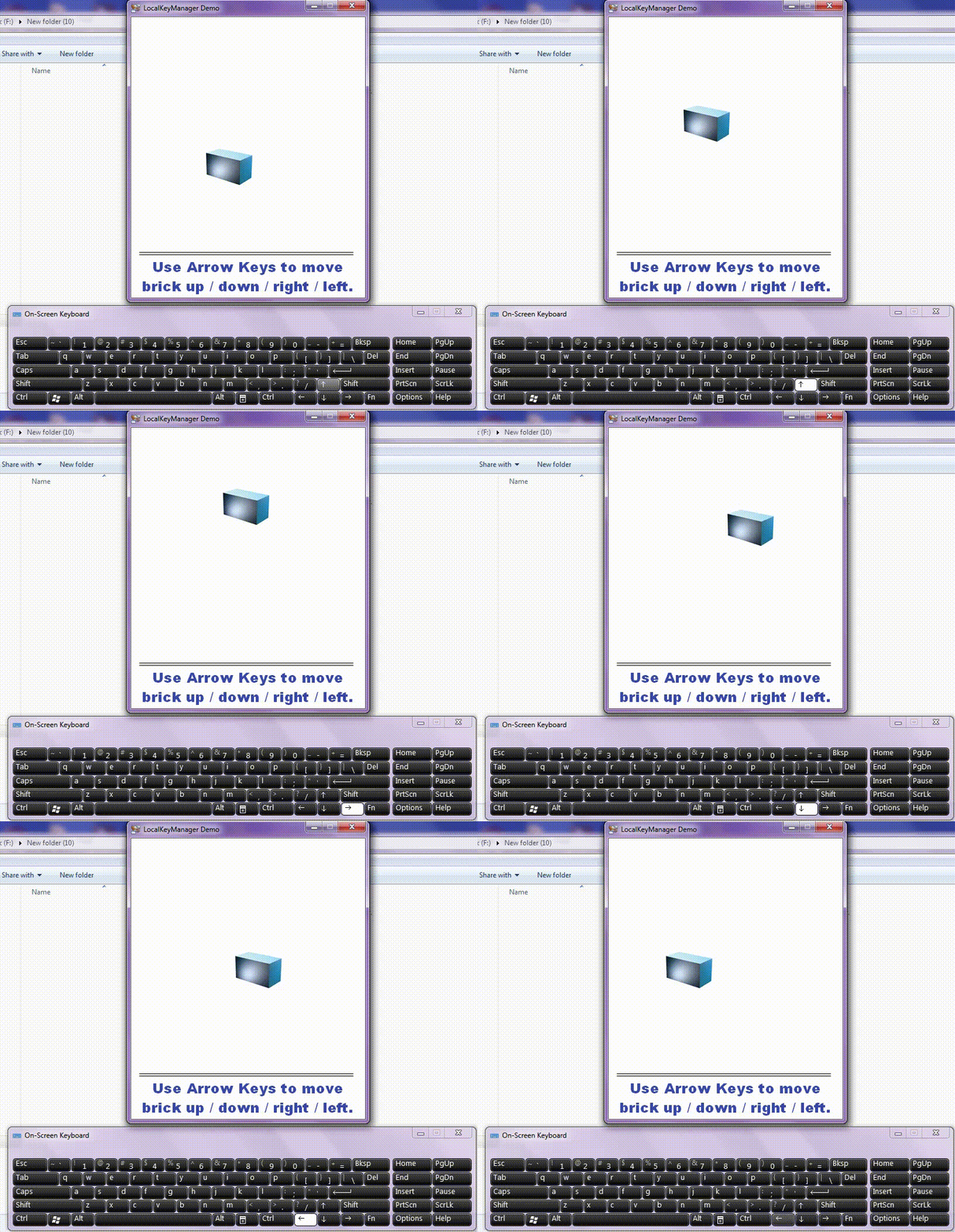
i need to run a subroutine when a keyboard key is pressed and held or when it's released.
for a simple game (testing)
is there any plugin to do that?
(i know that there is plugins for key press, i need key held plugin)
Thanks!
Hi everyone,
i need to run a subroutine when a keyboard key is pressed and held or when it's released.
for a simple game (testing)
is there any plugin to do that?
(i know that there is plugins for key press, i need key held plugin)
Thanks!

Quote from Vadim on December 13, 2021, 9:32 pm@noyzen
With the plugin zmFunctions 1.0b (Peter Pavlov) you can track the moment of clicking and releasing the mouse button.
Excerpt from the help for the plugin:
Purpose:
Create a mouse button status monitor for mouse buttons.
Allows you to catch mouse button events, execute an (optional) assigned subroutine for mouse events, and continuously monitor the screen coordinates of the cursor, the descriptor and title of windows and other Windows window elements below the cursor.
Syntax:
zmSetMouseMonitor "Monitor Type" "Subroutine" "Condition"
Where:
The monitor type is Global or Local.
The global monitor allows you to monitor mouse events across the entire monitor screen, while the local one only for the project's own window, as well as for its child windows, such as those created by the CustomWindow command.
Subprogram - the name of the subprogram to be executed whenever a mouse button is clicked.
Condition - True (yes) or False (no).
Determines whether a subroutine is executed (yes or no) for mouse events assigned in the Subroutine parameter.
Example:
zmSetMouseMonitor "Local" "OnMouseEvent" "True"
The ID of the created mouse monitor is placed in the [zmMouseMonitorID] variable.
The code of the mouse key involved is placed in the [zmMouseCode] variable, and can take one of the following values:
[zmMouseCode] = Mouse button state
zmLBD = Pressing and holding down the left mouse button
zmLBU = Release left mouse button
zmRBD = pressing and holding down the right mouse button
zmRBU = releasing the right mouse button
zmMBD = press and hold middle mouse button
zmMBU = release middle mouse button
zmMWH = scrolling mouse wheelOnly for local monitor type!
In case of mouse wheel event, instantaneous (NOT total) number of wheel revolutions is placed into [zmMWHDelta] variable. Positive values correspond to mouse wheel rotation away from the user, negative values correspond to wheel rotation toward the user (toward the user).
If global mouse monitor is used, variable [zmMWHDelta] will be empty.
To configure available mouse monitor properties, see the zmConfigMouseMonitor plugin command.
The zmDelMouseMonitor command is used to completely remove an installed monitor.
Notes.
The mouse monitor can be installed and reinstalled at any time when the application is running. If you reinstall the monitor, the previous monitor will be removed automatically.
Note that the mouse monitor is not a mouse event hook (MouseHook) and the subroutine assigned to it will be executed AFTER the regular application controls are triggered (and commands executed) if their events coincide.
The functionality of the regular controls is fully preserved.
A mouse monitor created but not deleted will be automatically deleted when you close the application.
***
With the RacAutoIt3x 1.0 plugin (Roman Avalos Castillo) you can programmatically click, drag and release the mouse button.
With the plugin zmFunctions 1.0b (Peter Pavlov) you can track the moment of clicking and releasing the mouse button.
Excerpt from the help for the plugin:
Purpose:
Create a mouse button status monitor for mouse buttons.
Allows you to catch mouse button events, execute an (optional) assigned subroutine for mouse events, and continuously monitor the screen coordinates of the cursor, the descriptor and title of windows and other Windows window elements below the cursor.
Syntax:
zmSetMouseMonitor "Monitor Type" "Subroutine" "Condition"
Where:
The monitor type is Global or Local.
The global monitor allows you to monitor mouse events across the entire monitor screen, while the local one only for the project's own window, as well as for its child windows, such as those created by the CustomWindow command.
Subprogram - the name of the subprogram to be executed whenever a mouse button is clicked.
Condition - True (yes) or False (no).
Determines whether a subroutine is executed (yes or no) for mouse events assigned in the Subroutine parameter.
Example:
zmSetMouseMonitor "Local" "OnMouseEvent" "True"
The ID of the created mouse monitor is placed in the [zmMouseMonitorID] variable.
The code of the mouse key involved is placed in the [zmMouseCode] variable, and can take one of the following values:
[zmMouseCode] = Mouse button state
zmLBD = Pressing and holding down the left mouse button
zmLBU = Release left mouse button
zmRBD = pressing and holding down the right mouse button
zmRBU = releasing the right mouse button
zmMBD = press and hold middle mouse button
zmMBU = release middle mouse button
zmMWH = scrolling mouse wheel
Only for local monitor type!
In case of mouse wheel event, instantaneous (NOT total) number of wheel revolutions is placed into [zmMWHDelta] variable. Positive values correspond to mouse wheel rotation away from the user, negative values correspond to wheel rotation toward the user (toward the user).
If global mouse monitor is used, variable [zmMWHDelta] will be empty.
To configure available mouse monitor properties, see the zmConfigMouseMonitor plugin command.
The zmDelMouseMonitor command is used to completely remove an installed monitor.
Notes.
The mouse monitor can be installed and reinstalled at any time when the application is running. If you reinstall the monitor, the previous monitor will be removed automatically.
Note that the mouse monitor is not a mouse event hook (MouseHook) and the subroutine assigned to it will be executed AFTER the regular application controls are triggered (and commands executed) if their events coincide.
The functionality of the regular controls is fully preserved.
A mouse monitor created but not deleted will be automatically deleted when you close the application.
***
With the RacAutoIt3x 1.0 plugin (Roman Avalos Castillo) you can programmatically click, drag and release the mouse button.

Quote from HPW on December 14, 2021, 10:10 amMaybe this thread is of interest:
https://visualneo.com/forum/topic/global-hotkeys
Regards
Hans-Peter
Maybe this thread is of interest:
https://visualneo.com/forum/topic/global-hotkeys
Regards
Hans-Peter
Quote from noyzen on December 14, 2021, 10:15 amThanks @hpw
i have read this before i post, not what i need.
let's say it's an small game like Super Mario, when player is helding right arrow character keep moving to right and when player release right arrow character will stop walking...
so i need a "release right arrow" event. same for all other keys.
Thanks @hpw
i have read this before i post, not what i need.
let's say it's an small game like Super Mario, when player is helding right arrow character keep moving to right and when player release right arrow character will stop walking...
so i need a "release right arrow" event. same for all other keys.

Quote from zmWorks7 on March 26, 2022, 9:22 amHello @noyzen,
I believe the feature you want to achieve, can be achieved with zmwSmartObjects plugin.
Download the latest version from our site: https://zmware.rcmediaservices.net/smart-objects/
Thanks
ZMWare.RCMediaServices.
Hello @noyzen,
I believe the feature you want to achieve, can be achieved with zmwSmartObjects plugin.
Download the latest version from our site: https://zmware.rcmediaservices.net/smart-objects/
Thanks
ZMWare.RCMediaServices.
Uploaded files: