
problema con base de datos

Quote from neobook on September 4, 2020, 6:49 pmnecesito relacionar una celda de una base de datos y ponerla automaticamente en un SIMPLE TEXT en una pagina nueva
necesito relacionar una celda de una base de datos y ponerla automaticamente en un SIMPLE TEXT en una pagina nueva
Uploaded files: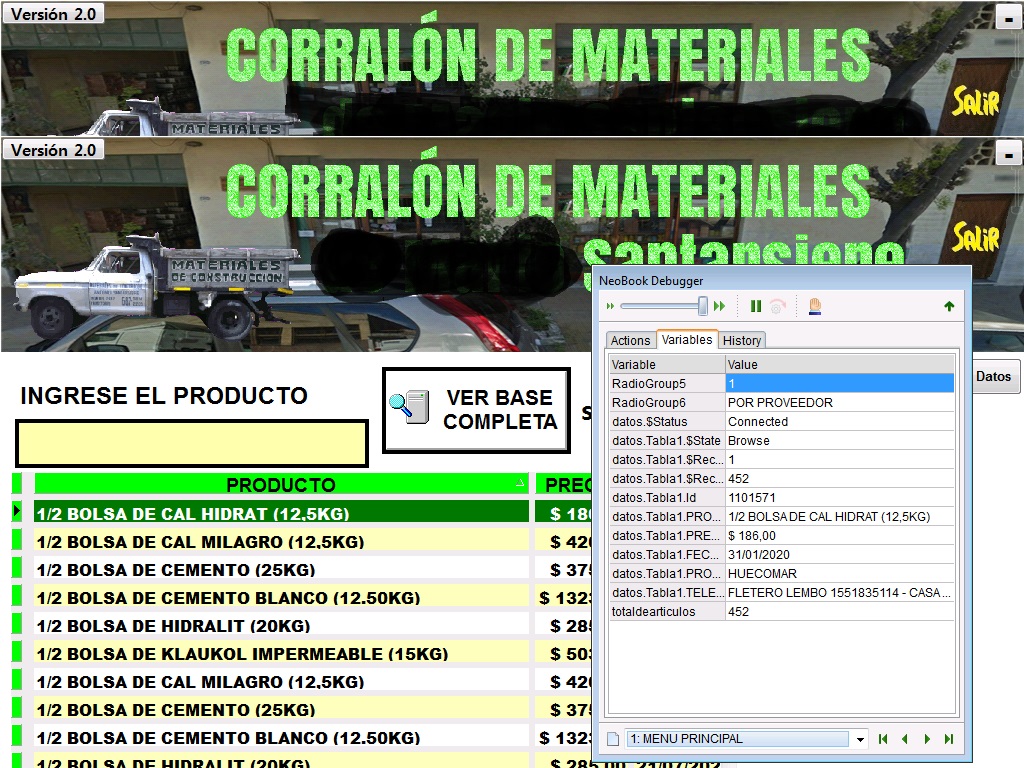
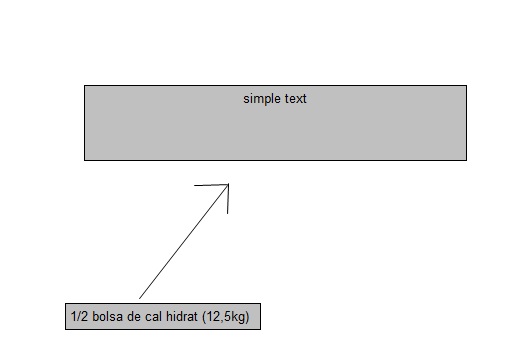
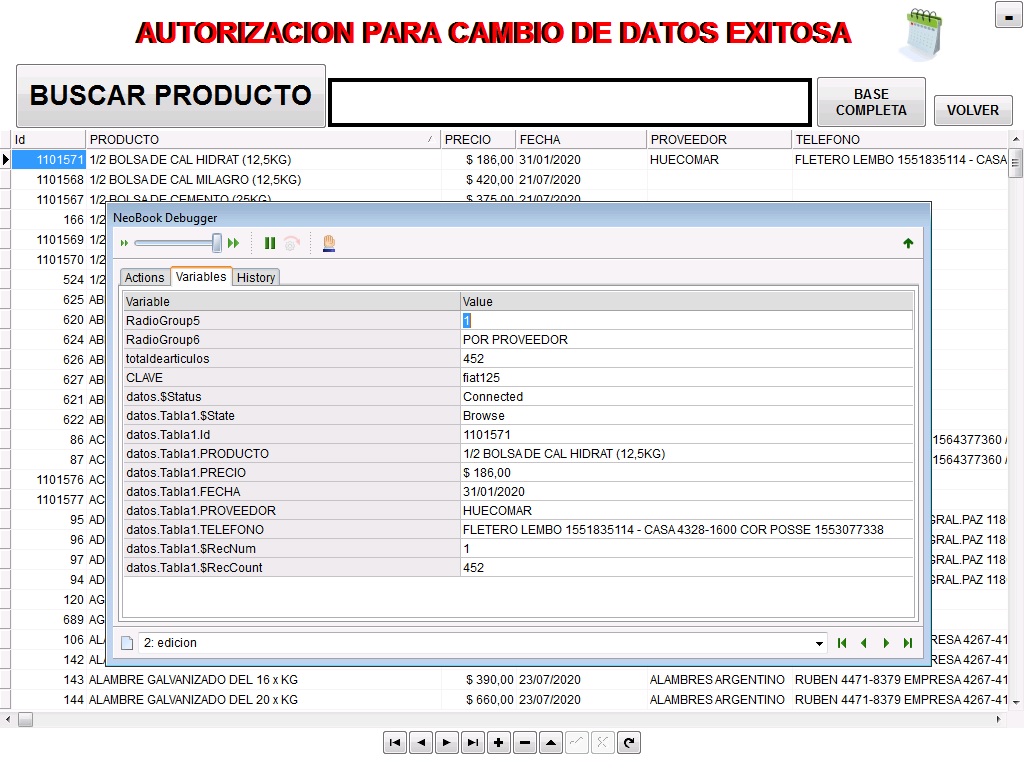
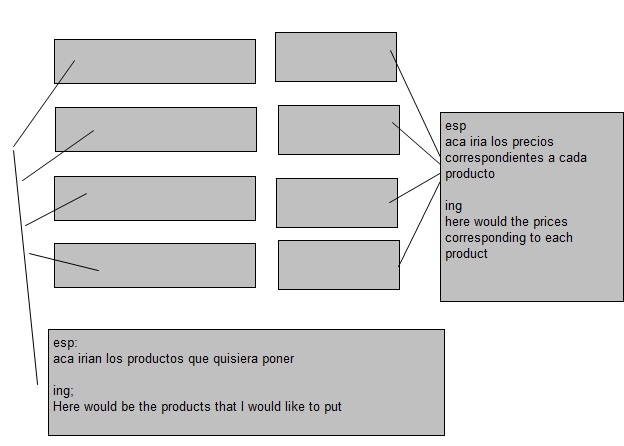
Quote from neobook on September 4, 2020, 7:01 pmla idea es crear una pagina con ciertos productos de la base de datos y que automaticamente cuando actualice los datos de la base, se cambien solo en la pagina nueva. osea asi
la idea es crear una pagina con ciertos productos de la base de datos y que automaticamente cuando actualice los datos de la base, se cambien solo en la pagina nueva. osea asi
Uploaded files:
Quote from Gaev on September 5, 2020, 2:59 am@neobook
create a page with certain products in the database and that automatically when you update the database data
There are two approaches ...
1) use the "OnChangeSub" specified in the dbpOpenTable command to check for required records (Id) ... and if it matched one of the desired Id's, copy (SetVar) the relevant fields to regular variables assigned to the Text Boxes.
2) use the "PageEnter" section to ...
- do a dbpQuery command ... e.g. Id IN (1101571, 1231672, 4567878)
- for each matching record, copy (SetVar) the relevant fields to regular variablesThe optimal solution will depend on ...
a) the number of such products (records) that will reported on the new page ... 5 ? ... 20 ? ... more ?
b) whether the Database Table is still open (available) when the new page is shown to the user
it will be changed only on the new page.
I am not sure what you mean ... are you saying that the database record should NOT be updated ?
create a page with certain products in the database and that automatically when you update the database data
There are two approaches ...
1) use the "OnChangeSub" specified in the dbpOpenTable command to check for required records (Id) ... and if it matched one of the desired Id's, copy (SetVar) the relevant fields to regular variables assigned to the Text Boxes.
2) use the "PageEnter" section to ...
- do a dbpQuery command ... e.g. Id IN (1101571, 1231672, 4567878)
- for each matching record, copy (SetVar) the relevant fields to regular variables
The optimal solution will depend on ...
a) the number of such products (records) that will reported on the new page ... 5 ? ... 20 ? ... more ?
b) whether the Database Table is still open (available) when the new page is shown to the user
it will be changed only on the new page.
I am not sure what you mean ... are you saying that the database record should NOT be updated ?
Quote from neobook on September 5, 2020, 4:49 amhello Gaev
probe con esto
:HOJA-A1
dbpQuery "datos" "Tabla1" "Id IN (20)"
If "[DATOS.TABLA1.ID]" "=" "20"
SetObjectCaption "Text191" "[datos.Tabla1.PRODUCTO]"
SetObjectCaption "Text199" "[datos.Tabla1.PRECIO]"
Else
EndIf
dbpQuery "datos" "Tabla1" "Id IN (29)"
If "[DATOS.TABLA1.ID]" "=" "29"
SetObjectCaption "Text196" "[datos.Tabla1.PRODUCTO]"
SetObjectCaption "Text200" "[datos.Tabla1.PRECIO]"
Else
EndIf
dbpQuery "datos" "Tabla1" "Id IN (50)"
If "[DATOS.TABLA1.ID]" "=" "50"
SetObjectCaption "Text197" "[datos.Tabla1.PRODUCTO]"
SetObjectCaption "Text201" "[datos.Tabla1.PRECIO]"
Else
EndIf
Returny funciona gracias
hello Gaev
probe con esto
:HOJA-A1
dbpQuery "datos" "Tabla1" "Id IN (20)"
If "[DATOS.TABLA1.ID]" "=" "20"
SetObjectCaption "Text191" "[datos.Tabla1.PRODUCTO]"
SetObjectCaption "Text199" "[datos.Tabla1.PRECIO]"
Else
EndIf
dbpQuery "datos" "Tabla1" "Id IN (29)"
If "[DATOS.TABLA1.ID]" "=" "29"
SetObjectCaption "Text196" "[datos.Tabla1.PRODUCTO]"
SetObjectCaption "Text200" "[datos.Tabla1.PRECIO]"
Else
EndIf
dbpQuery "datos" "Tabla1" "Id IN (50)"
If "[DATOS.TABLA1.ID]" "=" "50"
SetObjectCaption "Text197" "[datos.Tabla1.PRODUCTO]"
SetObjectCaption "Text201" "[datos.Tabla1.PRECIO]"
Else
EndIf
Return
y funciona gracias