
[RECURSO] UPDATE! CodeCheck Intellisense 2.0 BETA

Quote from alangonzalez91 on April 24, 2026, 6:01 am---------------------------
----- PASS: 12345 ------
---------------------------Hola amigos, sigo con CODEX... armamos un prototipo de Intellisense para VisualNEO Win para verificiación de errores por ahora, funciona por medio de Overlay y captura de ventanas vía C++...
Comprueba errores de codificación en base a la documentación de VisualNEO y de NeoDBPro por ahora, despues se agregará la forma de asignar tablas de funciones y parámetros así cualquiera podrá ingresar metadatos para verificación extendida a plugins etc.
Consideraciones:
** Ejecute uxCodeCheckLauncher.exe para funcionar
** El remarcado esta hecho para Cuorier New 12
** En caso de no realizar el remarcado correctamente toque las opciones en uxCodeCheck.iniENGLISH
---------------------------
----- PASS: 12345 ------
--------------------------Hello friends, I'm still working on CODEX... we've built an Intellisense prototype for VisualNEO Win for error checking. For now, it works using an overlay and window capture via C++.
It checks for coding errors based on the VisualNEO and NeoDBPro documentation. Later, we'll add a way to assign function and parameter tables so anyone can enter metadata for extended verification to plugins, etc.
Considerations:
** Run uxCodeCheckLauncher.exe for it to work.
** The highlighting is done for Courier New 12.
** If the highlighting isn't working correctly, adjust the options in uxCodeCheck.ini.2026-05-09
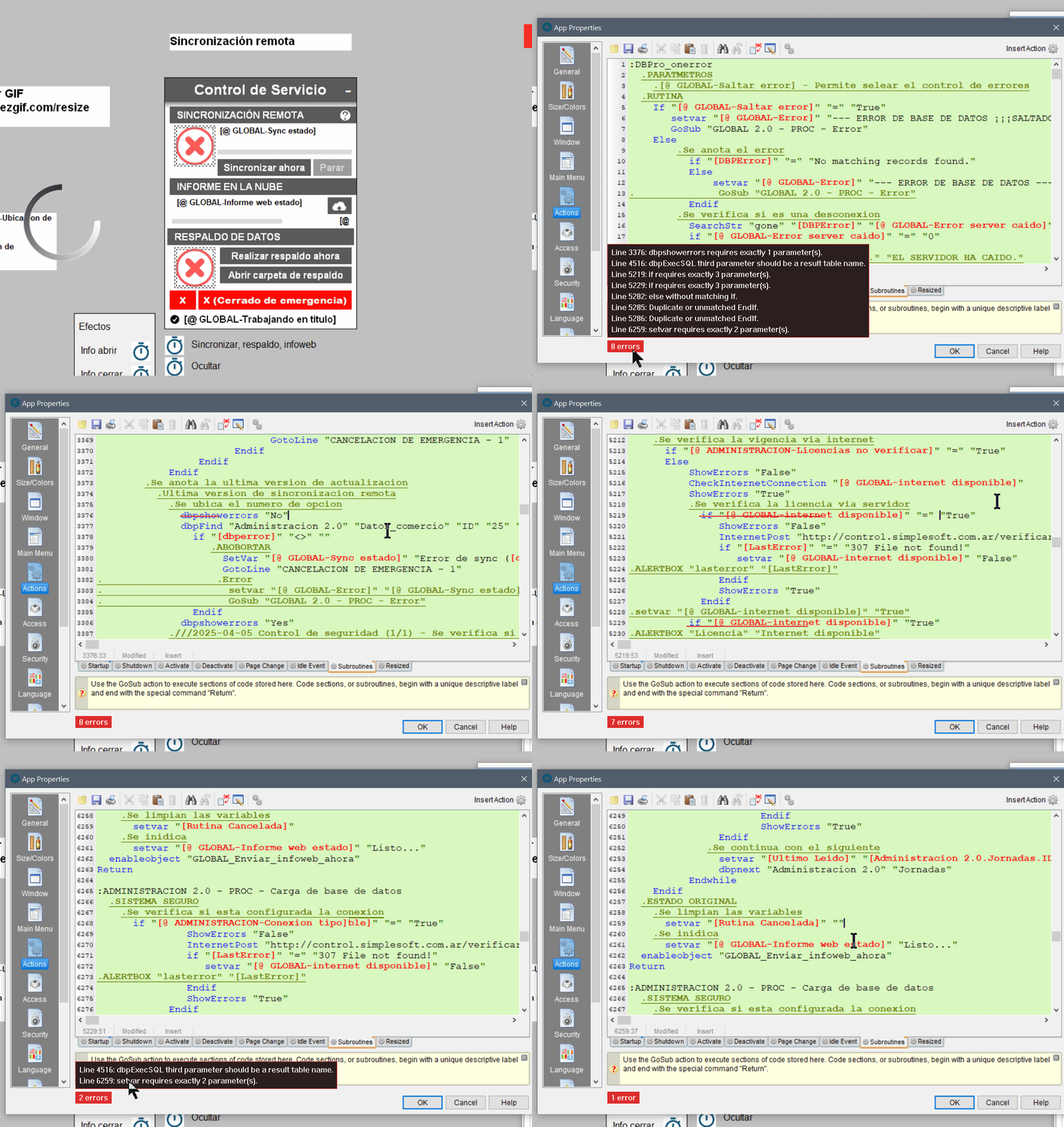
UPDATE / ACTUALIZACIÓN 2.0
- Ahora resalta errores de cantidad erronea de parámetros
- Agrega Indentación izquierda / derecha vía Shortcut
- Agrega auto indentación via Shortcut
- Ahora aplique sugerencia de Intellisense vía TAB
ENGLISH
- Now highlight errors due to incorrect parameter counts.
- Add left/right indentation via shortcut.
- Add auto-indentation via shortcut.
- Now apply Intellisense suggestions via TAB.
Use uxCodeCheck.ini to configure
---------------------------
----- PASS: 12345 ------
---------------------------
Hola amigos, sigo con CODEX... armamos un prototipo de Intellisense para VisualNEO Win para verificiación de errores por ahora, funciona por medio de Overlay y captura de ventanas vía C++...
Comprueba errores de codificación en base a la documentación de VisualNEO y de NeoDBPro por ahora, despues se agregará la forma de asignar tablas de funciones y parámetros así cualquiera podrá ingresar metadatos para verificación extendida a plugins etc.
Consideraciones:
** Ejecute uxCodeCheckLauncher.exe para funcionar
** El remarcado esta hecho para Cuorier New 12
** En caso de no realizar el remarcado correctamente toque las opciones en uxCodeCheck.ini
ENGLISH
---------------------------
----- PASS: 12345 ------
--------------------------
Hello friends, I'm still working on CODEX... we've built an Intellisense prototype for VisualNEO Win for error checking. For now, it works using an overlay and window capture via C++.
It checks for coding errors based on the VisualNEO and NeoDBPro documentation. Later, we'll add a way to assign function and parameter tables so anyone can enter metadata for extended verification to plugins, etc.
Considerations:
** Run uxCodeCheckLauncher.exe for it to work.
** The highlighting is done for Courier New 12.
** If the highlighting isn't working correctly, adjust the options in uxCodeCheck.ini.
2026-05-09
UPDATE / ACTUALIZACIÓN 2.0
- Ahora resalta errores de cantidad erronea de parámetros
- Agrega Indentación izquierda / derecha vía Shortcut
- Agrega auto indentación via Shortcut
- Ahora aplique sugerencia de Intellisense vía TAB
ENGLISH
- Now highlight errors due to incorrect parameter counts.
- Add left/right indentation via shortcut.
- Add auto-indentation via shortcut.
- Now apply Intellisense suggestions via TAB.
Use uxCodeCheck.ini to configure
Uploaded files: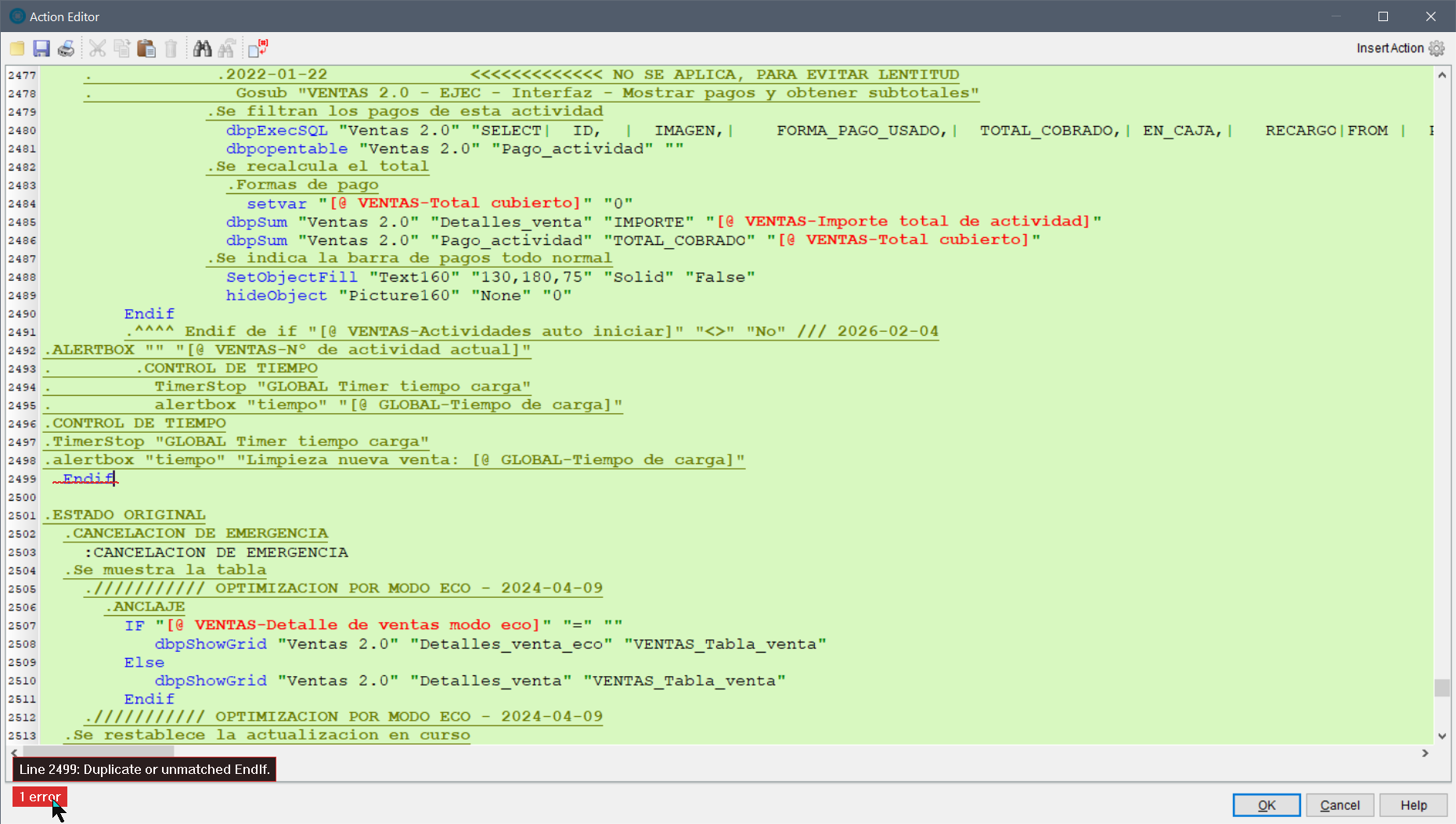
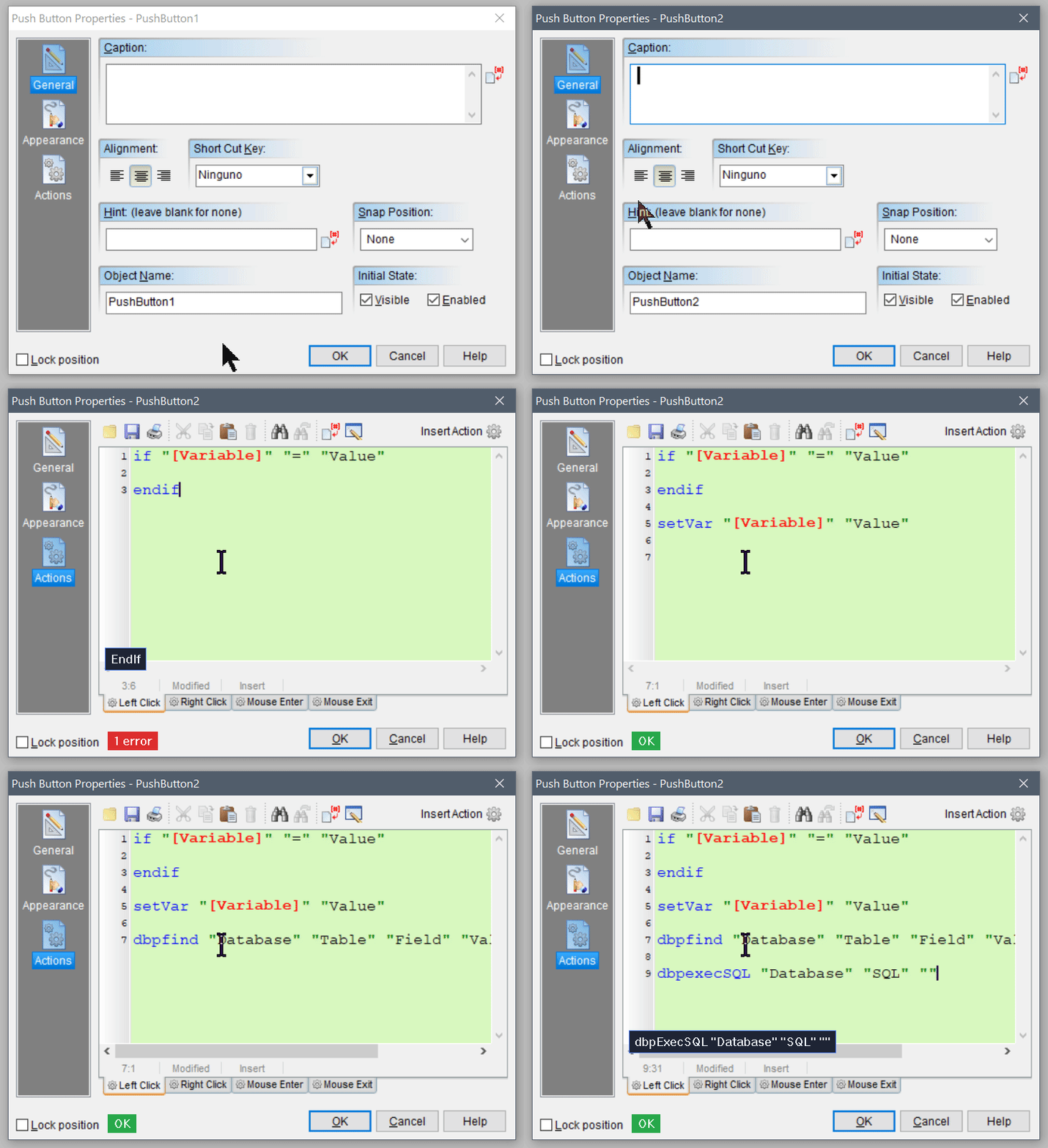
Quote from alangonzalez91 on April 25, 2026, 7:37 pmUPDATE 2.0 BETA
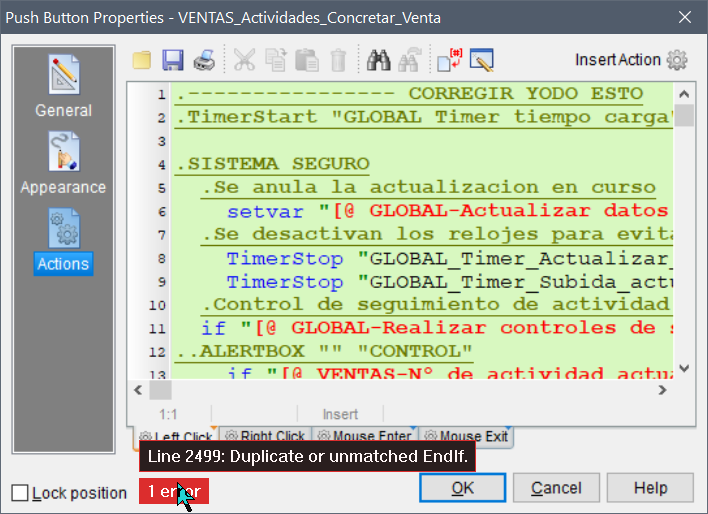
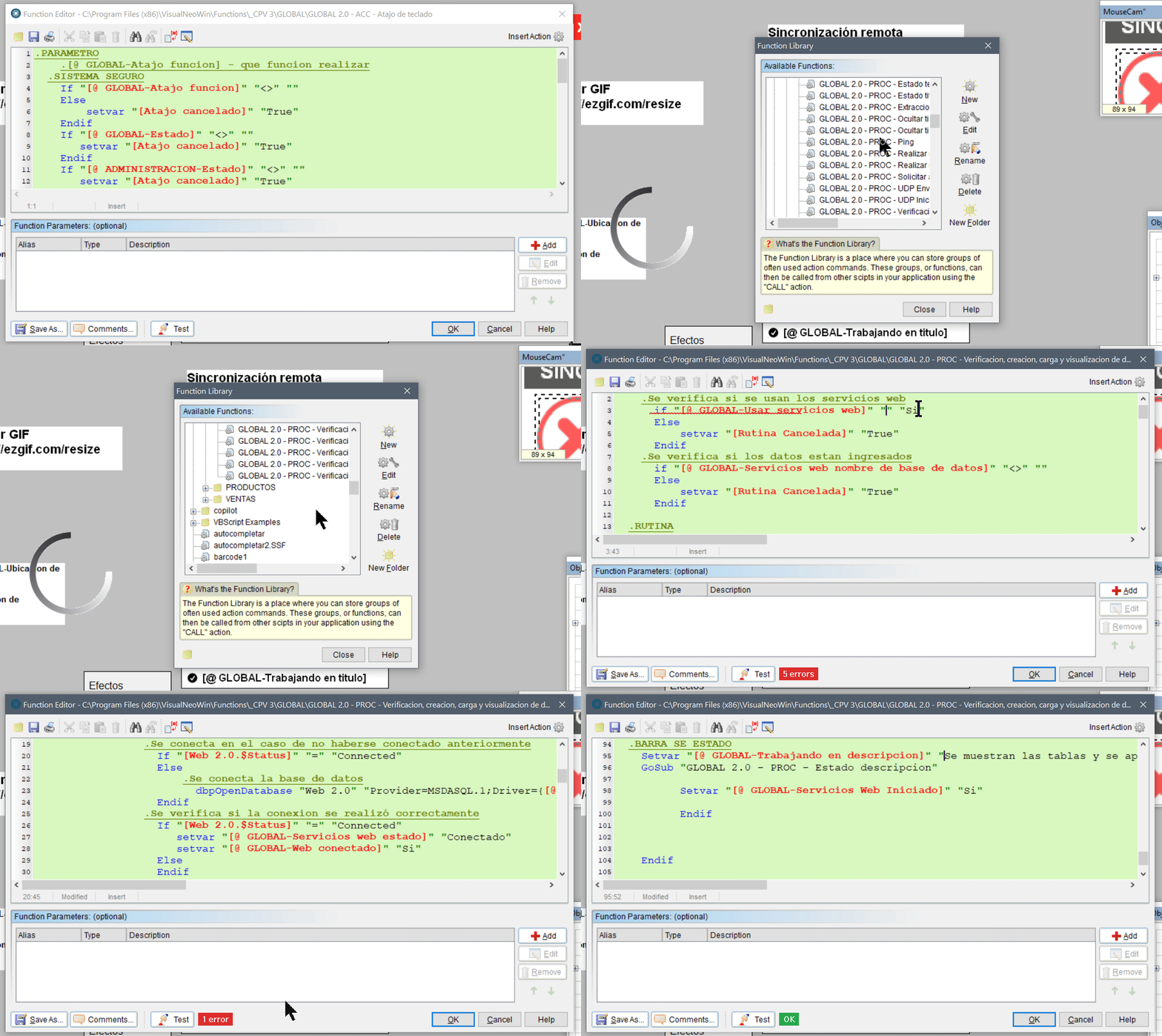
* Agrega budget de control "OK" para código sin errores
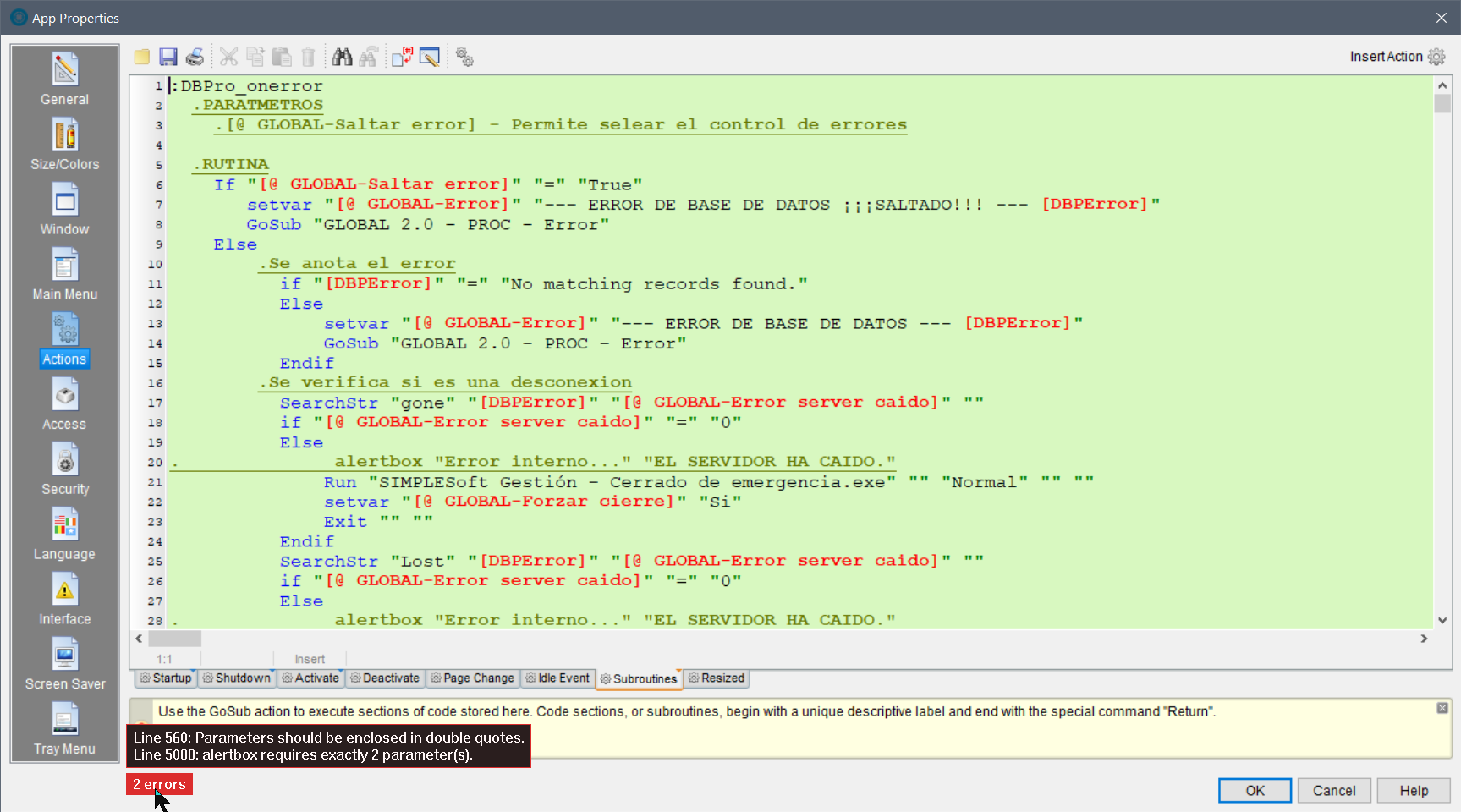
* Ahora verifica errores en Biblioteca de funciones, Propiedades de la aplicación/Acción
* Agrega sugerencias de comandos aplicables con Ctrol & - (Control + Guion medio)ENGLISH
* Add budget check "OK" for error-free code
* Now checks for errors in Function Library, Application Properties/Action
* Adds suggestions for applicable commands with Ctrl & - (Control + Middle Hyphen)
UPDATE 2.0 BETA
* Agrega budget de control "OK" para código sin errores
* Ahora verifica errores en Biblioteca de funciones, Propiedades de la aplicación/Acción
* Agrega sugerencias de comandos aplicables con Ctrol & - (Control + Guion medio)
ENGLISH
* Add budget check "OK" for error-free code
* Now checks for errors in Function Library, Application Properties/Action
* Adds suggestions for applicable commands with Ctrl & - (Control + Middle Hyphen)

Quote from alangonzalez91 on May 8, 2026, 12:44 pmUPDATE / ACTUALIZACIÓN 2.0
- Ahora resalta errores de cantidad erronea de parámetros
- Agrega Indentación izquierda / derecha vía Shortcut
- Agrega auto indentación via Shortcut
- Ahora aplique sugerencia de Intellisense vía TAB
ENGLISH
- Now highlight errors due to incorrect parameter counts.
- Add left/right indentation via shortcut.
- Add auto-indentation via shortcut.
- Now apply Intellisense suggestions via TAB.
Use uxCodeCheck.ini to configure
PASS: 12345
UPDATE / ACTUALIZACIÓN 2.0
- Ahora resalta errores de cantidad erronea de parámetros
- Agrega Indentación izquierda / derecha vía Shortcut
- Agrega auto indentación via Shortcut
- Ahora aplique sugerencia de Intellisense vía TAB
ENGLISH
- Now highlight errors due to incorrect parameter counts.
- Add left/right indentation via shortcut.
- Add auto-indentation via shortcut.
- Now apply Intellisense suggestions via TAB.
Use uxCodeCheck.ini to configure
PASS: 12345
Uploaded files: