
roundslider

Quote from asmat on September 26, 2019, 5:46 pmHow can we create a roundslider in visualneo web?
I have found some samples in below site but I could not use them in visualneo web.
https://roundsliderui.com/demos.html
How can we create a roundslider in visualneo web?
I have found some samples in below site but I could not use them in visualneo web.

Quote from luishp on September 26, 2019, 7:38 pm@asmat take a look at my attached sample.
I have loaded the JQuery plugin from a CDN (look into Project > Properties > Advanced > Custom Metadata > Body)
It's important the name you give to the Container as must be the same than in the sample code.
@asmat take a look at my attached sample.
I have loaded the JQuery plugin from a CDN (look into Project > Properties > Advanced > Custom Metadata > Body)
It's important the name you give to the Container as must be the same than in the sample code.
Quote from asmat on September 27, 2019, 1:13 amBeginJS $("#slider_event").roundSlider({ handleShape: "dot", radius: 130, width: 25, sliderType: "range", value: "20,92", beforeCreate: "traceEvent", create: "traceEvent", start: "traceEvent", stop: "traceEvent", change: "traceEvent", drag: "traceEvent" }); function traceEvent(e) { console.log(e.type); } EndJSIn above, How can I call neoSubroutine instead of traceEvent function?
BeginJS
$("#slider_event").roundSlider({
    handleShape: "dot",
    radius: 130,
    width: 25,
    sliderType: "range",
    value: "20,92",
    beforeCreate: "traceEvent",
    create: "traceEvent",
    start: "traceEvent",
    stop: "traceEvent",
    change: "traceEvent",
    drag: "traceEvent"
});


function traceEvent(e) {
    console.log(e.type);
}
EndJS
In above, How can I call neoSubroutine instead of traceEvent function?
Quote from luishp on September 27, 2019, 9:56 am@asmat, it's is as easy as this. Take a look at the attached app to see how to get the parameters into your subroutine.
NeoScriptToJS
BeginJS
$("#slider").roundSlider({
        handleShape: "dot",
        radius: 130,
        width: 25,
        sliderType: "range",
        value: "20,92",
        beforeCreate: neosubroutine.mysubroutine,
        create: neosubroutine.mysubroutine,
        start: neosubroutine.mysubroutine,
        stop: neosubroutine.mysubroutine,
        change: neosubroutine.mysubroutine,
        drag: neosubroutine.mysubroutine,
});
EndJS
@asmat, it's is as easy as this. Take a look at the attached app to see how to get the parameters into your subroutine.
NeoScriptToJS
BeginJS
$("#slider").roundSlider({
        handleShape: "dot",
        radius: 130,
        width: 25,
        sliderType: "range",
        value: "20,92",
        beforeCreate: neosubroutine.mysubroutine,
        create: neosubroutine.mysubroutine,
        start: neosubroutine.mysubroutine,
        stop: neosubroutine.mysubroutine,
        change: neosubroutine.mysubroutine,
        drag: neosubroutine.mysubroutine,
});
EndJS
Uploaded files:

Quote from CDY@44 on September 27, 2019, 11:15 amHi Luis,
Very interesting !
How can we get the values to send them to a variable ?
Regards,Denis
Hi Luis,
Very interesting !
How can we get the values to send them to a variable ?
Regards,
Denis

Quote from asmat on October 4, 2019, 12:51 pmWhen I drag the handles in the below slider shape, the roundslider goes up, How can I solve this problem?
When I drag the handles in the below slider shape, the roundslider goes up, How can I solve this problem?
Uploaded files: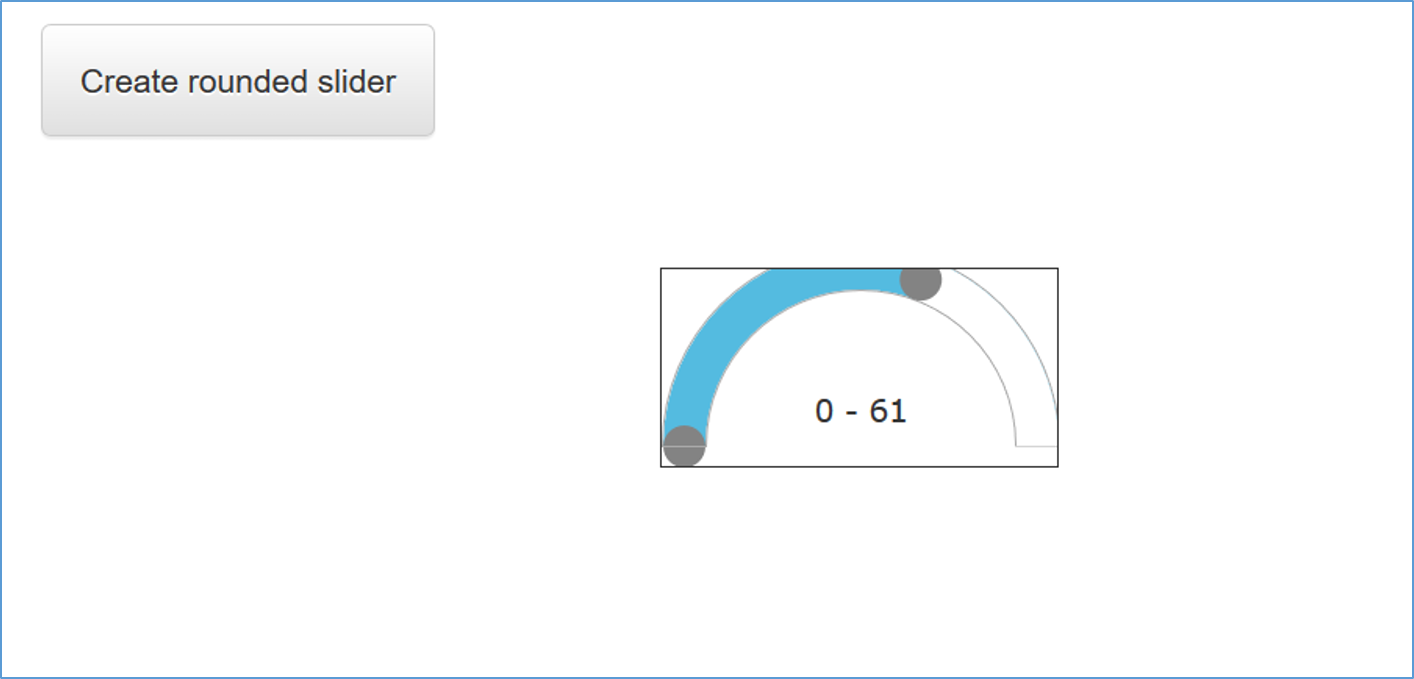
Quote from luishp on October 4, 2019, 1:00 pmWhen I drag the handles in the below slider shape, the roundslider goes up, How can I solve this problem?
Just select your Container object ("slider" in your sample app) and set overflow-x and overflow-y style properties to "visible"
When I drag the handles in the below slider shape, the roundslider goes up, How can I solve this problem?
Just select your Container object ("slider" in your sample app) and set overflow-x and overflow-y style properties to "visible"