Quote from
luishp on January 23, 2021, 3:02 pm
This is a very quick and useful tip.
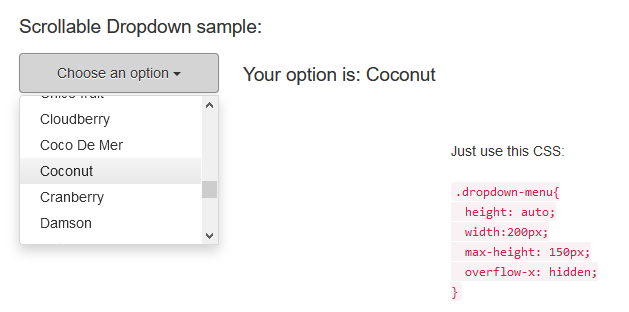
If you need to add many options to a DropDown object just add this CSS to Project > Properties > Style and your list will become scrollable.
.dropdown-menu{
    height: auto;
    width:200px;
    max-height: 150px;
    overflow-x: hidden;
}
You can change the with and max-height values to your own needs.
Sample app attached.
Regards.
This is a very quick and useful tip.
If you need to add many options to a DropDown object just add this CSS to Project > Properties > Style and your list will become scrollable.
.dropdown-menu{
    height: auto;
    width:200px;
    max-height: 150px;
    overflow-x: hidden;
}
You can change the with and max-height values to your own needs.
Sample app attached.
Regards.
Uploaded files:asmat and Palamar have reacted to this post.