Sticky header in responsive mode

Quote from asmat on February 27, 2024, 9:36 amHow can we create a sticky header in responsive mode?
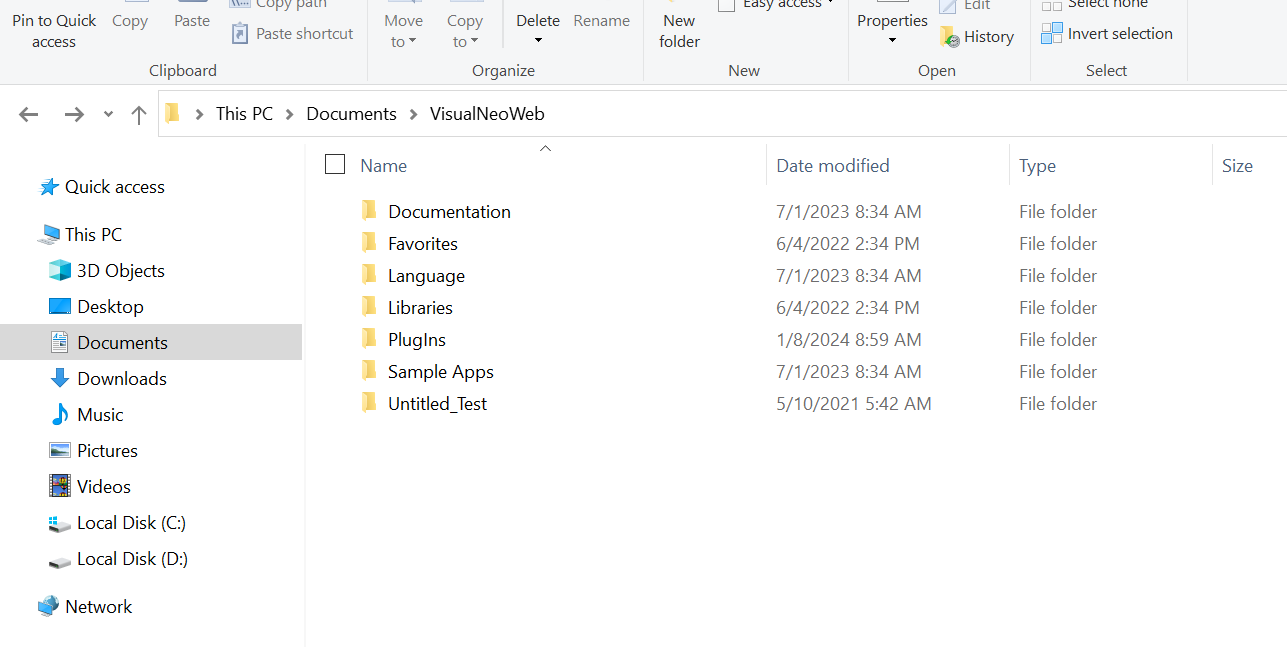
Please consider the attachment, I need the orange header to be sticky.
How can we create a sticky header in responsive mode?
Please consider the attachment, I need the orange header to be sticky.
Uploaded files: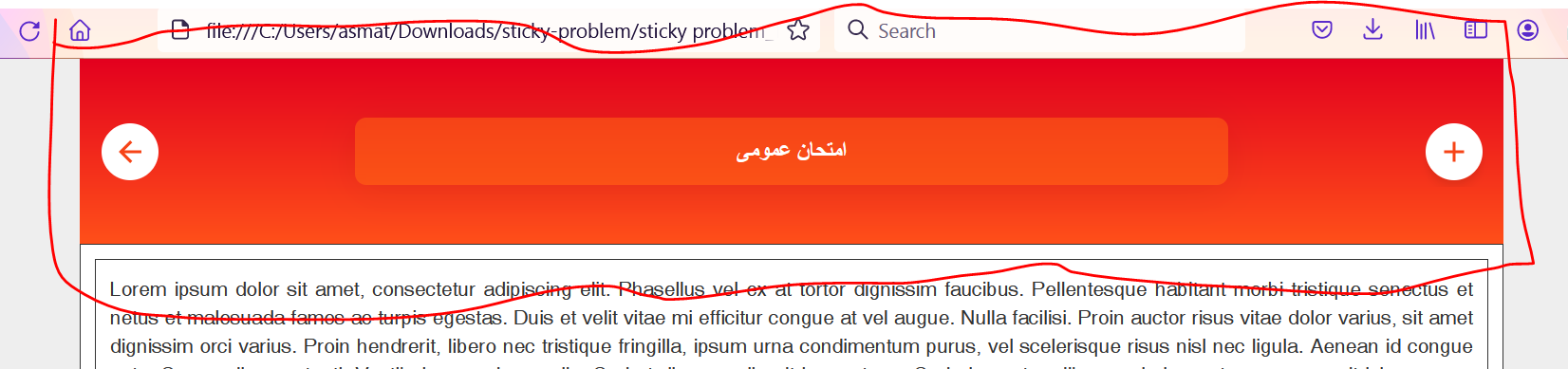

Quote from luishp on February 27, 2024, 11:37 pmHi @asmat, please check the attached app.
Note that you have a sticky menu web component here:
https://components.visualneo.com/Just in case you have not used web components before:
https://visualneo.com/forum/topic/how-to-use-the-new-web-component-managerRegards.
Hi @asmat, please check the attached app.
Note that you have a sticky menu web component here:
https://components.visualneo.com/
Just in case you have not used web components before:
https://visualneo.com/forum/topic/how-to-use-the-new-web-component-manager
Regards.
Uploaded files:Quote from asmat on February 28, 2024, 8:04 amThank you so much, Master Luis,
I tried to use the web-component-manager but the paste option is not active in my case.
Please see the attached file.
Thank you so much, Master Luis,
I tried to use the web-component-manager but the paste option is not active in my case.
Please see the attached file.
Quote from luishp on February 28, 2024, 12:41 pm@asmat the same problem you are facing have been reported more times but I'm unable to reproduce the issue here.
As the Web Component Manager is a very simple application only a few things may go wrong and it's probably read/write file permissions.
This is the VisualNEO Win code in the "From XML" button:SearchStr "<?xml version" "[Clipboard]" "[result]" "" If "[result]" "<>" "0" FileWrite "[MyDocuments]VisualNeoWeb\Components\temp.xml" "All" "[Clipboard]" asWcSetClipboardData "[MyDocuments]VisualNeoWeb\Components\temp.xml" SetVar "[message]" "Success!" Delay "3000" SetVar "[message]" "" Else SetVar "[message]" "Error!" Delay "3000" SetVar "[message]" "" EndIfWould you be so kind to check your MyDocuments\VisualNeoWeb\Components\ folder and check if the temp.xml file is there?
Note that you can also download the component and load it later to the clipboard using the Load button.
Thank you!
@asmat the same problem you are facing have been reported more times but I'm unable to reproduce the issue here.
As the Web Component Manager is a very simple application only a few things may go wrong and it's probably read/write file permissions.
This is the VisualNEO Win code in the "From XML" button:
SearchStr "<?xml version" "[Clipboard]" "[result]" ""
If "[result]" "<>" "0"
  FileWrite "[MyDocuments]VisualNeoWeb\Components\temp.xml" "All" "[Clipboard]"
  asWcSetClipboardData "[MyDocuments]VisualNeoWeb\Components\temp.xml"
  SetVar "[message]" "Success!"
  Delay "3000"
  SetVar "[message]" ""
Else
  SetVar "[message]" "Error!"
  Delay "3000"
  SetVar "[message]" ""
EndIf
Would you be so kind to check your MyDocuments\VisualNeoWeb\Components\ folder and check if the temp.xml file is there?
Note that you can also download the component and load it later to the clipboard using the Load button.
Thank you!
Quote from asmat on February 28, 2024, 1:35 pmThank you, It works for me via the download and Load Button,
I checked the folder of Components but it was not created!
Thank you, It works for me via the download and Load Button,
I checked the folder of Components but it was not created!
Uploaded files: