
Sum of variable

Quote from asmat on April 23, 2020, 11:15 pmIf we have a set of NumbericInput respectively with variable :[h1],[h2],[h3],.....[h10]
Now, what is the best approach to sum all of input without error.(even some input be empty):
I try like this:
........i set this code for page-enter.....
Loop 1 10 [i]
     SetCompVar [h[i]] 0
endloop


........and this code for totol button.....
setvar [sum] 0
Loop 1 10 [i]
   GetCompVar [result] [h[i]]
   Math "[sum]+[result]" 0 [sum]
endloop
Is there any better way to perform this task (without filling zero in page-enter )?
If we have a set of NumbericInput respectively with variable :[h1],[h2],[h3],.....[h10]
Now, what is the best approach to sum all of input without error.(even some input be empty):
I try like this:
........i set this code for page-enter.....
Loop 1 10 [i]
     SetCompVar [h[i]] 0
endloop


........and this code for totol button.....
setvar [sum] 0
Loop 1 10 [i]
   GetCompVar [result] [h[i]]
   Math "[sum]+[result]" 0 [sum]
endloop
Is there any better way to perform this task (without filling zero in page-enter )?
Uploaded files: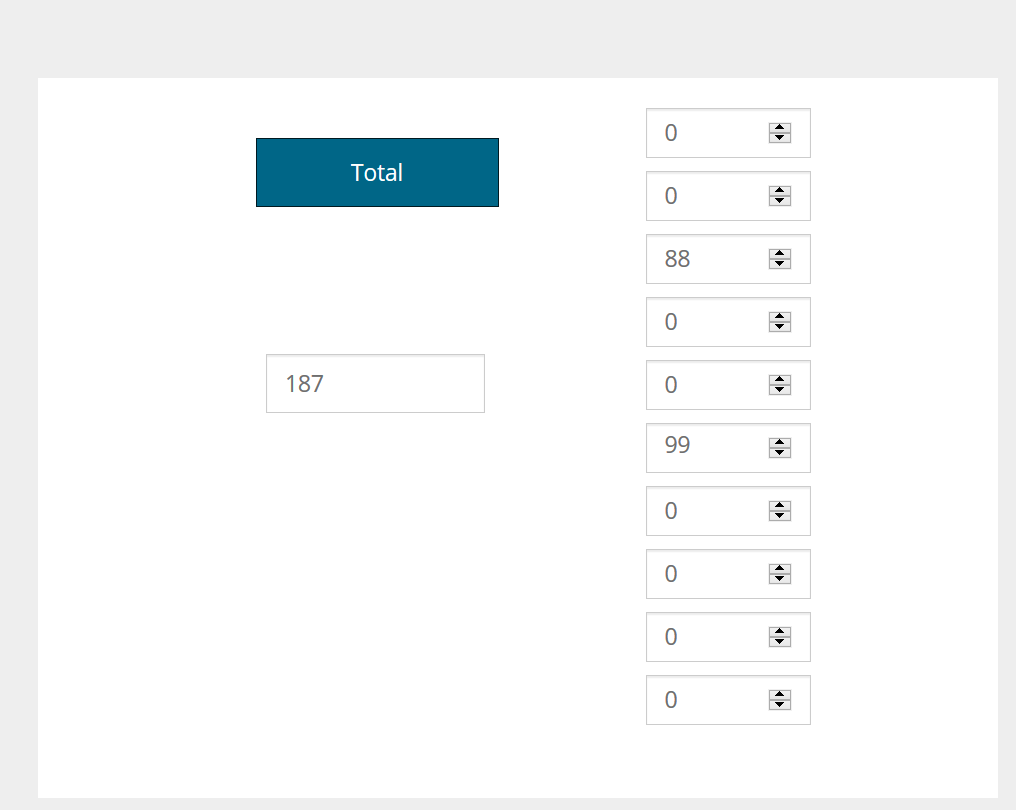

Quote from Gaev on April 24, 2020, 1:55 am@asmat
what is the best approach to sum all of input without error.(even some input be empty):
Is there any better way to perform this task (without filling zero in page-enter )?a) Remove the code in the page-enter section.
b) try this code for the Total Button ...
setvar [sum] 0
... next command for testing only
setVar "[resultTypes]" ">>> "
....................................................
Loop 1 10 [i]
GetCompVar [result] [h[i]]
TypeOf [result] [resultType]
... next command for testing only
SetVar "[resultTypes]" "[resultTypes][i]=[result];[resultType] .. "
If [resultType] = "number"
   Math "[sum]+[result]" 0 [sum]
EndIf
endloop
.. show test results
AlertBox "resultTypes" "[resultTypes]" ""
...................................................
... once tested, you can remove/comment out the commands for testing.
P.S. very considerate of you to include a .neoapp file with just the objects related to the issue ... avoids translation misunderstandings, allows for focus on issue at hand, and quick try outs on my part ... thanks.
what is the best approach to sum all of input without error.(even some input be empty):
Is there any better way to perform this task (without filling zero in page-enter )?
a) Remove the code in the page-enter section.
b) try this code for the Total Button ...
setvar [sum] 0
... next command for testing only
setVar "[resultTypes]" ">>> "
....................................................
Loop 1 10 [i]
GetCompVar [result] [h[i]]
TypeOf [result] [resultType]
... next command for testing only
SetVar "[resultTypes]" "[resultTypes][i]=[result];[resultType] .. "
If [resultType] = "number"
   Math "[sum]+[result]" 0 [sum]
EndIf
endloop
.. show test results
AlertBox "resultTypes" "[resultTypes]" ""
...................................................
... once tested, you can remove/comment out the commands for testing.
P.S. very considerate of you to include a .neoapp file with just the objects related to the issue ... avoids translation misunderstandings, allows for focus on issue at hand, and quick try outs on my part ... thanks.

Quote from donbwalker on April 29, 2020, 11:08 pmAs an old Neobooker, I am used to using Setvar "[thisvar]" "[thisvar]+[addedvalue]"
This works in the windows version but not in Web version. what is the proper way to totaling [thisvar] with additional values?
It may have been answered here but I am not clear.
If the math action is to be used what would the string look like?
Thanks
As an old Neobooker, I am used to using Setvar "[thisvar]" "[thisvar]+[addedvalue]"
This works in the windows version but not in Web version. what is the proper way to totaling [thisvar] with additional values?
It may have been answered here but I am not clear.
If the math action is to be used what would the string look like?
Thanks
Quote from Gaev on April 30, 2020, 12:01 am@donbwalker
what is the proper way to totaling [thisvar] with additional values?
Try ...
SetVar [total] 8
SetVar [thisNumber] 7
SetVar [total] [thisNumber]+[total]
AlertBox "new sum ..." "... is [total]" ""
You can overcome slight syntax differences by letting the command wizard do it for you ... just type the command and then double click on it.
what is the proper way to totaling [thisvar] with additional values?
Try ...
SetVar [total] 8
SetVar [thisNumber] 7
SetVar [total] [thisNumber]+[total]
AlertBox "new sum ..." "... is [total]" ""
You can overcome slight syntax differences by letting the command wizard do it for you ... just type the command and then double click on it.
Quote from donbwalker on April 30, 2020, 4:14 amThanks Gaev,
Are you saying it is necessary to define the var before you can add them?
Currently in my situation the [total] does not exist yet.
I create the value for [thisnumber] and then try to add it to [total]
The result for [total] is NaNa
So I guess I need to setvar [total] 0 first.
I'll give it a try.
Yep that did it.
Thanks again.
Thanks Gaev,
Are you saying it is necessary to define the var before you can add them?
Currently in my situation the [total] does not exist yet.
I create the value for [thisnumber] and then try to add it to [total]
The result for [total] is NaNa
So I guess I need to setvar [total] 0 first.
I'll give it a try.
Yep that did it.
Thanks again.