The problem with the Google Chrome browser. Interface objects are not in the right places. - Forum
The problem with the Google Chrome browser. Interface objects are not in the right places.

Quote from Vadim on March 22, 2020, 8:20 pmHello!
Who knows why the web application interface crashes?
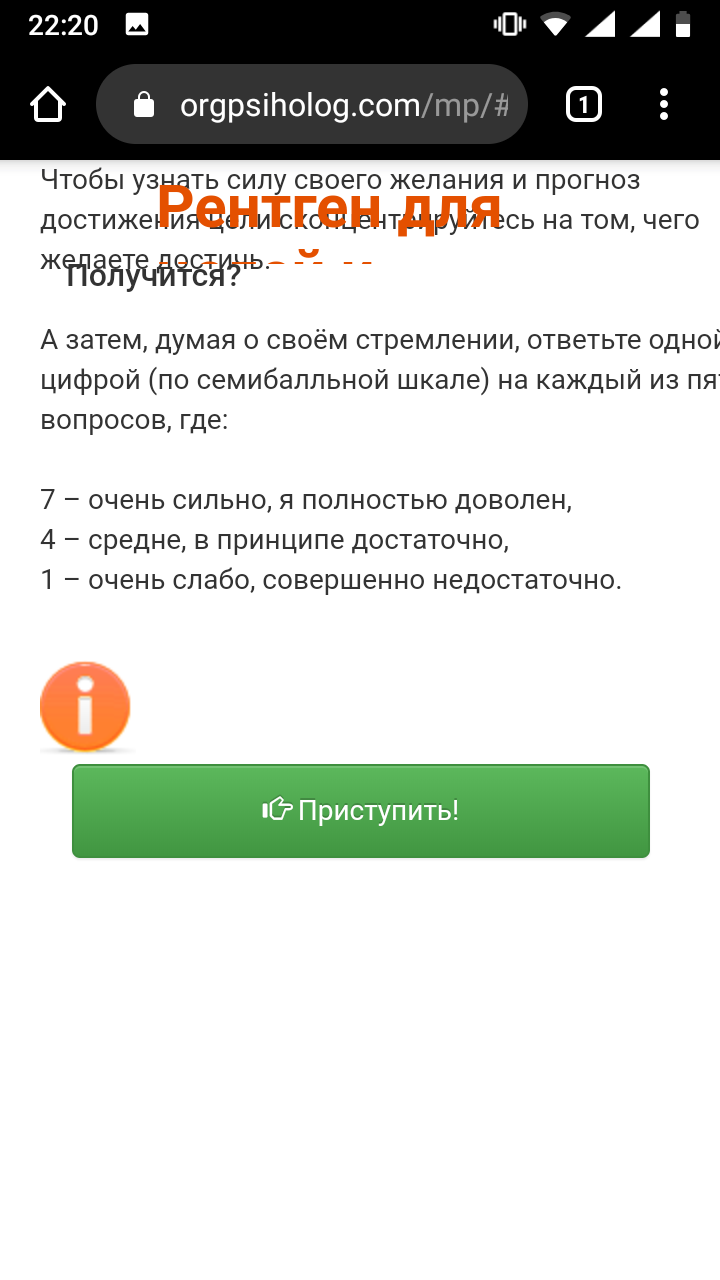
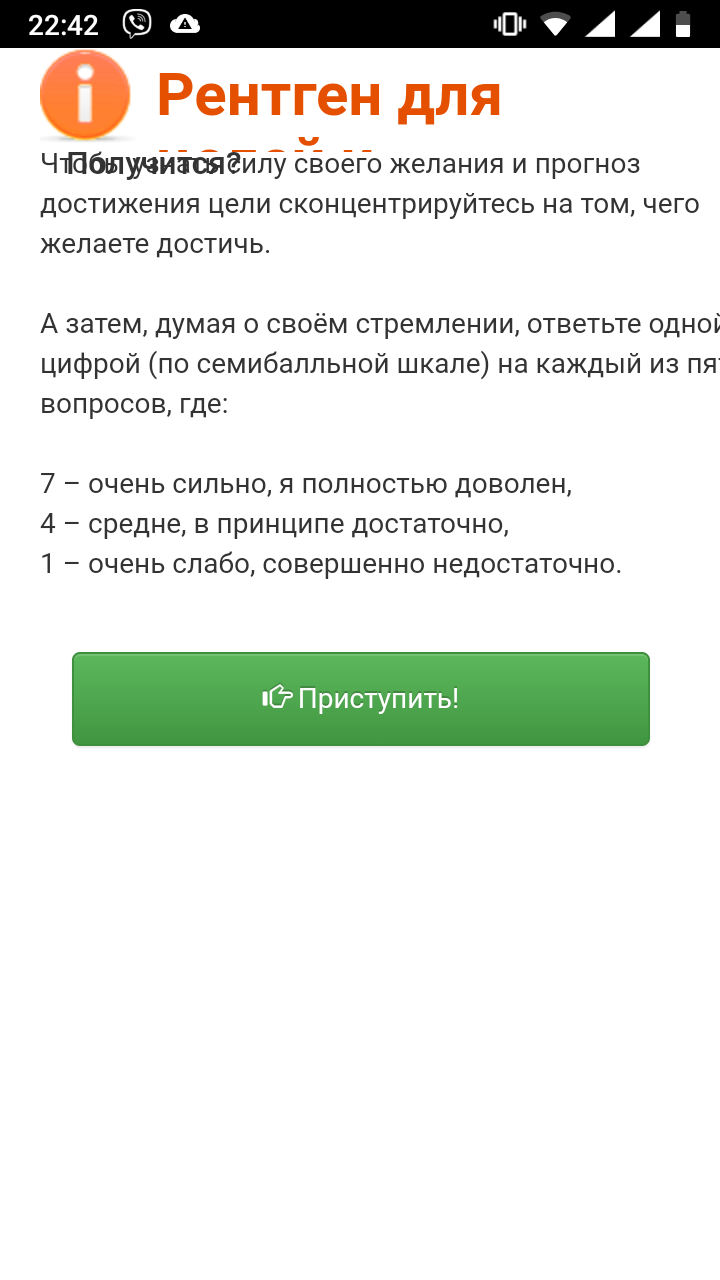
The web application does not display correctly in the Google Chrome browser. Both on the computer and on the phone.
I tried changing the order of the objects via the Arrange menu, it helped a little, but it still shows not what I need.
I tried to compile as PWA, but even without PWA the interface still does not work. Therefore, I post the question in the general section.
What could be the reason? How can this be fixed?Here is the link to the web application: https://orgpsiholog.com/mp
Thanks in advance for any help!
Hello!
Who knows why the web application interface crashes?
The web application does not display correctly in the Google Chrome browser. Both on the computer and on the phone.
I tried changing the order of the objects via the Arrange menu, it helped a little, but it still shows not what I need.
I tried to compile as PWA, but even without PWA the interface still does not work. Therefore, I post the question in the general section.
What could be the reason? How can this be fixed?
Here is the link to the web application: https://orgpsiholog.com/mp
Thanks in advance for any help!
Uploaded files: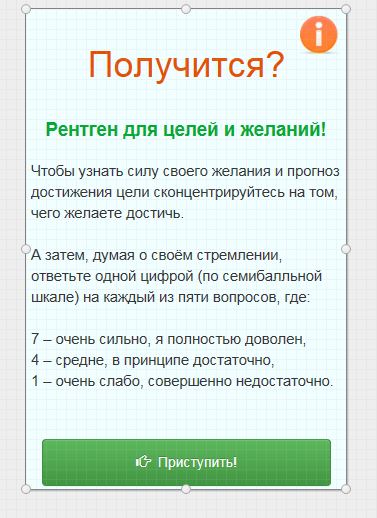

Quote from luishp on March 22, 2020, 8:41 pm@vadim it renders fine for me on any web browser including Chrome.
Try deleting the Web Browser cache as you are probably mixing old content with the current one.
Let me know if it solves the problem.
Regards.
@vadim it renders fine for me on any web browser including Chrome.
Try deleting the Web Browser cache as you are probably mixing old content with the current one.
Let me know if it solves the problem.
Regards.

Quote from YASIN on March 22, 2020, 9:08 pm@vadim Sorry for the unrelated post
I signed up for https://distant.orgpsiholog.ru But my account was not approved
my email : yasin_thy@yahoo.com
@vadim Sorry for the unrelated post
I signed up for https://distant.orgpsiholog.ru But my account was not approved
my email : yasin_thy@yahoo.com
Quote from Vadim on March 23, 2020, 8:58 am@luishp
Luis, thank you very much!!
It turned out that it really is in the cache!!This is my first PWA, I am very satisfied !!
@yasin
Hello!
Maybe the message has got into spam.
I have now verified the account manually.
Now follow the link:
https://distant.orgpsiholog.ru/course/view.php?id=20
And click on the blue button "Sign up for a course" below.
After that, the course will be available to you.
Luis, thank you very much!!
It turned out that it really is in the cache!!
This is my first PWA, I am very satisfied !!
Hello!
Maybe the message has got into spam.
I have now verified the account manually.
Now follow the link:
https://distant.orgpsiholog.ru/course/view.php?id=20
And click on the blue button "Sign up for a course" below.
After that, the course will be available to you.
Quote from luishp on March 23, 2020, 11:21 am@vadim I think @rocote could have had the same issue here:
https://visualneo.com/forum/topic/scrolling-text-in-3d/#postid-4708Not completely sure about how it works but, when working with PWAs, remember to change the App version before compiling and publishing it, so the web browser knows it's a new version to download resorces again instead of using the cached ones.
PWAs will allways try to use already downloaded files (cached files).
Regards.
@vadim I think @rocote could have had the same issue here:
https://visualneo.com/forum/topic/scrolling-text-in-3d/#postid-4708
Not completely sure about how it works but, when working with PWAs, remember to change the App version before compiling and publishing it, so the web browser knows it's a new version to download resorces again instead of using the cached ones.
PWAs will allways try to use already downloaded files (cached files).
Regards.
Quote from YASIN on March 23, 2020, 12:09 pm@vadim thanks for verified my Account .
How do I access plugins in your web? please send link !
@vadim thanks for verified my Account .
How do I access plugins in your web? please send link !
Quote from Vadim on March 23, 2020, 12:31 pmI think @rocote could have be facing the same issue
Yes, it looks a lot like that!
Roger, try to clear the browser cache and replace the version of the program. It helps me!
@yasin, I am glad!
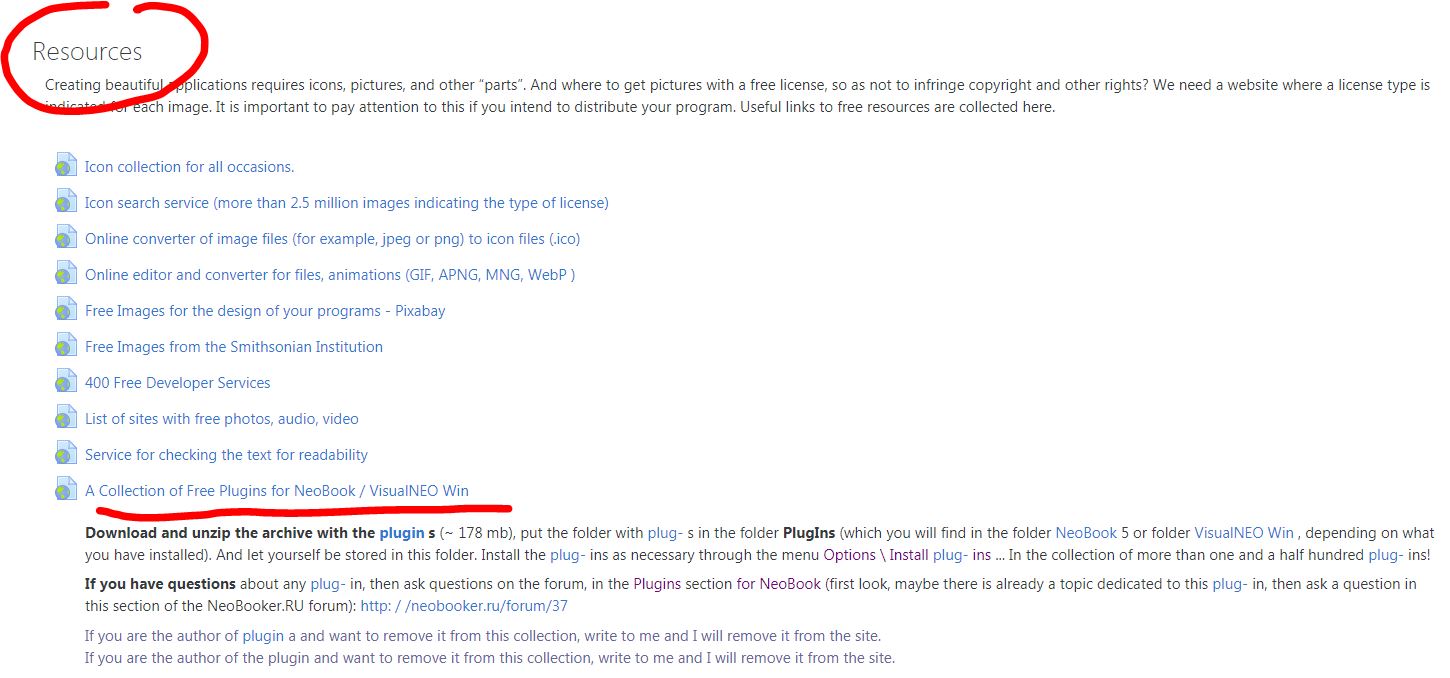
On the course page, the link is here (see screenshot, automatic translation from Russian into English is used using Google Chrome browser).
And here is a direct link to download the archive with plugins:
https://my.pcloud.com/publink/show?code=XZjga8kZSwTKb6iEVepV9Oelz1SBISlOv7W7
I think @rocote could have be facing the same issue
Yes, it looks a lot like that!
Roger, try to clear the browser cache and replace the version of the program. It helps me!
@yasin, I am glad!
On the course page, the link is here (see screenshot, automatic translation from Russian into English is used using Google Chrome browser).
And here is a direct link to download the archive with plugins:
https://my.pcloud.com/publink/show?code=XZjga8kZSwTKb6iEVepV9Oelz1SBISlOv7W7
Uploaded files: