Ubicar errores en codigo fuente distribuido / Locating errors in distributed source code - Forum
Ubicar errores en codigo fuente distribuido / Locating errors in distributed source code

Quote from alangonzalez91 on April 18, 2026, 3:03 pmHola a todos!
Recientemente me ha pasado que un usuario de mi servicio me envio una imagen de un mensaje de error que aparecia en el sistema de forma totalmente aleatoria y no recordaba exactamente a que modulo o Function Library pertenecia.
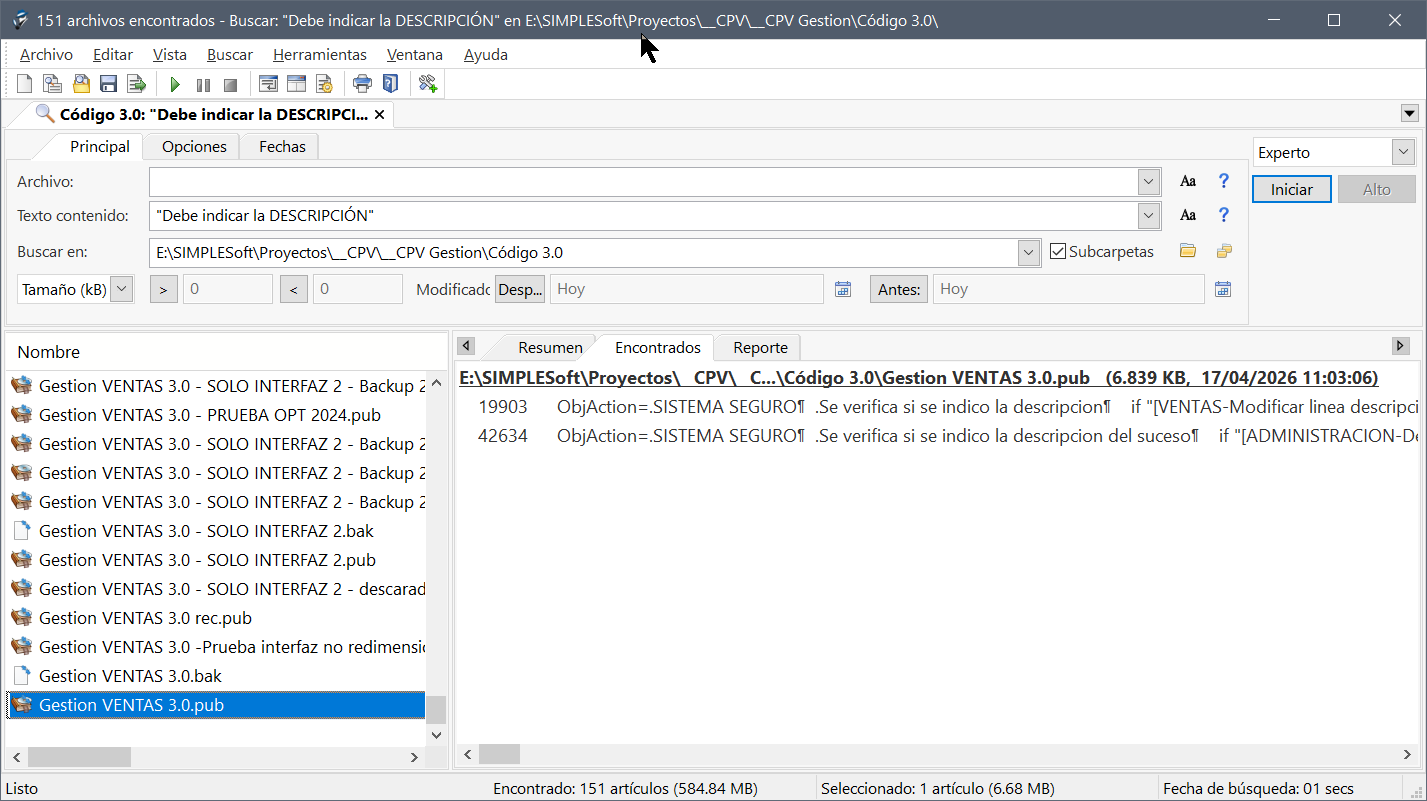
Entonces buscando y probando, encontré un programa llamado Agent Ransack que permite realizar búsqueda secuencial del contenido de archivos...
Fue cuestión de indicar la carpeta de funciones C:\Program Files (x86)\VisualNeoWin\Functions o la carpeta de "proyectos" que tengo.
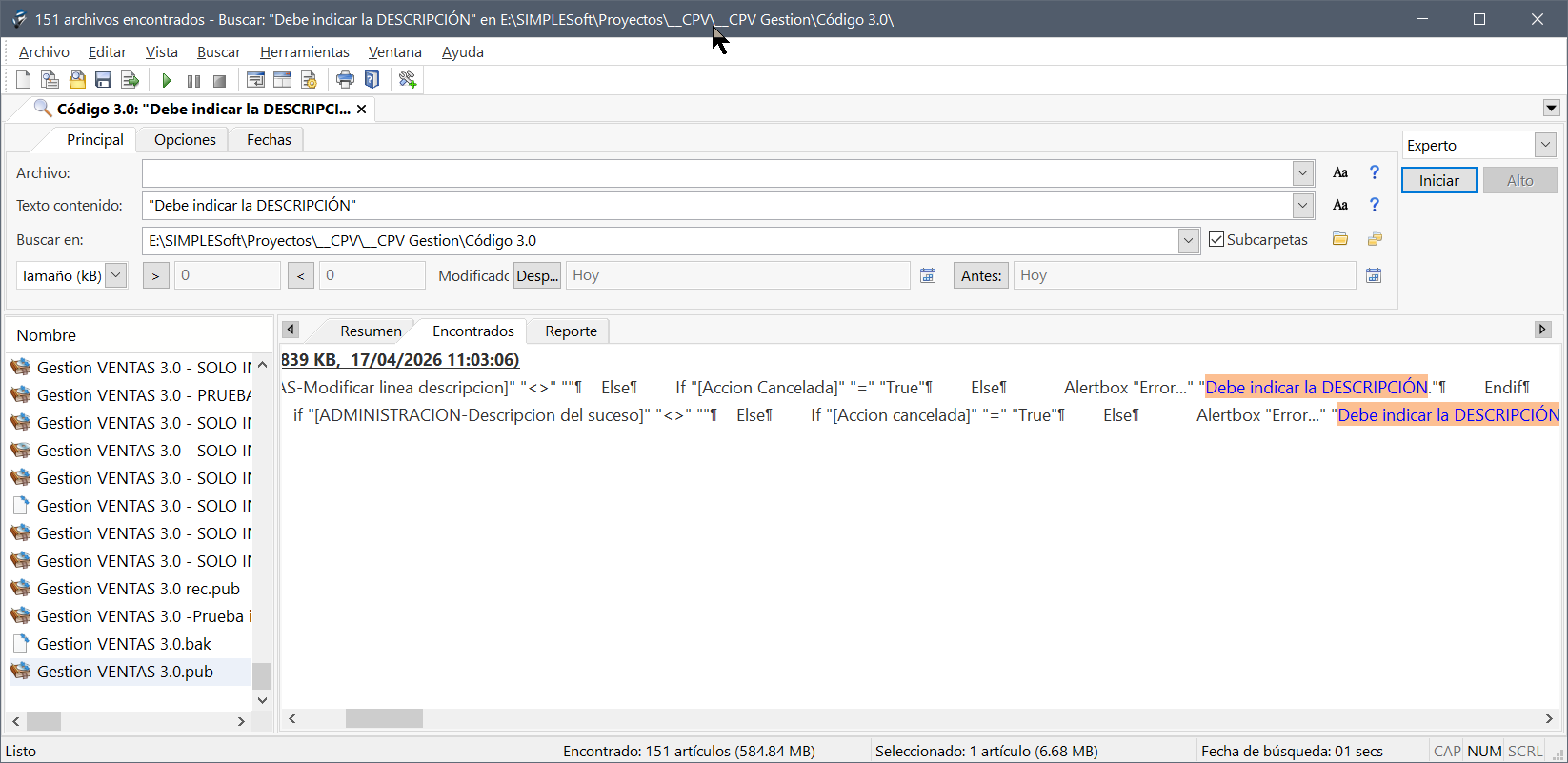
Después tocó solamente copiar y pegar el mensaje de error o distinción y listo!, gracias a la forma en la que VisualNeo organiza el código fuente me fue posible ubicar en que objeto estaba el error.
https://www.mythicsoft.com/agentransack/download/
------- ENGLISH --------
Hi everyone!
Recently, a user of my service sent me a screenshot of an error message that was appearing randomly on the system, and they couldn't remember exactly which module or Function Library it belonged to.
So, after searching and testing, I found a program called Agent Ransack that allows you to perform a sequential search of file contents...
It was just a matter of specifying the functions folder C:\Program Files (x86)\VisualNeoWin\Functions or the "projects" folder I have.
Then I simply copied and pasted the error message, and that was it! Thanks to the way VisualNeo organizes the source code, I was able to pinpoint which object contained the error.
https://www.mythicsoft.com/agentransack/download/
Saludos desde Argentina
Hola a todos!
Recientemente me ha pasado que un usuario de mi servicio me envio una imagen de un mensaje de error que aparecia en el sistema de forma totalmente aleatoria y no recordaba exactamente a que modulo o Function Library pertenecia.
Entonces buscando y probando, encontré un programa llamado Agent Ransack que permite realizar búsqueda secuencial del contenido de archivos...
Fue cuestión de indicar la carpeta de funciones C:\Program Files (x86)\VisualNeoWin\Functions o la carpeta de "proyectos" que tengo.
Después tocó solamente copiar y pegar el mensaje de error o distinción y listo!, gracias a la forma en la que VisualNeo organiza el código fuente me fue posible ubicar en que objeto estaba el error.
https://www.mythicsoft.com/agentransack/download/
------- ENGLISH --------
Hi everyone!
Recently, a user of my service sent me a screenshot of an error message that was appearing randomly on the system, and they couldn't remember exactly which module or Function Library it belonged to.
So, after searching and testing, I found a program called Agent Ransack that allows you to perform a sequential search of file contents...
It was just a matter of specifying the functions folder C:\Program Files (x86)\VisualNeoWin\Functions or the "projects" folder I have.
Then I simply copied and pasted the error message, and that was it! Thanks to the way VisualNeo organizes the source code, I was able to pinpoint which object contained the error.
https://www.mythicsoft.com/agentransack/download/