
Using the Button Library

Quote from CSSystems on February 26, 2024, 5:58 pmI am trying to use the Button Library.
I wanted to use a button for a down-arrow.
I created my own button and thought I would add it to the library. Picking the button from the library doesn't display properly as shown.
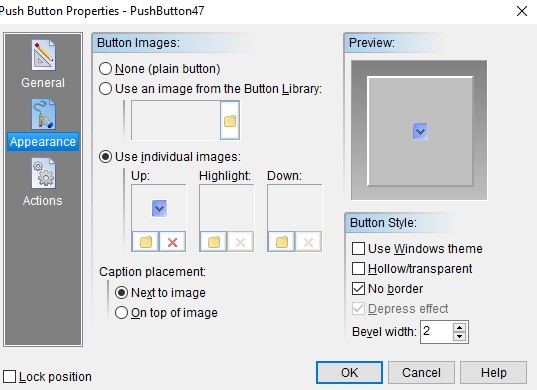
I have to resort to using multiple images but only using one.
Is there certain requirement to add buttons to the Library?
I was surprised there were no defined buttons like there was in Neobook.
I am trying to use the Button Library.
I wanted to use a button for a down-arrow.
I created my own button and thought I would add it to the library. Picking the button from the library doesn't display properly as shown.
I have to resort to using multiple images but only using one.
Is there certain requirement to add buttons to the Library?
I was surprised there were no defined buttons like there was in Neobook.
Uploaded files: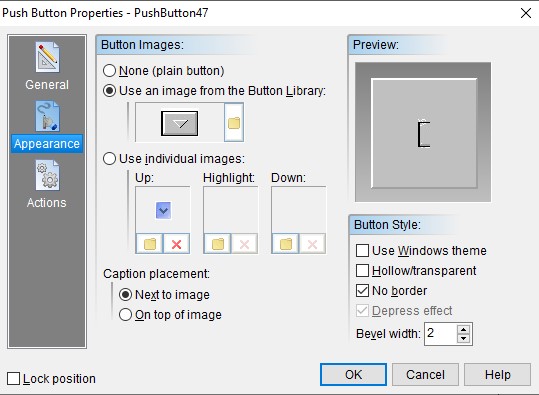

Quote from Vadim on March 10, 2024, 9:50 am@cssystems
I've checked the buttons. They work fine. I have Windows 11, 64-bit.
You can draw your own buttons and add them to the button library. You can use different formats like bmp, png, jpeg. Just put them in the folder with the existing ones and they will automatically appear in the list when you select them from the button view settings window.
When choosing the size of buttons, check that the total width of the picture is divided by three. The height can be any height.
I've checked the buttons. They work fine. I have Windows 11, 64-bit.
You can draw your own buttons and add them to the button library. You can use different formats like bmp, png, jpeg. Just put them in the folder with the existing ones and they will automatically appear in the list when you select them from the button view settings window.
When choosing the size of buttons, check that the total width of the picture is divided by three. The height can be any height.
Quote from CSSystems on March 10, 2024, 7:34 pmThank you for looking at this for me.
I copied the button into 3 in one image. I was surprised this worked. Didn't know if the system would know there were 3 separate images in one.
Good news I now know how to make it work. I was using the Button as a down arrow image for dropdown selection boxes.
Thanks again.
Thank you for looking at this for me.
I copied the button into 3 in one image. I was surprised this worked. Didn't know if the system would know there were 3 separate images in one.
Good news I now know how to make it work. I was using the Button as a down arrow image for dropdown selection boxes.
Thanks again.