
Virus Killer Game made with VisualNEO Web

Quote from luishp on April 11, 2020, 6:34 pmPlease take a look at this simple game I have coded today:
https://viruskiller.visualneo.com
Source code attached.
Last update: 2020/04/13
Minimum VisualNEO Web Version required: 2020.4.13Thank you!
Please take a look at this simple game I have coded today:
https://viruskiller.visualneo.com
Source code attached.
Last update: 2020/04/13
Minimum VisualNEO Web Version required: 2020.4.13
Thank you!
Uploaded files: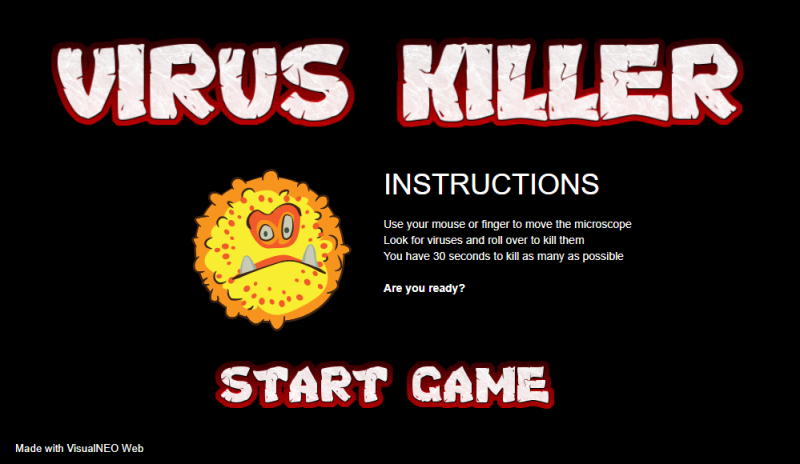

Quote from Vadim on April 11, 2020, 6:50 pmIt's funny )))
Of course, source code examples are very useful for learning about VisualNEO Web!
It's funny )))
Of course, source code examples are very useful for learning about VisualNEO Web!


Quote from Gaev on April 11, 2020, 8:40 pm@luishp
Where are the options to select speed ?
SuperFast, Fast, Regular, Slow and (for us senior citizens) SuperSlow
Where are the options to select speed ?
SuperFast, Fast, Regular, Slow and (for us senior citizens) SuperSlow
Quote from luishp on April 11, 2020, 8:49 pm@gaev, at the end of "game" page code:
TimerStart "Timer1" 20Just put change 20 for 40 and speed will be sllowed down 50%
@gaev, at the end of "game" page code:
TimerStart "Timer1" 20
Just put change 20 for 40 and speed will be sllowed down 50%

Quote from luishp on April 13, 2020, 2:17 pmTrying to optimize the game for mobile devices, I have discovered some lacks and bugs on VisualNEO Web, so I have updated both VisualNEO Web and the game. Now you can install the "Virus Killer" game as a PWA in your desktop or mobile device.
It will work with the mouse pointer or a touch screen on any screen size.
Source code is now included with VisualNEO Web 20.4.13 setup.Let me know if you find any error or problem.
Thank you!
Trying to optimize the game for mobile devices, I have discovered some lacks and bugs on VisualNEO Web, so I have updated both VisualNEO Web and the game. Now you can install the "Virus Killer" game as a PWA in your desktop or mobile device.
It will work with the mouse pointer or a touch screen on any screen size.
Source code is now included with VisualNEO Web 20.4.13 setup.
Let me know if you find any error or problem.
Thank you!

Quote from rocote on April 13, 2020, 10:16 pmIs there a simple way to find out or navigate to the page of a variable without having to search too much?
In VNW, you can see all the variables by choosing Project- [V] ariable.
It would be interesting if by double-clicking on the variable, we would go directly to the page where it is located.
I was searching for the variable [speed] for quite some time. Probably she is traveling too fast. :)
I found it anyway.
Roger :)
Is there a simple way to find out or navigate to the page of a variable without having to search too much?
In VNW, you can see all the variables by choosing Project- [V] ariable.
It would be interesting if by double-clicking on the variable, we would go directly to the page where it is located.
I was searching for the variable [speed] for quite some time. Probably she is traveling too fast. :)
I found it anyway.
Roger :)
Quote from luishp on April 14, 2020, 12:46 pm@roger, for complex apps I usually open the .neoapp file into a code editor (Notepad++) As it's a XML document it is very easy to find out where is everything located. It's also a good trick to make "search and replace" operations in the whole document.
Regards.
@roger, for complex apps I usually open the .neoapp file into a code editor (Notepad++) As it's a XML document it is very easy to find out where is everything located. It's also a good trick to make "search and replace" operations in the whole document.
Regards.
Quote from rocote on April 14, 2020, 11:09 pmDon't worry Luis, I found the way to do it.
I hadn't tried the split tab to look at each page individually. I think it's also a good way.
Thank you very much for responding..
Don't worry Luis, I found the way to do it.
I hadn't tried the split tab to look at each page individually. I think it's also a good way.
Thank you very much for responding..