
VisualNEO Win. Version 26.8.8 (Major version)

Quote from luishp on August 17, 2026, 10:23 am
VisualNEO Win 26.8.8 is now available
We are delighted to announce the release of VisualNEO Win 26.8.8, a major new version that brings together the largest set of improvements made to VisualNEO Win in many years.
This release continues the modernization started with version 26.7.19 while preserving the visual workflow, readable project format and extensive classic plug-in ecosystem that VisualNEO users already know.
A free major upgrade for existing users
VisualNEO Win 26.8.8 is a free upgrade for every licensed user of the immediately previous version, VisualNEO Win 26.7.19.
Although this is a major release, no additional upgrade purchase is required for those users.
One universal, multilingual edition
- A single universal installation now includes English, Spanish, Italian, German and Russian.
- The interface language can be changed from Preferences without installing a separate edition.
- Unicode support has been expanded throughout the interface, object captions, variables, editors, files and project data.
- Existing VisualNEO Win projects and classic plug-ins remain supported.
New modern visual controls
- ModernContainer provides scrollable content areas, nested objects, automatic virtual sizing and programmable scrolling.
- ModernTabs makes it possible to build tabbed interfaces with configurable positions, captions, icons and programmable tab selection.
- ModernCalendar, ModernProgressBar and ModernFileDrop add practical native controls for dates, progress reporting and drag-and-drop file or folder handling.
Animation, transitions and modern messages
- Updated non-blocking animation actions can move several objects simultaneously.
- Animations support duration, easing, delay and completion callbacks.
- Modern page transitions offer smoother movement and more useful speed ranges.
- ModernMessageBox and ModernToast provide Unicode-friendly messages and non-blocking notifications.
A new Modern Plug-in platform
VisualNEO Win 26.8.8 introduces a new Unicode-capable plug-in architecture that works alongside the classic plug-in system rather than replacing it.
- Modern plug-ins can add actions, visual controls, property editors and custom events.
- Custom controls can render their own appearance in both design mode and at runtime.
- Plug-in controls integrate with the tool palette, object list, action editor, clipboard, project files and compiled applications.
- The new Modern Plug-in Manager supports searching, grouping by publisher or collection, activation, deactivation and collection licensing.
- Supports multilanguage plugins.
- Tool-palette collections keep large groups of related controls compact and organized.
- The existing classic
.nbpplug-in ecosystem remains available and compatible.Faster action authoring
- The action catalogue now includes improved search across action names and descriptions.
- Frequently used actions can be marked as favourites.
- A recent-actions view makes repeated work quicker.
- Modern plug-in actions can use richer visual wizards with object, variable, file, folder, colour, list and multiline editors.
- JSON and multiline values are handled more naturally by action wizards.
AI-ready project workflows
The new AI Project Kit export can describe a VisualNEO project, its NeoScript code, core objects and installed plug-ins in a format designed for coding assistants. An AI agent can understand an existing project, help create a new one and propose focused
.vnpatchchanges without replacing the complete publication.Improved publishing and licensing
- The publishing workflow can create modern Inno Setup installers with application information, optional license text, readme files, images, dependencies and per-user installation support.
- Project dependencies are collected more reliably when compiling and building installers.
- An optional signed licensing system can protect applications created with VisualNEO Win.
- The VisualNEO License Manager helps create products, issue customer licenses, keep a searchable local history and optionally deliver licenses by email.
Compatibility and stability
- The development environment remains Win32 to preserve compatibility with the large collection of existing VisualNEO and NeoBook plug-ins.
- The readable text-based
.pubproject format is retained.- Classic and modern objects can be used together in the same project.
- Many fixes have been made to memory handling, project loading and closing, copying and duplicating objects, resizing, repainting, file encodings, archiving, compiled resources and interface layouts.
- The installer can adapt to administrative or current-user installation, making VisualNEO Win available on more Windows systems.
- New and revised examples help beginners discover both the classic workflow and the modern features.
Four Modern Plug-in Collections are coming very soon
The Modern Plug-in platform is only the beginning. We will shortly publish four curated collections that add ready-to-use controls and actions to VisualNEO Win:
- VisualNEO Essentials — a free collection of useful everyday controls and utilities.
- VisualNEO UI & Data Suite — modern interface, input, charting and data-oriented controls.
- VisualNEO Media Suite — tools for modern images, audio, video and rich media experiences.
- VisualNEO Automation & AI Suite — advanced automation, web services, AI and productivity capabilities.
Each collection will include its own installer, examples, documentation and integrated help. The common documentation portal is already available at pluginshelp.visualneo.com.
Thank you
This release has benefited enormously from the reports, sample projects, translations, testing and ideas contributed by the VisualNEO community. Thank you to everyone who has helped us modernize VisualNEO Win while preserving what makes it unique.
We hope you enjoy VisualNEO Win 26.8.8. Please continue sharing your results and feedback in the forum.
Download VisualNEO Win:
https://visualneo.com/product/visualneo-win
VisualNEO Win 26.8.8 is now available
We are delighted to announce the release of VisualNEO Win 26.8.8, a major new version that brings together the largest set of improvements made to VisualNEO Win in many years.
This release continues the modernization started with version 26.7.19 while preserving the visual workflow, readable project format and extensive classic plug-in ecosystem that VisualNEO users already know.
A free major upgrade for existing users
VisualNEO Win 26.8.8 is a free upgrade for every licensed user of the immediately previous version, VisualNEO Win 26.7.19.
Although this is a major release, no additional upgrade purchase is required for those users.
One universal, multilingual edition
- A single universal installation now includes English, Spanish, Italian, German and Russian.
- The interface language can be changed from Preferences without installing a separate edition.
- Unicode support has been expanded throughout the interface, object captions, variables, editors, files and project data.
- Existing VisualNEO Win projects and classic plug-ins remain supported.
New modern visual controls
- ModernContainer provides scrollable content areas, nested objects, automatic virtual sizing and programmable scrolling.
- ModernTabs makes it possible to build tabbed interfaces with configurable positions, captions, icons and programmable tab selection.
- ModernCalendar, ModernProgressBar and ModernFileDrop add practical native controls for dates, progress reporting and drag-and-drop file or folder handling.
Animation, transitions and modern messages
- Updated non-blocking animation actions can move several objects simultaneously.
- Animations support duration, easing, delay and completion callbacks.
- Modern page transitions offer smoother movement and more useful speed ranges.
- ModernMessageBox and ModernToast provide Unicode-friendly messages and non-blocking notifications.
A new Modern Plug-in platform
VisualNEO Win 26.8.8 introduces a new Unicode-capable plug-in architecture that works alongside the classic plug-in system rather than replacing it.
- Modern plug-ins can add actions, visual controls, property editors and custom events.
- Custom controls can render their own appearance in both design mode and at runtime.
- Plug-in controls integrate with the tool palette, object list, action editor, clipboard, project files and compiled applications.
- The new Modern Plug-in Manager supports searching, grouping by publisher or collection, activation, deactivation and collection licensing.
- Supports multilanguage plugins.
- Tool-palette collections keep large groups of related controls compact and organized.
- The existing classic
.nbpplug-in ecosystem remains available and compatible.
Faster action authoring
- The action catalogue now includes improved search across action names and descriptions.
- Frequently used actions can be marked as favourites.
- A recent-actions view makes repeated work quicker.
- Modern plug-in actions can use richer visual wizards with object, variable, file, folder, colour, list and multiline editors.
- JSON and multiline values are handled more naturally by action wizards.
AI-ready project workflows
The new AI Project Kit export can describe a VisualNEO project, its NeoScript code, core objects and installed plug-ins in a format designed for coding assistants. An AI agent can understand an existing project, help create a new one and propose focused .vnpatch changes without replacing the complete publication.
Improved publishing and licensing
- The publishing workflow can create modern Inno Setup installers with application information, optional license text, readme files, images, dependencies and per-user installation support.
- Project dependencies are collected more reliably when compiling and building installers.
- An optional signed licensing system can protect applications created with VisualNEO Win.
- The VisualNEO License Manager helps create products, issue customer licenses, keep a searchable local history and optionally deliver licenses by email.
Compatibility and stability
- The development environment remains Win32 to preserve compatibility with the large collection of existing VisualNEO and NeoBook plug-ins.
- The readable text-based
.pubproject format is retained. - Classic and modern objects can be used together in the same project.
- Many fixes have been made to memory handling, project loading and closing, copying and duplicating objects, resizing, repainting, file encodings, archiving, compiled resources and interface layouts.
- The installer can adapt to administrative or current-user installation, making VisualNEO Win available on more Windows systems.
- New and revised examples help beginners discover both the classic workflow and the modern features.
Four Modern Plug-in Collections are coming very soon
The Modern Plug-in platform is only the beginning. We will shortly publish four curated collections that add ready-to-use controls and actions to VisualNEO Win:
- VisualNEO Essentials — a free collection of useful everyday controls and utilities.
- VisualNEO UI & Data Suite — modern interface, input, charting and data-oriented controls.
- VisualNEO Media Suite — tools for modern images, audio, video and rich media experiences.
- VisualNEO Automation & AI Suite — advanced automation, web services, AI and productivity capabilities.
Each collection will include its own installer, examples, documentation and integrated help. The common documentation portal is already available at pluginshelp.visualneo.com.
Thank you
This release has benefited enormously from the reports, sample projects, translations, testing and ideas contributed by the VisualNEO community. Thank you to everyone who has helped us modernize VisualNEO Win while preserving what makes it unique.
We hope you enjoy VisualNEO Win 26.8.8. Please continue sharing your results and feedback in the forum.
Download VisualNEO Win:
https://visualneo.com/product/visualneo-win

Quote from impactband4u on August 17, 2026, 12:05 pm@luishp
This is HUGE! Thank you so much Luishp and your team for your hard work. VisualNeo (from Neobook days) was always my favorite programming app. I did take a quick look and was so happy to see I could add all my favorite actions in one place (one happy customer : ) This was worth staying with you guys through the years. Thank you so much!
This is HUGE! Thank you so much Luishp and your team for your hard work. VisualNeo (from Neobook days) was always my favorite programming app. I did take a quick look and was so happy to see I could add all my favorite actions in one place (one happy customer : ) This was worth staying with you guys through the years. Thank you so much!

Quote from Sinesi Giuseppe on August 17, 2026, 12:53 pmI'm speechless about the great development of the new plugins. I haven't found any mention of the database plugin or the creation of print reports, like ReportDesigner.
- I wanted to clarify how I can make ModernCalendar always display the current month when I open the program.
Thank you so much for the spectacular creation of the new plugins.
I'm speechless about the great development of the new plugins. I haven't found any mention of the database plugin or the creation of print reports, like ReportDesigner.
- I wanted to clarify how I can make ModernCalendar always display the current month when I open the program.
Thank you so much for the spectacular creation of the new plugins.
Quote from luishp on August 17, 2026, 2:47 pm@sinesi-giuseppe we have to rewrite completely NeoDBPro and Report Designer.
It will be a huge effort but it's on the priority list.
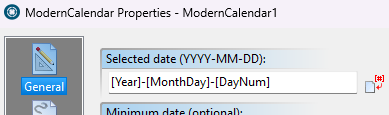
Regarding ModernCalendar current month, please download and install again VisualNEO Win as I have done some adjuntments to the ModernCalendar tool.
Also check attached picture.
Your comments are very valuable to improve VisualNEO Win.
Thank you!
@sinesi-giuseppe we have to rewrite completely NeoDBPro and Report Designer.
It will be a huge effort but it's on the priority list.
Regarding ModernCalendar current month, please download and install again VisualNEO Win as I have done some adjuntments to the ModernCalendar tool.
Also check attached picture.
Your comments are very valuable to improve VisualNEO Win.
Thank you!

Quote from no1g8tor96 on August 17, 2026, 9:01 pmThis is all great but will you be doing the same thing for VisualNEO WEB. It is the same drawback with Web as Win. Cant visually design with plugins. Just a square and a lot of trial and error. I still believe that WN WEB is the real way to get to grow this. Too many people want my apps for their phone and I have 2 Apps i make most of my money on behind a paywall and web app and people pay to use my utility per day.
I love everything you have done with WIN but seems you would have made one Big Project Called "VisualNEO Programming" and would let everyone program for all platforms. Yes can be just a windows programming environment but to be able to do EXE, PWA and HTML5 is GOLD. Would pay double for a product like this.
Also, another way to make money on here is keep the price the same but use a different Licensing Model. The one price Gives you 2 Licenses you can use anywhere you want on any two or 3 Devices. Then you can sell additional licenses for more profit. BUT I dont like having to email you every time I want to change devices. You need to have something on the website for licensing and you can activate and deactivate the licenses. This way we can change devices without bothering you and depending on you. Your time is valuable also. But this is just my 2 cents. For what its worth. I know people love buying one time and putting it on many devices but you need to limit this and make more money to keep this going.
Thanks for listening.
This is all great but will you be doing the same thing for VisualNEO WEB. It is the same drawback with Web as Win. Cant visually design with plugins. Just a square and a lot of trial and error. I still believe that WN WEB is the real way to get to grow this. Too many people want my apps for their phone and I have 2 Apps i make most of my money on behind a paywall and web app and people pay to use my utility per day.
I love everything you have done with WIN but seems you would have made one Big Project Called "VisualNEO Programming" and would let everyone program for all platforms. Yes can be just a windows programming environment but to be able to do EXE, PWA and HTML5 is GOLD. Would pay double for a product like this.
Also, another way to make money on here is keep the price the same but use a different Licensing Model. The one price Gives you 2 Licenses you can use anywhere you want on any two or 3 Devices. Then you can sell additional licenses for more profit. BUT I dont like having to email you every time I want to change devices. You need to have something on the website for licensing and you can activate and deactivate the licenses. This way we can change devices without bothering you and depending on you. Your time is valuable also. But this is just my 2 cents. For what its worth. I know people love buying one time and putting it on many devices but you need to limit this and make more money to keep this going.
Thanks for listening.
Quote from AnthonyJones on August 18, 2026, 9:13 amGreat advances!
Is there a Delphi 11 template project for a "Modern-Plugin" ?
Great advances!
Is there a Delphi 11 template project for a "Modern-Plugin" ?
Quote from luishp on August 18, 2026, 10:43 am@anthonyjones not yet.
We are working as fast as we can.
Thank you for your patience.
@anthonyjones not yet.
We are working as fast as we can.
Thank you for your patience.
Quote from luishp on August 19, 2026, 1:47 pmI’ve just published a new version of VisualNEO Win that fixes an important issue affecting applications compiled with the new modern commercial plugins.
Until now, compiled applications were unable to execute actions from these plugins unless the plugin license file was distributed together with the executable. Obviously, this was not an acceptable solution, as it would expose the license and prevent proper redistribution of applications using commercial plugins.
This has now been corrected.
With the new version, compiled VisualNEO Win applications can execute modern plugin actions normally without requiring the plugin license file to be included with the distributed application.
If you are already testing or developing plugins with the new system, I strongly recommend updating to the latest version.
As always, please let me know if you find any issue.
I’ve just published a new version of VisualNEO Win that fixes an important issue affecting applications compiled with the new modern commercial plugins.
Until now, compiled applications were unable to execute actions from these plugins unless the plugin license file was distributed together with the executable. Obviously, this was not an acceptable solution, as it would expose the license and prevent proper redistribution of applications using commercial plugins.
This has now been corrected.
With the new version, compiled VisualNEO Win applications can execute modern plugin actions normally without requiring the plugin license file to be included with the distributed application.
If you are already testing or developing plugins with the new system, I strongly recommend updating to the latest version.
As always, please let me know if you find any issue.

Quote from rafamacor on August 19, 2026, 2:17 pmLuis,
los Modern Plugins Collection son evaluables antes de decidirnos a comprarlos como es VisualNeoWin?
cuales son los cambios prevés realizar en NeoDBPro / Report Designer?
Gracias
Luis,
los Modern Plugins Collection son evaluables antes de decidirnos a comprarlos como es VisualNeoWin?
cuales son los cambios prevés realizar en NeoDBPro / Report Designer?
Gracias
Quote from luishp on August 19, 2026, 4:12 pm@rafamacor estoy buscando una manera sencilla de que sean evaluables (aún no lo son).
NeoDBpro y Report Designer deben rehacer por completo. Es algo que aun debe esperar.
Saludos!
@rafamacor estoy buscando una manera sencilla de que sean evaluables (aún no lo son).
NeoDBpro y Report Designer deben rehacer por completo. Es algo que aun debe esperar.
Saludos!

Quote from farhad2008 on August 19, 2026, 5:43 pmHello
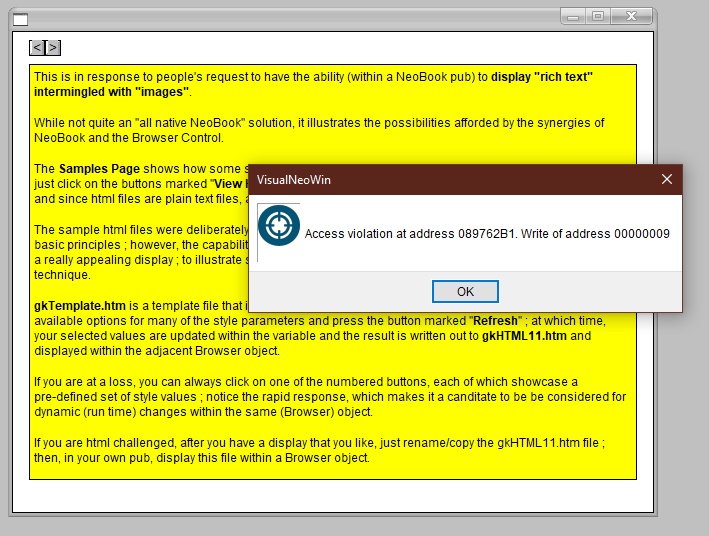
I downloaded and installed the new version of Visual NeoWin 26.8.8, but when I load the sample application, this error appears and even though I uninstalled and reinstalled it several times, the error does not go away.
Hello
I downloaded and installed the new version of Visual NeoWin 26.8.8, but when I load the sample application, this error appears and even though I uninstalled and reinstalled it several times, the error does not go away.
Quote from Anthony LaTorre on August 20, 2026, 3:34 amThis could be because the sample apps were created in a previous version... I had an issue with the Essential plugins sample apps not working... I uploaded them to Claude AI and it fixed them...
If you need them... I uploaded them in a zip file. Link:
https://visualneo.com/forum/topic/the-new-visualneo-modern-plug-in-collections-are-now-available?part=2
Scroll down and you see my last post in the topic...
This could be because the sample apps were created in a previous version... I had an issue with the Essential plugins sample apps not working... I uploaded them to Claude AI and it fixed them...
If you need them... I uploaded them in a zip file. Link:
Scroll down and you see my last post in the topic...
Quote from mishem on August 20, 2026, 8:08 am@farhad2008
Remove all plugins and add them one by one. This message usually appears due to a poorly written plugin.
@farhad2008
Remove all plugins and add them one by one. This message usually appears due to a poorly written plugin.

Quote from CSSystems on August 21, 2026, 5:05 pmAmazing! Just when I thought VisualNeo Win didn't have the focus because of Web version.
Most of my apps are Windows version. I have been using Web version for a couple of website.
It's a lot to absorb but I like to learn and play.
I am not at the level of most on this forum but I try.
Thanks for all you are doing.
Amazing! Just when I thought VisualNeo Win didn't have the focus because of Web version.
Most of my apps are Windows version. I have been using Web version for a couple of website.
It's a lot to absorb but I like to learn and play.
I am not at the level of most on this forum but I try.
Thanks for all you are doing.

Quote from Vadim on August 22, 2026, 1:51 pm@luishp
Thank you so much for your work on VisualNEO Win!!! You’ve made a huge breakthrough in the development of my favorite program!!! Hooray!!!
Thank you so much for your work on VisualNEO Win!!! You’ve made a huge breakthrough in the development of my favorite program!!! Hooray!!!
Quote from luishp on August 30, 2026, 10:15 amNew VisualNEO Win Update Available
I have just published a new update for VisualNEO Win, within the current version, including the following improvements:
- Improved ListBox resizing: ListBox objects using
Snap Position: Center, including those nested inside containers, are now recursively repositioned when the application is maximized or restored. This fixes cases where centered ListBoxes inside nested containers did not correctly adapt to the new window size.- New core action:
FontBox
A newFontBoxaction has been added to the Dialogs category. It opens the standard Windows Font dialog and returns the selected font name, size, style, color, charset, and result.FontBox "[FontName]" "[FontSize]" "[FontStyle]" "[FontColor]" "[FontCharset]" "[FontBoxResult]"If the user cancels the dialog, the existing font values are preserved and
[FontBoxResult]returnsFalse.The updated build is now available for download.
New VisualNEO Win Update Available
I have just published a new update for VisualNEO Win, within the current version, including the following improvements:
- Improved ListBox resizing: ListBox objects using
Snap Position: Center, including those nested inside containers, are now recursively repositioned when the application is maximized or restored. This fixes cases where centered ListBoxes inside nested containers did not correctly adapt to the new window size. - New core action:
FontBox
A newFontBoxaction has been added to the Dialogs category. It opens the standard Windows Font dialog and returns the selected font name, size, style, color, charset, and result.
FontBox "[FontName]" "[FontSize]" "[FontStyle]" "[FontColor]" "[FontCharset]" "[FontBoxResult]"
If the user cancels the dialog, the existing font values are preserved and [FontBoxResult] returns False.
The updated build is now available for download.
Quote from luishp on August 30, 2026, 4:11 pmAnd another one New VisualNEO Win Update Available
Hello everyone (again),
A new updated build of VisualNEO Win 26.8.8 is now available. It includes several improvements introduced today:
- Modern Explorer-style file and folder selection dialogs.
- New
ColorBoxandPasswordBoxNeoScript actions.- Improved DPI-aware layouts for message and input dialogs.
- Modernized File Management and File I/O action wizards, with appropriate buttons for selecting files, folders and variables.
FileWritenow provides a proper multiline text editor.- Improved support for Unicode filenames, spaces, long local and network paths, and embedded files.
- Better handling of ANSI, UTF-8 and UTF-16 text files.
- Existing line-ending formats (CRLF, LF or CR) are preserved when editing files.
- Safer error handling for operations such as rename and MIME conversion.
All existing NeoScript command signatures remain compatible, so older projects should continue to work without modification.
You can download the latest build from:
https://visualneo.com/download
As always, feedback and testing reports are very welcome!
And another one New VisualNEO Win Update Available
Hello everyone (again),
A new updated build of VisualNEO Win 26.8.8 is now available. It includes several improvements introduced today:
- Modern Explorer-style file and folder selection dialogs.
- New
ColorBoxandPasswordBoxNeoScript actions. - Improved DPI-aware layouts for message and input dialogs.
- Modernized File Management and File I/O action wizards, with appropriate buttons for selecting files, folders and variables.
FileWritenow provides a proper multiline text editor.- Improved support for Unicode filenames, spaces, long local and network paths, and embedded files.
- Better handling of ANSI, UTF-8 and UTF-16 text files.
- Existing line-ending formats (CRLF, LF or CR) are preserved when editing files.
- Safer error handling for operations such as rename and MIME conversion.
All existing NeoScript command signatures remain compatible, so older projects should continue to work without modification.
You can download the latest build from:
https://visualneo.com/download
As always, feedback and testing reports are very welcome!
Quote from Anthony LaTorre on August 30, 2026, 4:38 pmLuis, thank you so much for all the hard work and updates you have given us over these past few weeks... It's greatly appreciated...
I know you're a busy man, but are you planning to update the VisualNeo Win help file to incorporate the latest changes? And if, or when you do... do you think you can create a PDF version? The reason I am asking is because I am now using AI to create my pubs and also my PureBasic plugins... And having an updated help file with the latest actions commands that I can upload to an AI would be super-helpful...
Thanks again
Luis, thank you so much for all the hard work and updates you have given us over these past few weeks... It's greatly appreciated...
I know you're a busy man, but are you planning to update the VisualNeo Win help file to incorporate the latest changes? And if, or when you do... do you think you can create a PDF version? The reason I am asking is because I am now using AI to create my pubs and also my PureBasic plugins... And having an updated help file with the latest actions commands that I can upload to an AI would be super-helpful...
Thanks again
Quote from luishp on August 30, 2026, 7:00 pmHi @anthony-latorre,
Thank you and yes, this is actually something I have been working on specifically with AI-assisted development in mind.
In the latest VisualNEO Win version you will find a new App → AI Development Kit menu with three new options:
Export current project kit...
This creates an AI-friendly package containing the information needed to understand and work with the current VisualNEO Win project. You can give this package to an AI together with your instructions, so it has much more precise context about the project instead of working blindly from screenshots or isolated pieces of NeoScript.Export complete development kit...
This exports a more complete reference package intended for AI development. It provides the AI with information about VisualNEO Win itself, including its available commands/actions, installed plugins and development-related documentation, so it can produce much more accurate NeoScript and assist with VisualNEO Win development.This is essentially intended to solve exactly the problem you describe: instead of waiting for a PDF help file and uploading it manually, you can give an AI a package specifically prepared for machine consumption.
There is also a third option:
Review and apply project patch...
VisualNEO Win can review a project patch generated by an AI and apply the proposed modifications to the project. This opens the door to a workflow where you can export a project, ask an AI to implement or modify something, and then bring those changes back into VisualNEO Win rather than having to reproduce everything manually.
I still intend to continue improving the conventional documentation as well, but I think this new system will ultimately be considerably more useful for AI-assisted development than a PDF alone.
Since you are already using AI both for your PUBs and your PureBasic plugins, I would be very interested in your feedback after you try it. Your workflow is actually very close to the use case these new tools were designed for.
A modern plugin SDK is on the way.
Luis
Hi @anthony-latorre,
Thank you and yes, this is actually something I have been working on specifically with AI-assisted development in mind.
In the latest VisualNEO Win version you will find a new App → AI Development Kit menu with three new options:
Export current project kit...
This creates an AI-friendly package containing the information needed to understand and work with the current VisualNEO Win project. You can give this package to an AI together with your instructions, so it has much more precise context about the project instead of working blindly from screenshots or isolated pieces of NeoScript.
Export complete development kit...
This exports a more complete reference package intended for AI development. It provides the AI with information about VisualNEO Win itself, including its available commands/actions, installed plugins and development-related documentation, so it can produce much more accurate NeoScript and assist with VisualNEO Win development.
This is essentially intended to solve exactly the problem you describe: instead of waiting for a PDF help file and uploading it manually, you can give an AI a package specifically prepared for machine consumption.
There is also a third option:
Review and apply project patch...
VisualNEO Win can review a project patch generated by an AI and apply the proposed modifications to the project. This opens the door to a workflow where you can export a project, ask an AI to implement or modify something, and then bring those changes back into VisualNEO Win rather than having to reproduce everything manually.
I still intend to continue improving the conventional documentation as well, but I think this new system will ultimately be considerably more useful for AI-assisted development than a PDF alone.
Since you are already using AI both for your PUBs and your PureBasic plugins, I would be very interested in your feedback after you try it. Your workflow is actually very close to the use case these new tools were designed for.
A modern plugin SDK is on the way.
Luis
Quote from Anthony LaTorre on August 30, 2026, 7:09 pmAwesome Luis... I will check out the Exports functions and let you know how it interacts with AI pub and plugin creation...
Thanks again
Awesome Luis... I will check out the Exports functions and let you know how it interacts with AI pub and plugin creation...
Thanks again