
VNW Error

Quote from farhad2008 on July 10, 2020, 9:44 amHello
What is the error when I put the paragraph element on the screen?Regards
farhad
Hello
What is the error when I put the paragraph element on the screen?
Regards
farhad
Uploaded files: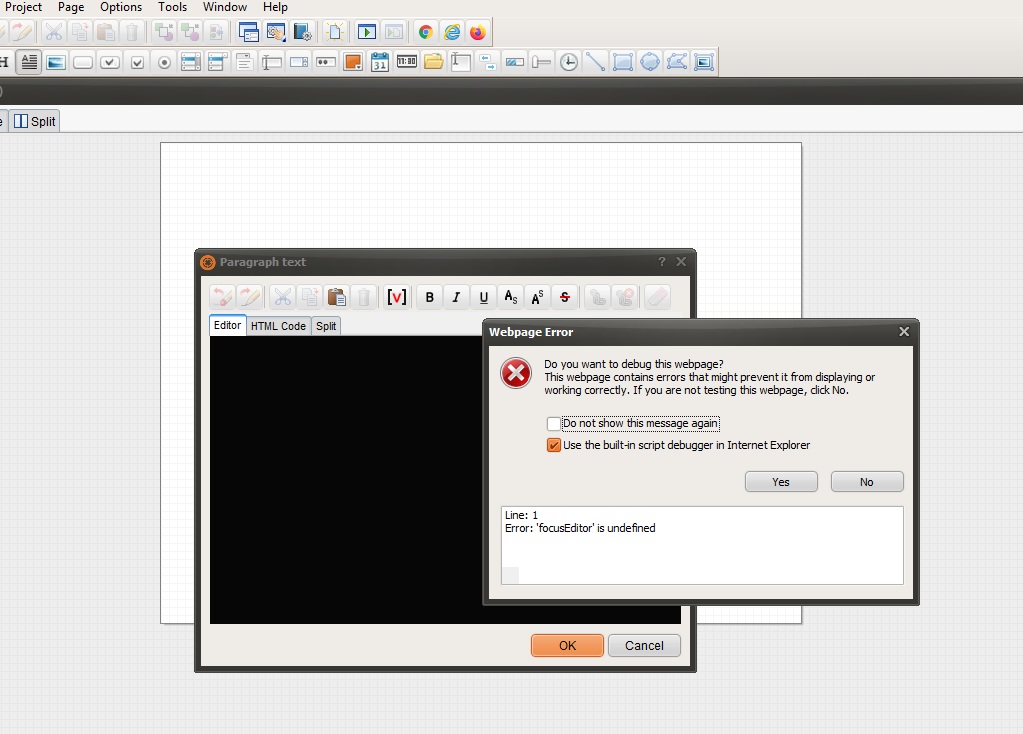

Quote from luishp on July 10, 2020, 11:50 am@farhad2008 I can't reproduce the problem. Please, share a sample app showing the problem or step by step instructions.
Thanks.
@farhad2008 I can't reproduce the problem. Please, share a sample app showing the problem or step by step instructions.
Thanks.
Quote from farhad2008 on July 10, 2020, 12:55 pm@luishp
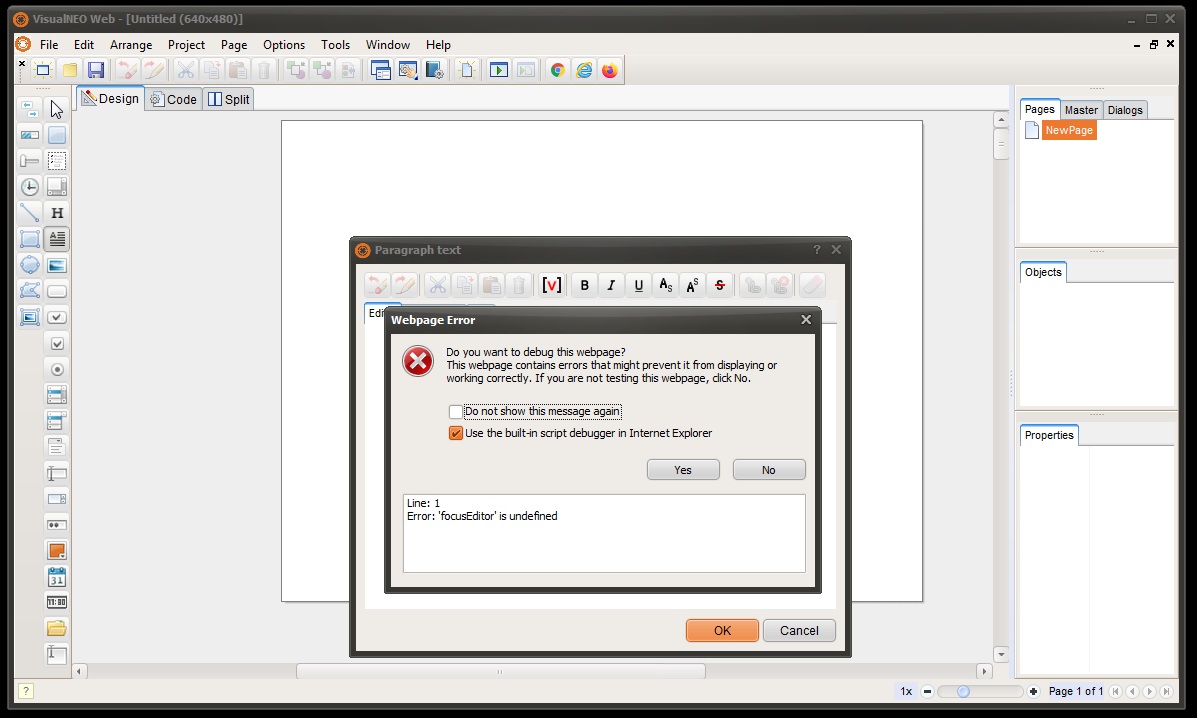
There is no need for an example. When I create a new file and place the paragraph element on the screen, this error appears. Is this message from the VNW? Or does another program send a message?
Thanks.
There is no need for an example. When I create a new file and place the paragraph element on the screen, this error appears. Is this message from the VNW? Or does another program send a message?
Thanks.
Quote from luishp on July 10, 2020, 1:12 pm@farhad2008 it's strange. What's your VisualNEO Web version?
Have you entered any HTML code into the Paragraph object?
@farhad2008 it's strange. What's your VisualNEO Web version?
Have you entered any HTML code into the Paragraph object?
Quote from farhad2008 on July 10, 2020, 1:17 pmNo, I didn't write any code and just started the new application. My version is 20.5.6
Thanks.
No, I didn't write any code and just started the new application. My version is 20.5.6
Thanks.
Quote from luishp on July 10, 2020, 1:21 pm@farhad2008 I can't reproduce the problem here. Please try in this order (each point if the previous one doesn't work):
- Restart VisualNEO Web.
- Restart you computer.
- Reinstall VisualNEO Web.
@farhad2008 I can't reproduce the problem here. Please try in this order (each point if the previous one doesn't work):
- Restart VisualNEO Web.
- Restart you computer.
- Reinstall VisualNEO Web.
Quote from farhad2008 on July 10, 2020, 3:44 pm
I did exactly what you said, but it's still wrong.
I did exactly what you said, but it's still wrong.
Uploaded files:
Quote from luishp on July 10, 2020, 5:25 pmSorry @farhad2008 but I don't know what can be causing the error.
Does anyone have the same problem?
Sorry @farhad2008 but I don't know what can be causing the error.
Does anyone have the same problem?

Quote from Gaev on July 10, 2020, 8:16 pm@luishp
Does anyone have the same problem?
I do not experience any such errors ... I am running VisualNEOWeb 20.5.6 under Windows 10 ... it came with Microsoft Edge, but my default Browser is Chrome.
@farhad2008
When I start a new Project and select a Paragraph object (like you did) ... the resulting (pop up) window starts with the HTML Code Tab (not the Editor Tab).
a) I am assuming that, in Design Mode, VisualNEOWeb uses parts of Internet Explorer 11 in facilitating the Editor functionality ... so, you might try and click the No button and then switch to the HTML Code Tab in order to enter the text
b) can you report what happens if you click on the No button and then proceed to enter text ?
c) have you experienced this error with any other object ?
d) when did you first experience this issue, and was it after some change/update on your computer ?
e) what is your version of Windows, Microsft's browser (Edge or Explorer 11) and default Browser ?
Does anyone have the same problem?
I do not experience any such errors ... I am running VisualNEOWeb 20.5.6 under Windows 10 ... it came with Microsoft Edge, but my default Browser is Chrome.
When I start a new Project and select a Paragraph object (like you did) ... the resulting (pop up) window starts with the HTML Code Tab (not the Editor Tab).
a) I am assuming that, in Design Mode, VisualNEOWeb uses parts of Internet Explorer 11 in facilitating the Editor functionality ... so, you might try and click the No button and then switch to the HTML Code Tab in order to enter the text
b) can you report what happens if you click on the No button and then proceed to enter text ?
c) have you experienced this error with any other object ?
d) when did you first experience this issue, and was it after some change/update on your computer ?
e) what is your version of Windows, Microsft's browser (Edge or Explorer 11) and default Browser ?
Quote from farhad2008 on July 10, 2020, 9:10 pm
@gaev
My Windows is 7 and Internet Explorer is version 9.
Thanks
My Windows is 7 and Internet Explorer is version 9.
Thanks
Quote from farhad2008 on July 10, 2020, 10:37 pmThere is a problem with the editor, and there is no problem with HTML Code, and I did not make any updates, and I do not know exactly when these problems occurred.
I ran the neoappbuilder and put the paragraph on the page, but it did not have this error
Thanks
There is a problem with the editor, and there is no problem with HTML Code, and I did not make any updates, and I do not know exactly when these problems occurred.
I ran the neoappbuilder and put the paragraph on the page, but it did not have this error
Thanks
Quote from Gaev on July 10, 2020, 11:36 pm@farhad2008
Looks like you have two choices ...
1) set up the contents of the Paragraph object using the HTML Code Tab
2) Upgrade ... since Windows 7 is no longer supported, you may have to look at migrating to Windows 10
I ran the neoappbuilder and put the paragraph on the page, but it did not have this error
I am sorry but I do not understand ... are you referring to the old NeoBook program ? .. I did not see a paragraph object there.
Looks like you have two choices ...
1) set up the contents of the Paragraph object using the HTML Code Tab
2) Upgrade ... since Windows 7 is no longer supported, you may have to look at migrating to Windows 10
I ran the neoappbuilder and put the paragraph on the page, but it did not have this error
I am sorry but I do not understand ... are you referring to the old NeoBook program ? .. I did not see a paragraph object there.
Quote from farhad2008 on July 10, 2020, 11:50 pm
neoappbuilder is the same visualneoweb that was used before.
neoappbuilder is the same visualneoweb that was used before.
Quote from Gaev on July 11, 2020, 12:00 am@farhad2008
neoappbuilder is the same visualneoweb that was used before.
Interesting to know ... but I suspect that the successor (VisualNEOWeb.exe) was updated/compiled under a newer version of Delphi and/or supporting Windows libraries ... which in turn might have caused the incompatibilities that are resulting in the error message.
If editing the contents of the Paragraph object using the Editor Tab is mission critical to your development efforts, upgrading to the latest version of Windows is your best/surest option.
neoappbuilder is the same visualneoweb that was used before.
Interesting to know ... but I suspect that the successor (VisualNEOWeb.exe) was updated/compiled under a newer version of Delphi and/or supporting Windows libraries ... which in turn might have caused the incompatibilities that are resulting in the error message.
If editing the contents of the Paragraph object using the Editor Tab is mission critical to your development efforts, upgrading to the latest version of Windows is your best/surest option.
Quote from farhad2008 on July 11, 2020, 12:56 amThank you very much for your follow-up and care.
Regards
Thank you very much for your follow-up and care.
Regards

Quote from Vadim on July 11, 2020, 7:22 amDoes anyone have the same problem?
I have Windows 7, 32 bit. I use different browsers. Internet Explorer 11. There are no such problems.
Maybe you need to try updating the Internet Explorer?
Does anyone have the same problem?
I have Windows 7, 32 bit. I use different browsers. Internet Explorer 11. There are no such problems.
Maybe you need to try updating the Internet Explorer?
