
Scrolling container in Neo Win..

Quote from Linda Rainey on April 17, 2024, 3:31 pmHello Everyone...
Having a Bash at Neo Win with Full DB Pro .. and need to use a Container because 30 fields need to scroll with only 10 visible etc...
there is no way I can do this.. it does not scroll to show hidden fields ..
I am sure there is a way... and I am also sure someone will tell me...
Thanks
Lyn...
Hello Everyone...
Having a Bash at Neo Win with Full DB Pro .. and need to use a Container because 30 fields need to scroll with only 10 visible etc...
there is no way I can do this.. it does not scroll to show hidden fields ..
I am sure there is a way... and I am also sure someone will tell me...
Thanks
Lyn...
Uploaded files:

Quote from Phil78 on April 17, 2024, 5:27 pmHi @linda-rainey have you try with container properties : style/overflow-y = scroll ?
Hi @linda-rainey have you try with container properties : style/overflow-y = scroll ?
Quote from Linda Rainey on April 17, 2024, 9:47 pmHello Phil..
No... I presumed the box would auto scroll all by itself with any overflow... But!... I shall try that now...
No!.. it does not work with... style/overflow-y = scroll.. and where do you get this line from as I have been all through looking and can't find it...
Or how do you actually get the code and from what...
Lyn...
Hello Phil..
No... I presumed the box would auto scroll all by itself with any overflow... But!... I shall try that now...
No!.. it does not work with... style/overflow-y = scroll.. and where do you get this line from as I have been all through looking and can't find it...
Or how do you actually get the code and from what...
Lyn...
Quote from Phil78 on April 18, 2024, 7:01 pm@linda-rainey
Sorry Lynda my answer was about neo web and not neo win. Really I do not know if it is possible with neo win.
Sorry Lynda my answer was about neo web and not neo win. Really I do not know if it is possible with neo win.
Quote from Linda Rainey on April 18, 2024, 9:19 pmHello Phil...
I know it does it auto in Neo Web because I have made over 50 apps and all work fine...
I don't know why there is no "Scroll Box" or Container in tools that auto scrolls any thing hidden in overspill ...
So the Job stops and my apps for Windows can't be made...
Lyn...
Hello Phil...
I know it does it auto in Neo Web because I have made over 50 apps and all work fine...
I don't know why there is no "Scroll Box" or Container in tools that auto scrolls any thing hidden in overspill ...
So the Job stops and my apps for Windows can't be made...
Lyn...

Quote from Darbdenral on April 19, 2024, 2:23 am@linda-rainey
The only way I know of to do that is to use a mouse plugin that would move the mouse to the control and then initiate a scrolling mouse function. This work fine but if the user were to move the mouse during that time, it would interfere, not likely because it happens so fast but it could happen.
I don't know if there is a plugin currently that does this, maybe someone has made a mouse plugin with scrolling ability and can help?
My example below uses a plugin I've been designing for a couple months called ezAutomation but I've not finished it The plugin was started because I was working with a customer that needed help and has some health challenges to overcome, so he uses automation tools like voice commands and such. Anyways, here is an example of the scrolling action that it can can do in VisualNEOWin. The action scrolls the mouse by adjustable mouse steps but first moves the mouse to the desired location, example below.
ezMouseScrollWheel "Down" "4" AND ezMouseScrollWheel "Up" "4"
I know it's not the exactly what you need and I've only tested with a vertical scroll, not a horizontal, but it might work. But If the content is not visible, ex hidden or the current scrollbar does not work, this would not help If you cannot find anything to do something like this, let me know and I'll see what I can do to help your project.
thanks!
The only way I know of to do that is to use a mouse plugin that would move the mouse to the control and then initiate a scrolling mouse function. This work fine but if the user were to move the mouse during that time, it would interfere, not likely because it happens so fast but it could happen.
I don't know if there is a plugin currently that does this, maybe someone has made a mouse plugin with scrolling ability and can help?
My example below uses a plugin I've been designing for a couple months called ezAutomation but I've not finished it The plugin was started because I was working with a customer that needed help and has some health challenges to overcome, so he uses automation tools like voice commands and such. Anyways, here is an example of the scrolling action that it can can do in VisualNEOWin. The action scrolls the mouse by adjustable mouse steps but first moves the mouse to the desired location, example below.
ezMouseScrollWheel "Down" "4" AND ezMouseScrollWheel "Up" "4"

I know it's not the exactly what you need and I've only tested with a vertical scroll, not a horizontal, but it might work. But If the content is not visible, ex hidden or the current scrollbar does not work, this would not help If you cannot find anything to do something like this, let me know and I'll see what I can do to help your project.
thanks!
Quote from Darbdenral on April 19, 2024, 3:14 am@linda-rainey
I may have misunderstood what you were saying, if you meant there is no scrollbar in the container to use.I saw this post on the old NeoBook forums, maybe it will help?
https://www.archive.visualneo.com/viewtopic.php?t=20068&hilit=scrolling+container
@linda-rainey
I may have misunderstood what you were saying, if you meant there is no scrollbar in the container to use.
I saw this post on the old NeoBook forums, maybe it will help?
https://www.archive.visualneo.com/viewtopic.php?t=20068&hilit=scrolling+container

Quote from luishp on April 19, 2024, 7:06 am@linda-rainey please note that you can use VisualNEO Web to create Desktop applications too:
- Use neoEdge for Windows apps (you can even use VisualNEO Win commands from your VisualNEO Web app).
- Use NWjs for Windows, Linux and Mac apps.
- Use PWABuilder to create a Windows app and to publish it in the Microsoft Store.
- Use HTML Compiler as an alternative to neoEdge.
Many options! :)
@linda-rainey please note that you can use VisualNEO Web to create Desktop applications too:
- Use neoEdge for Windows apps (you can even use VisualNEO Win commands from your VisualNEO Web app).
- Use NWjs for Windows, Linux and Mac apps.
- Use PWABuilder to create a Windows app and to publish it in the Microsoft Store.
- Use HTML Compiler as an alternative to neoEdge.
Many options! :)
Quote from Linda Rainey on April 19, 2024, 9:01 amFirstly... Hello Darb...
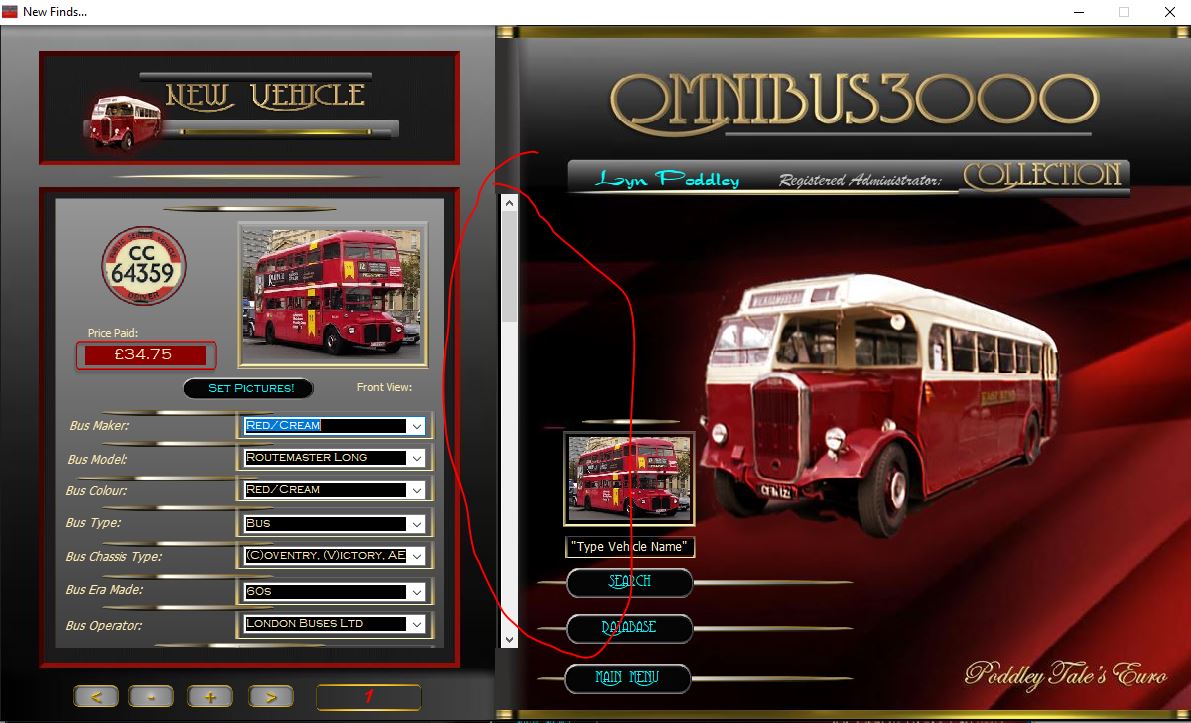
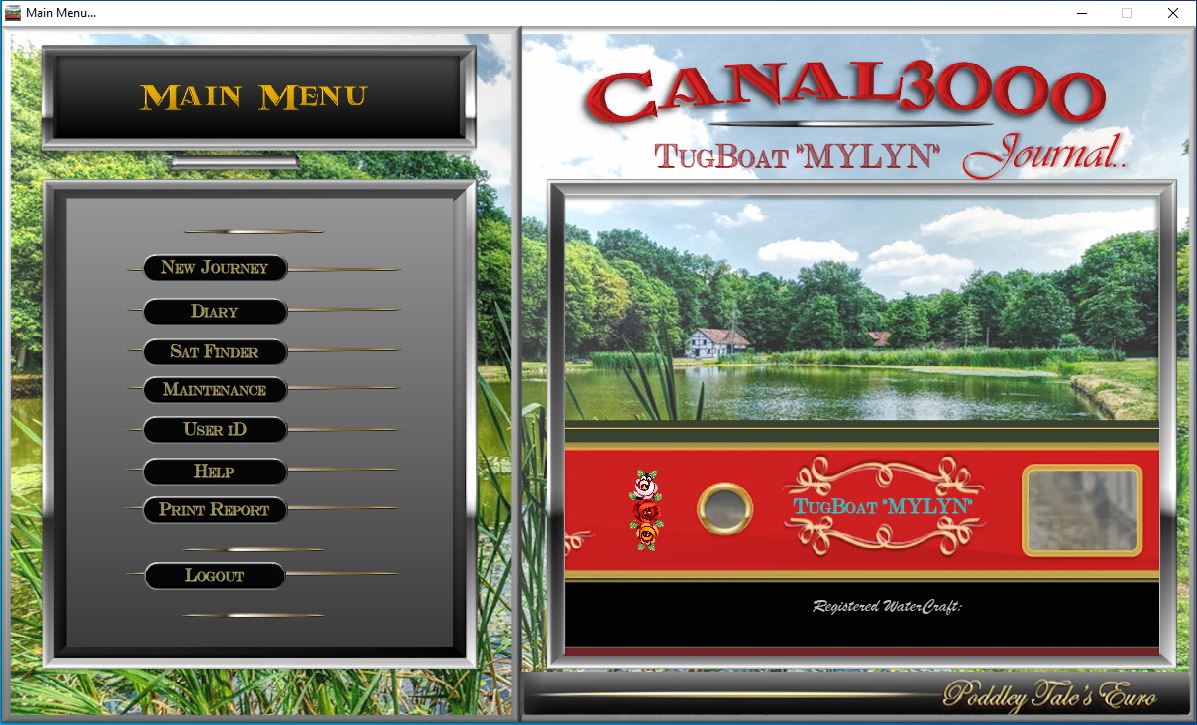
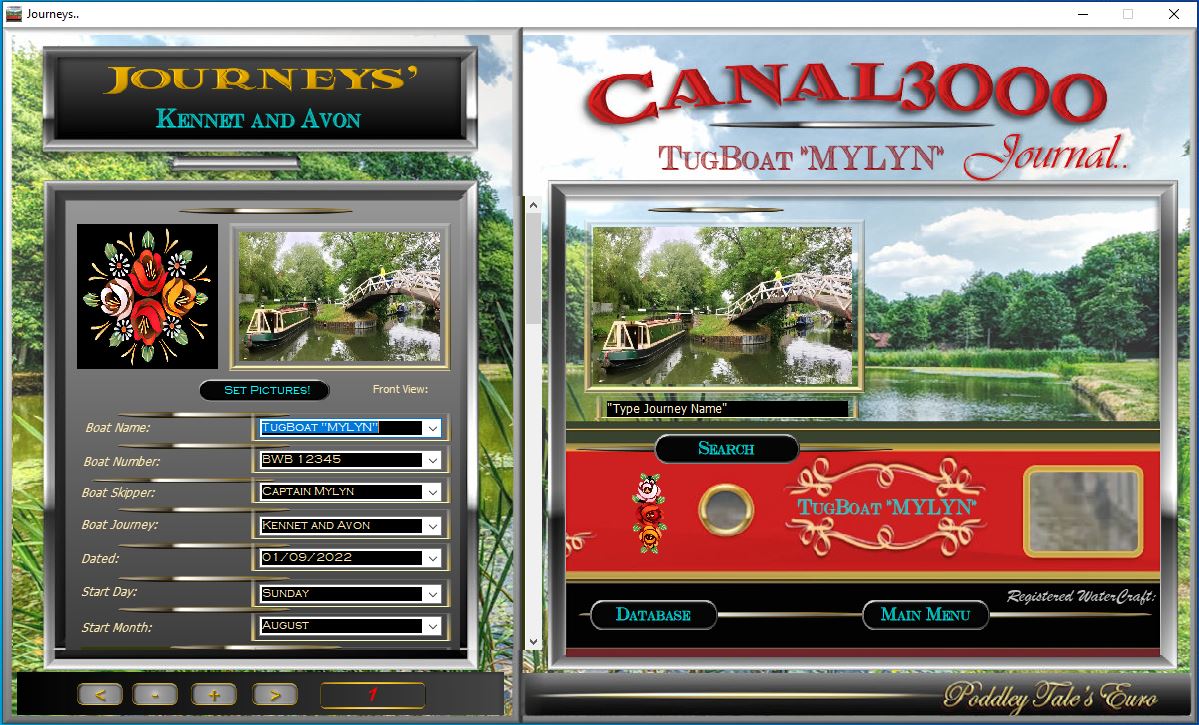
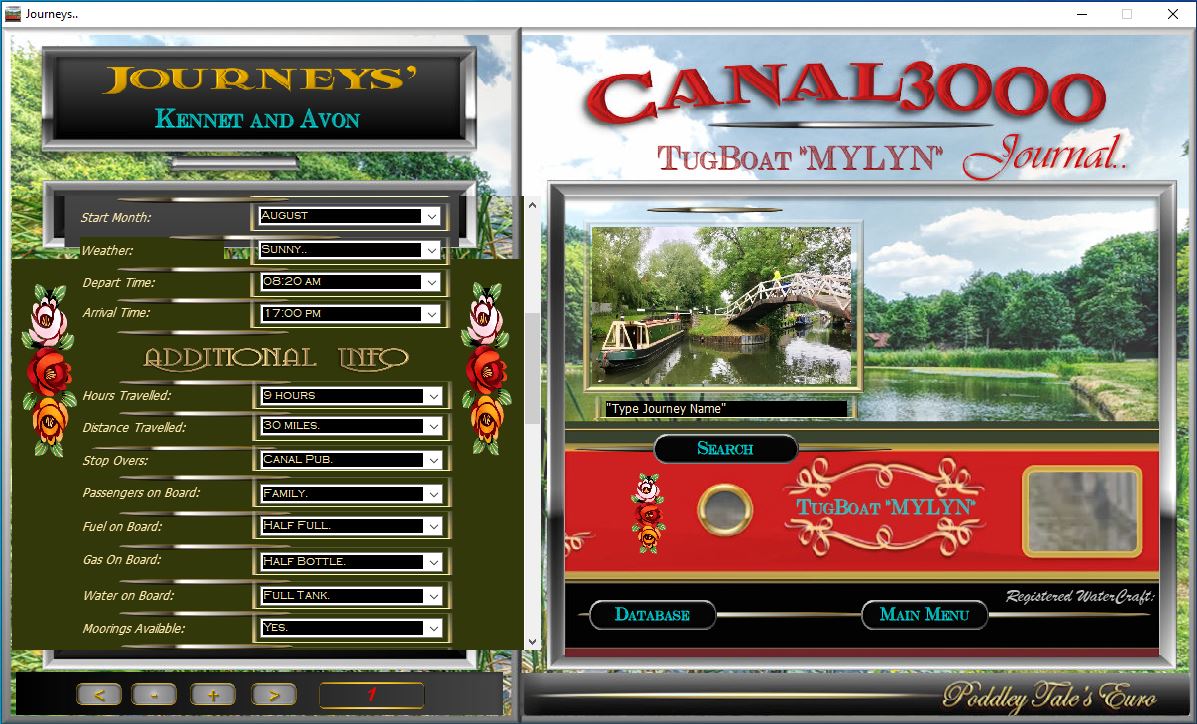
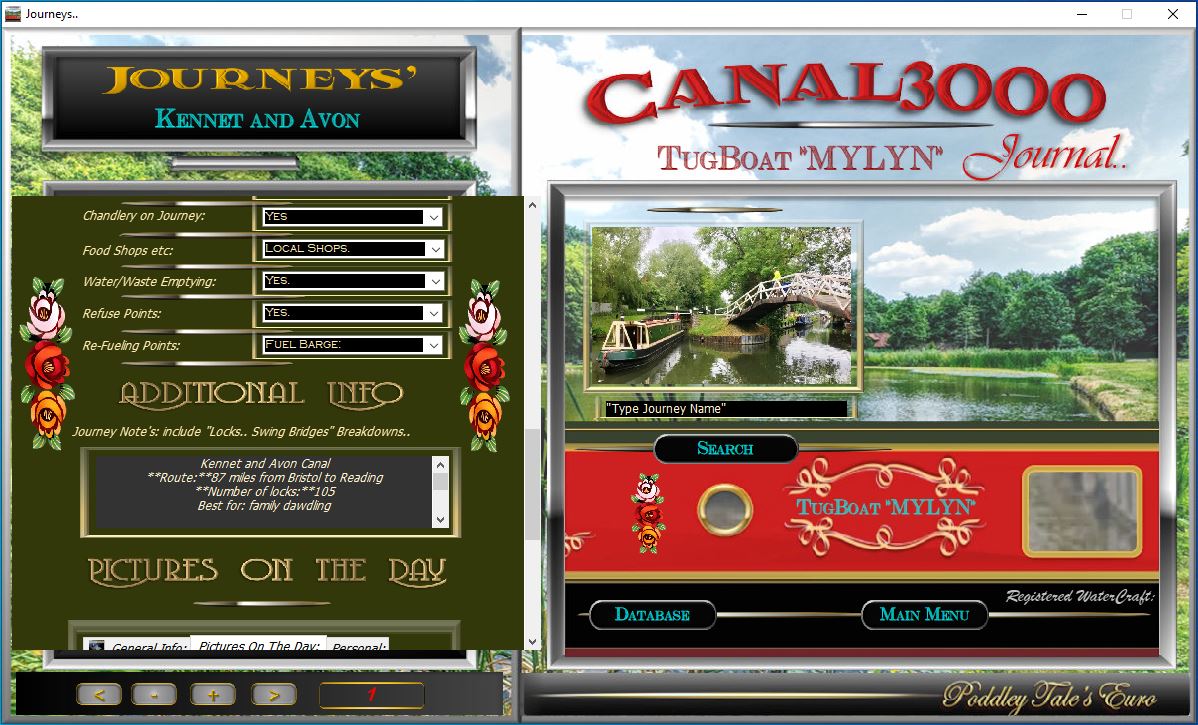
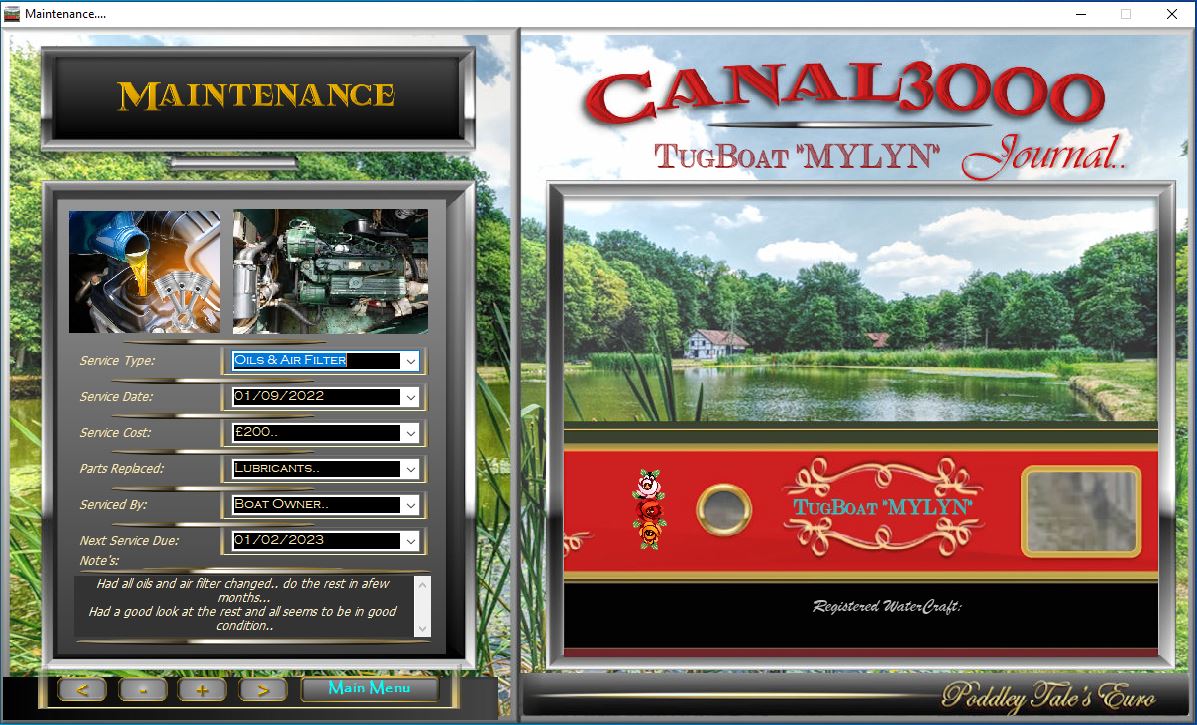
Looked at you replies and None will work in my systems for Windows Pc Databased Apps... as in Pics Below...
Thank you for trying to sort it....
Lyn...
Secondly... Hello Luis...
I know I can make these in Neo web... Pwa (which is my preferred way) and scroll box works fine for adding as many fields as you want...
but that means I have to make them and sell them on my Servers... I don't want that.. I just like the ones I already have made since 2001 for Windows Systems with a standard Setup.exe or Msi.. installer.. so I don't have to get involved ....
The Canal3000 is just one of many which is very popular with the Boating Scene here in UK and EU which I sell ...
The 5 pics show a scroll Box with 30 fields that overflow is hidden... why is there not one in the Neo Win...
is there a way I can copy from NeoWeb into Neo Win... which I have purchase along with DBPro...
It can't be a Web app.. it has to be Windows PC... with its own Setup.exe etc...
Maybe you can make a demo of this if you have time and find the answer...
Regards
Lyn...
Firstly... Hello Darb...
Looked at you replies and None will work in my systems for Windows Pc Databased Apps... as in Pics Below...
Thank you for trying to sort it....
Lyn...
Secondly... Hello Luis...
I know I can make these in Neo web... Pwa (which is my preferred way) and scroll box works fine for adding as many fields as you want...
but that means I have to make them and sell them on my Servers... I don't want that.. I just like the ones I already have made since 2001 for Windows Systems with a standard Setup.exe or Msi.. installer.. so I don't have to get involved ....
The Canal3000 is just one of many which is very popular with the Boating Scene here in UK and EU which I sell ...
The 5 pics show a scroll Box with 30 fields that overflow is hidden... why is there not one in the Neo Win...
is there a way I can copy from NeoWeb into Neo Win... which I have purchase along with DBPro...
It can't be a Web app.. it has to be Windows PC... with its own Setup.exe etc...
Maybe you can make a demo of this if you have time and find the answer...
Regards
Lyn...
Uploaded files:
Quote from luishp on April 19, 2024, 10:12 ambut that means I have to make them and sell them on my Servers... I don't want that.
@linda-rainey that's only true for PWA's but not for the other options I have pointed out.
neoEdge, NWjs and HTML Compiler allow local deployment. No need for servers.
but that means I have to make them and sell them on my Servers... I don't want that.
@linda-rainey that's only true for PWA's but not for the other options I have pointed out.
neoEdge, NWjs and HTML Compiler allow local deployment. No need for servers.
Quote from Linda Rainey on April 19, 2024, 10:26 amHello Luis..
I have downloaded NeoEdge and don't know how it works it just says blank..
What do I use it with.... is there any demos...
Regards
Lyn...
Hello Luis..
I have downloaded NeoEdge and don't know how it works it just says blank..
What do I use it with.... is there any demos...
Regards
Lyn...
Quote from luishp on April 19, 2024, 11:31 am@linda-rainey please note I have included links to all my suggestions where you can find more information for each one:
- Use neoEdge for Windows apps (you can even use VisualNEO Win commands from your VisualNEO Web app).
- Use NWjs for Windows, Linux and Mac apps.
- Use PWABuilder to create a Windows app and to publish it in the Microsoft Store.
- Use HTML Compiler as an alternative to neoEdge.
There is also a recent blog post about neoEdge.
And a video tutorial:
@linda-rainey please note I have included links to all my suggestions where you can find more information for each one:
- Use neoEdge for Windows apps (you can even use VisualNEO Win commands from your VisualNEO Web app).
- Use NWjs for Windows, Linux and Mac apps.
- Use PWABuilder to create a Windows app and to publish it in the Microsoft Store.
- Use HTML Compiler as an alternative to neoEdge.
There is also a recent blog post about neoEdge.
And a video tutorial:
Quote from Linda Rainey on April 19, 2024, 2:17 pmHello Luis ...
Yes I have seen all those links .. but to use a Web Address that uses or stores a database is to my knowledge doesn't exist.. unless PHP that still has to reside on own Webservers ...
And to be Honest... I am too old for messing around with "Scripts" as I have seen in Vids... I give that up years ago...
If I could just make a Win App that is yours that works a simple as my own ... instead "Delphi Rad"... that I have used many years... and costs silly price each year just to keep licence going... whereas your system is best because of one off cost...
Anyway thanks for help...
Lyn...
Hello Luis ...
Yes I have seen all those links .. but to use a Web Address that uses or stores a database is to my knowledge doesn't exist.. unless PHP that still has to reside on own Webservers ...
And to be Honest... I am too old for messing around with "Scripts" as I have seen in Vids... I give that up years ago...
If I could just make a Win App that is yours that works a simple as my own ... instead "Delphi Rad"... that I have used many years... and costs silly price each year just to keep licence going... whereas your system is best because of one off cost...
Anyway thanks for help...
Lyn...

Quote from mishem on April 20, 2024, 10:06 am@linda-rainey try this plugin http://neobooker.ru/forum/37-3710-1
@linda-rainey try this plugin http://neobooker.ru/forum/37-3710-1
Quote from Gaev on April 27, 2024, 2:15 am@linda-rainey
If I understand your requirement, you are looking for the middle section of a Container to be ...
1) larger in size than the screen height designated for it
2) scrollable up/down by the user at run timeI have attached a minimalist pub that should be seen as a "proof of concept" ... the key design points are ...
1) the middle section is also a Container which ...
- which can be as large (tall) as your requirements dictate
- is set to Arrange >>> Send to Back
- would host the ListBoxes and associated TextBoxes2) Every object has its Snap property set to None
3) The TrackBar object is used for user scrolling ... the script in its Value changing event section rolls the inner Container up and down
4) the original (i.e. design time) top and left co-ordinates are set in the PageEnter section ... if the Application is designed to navigate away from this page and returned later, the design time values would need to be saved first.
5) The UI (colours etc.) is ugly; the objective here is to have the developer observe each object clearly.
6) The ListBoxes do not have any script activated upon user selection, as it is not germaine to the "proof of concept".
If I understand your requirement, you are looking for the middle section of a Container to be ...
1) larger in size than the screen height designated for it
2) scrollable up/down by the user at run time
I have attached a minimalist pub that should be seen as a "proof of concept" ... the key design points are ...
1) the middle section is also a Container which ...
- which can be as large (tall) as your requirements dictate
- is set to Arrange >>> Send to Back
- would host the ListBoxes and associated TextBoxes
2) Every object has its Snap property set to None
3) The TrackBar object is used for user scrolling ... the script in its Value changing event section rolls the inner Container up and down
4) the original (i.e. design time) top and left co-ordinates are set in the PageEnter section ... if the Application is designed to navigate away from this page and returned later, the design time values would need to be saved first.
5) The UI (colours etc.) is ugly; the objective here is to have the developer observe each object clearly.
6) The ListBoxes do not have any script activated upon user selection, as it is not germaine to the "proof of concept".
Uploaded files:
Quote from Sinesi Giuseppe on April 29, 2024, 5:26 pmIt would be nice if there was a plugin for this, I think it's a very useful function. It's a shame there are no more developments for this fantastic software which, years later, is still one of the simplest and greatest in the same way.
It would be nice if there was a plugin for this, I think it's a very useful function. It's a shame there are no more developments for this fantastic software which, years later, is still one of the simplest and greatest in the same way.

Quote from emo on August 22, 2025, 3:06 pmHello @linda-rainey @phil78 @darbdenral @luishp @mishem @gaev @sinesi-giuseppe ,
I've been following this thread and saw the discussion about the need for a truly scrollable container in VisualNEO Win. I know how essential this feature is, and the workarounds can be complicated.
I'm happy to announce that I've just released a plugin that solves this problem directly.
The plugin is called Emo_Scrollable container. It adds a native scrollbar to any Container object, so you don't need to build complex solutions with TrackBars or other methods.
You can download hereRegards,
Emo
Hello @linda-rainey @phil78 @darbdenral @luishp @mishem @gaev @sinesi-giuseppe ,
I've been following this thread and saw the discussion about the need for a truly scrollable container in VisualNEO Win. I know how essential this feature is, and the workarounds can be complicated.
I'm happy to announce that I've just released a plugin that solves this problem directly.
The plugin is called Emo_Scrollable container. It adds a native scrollbar to any Container object, so you don't need to build complex solutions with TrackBars or other methods.
You can download here
Regards,
Emo

Quote from dglojnar on August 22, 2025, 3:50 pm@emmanuel-fernandez
Perfect companion for VWin/Neobook !
Thank You a lot for Your contribution to our small community with really useful and good plugins !
Have nice weekand/vacation (you deserve it!)
Cheers!
Perfect companion for VWin/Neobook !
Thank You a lot for Your contribution to our small community with really useful and good plugins !
Have nice weekand/vacation (you deserve it!)
Cheers!
Quote from emo on August 22, 2025, 5:21 pmThank's @dglojnar ,
I have updated now to Version 1.1To make it easier to build dynamic scrollable lists, I've added a new action: emo_ScrollableContainer_AddObject.
This new action lets you place any VisualNEoWin object (like a picture, text, or button) directly inside your scrollable container at a specific X and Y position.
This simplifies the process of creating complex layouts without manual calculations.
Regards,
Emo
Thank's @dglojnar ,
I have updated now to Version 1.1
To make it easier to build dynamic scrollable lists, I've added a new action: emo_ScrollableContainer_AddObject.
This new action lets you place any VisualNEoWin object (like a picture, text, or button) directly inside your scrollable container at a specific X and Y position.
This simplifies the process of creating complex layouts without manual calculations.
Regards,
Emo
Quote from emo on August 22, 2025, 8:06 pmHello everyone,
I've released a major update Version v2.0 for the Emo Scrollable Container plugin.
The main new feature is support for horizontal scrollbars also.
The Make action has been updated to accept both a ContentWidth and ContentHeight.
If the content width you provide is larger than the container itself, the horizontal scrollbar will appear automatically.regards
EmoUpdated to v2.1
This is a maintenance release focused on improving stability, especially when returning to the VisualNEO Win editor after running a publication
Hello everyone,
I've released a major update Version v2.0 for the Emo Scrollable Container plugin.
The main new feature is support for horizontal scrollbars also.
The Make action has been updated to accept both a ContentWidth and ContentHeight.
If the content width you provide is larger than the container itself, the horizontal scrollbar will appear automatically.
regards
Emo
Updated to v2.1
This is a maintenance release focused on improving stability, especially when returning to the VisualNEO Win editor after running a publication