
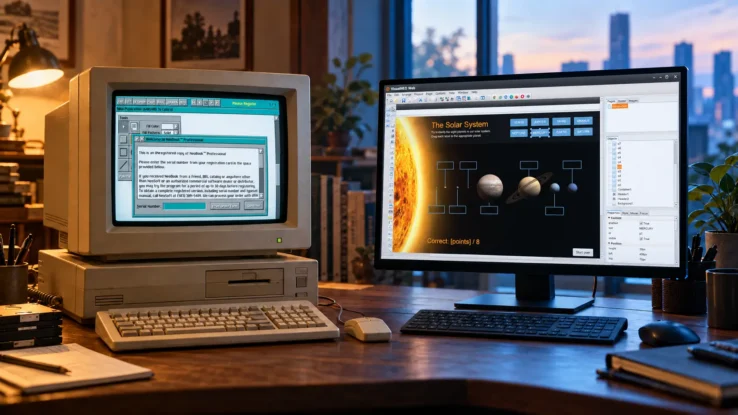
From NeoBook to VisualNEO Win: 30+ Years of Keeping a Development Tool Alive
Every now and then I remember that I work on a piece of software whose history goes back to 1993. That feels slightly absurd in an industry where a five-year-old framework can already be considered legacy.
The software is VisualNEO Win, although for most of its life it had a different name: NeoBook.
Full disclosure: I am the current developer and owner of VisualNEO. I didn’t create NeoBook. That credit belongs to David Riley of NeoSoft, and the story started long before I became involved.
NeoBook started with electronic books
The first public version of NeoBook was released for DOS in late 1993. It wasn’t intended to become a general-purpose programming environment. The idea was in the name: NeoBook was a visual tool for creating electronic books and interactive publications. You could arrange text, images and buttons on pages and give those objects actions without first becoming a conventional programmer.
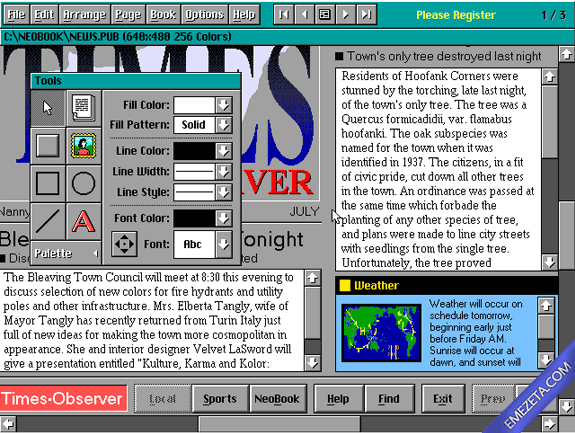
Then users did what users often do: they started building things the developer hadn’t really intended. Instead of just electronic books, people made utilities, databases, educational software, business applications, multimedia programs and catalogues. NeoBook gradually became a development environment.
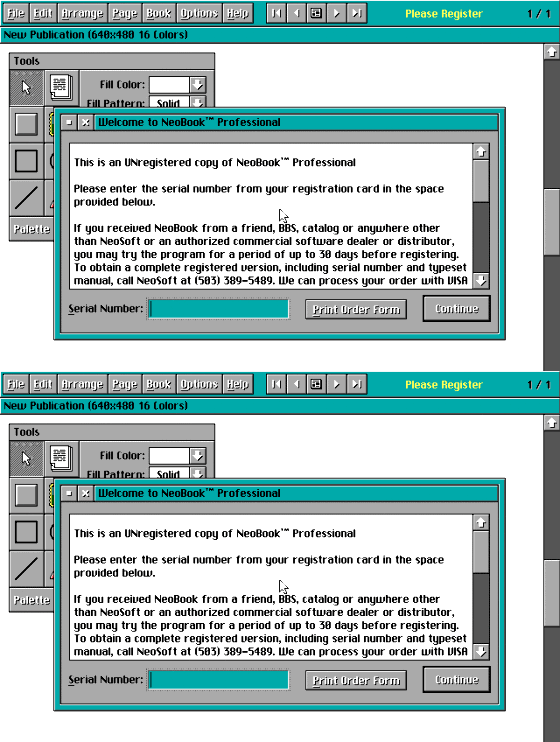
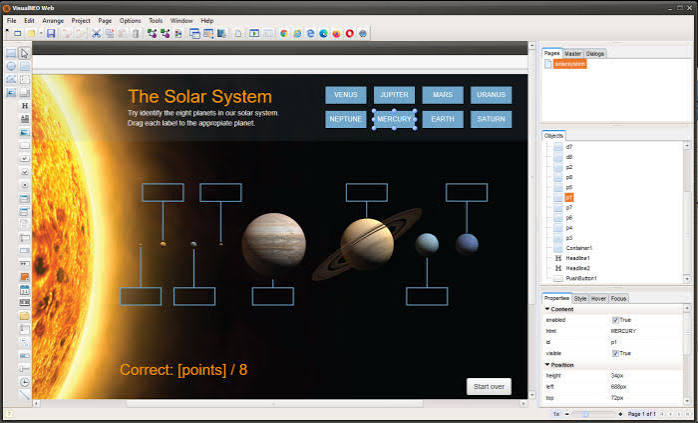
That basic idea is still recognizable today. You build an interface visually, attach actions and scripts to objects, use variables and functions for the application logic, and compile the project into a standalone Windows executable. It’s easy to start with, but the applications don’t have to be simple.
Over the years a large plug-in ecosystem developed around NeoBook. Plug-ins added databases, communications, multimedia, hardware control, reporting, image processing and many other capabilities. Developers built commercial products with it.
Keeping existing work alive
That matters when talking about its age. VisualNEO Win isn’t simply an old program that we managed to make run on Windows 11. Older NeoBook projects are still being maintained, and people are also developing new professional applications with VisualNEO Win today. Some are commercial software; others are internal business applications that most people will never see.
In 2018, development of NeoBook was transferred to me, and the product became VisualNEO Win. By then, people had invested years in their projects, scripts and third-party plug-ins.
Starting again with a clean architecture would have been attractive from a developer’s point of view. It would also have been a fairly terrible thing to do to the users. Imagine telling somebody that an application they had maintained for fifteen years, or a plug-in they had bought from a developer who disappeared ten years ago, no longer worked because the new architecture was much cleaner.
So backward compatibility became one of VisualNEO’s design requirements. For several years, VisualNEO Win and NeoBook were very similar. In 2021, VisualNEO Win began adding commands and functionality that didn’t exist in NeoBook, while retaining the ability to open and compile older NeoBook projects.
Modernizing without breaking the past
More recently, we went much further. In 2026, we migrated the development environment from its old Delphi 7 codebase to Delphi 11. That was one of those projects that looks much more reasonable before you start it.
The application now has much broader Unicode support, WebView2 integration, HTTP and JSON capabilities, WebP support, improved editors and new Windows integration. We also introduced an AI development kit and a new plug-in architecture. A lot of less visible internal work was necessary to give the software a future.
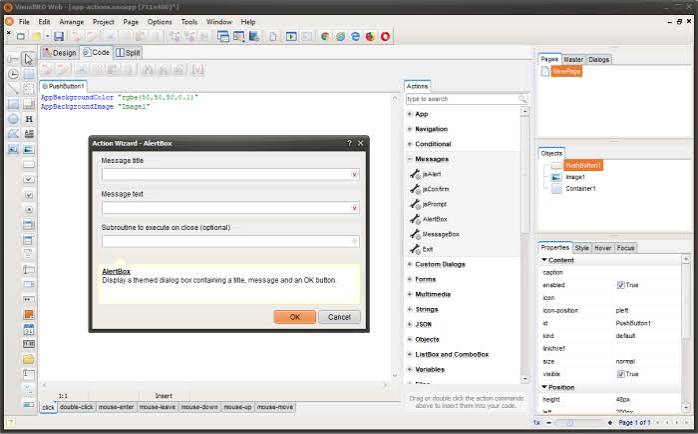
The new plug-in system can add visual controls, actions, properties and events directly to the development environment. But we kept the classic .nbp plug-in system too. There are decades of useful plug-ins built for it.
There is another apparently odd decision: VisualNEO Win itself is still a Win32 application. A large part of the classic plug-in ecosystem depends on that architecture. Moving everything to 64-bit simply because it sounds more modern would break something that has genuine value to existing developers.
We will keep facing decisions like that. What do you preserve? What do you replace? At what point does backward compatibility stop being a feature and start preventing progress? There isn’t always an obvious answer.
Why the original idea still matters
Perhaps the part I find most interesting is that NeoBook anticipated something that has become fashionable again. Today we would probably put it somewhere in the low-code spectrum: visual development for people who want to create software without spending months learning a conventional programming stack, with scripting and extensibility available when they need to go further.
In 1993, nobody called it low-code. It was simply an attempt to let more people make software. Thirty-plus years later, that idea doesn’t seem particularly obsolete.
The technology around it has changed almost beyond recognition. DOS, Windows 95, the web, smartphones, cloud services and now AI-assisted development have all appeared during the lifetime of this product. The original problem hasn’t disappeared: people still know exactly what application they need without necessarily wanting to become professional C++, C# or Java developers to create it. Experienced developers, too, sometimes just want to build a Windows utility quickly.
I’m not suggesting that a development environment designed in the 1990s somehow predicted the future. Much of the work we are doing now exists precisely because software doesn’t survive thirty years without accumulating a great deal of history.
But there is something interesting about a tool surviving this many technological generations while people continue to use it to create new professional software. Most of the products that competed with NeoBook in the multimedia-authoring era disappeared a long time ago. Somehow, this one kept going.
I’d be interested to hear from anyone else maintaining a development tool or application with code or compatibility requirements stretching back 20 or 30 years. How far do you go to preserve old projects and extensions?
If there’s interest, I can write a separate post about the Delphi 7 to Delphi 11 migration and what it took to modernize the application without breaking decades of existing projects and plug-ins.
Comments