
Compiled Windows Exe Content-Slider Demo Won't Run

Quote from vwatson on February 5, 2020, 3:18 amI downloaded VisualNeo Web to try it. Loaded and compiled the content-slider demo program to an exe.
When I try to run the exe, it causes VisualNeo Web to shut down. That seems odd. I don't know why a standalone exe would have anything to do with the VisualNeo software, but I tried it twice and it made it shut down both times.
The content-slider-demo.exe gives the following error:
Windows cannot access the specified device, path, or file. You may not have the appropriate permissions to access the item.When I run the same sample program within VisualNeo, it works fine.
Am I missing something on the compile step?
I downloaded VisualNeo Web to try it. Loaded and compiled the content-slider demo program to an exe.
When I try to run the exe, it causes VisualNeo Web to shut down. That seems odd. I don't know why a standalone exe would have anything to do with the VisualNeo software, but I tried it twice and it made it shut down both times.
The content-slider-demo.exe gives the following error:
Windows cannot access the specified device, path, or file. You may not have the appropriate permissions to access the item.
When I run the same sample program within VisualNeo, it works fine.
Am I missing something on the compile step?

Quote from luishp on February 5, 2020, 7:45 pmNo, you are not missing anything. It's just important to know the limitations regarding exporting a WebApp to a Windows .exe. as it's just an embeded Internet Explorer instance and some functionalities will not work.
In this case, as the sample images are loaded from an external site, you are probably facing a CORS issue.
Although it can export to .exe and mobile PhoneGap format, in general VisualNEO Web is optimized for Web Apps (you should upload them to a Web Hosting or execute within a local Web Server).
No, you are not missing anything. It's just important to know the limitations regarding exporting a WebApp to a Windows .exe. as it's just an embeded Internet Explorer instance and some functionalities will not work.
In this case, as the sample images are loaded from an external site, you are probably facing a CORS issue.
Although it can export to .exe and mobile PhoneGap format, in general VisualNEO Web is optimized for Web Apps (you should upload them to a Web Hosting or execute within a local Web Server).
Quote from vwatson on February 5, 2020, 8:08 pmOkay, thanks.
For the time being, I'll just stick to the Win version. I'd love to have all the Win features in a product that could compile to Mac and Android apps. :)
Okay, thanks.
For the time being, I'll just stick to the Win version. I'd love to have all the Win features in a product that could compile to Mac and Android apps. :)
Quote from luishp on February 6, 2020, 12:29 pmI'd love to have all the Win features in a product that could compile to Mac and Android apps. :)
VisualNEO Web is even more powerful as it can integrate almost any web technology.
I think Web Apps have a lot of benefits over compiled "native" applications.Native apps:
- Works for a certain device or operating system.
- App is downloaded and installed into a device.
- Functionality integrated with device's features.
- Often perform faster than web apps.
- Can be more expensive to create and maintain.
- App store approval process can be daunting.
Web Apps:
- Users access the app from their mobile devices web browser (no installation required)
- Easy to maintain due to common code base across multiple platforms.
- Can be made compatible with any older device.
- Can be released at developer's discretion since there's no app store approval process.
- Very easy to keep updated.
- Limited in what device features it can access (not true for Hybrid PhoneGap Apps).
- More opportunities to monetize.
I'd love to have all the Win features in a product that could compile to Mac and Android apps. :)
VisualNEO Web is even more powerful as it can integrate almost any web technology.
I think Web Apps have a lot of benefits over compiled "native" applications.
Native apps:
- Works for a certain device or operating system.
- App is downloaded and installed into a device.
- Functionality integrated with device's features.
- Often perform faster than web apps.
- Can be more expensive to create and maintain.
- App store approval process can be daunting.
Web Apps:
- Users access the app from their mobile devices web browser (no installation required)
- Easy to maintain due to common code base across multiple platforms.
- Can be made compatible with any older device.
- Can be released at developer's discretion since there's no app store approval process.
- Very easy to keep updated.
- Limited in what device features it can access (not true for Hybrid PhoneGap Apps).
- More opportunities to monetize.
Quote from vwatson on February 6, 2020, 2:06 pmMy goal is to develop educational software, particularly for the homeschool market. I think there's an audience there that doesn't necessarily want their kids plugged in to the internet. They'll download directly from my website so I don't use the app store.
My goal is to develop educational software, particularly for the homeschool market. I think there's an audience there that doesn't necessarily want their kids plugged in to the internet. They'll download directly from my website so I don't use the app store.
Quote from luishp on February 6, 2020, 3:20 pmMy goal is to develop educational software, particularly for the homeschool market. I think there's an audience there that doesn't necessarily want their kids plugged in to the internet. They'll download directly from my website so I don't use the app store.
A Progressive Web App is downloaded once (from a web site) and then installed as a normal application. Although it runs in a Web Browser instance, it works as if it was a normal application in all operating systems (no URL, no tabs, no web browser buttons: just a naked window). On the other hand an Android App can not be installed from outside the Play Store unless you unlock your device to allow external apps.
My goal is to develop educational software, particularly for the homeschool market. I think there's an audience there that doesn't necessarily want their kids plugged in to the internet. They'll download directly from my website so I don't use the app store.
A Progressive Web App is downloaded once (from a web site) and then installed as a normal application. Although it runs in a Web Browser instance, it works as if it was a normal application in all operating systems (no URL, no tabs, no web browser buttons: just a naked window). On the other hand an Android App can not be installed from outside the Play Store unless you unlock your device to allow external apps.
Quote from vwatson on February 6, 2020, 5:36 pmHow do I get that? I don't see an option for "Progressive Web App." When I compile as a Web Application, all I get is a folder with an index.html file. Running that just opens it in my browser as any other html file. I don't see the type of window you describe.
Also, if I use a database, is the php server run automatically? Or would the user have to run that separately on a local machine?
How do I get that? I don't see an option for "Progressive Web App." When I compile as a Web Application, all I get is a folder with an index.html file. Running that just opens it in my browser as any other html file. I don't see the type of window you describe.
Also, if I use a database, is the php server run automatically? Or would the user have to run that separately on a local machine?
Quote from luishp on February 6, 2020, 6:30 pmA Progresive Web App is a normal HTML Web App with some enhancements.
Please take a look here:
https://visualneo.com/forum/topic/pwa-progressive-web-appsAnd also here:
https://visualneo.com/forum/topic/progressive-web-app-vs-native-appYou must first upload you App to a web server (a hosting service with SSL autoinstall)
neoPhpServer is only for development purpouses, once uploaded to a server, the php code is executed on the server.
It's very important to understand how client/server applications work, as you will use the same database for all your users and it's located on the server. It's the same way FaceBook, Instagram, WordPress or any other web application works.Note that you don't need to send the app to your users, just the URL where it's hosted. They open the URL in Chrome and a message offers them to install the application in it's device (computer or phone).
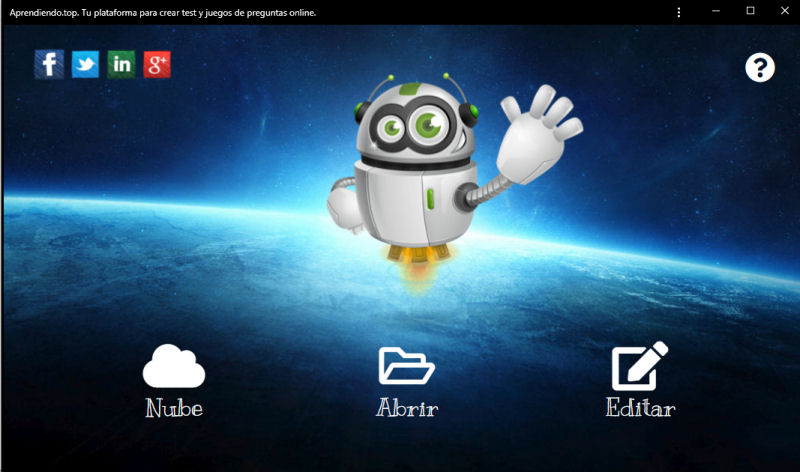
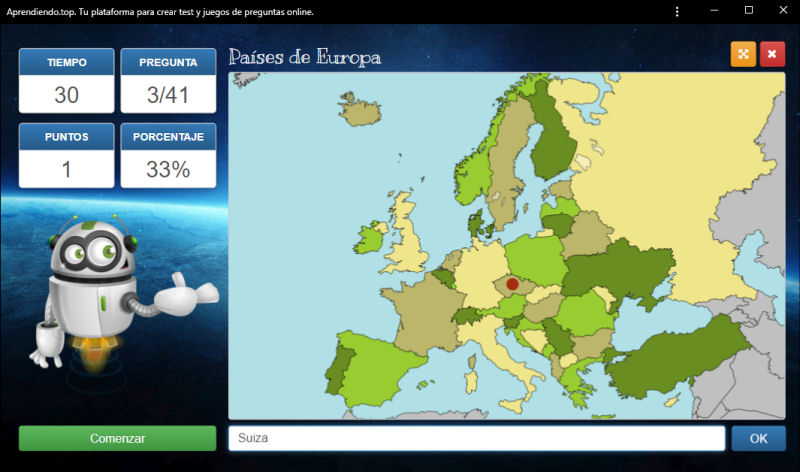
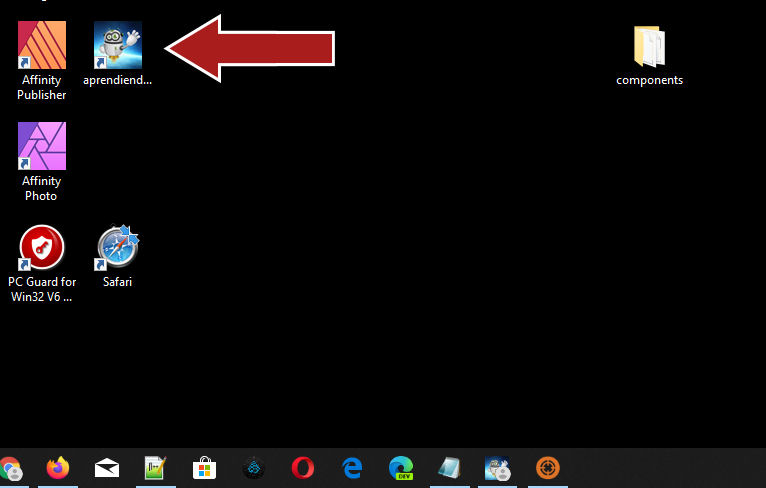
This is an example of an educational Progressive Web App I did using VisualNEO Web (attached images showing how I see it in my computer once installed):
https://aprendiendo.top
A Progresive Web App is a normal HTML Web App with some enhancements.
Please take a look here:
https://visualneo.com/forum/topic/pwa-progressive-web-apps
And also here:
https://visualneo.com/forum/topic/progressive-web-app-vs-native-app
You must first upload you App to a web server (a hosting service with SSL autoinstall)
neoPhpServer is only for development purpouses, once uploaded to a server, the php code is executed on the server.
It's very important to understand how client/server applications work, as you will use the same database for all your users and it's located on the server. It's the same way FaceBook, Instagram, WordPress or any other web application works.
Note that you don't need to send the app to your users, just the URL where it's hosted. They open the URL in Chrome and a message offers them to install the application in it's device (computer or phone).
This is an example of an educational Progressive Web App I did using VisualNEO Web (attached images showing how I see it in my computer once installed):
https://aprendiendo.top
Uploaded files:
Quote from vwatson on February 6, 2020, 11:11 pmIt looks very nice, but it seems the internet connection is still required if the database remains on the server. I won't waste any more of your time.
I think what I'm looking for doesn't exist. :)
I'll be content with VisualNeoWin for now.
It looks very nice, but it seems the internet connection is still required if the database remains on the server. I won't waste any more of your time.
I think what I'm looking for doesn't exist. :)
I'll be content with VisualNeoWin for now.

Quote from mazzu001 on February 15, 2020, 11:23 amQuote from luishp on February 6, 2020, 12:29 pmI'd love to have all the Win features in a product that could compile to Mac and Android apps. :)
VisualNEO Web is even more powerful as it can integrate almost any web technology.
I think Web Apps have a lot of benefits over compiled "native" applications.I think a lot of us over on the VNWin side feel a little overwhelmed with VNWeb. With VNWin you just need to know Neo Scripting. Which is easy and all of us have come to love it from the NeoBook days. With VisualNeo Web. you need to know Neo Script PLUS PHP, HTML, working with Json, and probably a few i don't even know about. VNWins audience has always been the citizen developer. The switch over to VNWeb is just too much of a transition for some. Its great for coders, but it is slowly moving out of the realm of a RAD IDE and into traditional programming like Visual Studio and Delphi. Which is awesome, but not for the VNWin side. I dont know PHP (Ive always been an ASP guy). I dont want to learn PHP. Its all a little much for the simple citizen developers like us. VNWin has always been focused on making it possible for anyone to make apps. People who know PHP Json C++ etc, they can already build applications in tons of different IDEs. Simple developers like us just dont have the knowledge to move over to VNWeb.
Quote from luishp on February 6, 2020, 12:29 pmI'd love to have all the Win features in a product that could compile to Mac and Android apps. :)
VisualNEO Web is even more powerful as it can integrate almost any web technology.
I think Web Apps have a lot of benefits over compiled "native" applications.
I think a lot of us over on the VNWin side feel a little overwhelmed with VNWeb. With VNWin you just need to know Neo Scripting. Which is easy and all of us have come to love it from the NeoBook days. With VisualNeo Web. you need to know Neo Script PLUS PHP, HTML, working with Json, and probably a few i don't even know about. VNWins audience has always been the citizen developer. The switch over to VNWeb is just too much of a transition for some. Its great for coders, but it is slowly moving out of the realm of a RAD IDE and into traditional programming like Visual Studio and Delphi. Which is awesome, but not for the VNWin side. I dont know PHP (Ive always been an ASP guy). I dont want to learn PHP. Its all a little much for the simple citizen developers like us. VNWin has always been focused on making it possible for anyone to make apps. People who know PHP Json C++ etc, they can already build applications in tons of different IDEs. Simple developers like us just dont have the knowledge to move over to VNWeb.
Quote from luishp on February 15, 2020, 2:30 pm@mazzu001 I understand you but, in my humble opinion, you are wrong.
VisualNEO Web can be as easy as VisualNEO Win for beginners, but it seems much more complicated because it integrates a bunch of technologies (in fact any web technology can be integrated) so you can feel overwhelmed very easily. The key point is not trying to understand everything at first. Just go step by step so you get confidence and use what you need for your current project. VisualNEO Web is great to learn web development!
On client side, HTML, CSS, JavaScript and JQuery are very useful to learn but not necessary, although a little bit of knowledge can make a big difference. As a server side language you can use PHP, ASP, ColdFusion, Java, NodeJS, Python, Ruby... and even VisualNEO Win!, there is not any restriction. Right now VisualNEO Web includes neoPHP plugin to facilitate common server side functionalities, but you don't even need it. In the future there will probably be more server focused plugins.
JSON is just a data collection, similar to Arrays, but more structured. It's the standard format to send and get information on the web. This way you can get data from any Internet service very easily (weather, exchange rates, pollution data, data bases...)
I consider myself mainly a web developer and, contrary to what you think, there is not any tool out there as productive as VisualNEO Web. You can even develop a full app in a day!
Right now I'm working hard on getting VisualNEO Web ready to compile Progressive Web Apps (PWA). They can be installed in almost any device, work offline and behave as a native application in almost any sense. They can be published in the Play Store and in the Windows Store. Traditional Windows executables are becoming less and less popular due to security risks and platform dependence. Today PWAs are the best alternative.
I know more samples, tutorials and documentation are needed but it's just a question of time.
As Dave Riley from Neosoftware once told me:
Comparing VisualNEO Win and VisualNEO Web is like comparing a Volkswagen Beetle with a Ferrari.
VisualNEO Web is as easy or as difficult as you want to go.
@mazzu001 I understand you but, in my humble opinion, you are wrong.
VisualNEO Web can be as easy as VisualNEO Win for beginners, but it seems much more complicated because it integrates a bunch of technologies (in fact any web technology can be integrated) so you can feel overwhelmed very easily. The key point is not trying to understand everything at first. Just go step by step so you get confidence and use what you need for your current project. VisualNEO Web is great to learn web development!
On client side, HTML, CSS, JavaScript and JQuery are very useful to learn but not necessary, although a little bit of knowledge can make a big difference. As a server side language you can use PHP, ASP, ColdFusion, Java, NodeJS, Python, Ruby... and even VisualNEO Win!, there is not any restriction. Right now VisualNEO Web includes neoPHP plugin to facilitate common server side functionalities, but you don't even need it. In the future there will probably be more server focused plugins.
JSON is just a data collection, similar to Arrays, but more structured. It's the standard format to send and get information on the web. This way you can get data from any Internet service very easily (weather, exchange rates, pollution data, data bases...)
I consider myself mainly a web developer and, contrary to what you think, there is not any tool out there as productive as VisualNEO Web. You can even develop a full app in a day!
Right now I'm working hard on getting VisualNEO Web ready to compile Progressive Web Apps (PWA). They can be installed in almost any device, work offline and behave as a native application in almost any sense. They can be published in the Play Store and in the Windows Store. Traditional Windows executables are becoming less and less popular due to security risks and platform dependence. Today PWAs are the best alternative.
I know more samples, tutorials and documentation are needed but it's just a question of time.
As Dave Riley from Neosoftware once told me:
Comparing VisualNEO Win and VisualNEO Web is like comparing a Volkswagen Beetle with a Ferrari.
VisualNEO Web is as easy or as difficult as you want to go.

Quote from rrey on February 15, 2020, 6:09 pmYo soy testigo de que Visualneo es una herramienta potente dirigida a usuarios con distintos niveles. A mi me va muy bien para el desarrollo de aplicaciones en el campo educativo. En poco tiempo he podido crear bastantes. Fuí usuario de Neobook pero creo que el presente y el futuro está más en la creación de apps en la nube. El formato exe no llega a todos los dispositivos digitales ni sistemas operativos. Visualneo para mi es un gran acierto al poder aglutinar diferentes librerías de funciones. También reconozco que con más tutoriales sería mejor.
Roger
Yo soy testigo de que Visualneo es una herramienta potente dirigida a usuarios con distintos niveles. A mi me va muy bien para el desarrollo de aplicaciones en el campo educativo. En poco tiempo he podido crear bastantes. Fuí usuario de Neobook pero creo que el presente y el futuro está más en la creación de apps en la nube. El formato exe no llega a todos los dispositivos digitales ni sistemas operativos. Visualneo para mi es un gran acierto al poder aglutinar diferentes librerías de funciones. También reconozco que con más tutoriales sería mejor.
Roger
Quote from vwatson on February 15, 2020, 6:57 pmTraditional Windows executables are becoming less and less popular due to security risks and platform dependence. Today PWAs are the best alternative.
I respectfully disagree with the security issue. You can't get much more secure than an exe on a desktop/laptop disconnected from the internet.
Platform dependence is an issue for developers but not necessarily consumers. To me solving the platform dependence issue doesn't require web apps. There are products (xojo is one example) that at least claim to be cross-platform.
Traditional Windows executables are becoming less and less popular due to security risks and platform dependence. Today PWAs are the best alternative.
I respectfully disagree with the security issue. You can't get much more secure than an exe on a desktop/laptop disconnected from the internet.
Platform dependence is an issue for developers but not necessarily consumers. To me solving the platform dependence issue doesn't require web apps. There are products (xojo is one example) that at least claim to be cross-platform.
Quote from vwatson on February 15, 2020, 7:00 pmAlso, back to my original question of not being able to compile that sample. Is it possible to detect features of the language used that make that project suitable only to certain build types, then disable those options when you get to the compile steps?
If only the compile types that actually worked were selectable, that would eliminate confusion and frustration.
Also, back to my original question of not being able to compile that sample. Is it possible to detect features of the language used that make that project suitable only to certain build types, then disable those options when you get to the compile steps?
If only the compile types that actually worked were selectable, that would eliminate confusion and frustration.
Quote from luishp on February 15, 2020, 7:25 pmAlso, back to my original question of not being able to compile that sample. Is it possible to detect features of the language used that make that project suitable only to certain build types, then disable those options when you get to the compile steps?
- All features should work for HTML/WebApp projects.
- All non-plugin features should work for all kind of projects.
- Plugin features that runs well on the "Run (from start)" button should work on Windows executables too.
You just have to take into account the CORS policy (cross domain downloads will be rejected on Windows executables).
The content slider demo uses external image files so it doesn't work as a Windows .exe. Just use local images and it will work.
I did that plugin and the sample file when VisualNEO Web (NeoAppBuilder) was in beta and didn't knew about this.I respectfully disagree with the security issue. You can't get much more secure than an exe on a desktop/laptop disconnected from the internet.
Yes, that's true if you trust in the .exe code. Just try uploading any of your .exe to VirusTotal and you will see what I mean.
You have to code-sign and certificate your executables in order to distribute them without being blocked by antivirus software.
Also .exe downloads are untrusted by default in almost all web browsers.Regards.
Also, back to my original question of not being able to compile that sample. Is it possible to detect features of the language used that make that project suitable only to certain build types, then disable those options when you get to the compile steps?
- All features should work for HTML/WebApp projects.
- All non-plugin features should work for all kind of projects.
- Plugin features that runs well on the "Run (from start)" button should work on Windows executables too.
You just have to take into account the CORS policy (cross domain downloads will be rejected on Windows executables).
The content slider demo uses external image files so it doesn't work as a Windows .exe. Just use local images and it will work.
I did that plugin and the sample file when VisualNEO Web (NeoAppBuilder) was in beta and didn't knew about this.
I respectfully disagree with the security issue. You can't get much more secure than an exe on a desktop/laptop disconnected from the internet.
Yes, that's true if you trust in the .exe code. Just try uploading any of your .exe to VirusTotal and you will see what I mean.
You have to code-sign and certificate your executables in order to distribute them without being blocked by antivirus software.
Also .exe downloads are untrusted by default in almost all web browsers.
Regards.
Quote from mazzu001 on February 16, 2020, 12:17 amQuote from luishp on February 15, 2020, 2:30 pm@mazzu001 I understand you but, in my humble opinion, you are wrong.
I know more samples, tutorials and documentation are needed but it's just a question of time.
As Dave Riley from Neosoftware once told me:
Comparing VisualNEO Win and VisualNEO Web is like comparing a Volkswagen Beetle with a Ferrari.
VisualNEO Web is as easy or as difficult as you want to go.
@luishp With all due respect my friend I do not see how I am wrong here. All I am saying is there are things (most obvious with windows) that are done with incredible ease in VNWin that I still cant figure out how to do in VNWeb. And that's because they are intrinsically serving two different infrastructure. For instance
I want to create a local text file and save some variables added to the end of it (Not all my clients are connected to the internet when they use my apps - Metal Roofs, rural locations etc.)
In VNWin
FileWrite "[PubDir]myFile.txt" "Append" "[MyVar]"That's it... Its done. Its literally that easy
I have been trying to figure out how to do this in a VNWeb project for hours and I still don't get it.
And as far as the comparison of a beetle to a Ferrari. Thats fair, but VW didn't just say "well darn, I guess we are beat" Instead of giving up, they made this
My thoughts are: VNWin has always made it so I did not have to learn extensive programming languages and could build apps with nearly no code. There is a HUGE demographic for citizen developers. If I have to learn coding languages there are a lot of free options out there. Like Visual Studio and Delphi Community Editions. But they are complicated. If I have to learn programming languages, what sets VNWeb apart from those? The best thing you can offer is simplicity. I know it may feel like you are catering to kindergartners, but that's kind of what made VisualNeo so much fun to develop with. That's your grass roots, and staying there in my humble opinion is whats going to decide the success of VisualNeo. But I wish VisualNeo Web all the success in the world. Good Luck my friend
Quote from luishp on February 15, 2020, 2:30 pm@mazzu001 I understand you but, in my humble opinion, you are wrong.
I know more samples, tutorials and documentation are needed but it's just a question of time.
As Dave Riley from Neosoftware once told me:
Comparing VisualNEO Win and VisualNEO Web is like comparing a Volkswagen Beetle with a Ferrari.
VisualNEO Web is as easy or as difficult as you want to go.
@luishp With all due respect my friend I do not see how I am wrong here. All I am saying is there are things (most obvious with windows) that are done with incredible ease in VNWin that I still cant figure out how to do in VNWeb. And that's because they are intrinsically serving two different infrastructure. For instance
I want to create a local text file and save some variables added to the end of it (Not all my clients are connected to the internet when they use my apps - Metal Roofs, rural locations etc.)
In VNWin
FileWrite "[PubDir]myFile.txt" "Append" "[MyVar]"
That's it... Its done. Its literally that easy
I have been trying to figure out how to do this in a VNWeb project for hours and I still don't get it.
And as far as the comparison of a beetle to a Ferrari. Thats fair, but VW didn't just say "well darn, I guess we are beat" Instead of giving up, they made this

My thoughts are: VNWin has always made it so I did not have to learn extensive programming languages and could build apps with nearly no code. There is a HUGE demographic for citizen developers. If I have to learn coding languages there are a lot of free options out there. Like Visual Studio and Delphi Community Editions. But they are complicated. If I have to learn programming languages, what sets VNWeb apart from those? The best thing you can offer is simplicity. I know it may feel like you are catering to kindergartners, but that's kind of what made VisualNeo so much fun to develop with. That's your grass roots, and staying there in my humble opinion is whats going to decide the success of VisualNeo. But I wish VisualNeo Web all the success in the world. Good Luck my friend

Quote from HPW on February 16, 2020, 8:00 amHello,
VNWIN is interpreted to OS native code and can do everything there when your exe has the correct rights.
So no limits.
VNWEB compiles to JavaScript which is interpreted by the browser in a sandbox.
And browser developers had good reasons to not allow the sandbox to break out to system level.
So VisualNeo can not do much about this restriction.
And it does yet quite a good job to bring simpicity to web-development. And it is growing there!
Just my 2 Cents. ;-)
Regards
Hans-Peter
Hello,
VNWIN is interpreted to OS native code and can do everything there when your exe has the correct rights.
So no limits.
VNWEB compiles to JavaScript which is interpreted by the browser in a sandbox.
And browser developers had good reasons to not allow the sandbox to break out to system level.
So VisualNeo can not do much about this restriction.
And it does yet quite a good job to bring simpicity to web-development. And it is growing there!
Just my 2 Cents. ;-)
Regards
Hans-Peter